


Building a Business-to-Business Store on Magento 2: B2B Extensions Reviewed and Listed on Adobe Commerce Marketplace
Magento Open Source wasn't built for B2B buying
A B2B module for Adobe Commerce includes shared catalogs, negotiable quotations, company accounts, and requisition lists. There is none of it in Magento OS.
The B2B module of Adobe Commerce includes shared catalogs, company accounts, negotiable quotes, and requisition lists. None of it is part of Magento OS.A B2B module that includes corporate accounts, negotiable quotes, shared catalogs, and requisition lists is included with Adobe Commerce. None of it is included in Magento OS.
A B2B module for Adobe Commerce includes shared catalogs, negotiable quotations, company accounts, and requisition lists. There is none of it in Magento OS.
An OS version website that sells to distributors, resellers, or trade purchasers must incorporate such workflows via extensions.
Retail and B2B orders behave differently as well. Before making a commitment, a buyer requests a pricing for 400 units. It is necessary for three employees of the same company to place orders under a single account with various permissions.
A parcel carrier shouldn't appear at checkout for a freight-only product. The basic platform does not provide a specific solution for each of those.
The four B2B extensions we developed to fill these gaps are listed below, along with the package that combines them. They have all undergone Adobe's assessment before going live because they are all listed on the Adobe Commerce Marketplace.
Why a Marketplace listing is worth checking
Before being published, each extension submitted to the Adobe Commerce Marketplace is subjected to a technical and marketing evaluation by Adobe. The technical side examines security concerns, coding standards, and code quality.
Although it doesn't guarantee that an extension will work for your shop, it removes a lot of the code that can lead to problems with future upgrades.
This is more important than typical for B2B stores. The areas where a poorly built module causes the greatest harm are checkout, customer data, and order flow, all of which are impacted by quote, account, and shipping logic. Before you test anything on staging, a Marketplace listing is a quick initial filter when evaluating B2B extensions.
1. B2B Company Accounts: one business, several buyers
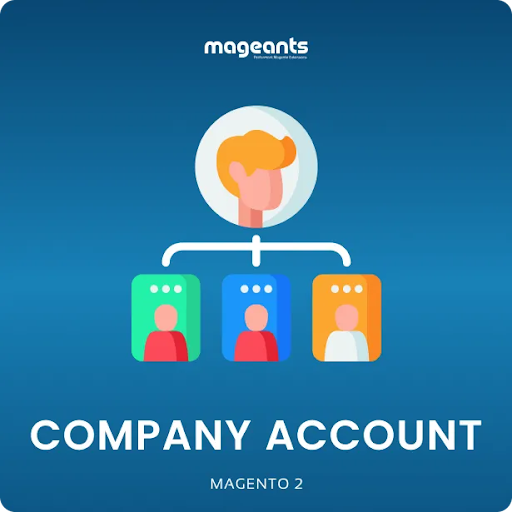
In retail, one account means one person. In B2B, one customer is a company with a purchasing manager, a few buyers and someone in finance who only needs to see invoices. Shared logins are the usual workaround, and they make it impossible to tell who placed which order.
B2B Company Accounts for Magento 2 lets a business register as a company and add its own users under that account. Each user gets their own login, and the company admin controls what each person can do. Orders stay tied to the company while you can still see which user placed them.
This suits wholesalers who deal with mid-size buyers, where the person approving spend is rarely the person filling the cart.
View B2B Company Accounts on Adobe Commerce Marketplace: https://commercemarketplace.adobe.com/mageants-module-companyaccount.html
2. Sales Representatives and Dealers: keep the account owner in the loop

In addition to selling online, many B2B companies also sell through people. A regional dealer handles customers inside their zone, while a field representative maintains a collection of accounts. The representative frequently doesn't know what was ordered or when when those consumers begin placing online orders.
Customers are connected to the sales representative or dealer in charge of them through Magento 2 sales representatives and dealers.
The website supports your sales team rather than circumventing it because online orders remain connected to the person who oversees that relationship.
Distributors who pay representatives on the accounts they oversee or manufacturers with a network of dealers would benefit from it.
View Sales Representatives and Dealers on Adobe Commerce Marketplace: https://commercemarketplace.adobe.com/mageants-salesreps.html
3. Shipping Restrictions: stop offering methods you can't honour
Magento displays all available shipping options to customers that meet the requirements based on their weight and address right out of the box. B2B retailers soon reached that limit. A carrier that doesn't service a region shouldn't show up for customers there, and a 300 kg order shouldn't be provided regular parcel delivery.
Magento 2's Shipping Restrictions feature allows you to create rules that conceal shipping options when certain requirements aren't fulfilled.
There are fewer canceled purchases and calls explaining why a quoted delivery is not possible because customers only see options that will truly work for their order.
Stores that offer to both retail and trade consumers from the same catalog or that include parcel-size and freight-size products can benefit from this.
View Shipping Restrictions on Adobe Commerce Marketplace: https://commercemarketplace.adobe.com/mageants-shippingrestriction.html
Common questions
Do I need these if I'm on Adobe Commerce?
Although Adobe Commerce has its own B2B module, the Adobe Commerce edition of Request a Quote, B2B Company Accounts, Sales Representatives and Dealers, and Shipping Restrictions is still available for purchase on the Adobe Commerce Marketplace. They are ideal for Adobe Commerce stores that wish to implement a particular workflow without activating the entire suite or that do not use the native B2B module. Test each one on staging first and compare it to the native functionality for your use case. Only Magento Open Source is compatible with the B2B Ecommerce Solution bundle.
Is the Marketplace version different from the one on mageants.com ?
No, it's the same extension. Buying through the Adobe Commerce Marketplace keeps the licence in your Marketplace account, next to any other Marketplace extensions you've bought.
Can I install just one now and add more later?
Yes. Each extension works on its own, so you can solve the most pressing gap first and add the rest as your B2B channel grows.
Not sure which gap to close first?
Contact our team with a short description of how your trade customers order today, and we'll point you to the right starting point.
