



Shipping Calculator For Magento 2
Ask AI About This Extension





Key Features
- Customers calculate the shipping cost on the product page before checkout.
- Show a shipping cost calculator for specific products and categories.
- Allow to set by default country, state, and zip code fields for customers.
- Ability to set up the cheapest shipping at the top.
- A custom message will display when no shipping method is available.





Current Limitation in Magento 2
What Magento 2 Cannot Do
By default, Magento 2 does not show a shipping calculator on the product page. This means that when a customer adds a product to their cart and proceeds to checkout, they will not be able to see the shipping cost until they reach the checkout page. This can potentially discourage customers from completing their purchase if they find the shipping charge to be too high.
How Our Extension Solves This
Magento 2 Shipping Calculator extension by MageAnts allows store owners to set up shipping calculators on the product page. It provides a user-friendly interface where customers can enter their shipping address, and the extension will automatically calculate the shipping fees of the products in their cart. It helps improve the overall customer experience by providing transparency and convenience in the shipping process.
Description
Let customers estimate shipping costs before checkout.
Magento 2 Shipping Calculator provides real-time shipping rate estimates on product and cart pages. For example, show customers the cost of delivery based on their zip code, reducing cart abandonment.
Customers calculate shipping costs on the product page
With the help of the Magento 2 Shipping Cost Calculator, customers can quickly calculate the shipping cost on the product page.
Also, the admin can set the custom title and description for the shipping calculator.
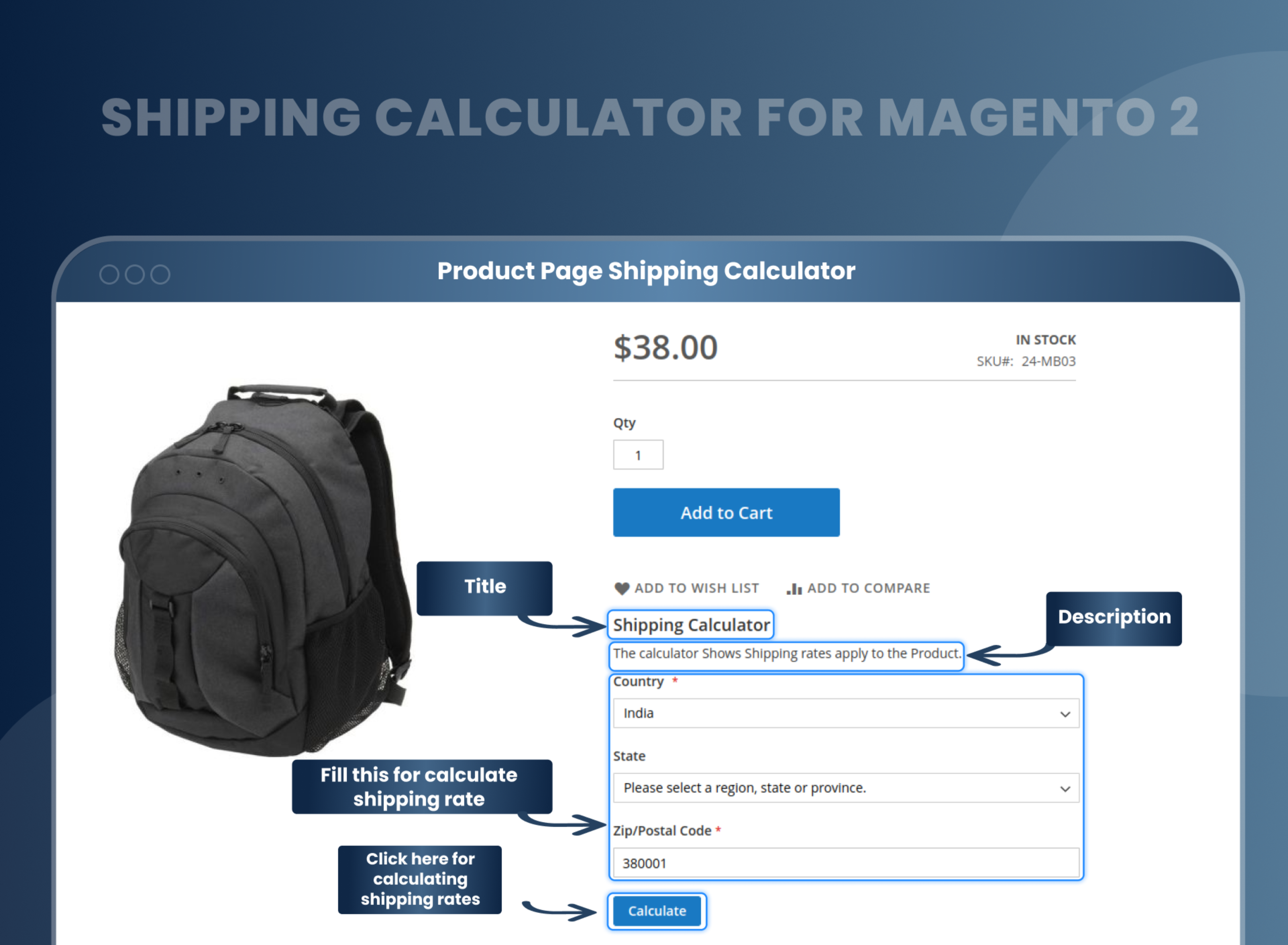
Show a shipping cost calculator for specific products and categories
Shipping Calculator for Magento 2 enables admins to set shipping calculators for specific categories and products.
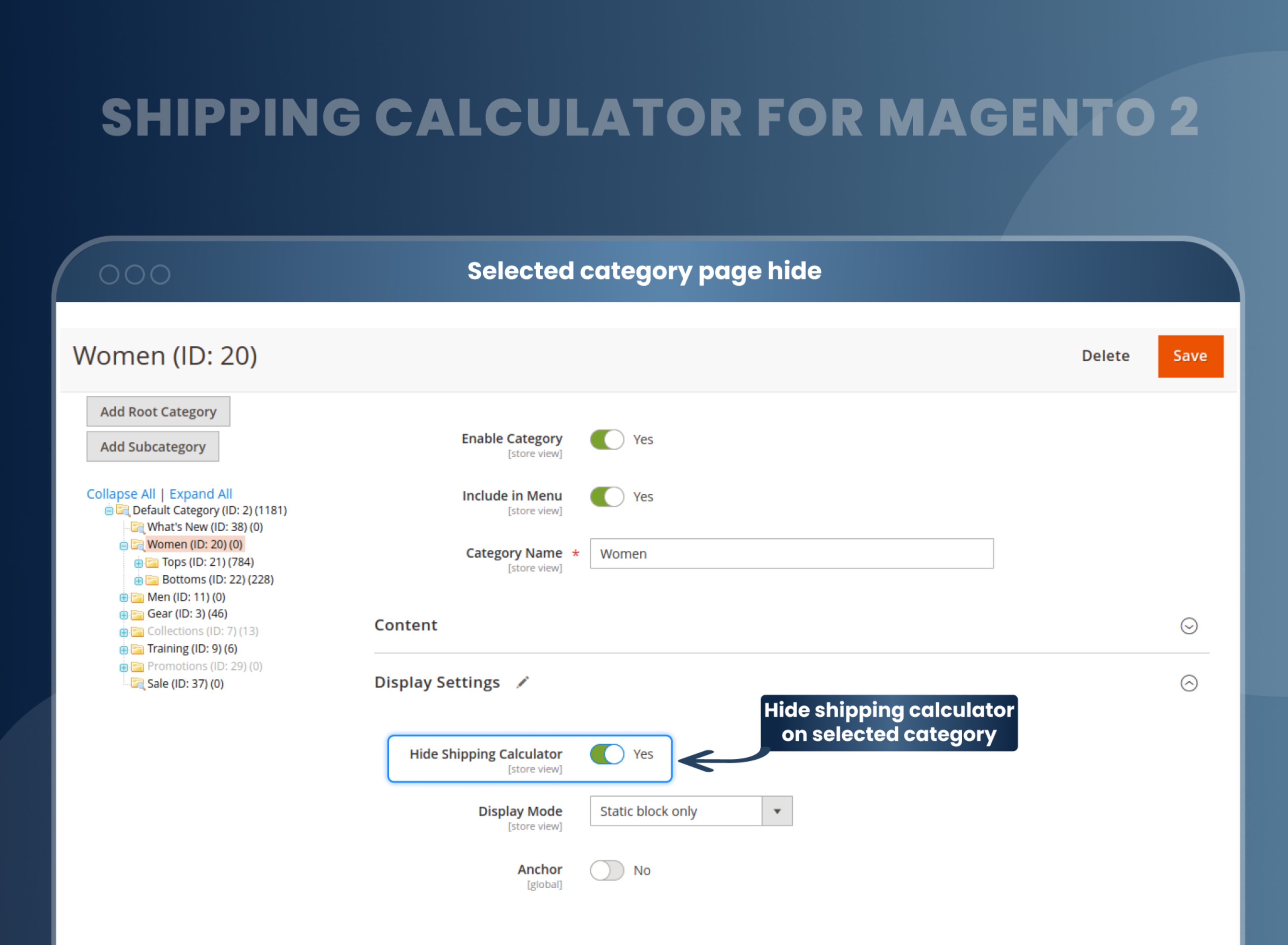
It can be hidden from the back end, depending on a specific catalog rule.
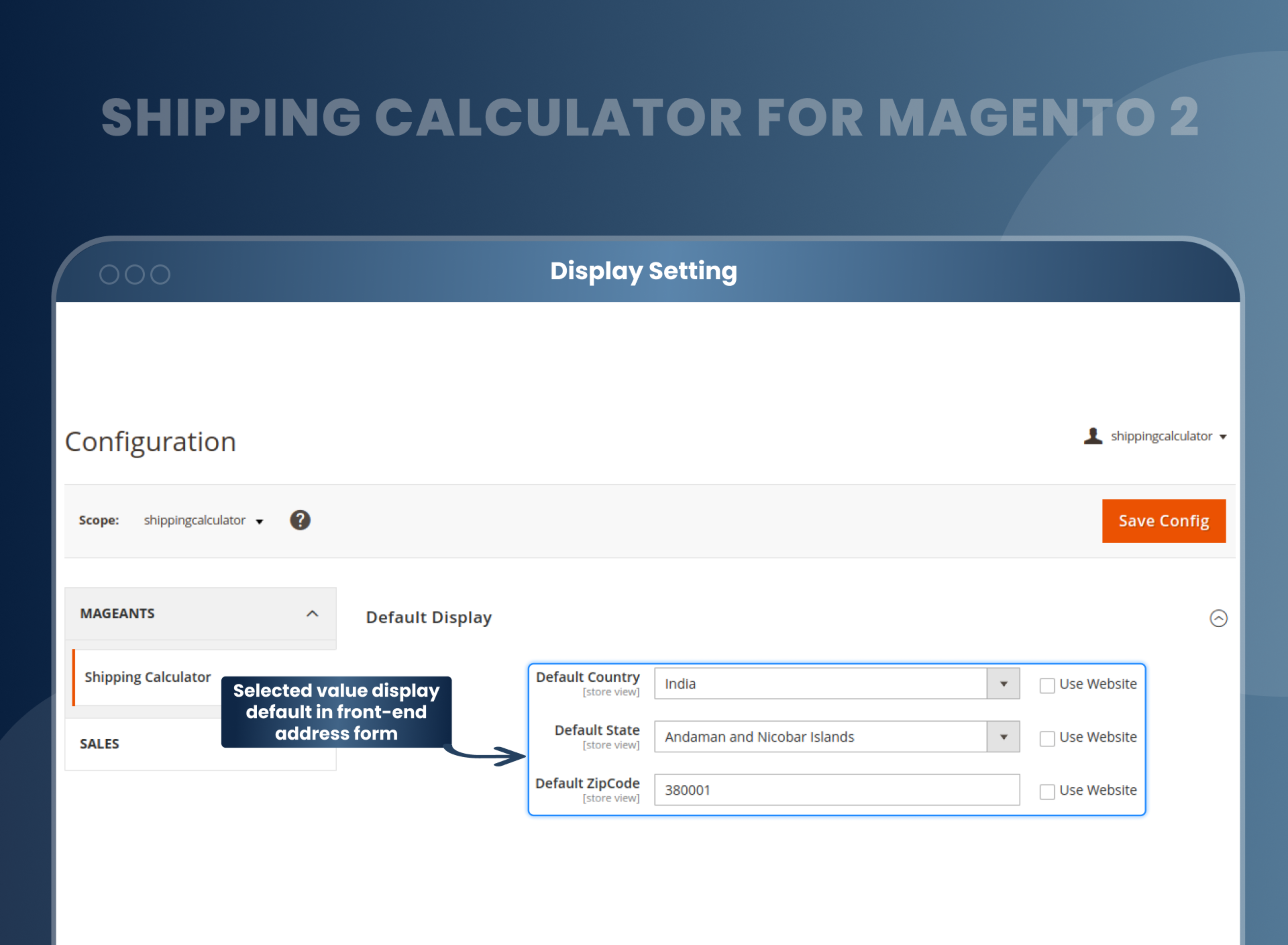
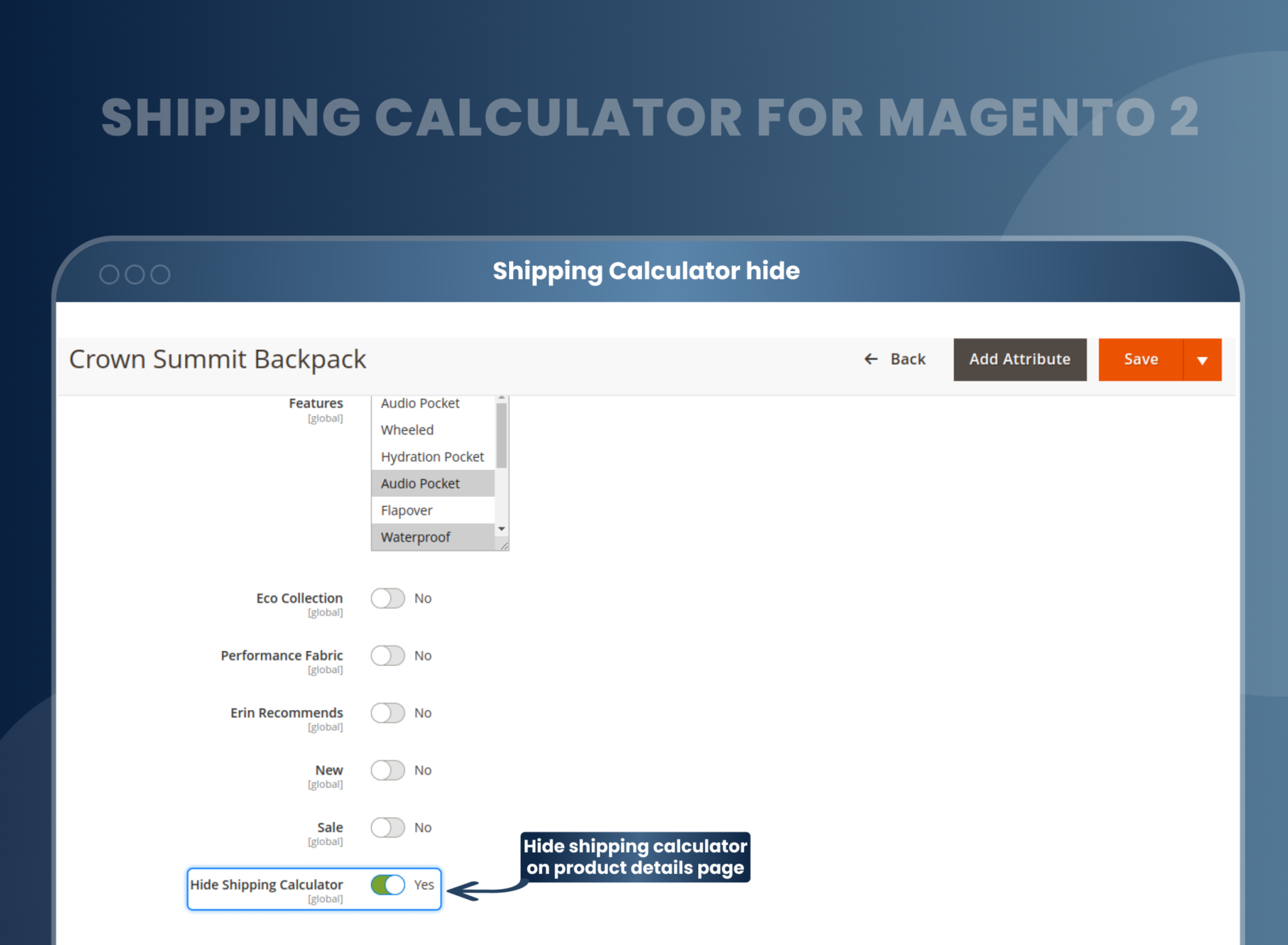
Set for a particular category and product
Admins can select the default country, state, and zip code in the front-end address form.
Admin can set a shipping calculator for a specific category and product.
Choose the preferred place for showing the shipping calculator
Shipping calculator Magento 2 allows you to add the shipping calculator for their preferred place on a product page.
The best place for the shipping calculator was after the description or in an additional tab with the tab name.
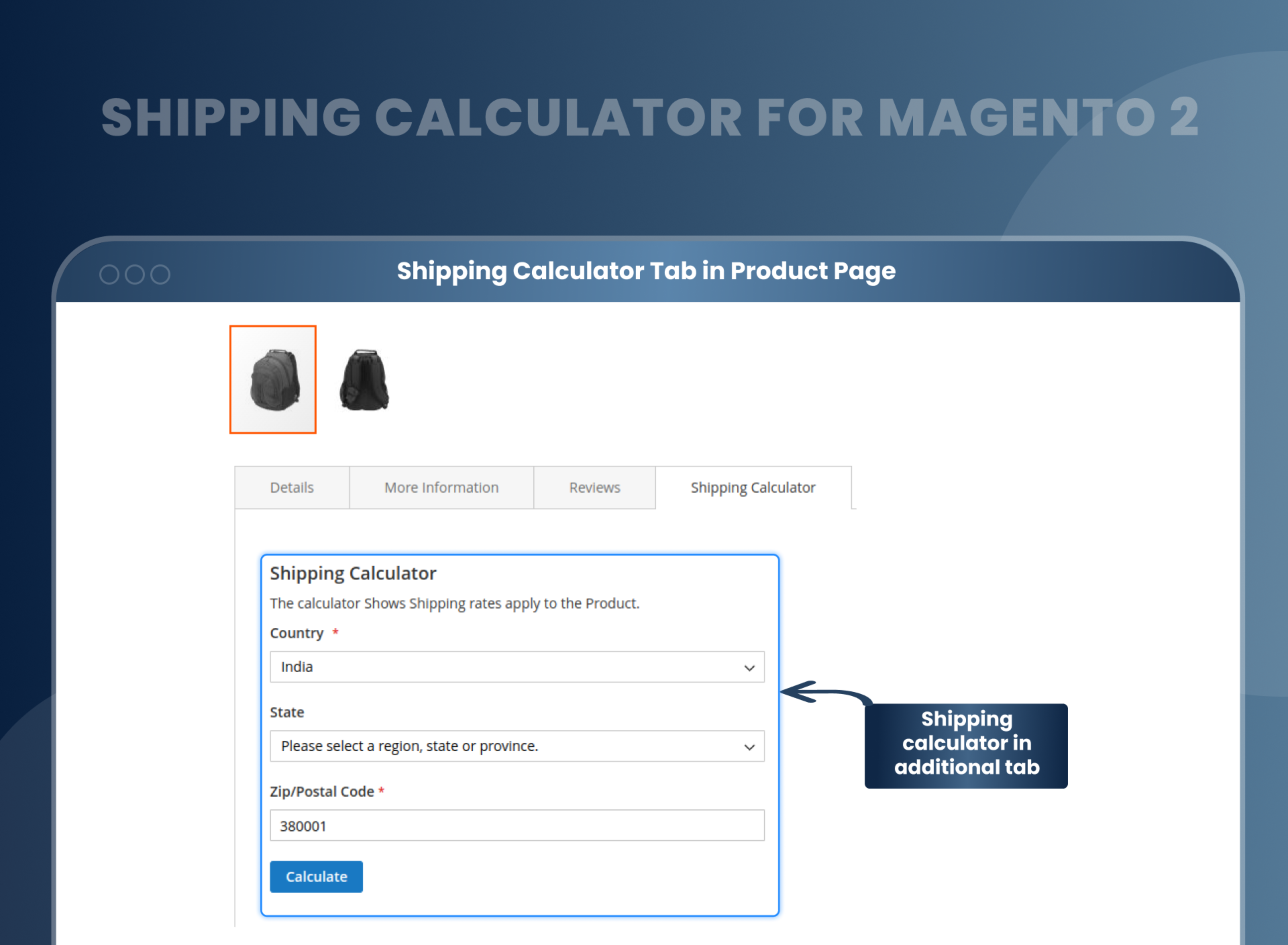
The customer can fill in shipping calculator details to get the rates
The customer can easily find the shipping rate once the necessary details are filled in.
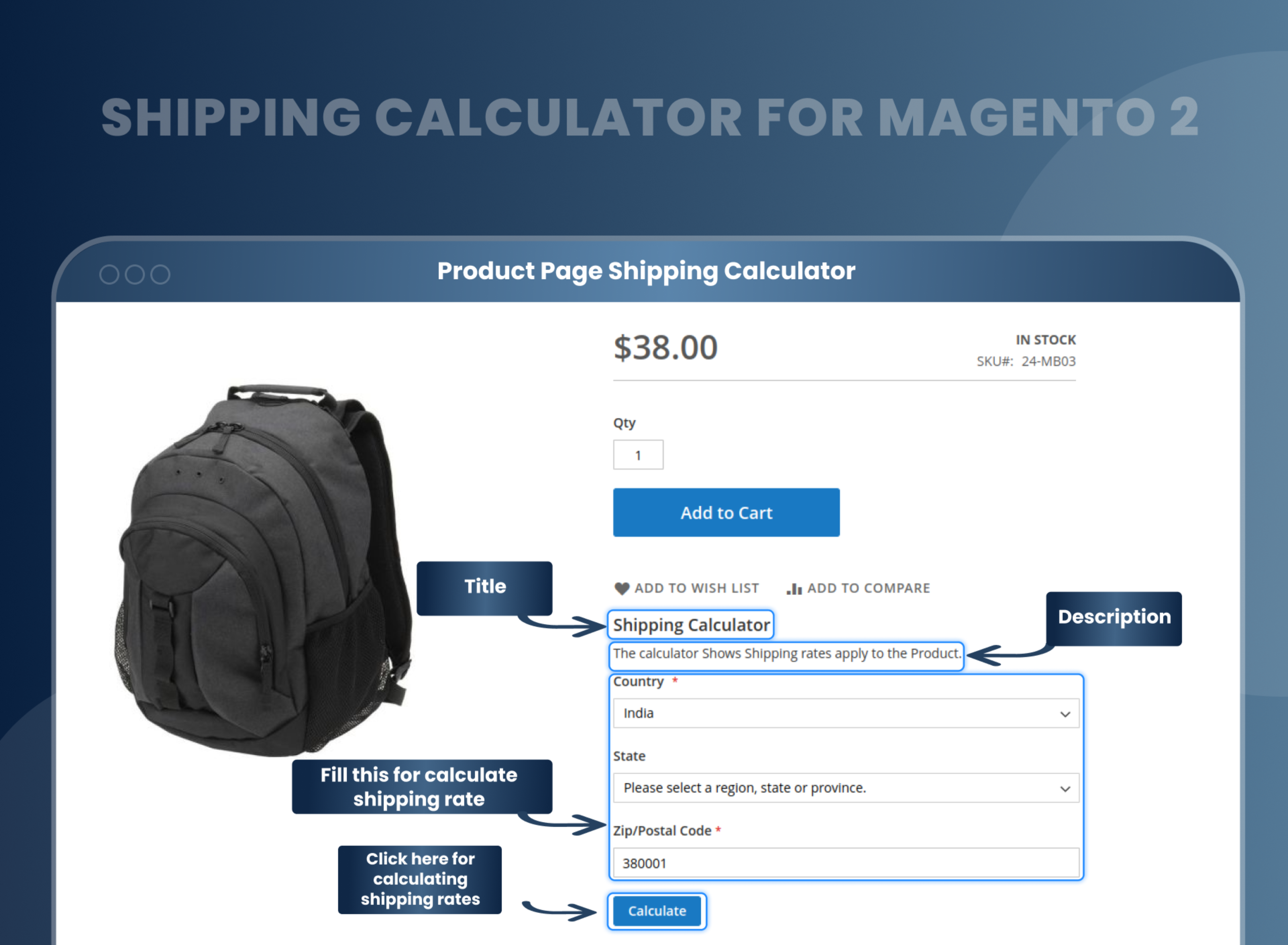
How Does Shipping Cost Calculator Magento 2 Work?
Why Does Your Store Need Magento 2 Shipping Calculator?
Benefits of Shipping Calculator Magento 2 Extension
- Shipping calculator Magento 2 extension allows the admin to select and offer different shipping rates to the customers based on their geographic location. This allows an auto-generated solution for the shipping rates, which helps with the customer's decision-making process. The extension's functionality also includes the admin providing the different shipping options for the customers while restricting it to products, and catalogs.
- The calculated shipping cost in Magento 2 allows the store owner to reduce customer churn by enabling them to have the right idea about the shipping cost. It hence increases the sales. Admin can further improve and impress the customer by highlighting the shipping method while also adding detailed descriptions and MageAnts ensures customer satisfaction with this extension.
- Reduce the abandonment rate.
- Enhance the customer shopping experience.
- Accurate shipping calculations
- Increased Efficiency
- Customer-friendly Interface
FAQs
What Is the Magento 2 Shipping Calculator on Product Page Extension?
Magento 2 Shipping Calculator Extension allows customers to estimate shipping costs directly from the product page.
How Can I auto calculate shipping cost in Magento 2?
Install the MageAnts Shipping Calculator Extension by going to Stores > Configuration > Mageants > Shipping Calculator; and that's it customer can now automatically calculate shipping costs on the Product page before checkout.
What Are the Benefits of Magento Shipping Calculator Module?
Here are the pros of the Shipping Calculator Module for Magento 2:
- Improves customer experience with real-time shipping cost estimates.
- Reduces cart abandonment by providing upfront shipping costs.
- Simplifies the buying process with automatic cost calculations based on location and shipping method.
Reviews
Customization
Changelog
- Mageants Team make extension compatible with Magento version 2.4.8.
- Mageants team make extension compatible with magento version 2.4.7.
- Mageants team make extension compatible with Hyva theme.
- Mageants team make extension compatible with magento version 2.4.6.
- Mageants team make extension compatible with Hyva Theme.
- Mageants team makes this extension coding as per the Magento standard compatible with the latest Magento version.
- Mageants develop a new Shipping calculator extension working fine in all Magento versions.
Why Choose MageAnts
-

30 Days Money Back Guarantee
We offer 30 Days money back guarantee if customer meets our refund policy. For more info you can read our terms and condition
-

Tested Before Every Release
Every version is tested on the latest Magento 2.4 release before it goes live, and bugs reported during your support period are fixed by our team.
-

Free 90 Days Support
MageAnts ensures quick and quality technical support. Take advantage of our 90 days free support for a smooth and efficient experience.
-

Frequent Extension Updates
Intensive update roadmaps ensure highly compatible, bug-free, great performance, and innovative extensions.
