


Quantity Dropdown For Magento 2
Ask AI About This Extension




Key Features
- Replace your product quantity box with the dropdown.
- Working for simple and configurable Magento products.
- Customers can purchase products in bulk with a single click.
- The best solution for boosting sales.
- Manage delivery costs with multiple product purchases.





Current Limitation in Magento 2
What Magento 2 Cannot Do
By default, Magento 2 does not offer customers the ability to purchase products from a drop-down list that displays pricing, nor can they add custom quantities to their purchases.
How Our Extension Solves This
The Magento 2 Quantity Dropdown extension by MageAnts provides a solution for all store owners to replace quantity boxes with dropdowns, as well as the best extension for promotion and marketing views. Customers can select the quantity of products they wish to purchase directly from the product view page without having to go through the cart. This improves convenience for customers, as they can quickly add items to their cart without having to adjust the quantity manually. This extension is designed to improve the customer experience when shopping online.
Description
Speed up bulk purchases with a pre-defined quantity selector.
Magento 2 Quantity Dropdown extension lets store owners offer predefined quantity options for products, streamlining the shopping process. For example, a wholesale buyer can quickly select quantities from a dropdown, saving time.
Display Quantity Dropdown
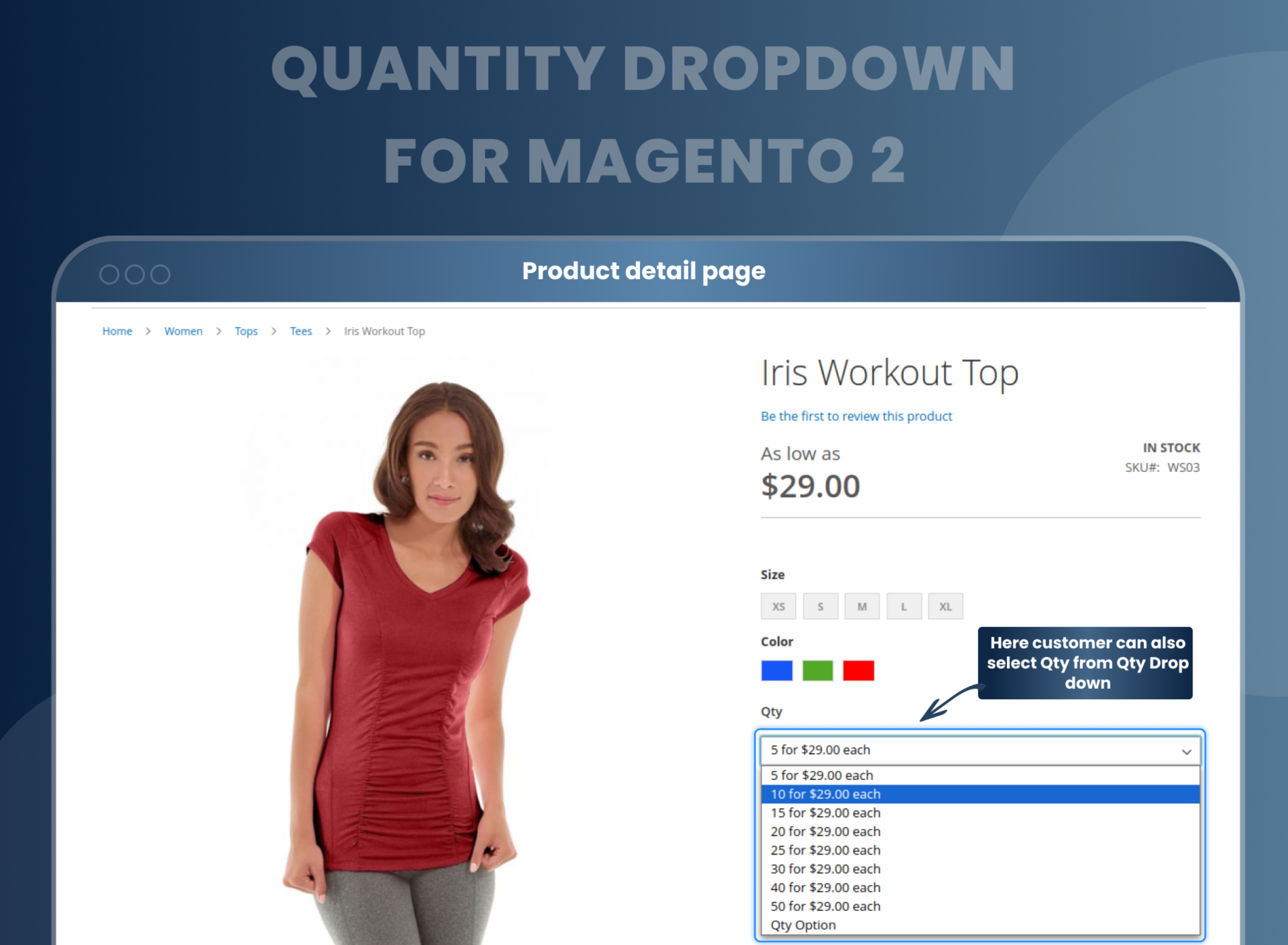
The Magento 2 Quantity Dropdown extension allows the admin to replace the product quantity box with the dropdown list and display it on the frontend.
Add a set quantity value
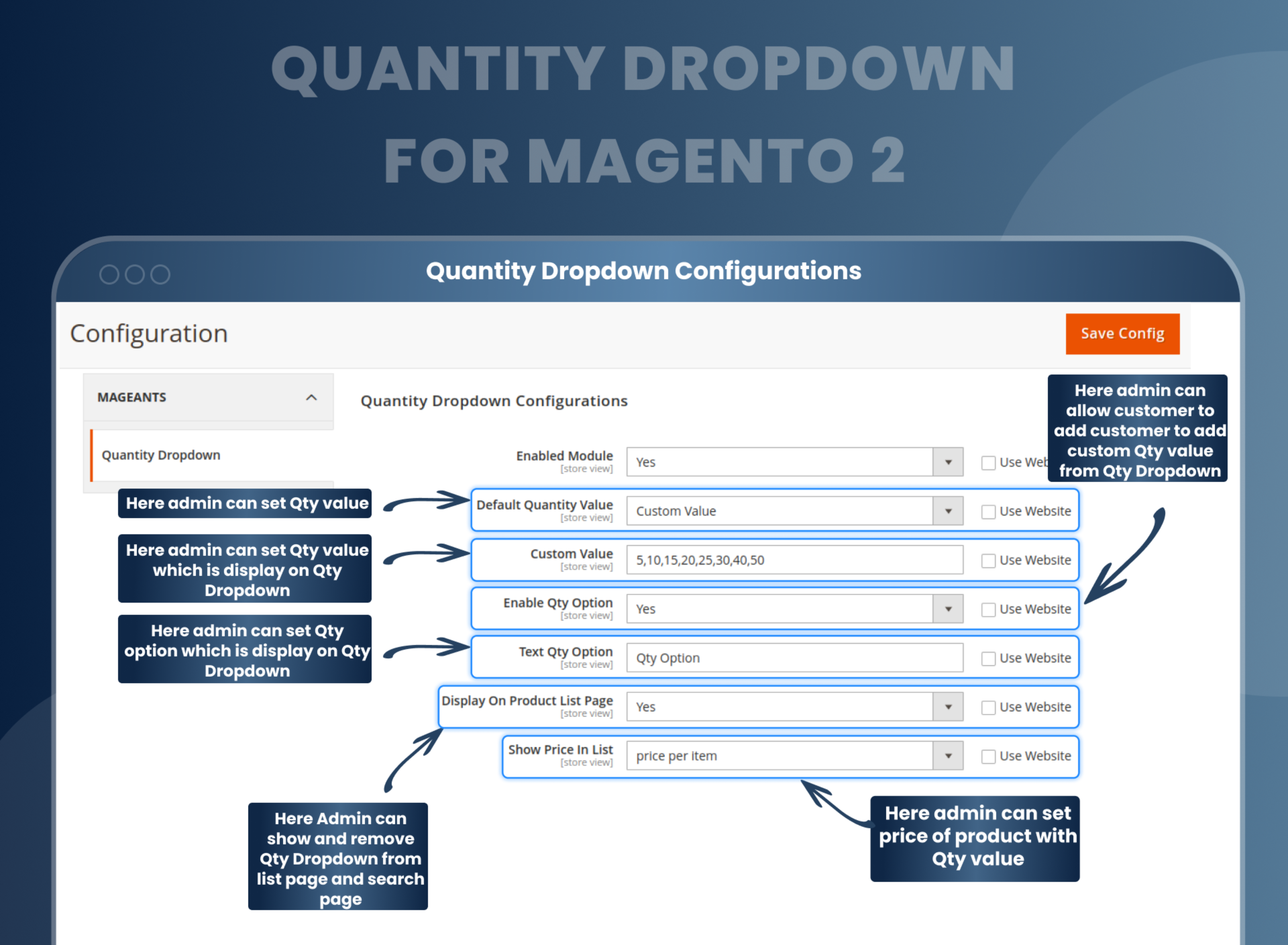
With Quantity Dropdown Magento 2, the admin can set the quantity value that is to be displayed on the Quantity Dropdown menu.
The admin can also show and remove the custom quantity value from the quantity drop-down menu on the search and list page.
The admin can enable the feature where the customer can add quantity in the Quantity dropdown menu.
The price of the product and its quantity value can also be set at the backend by the store owner.
Configure quantity value
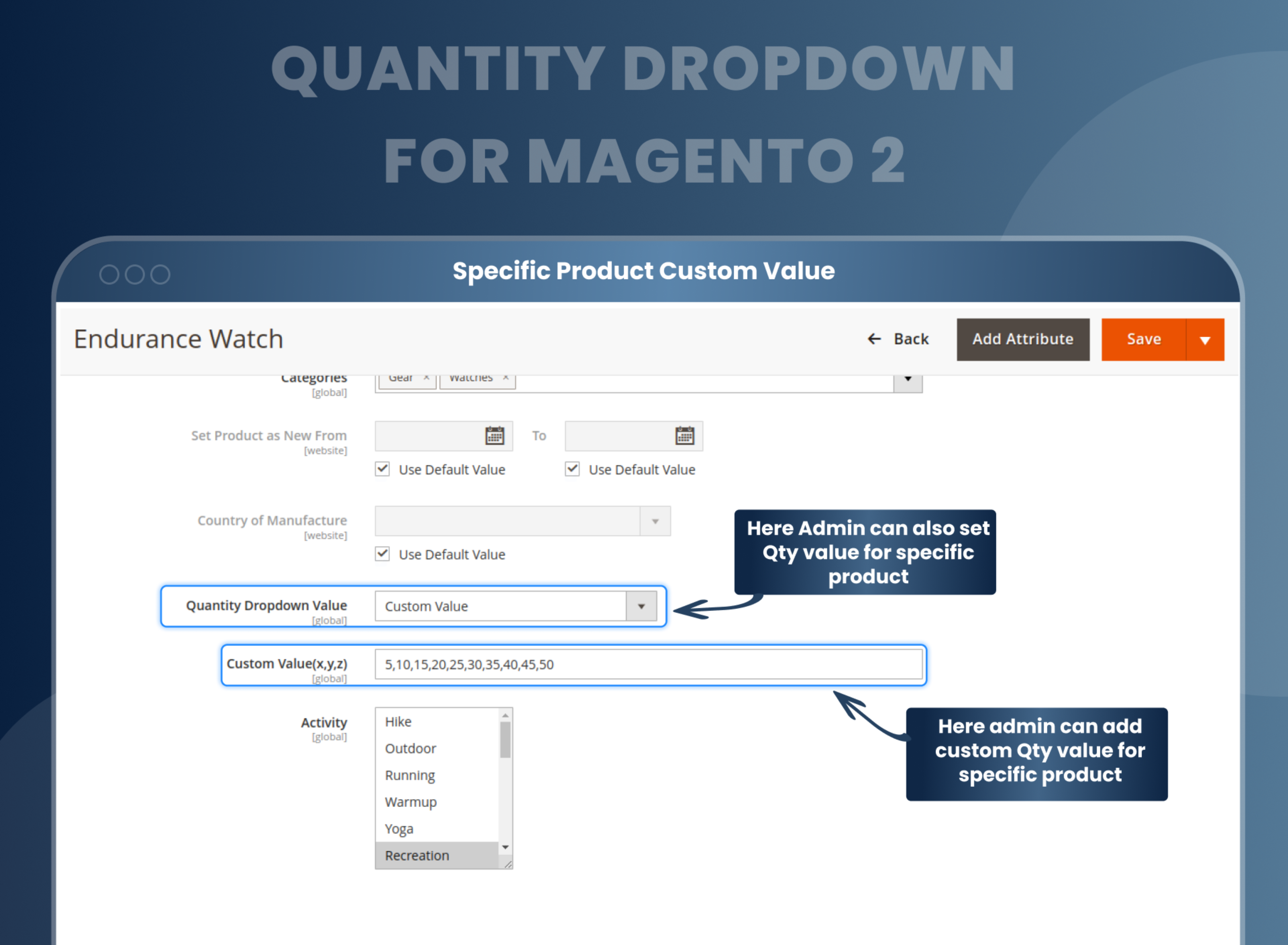
Configuring the specific quantity values for certain products is an additional feature offered by the Magento 2 Quantity Dropdown extension.
Custom quantity values for specific products can be added with this extension by the admin.
Configuration can also be set by the admin for a specific product. Magento 2 qty increment extension can be added for specific products by the store owner.

Purchase products in bulk
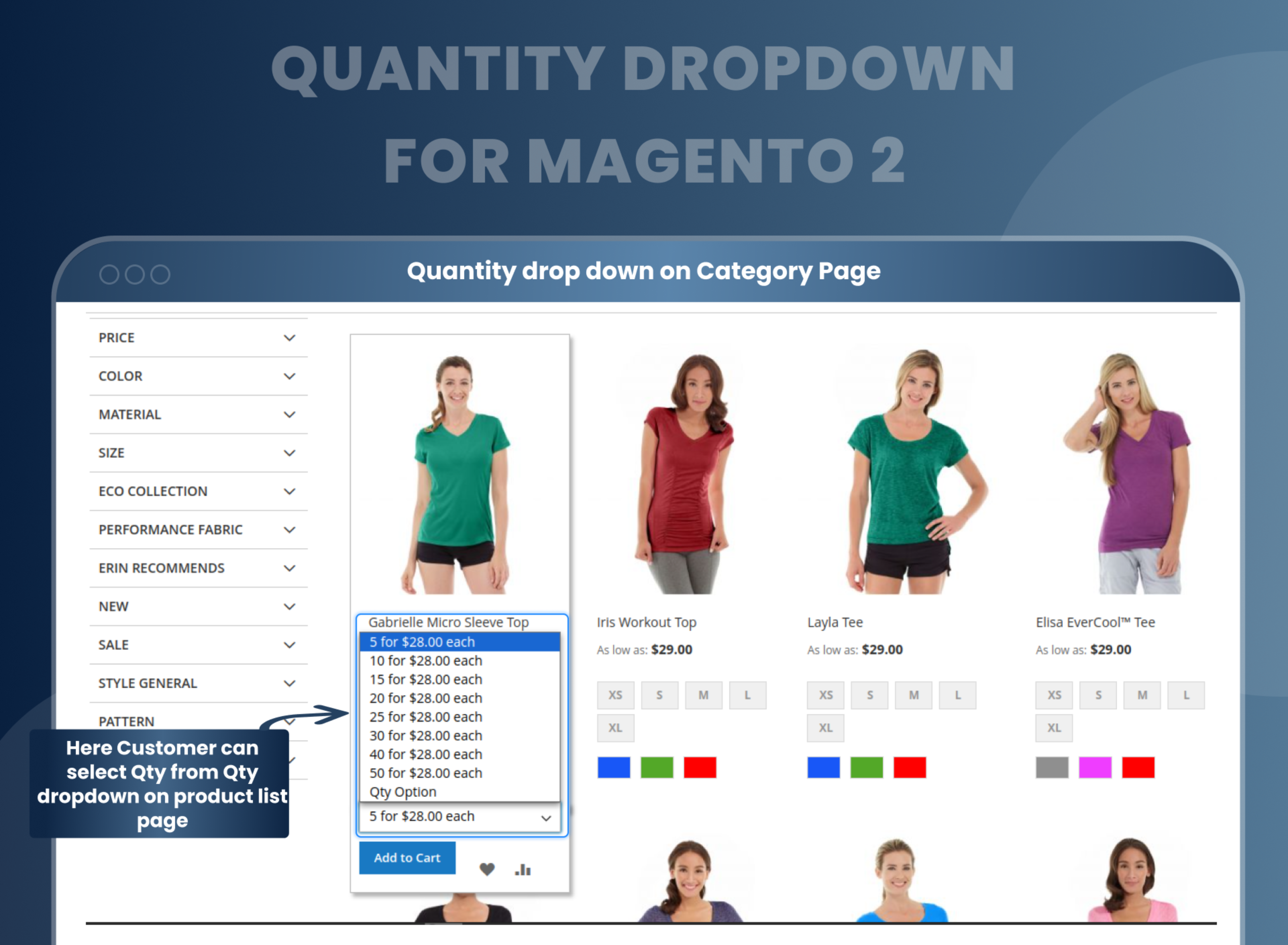
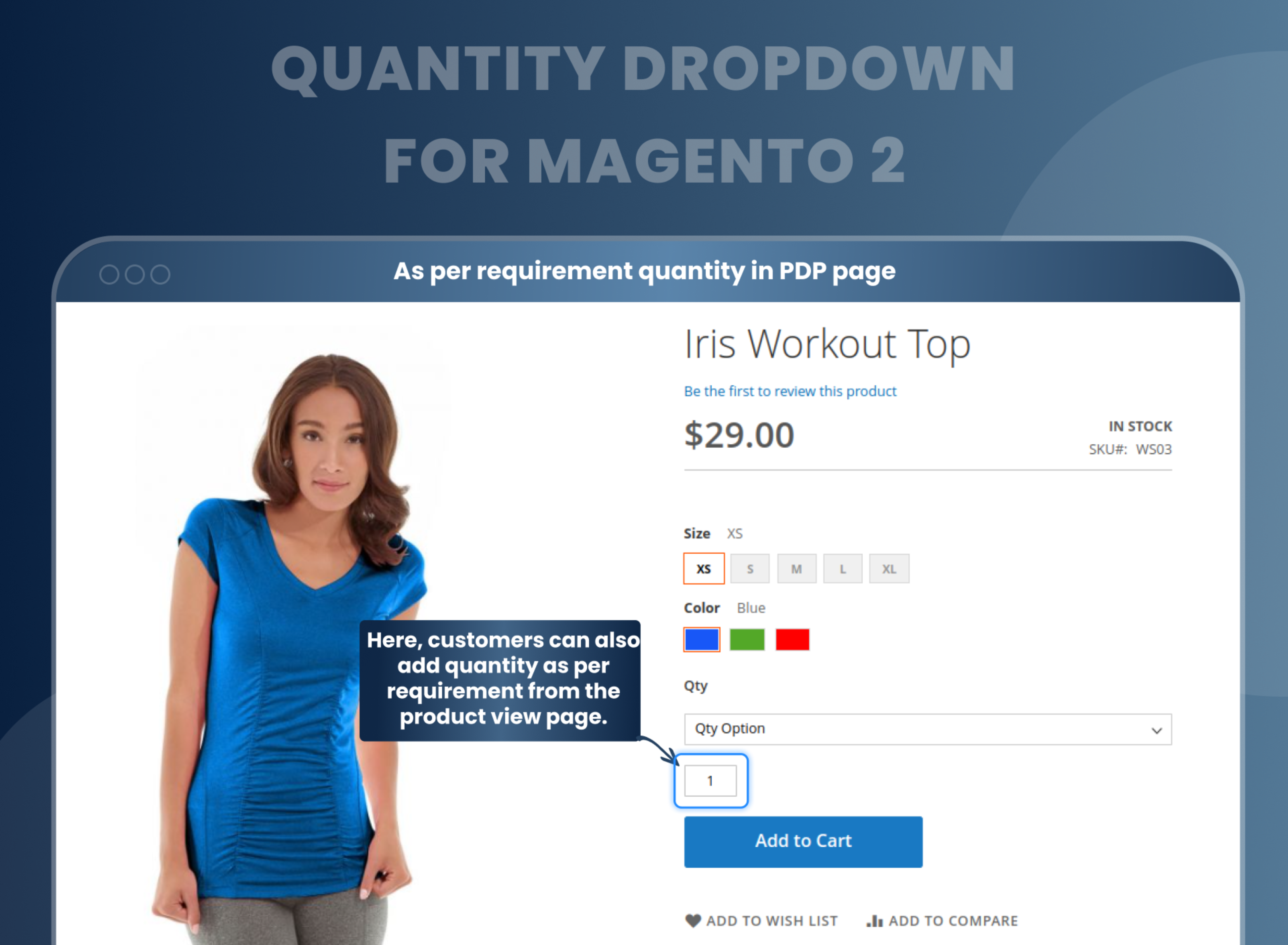
The frontend Quantity Dropdown for Magento 2 offers an option for customers to choose the quantity from the dropdown menu on the product list and product view page to simply order the products in bulk with a single click.
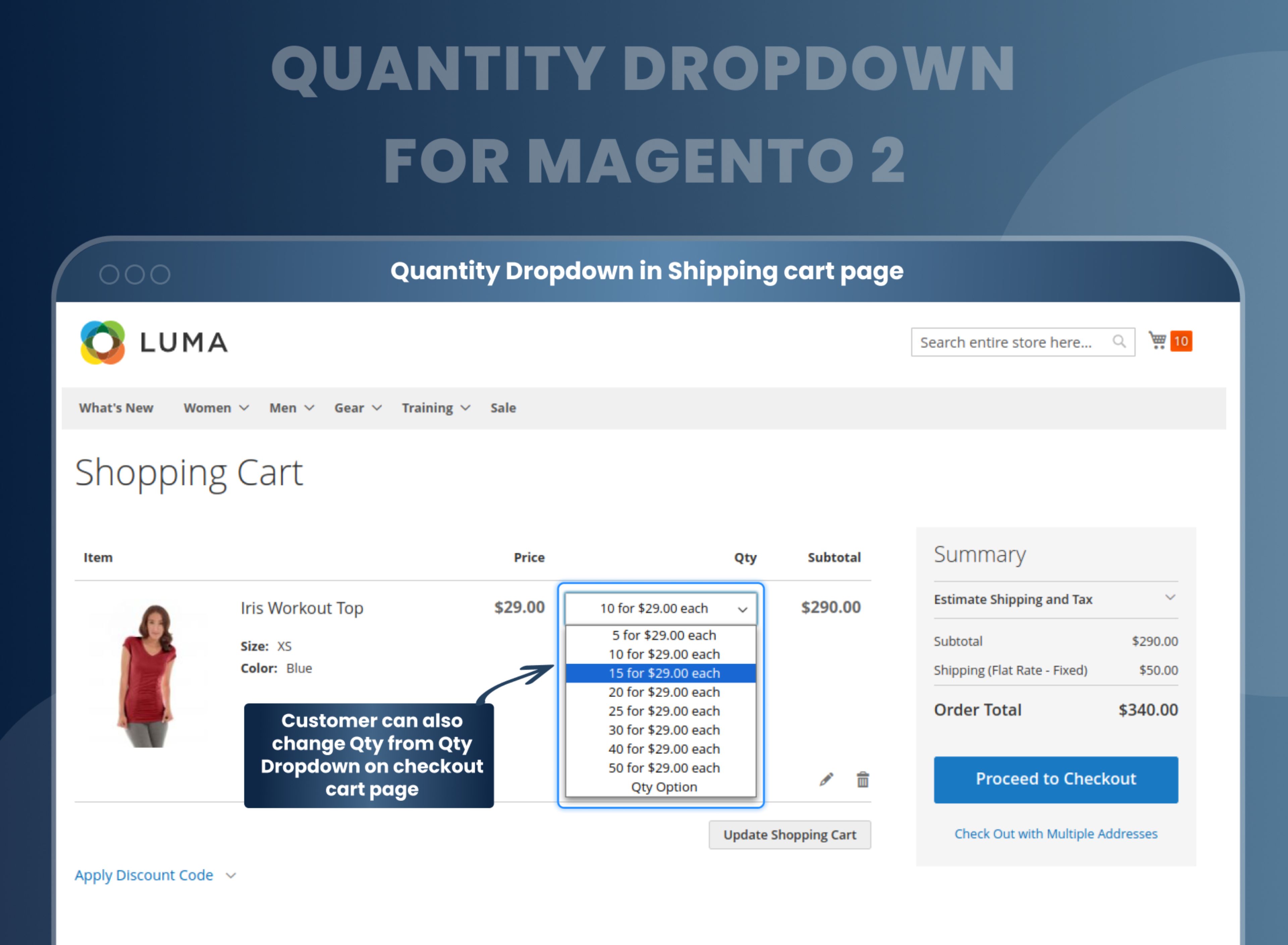
Customers can also select the number of items as per the requirement from the product page and also at the checkout cart page after adding items to the cart.
Change Quantity Value
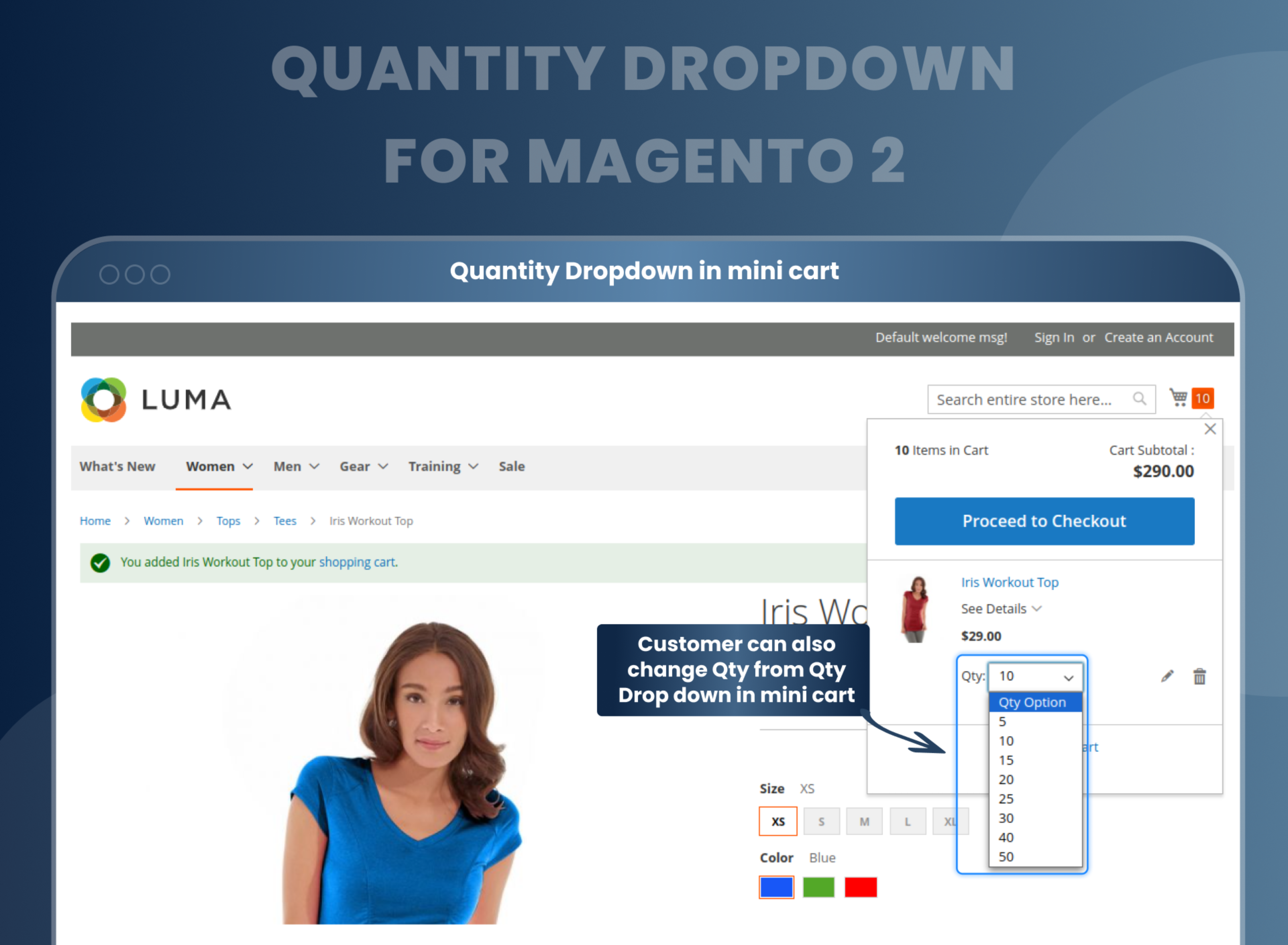
The custom quantity option is offered by the Magento 2 Quantity Dropdown to both the admin and the customer across all the pages on the Magento 2 eCommerce platform for the online store.
Boost sales and save delivery costs
Magento 2 Quantity Dropdown Extension helps store owners save on additional costs by showing a quantity dropdown list with a configured quantity number.
This extension also helps to increase sales by allowing customers to easily select the desired item quantity from a drop-down list.
This helps store owners control their stock and makes it easier for customers to buy in bulk. This can lead to increased sales, as customers can quickly and easily purchase larger quantities of products with one click.
How Does Magento 2 Quantity Dropdown Work?
Why Do You Need Quantity Dropdown Magento 2 Extension?
Benefits of Quantity Dropdown Magento 2
- This is an easy-to-use extension offered by Magento where the admin can select the drop-down types and then set the maximum quantity value from the drop-down for the increment type. For adding custom values the admin has to use a comma to separate the quantities and also select the quantity value and format it as per the stock quantity. The quantity can be configured by the admin for a specific item at the backend.
- Magento 2 Quantity Dropdown you can stop customers from bulk purchases so you can ensure more sales and a wider range of happy customers. The supportive module is an indispensable extension mainly when best-sellers or pre-order products are in line. It will also ensure a decrease in customer churn.
- Enable customers to select the desired quantity of products in an easy and convenient way.
- Increase product sales by offering customers different quantity options.
- Provide customers with an effortless shopping experience.
- Improve website usability by allowing customers to quickly and easily add multiple items to their carts with one click.
- Increase store revenue by allowing customers to purchase larger quantities of products in one go.
- Easily customize and manage the product quantity drop-down options from the backend of your store.
FAQs
Reviews
Customization
Changelog
- Improvement:- Resolved increment value configuration on drop-down value working and also improvements to the qty text box hide show functionality and also made it compatible with Magento 2.4.8.
- Fixes:- The minicart quantity input box is now functioning properly. Additionally, several design issues related to the dropdown in the minicart have been fixed.
- Improvement:- Add new functionalities to the configurable child product quantity dropdown.
- MageAnts team make extension compatible with latest magento 2.4.6 version.
- MageAnts team update the code by following the Magento coding standard.
- Mageants develops the new Quantity Dropdown extension which is working fine in all the Magento versions.
Why Choose MageAnts
-

30 Days Money Back Guarantee
We offer 30 Days money back guarantee if customer meets our refund policy. For more info you can read our terms and condition
-

Tested Before Every Release
Every version is tested on the latest Magento 2.4 release before it goes live, and bugs reported during your support period are fixed by our team.
-

Free 90 Days Support
MageAnts ensures quick and quality technical support. Take advantage of our 90 days free support for a smooth and efficient experience.
-

Frequent Extension Updates
Intensive update roadmaps ensure highly compatible, bug-free, great performance, and innovative extensions.
