


Product Parts Finder For Magento 2





Key Features of Product Parts Finder:
- Create categorized search options like year-make-model and other similar filters.
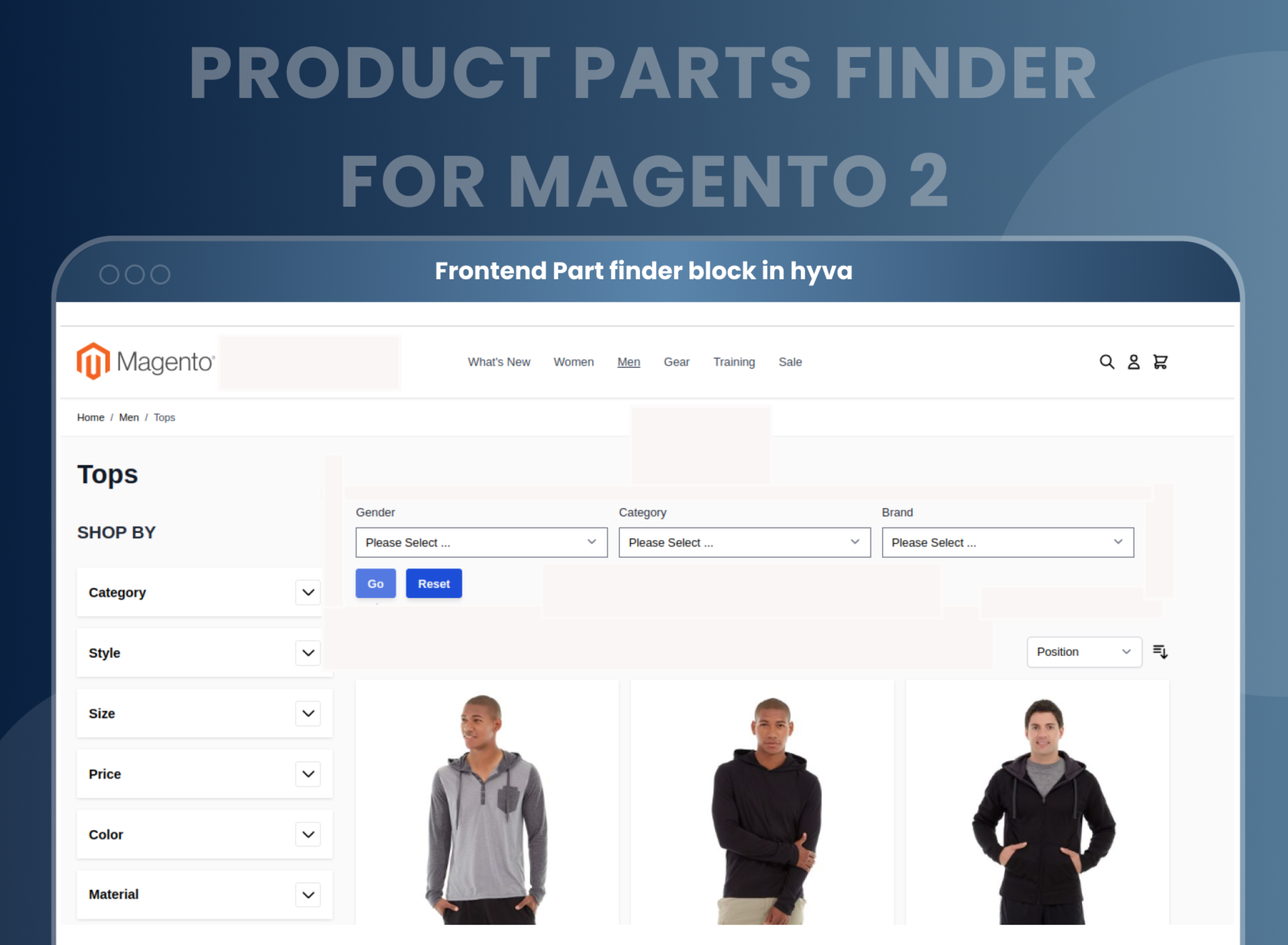
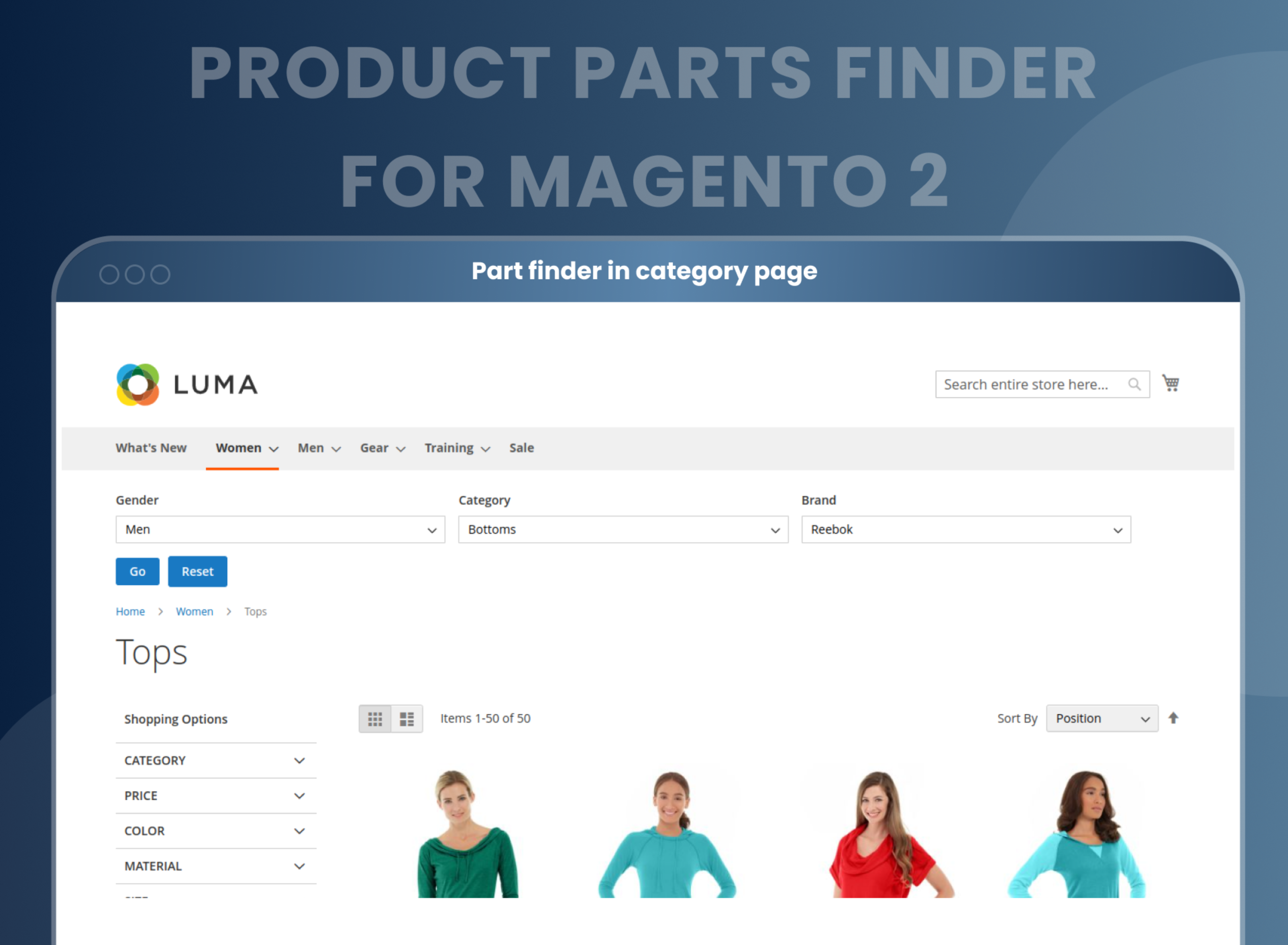
- Customize the part finder on any page of a website using the widget.
- Add multiple selection options for each part finder.
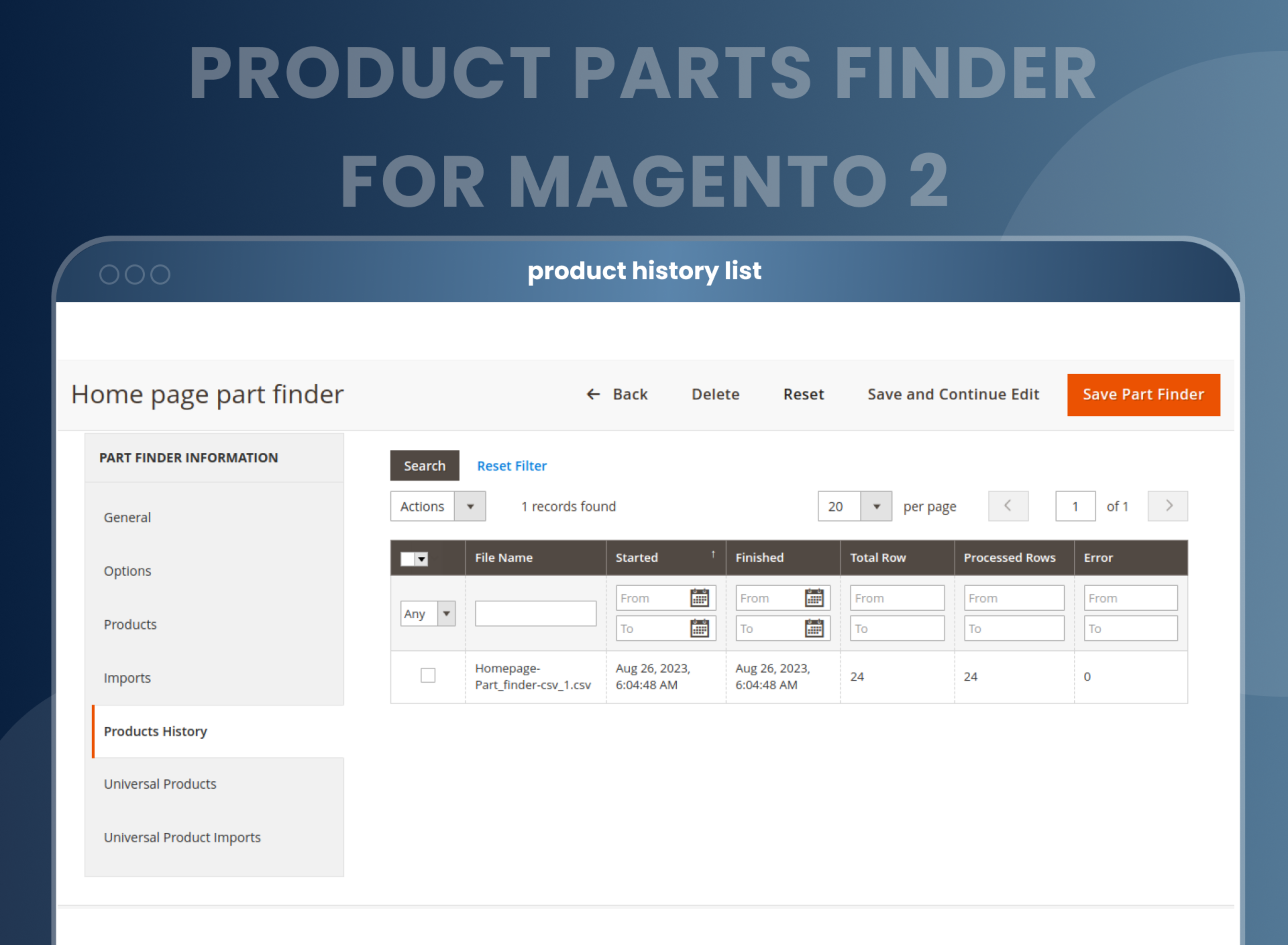
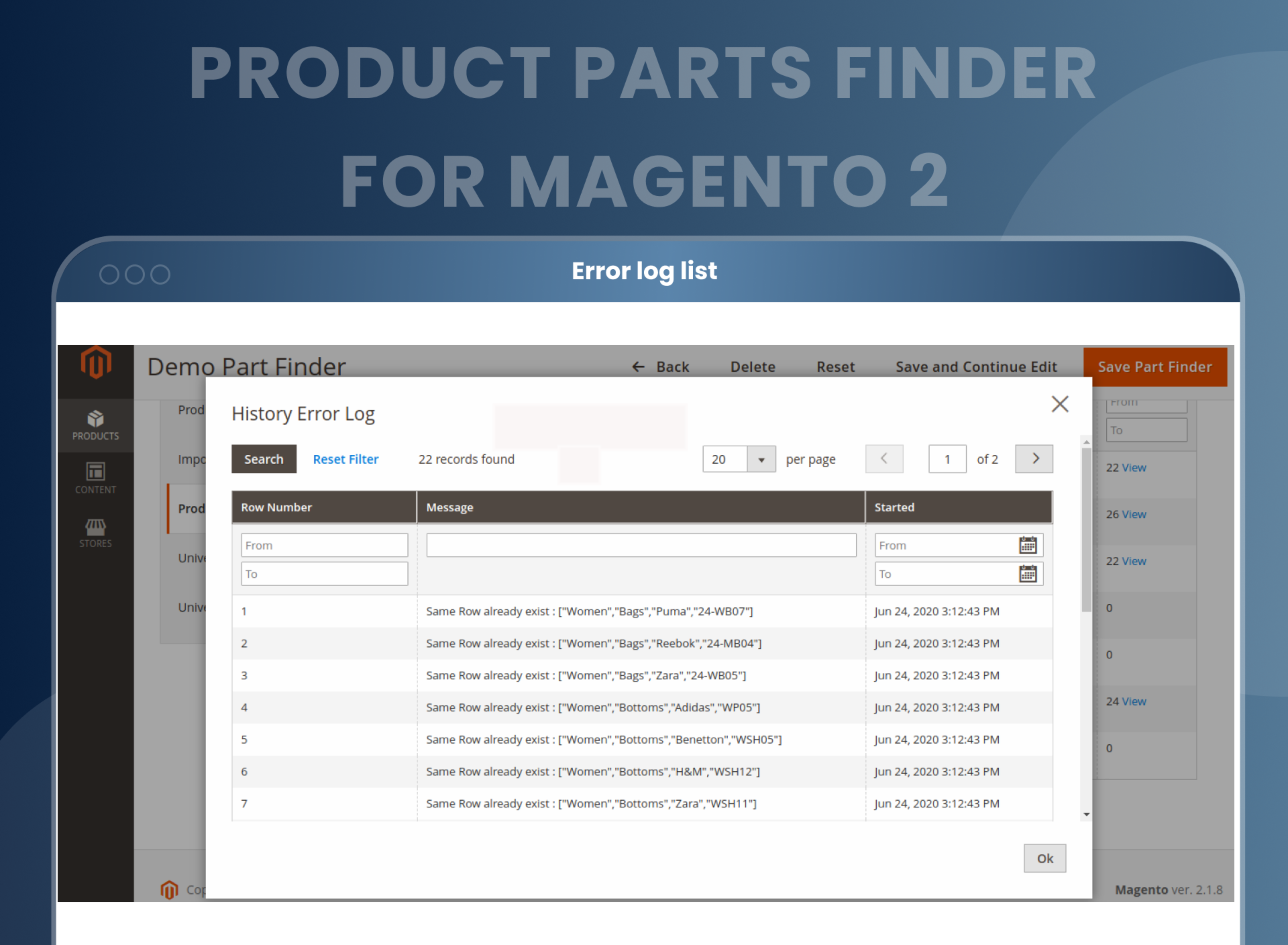
- Import values for finder options using a CSV file.
- Allow customers to save search results in their bookmarks.
- Multiple search option extensions.





Problem:
Magento 2 provides basic search features for websites by default. However, store owners are increasingly seeking out better search options for their customers so that they can find the items they're looking for more easily within the store.
Solutions:
Magento 2 product parts finder by MageAnts is a great solution for automobile online stores, with extra search features and multiple filters as well, so you can find any products in the store easily.
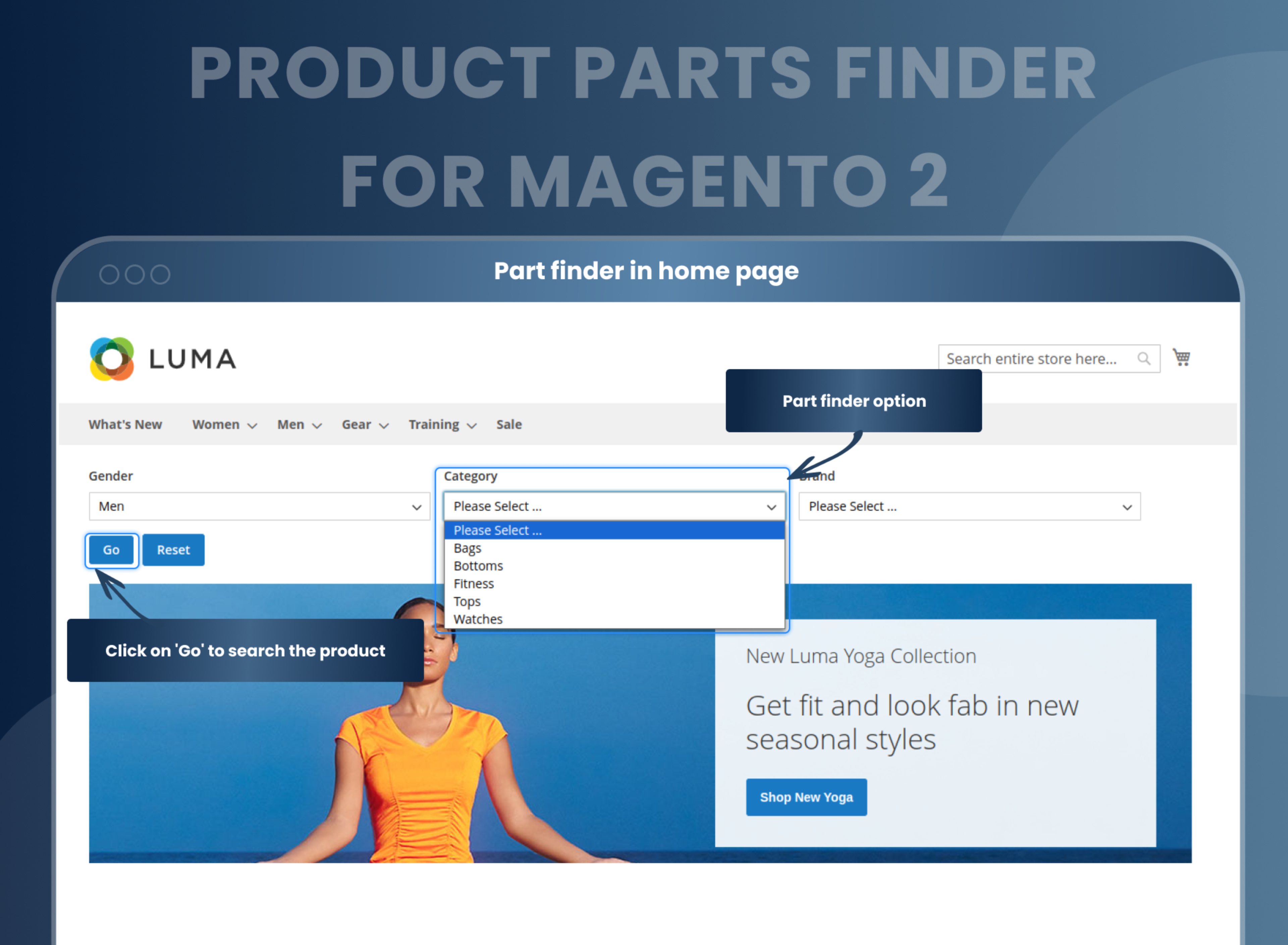
With the Magento 2 Product Parts Finder extension, customers can search for auto parts with make, model, year, and many other filters. Using such a filter option helps them view only the list of products that fit their selected filter option in any category.
Description
FAQ
Magento 2 Product Parts Finder helps to search exact products for your buyers. With the help of it, you can import products for each part finder and display them in search results. You can create custom search filters with infinite drop-downs which suit to your website.
You can add as many options that you want for the part finder.
Yes, you can add various part finder.
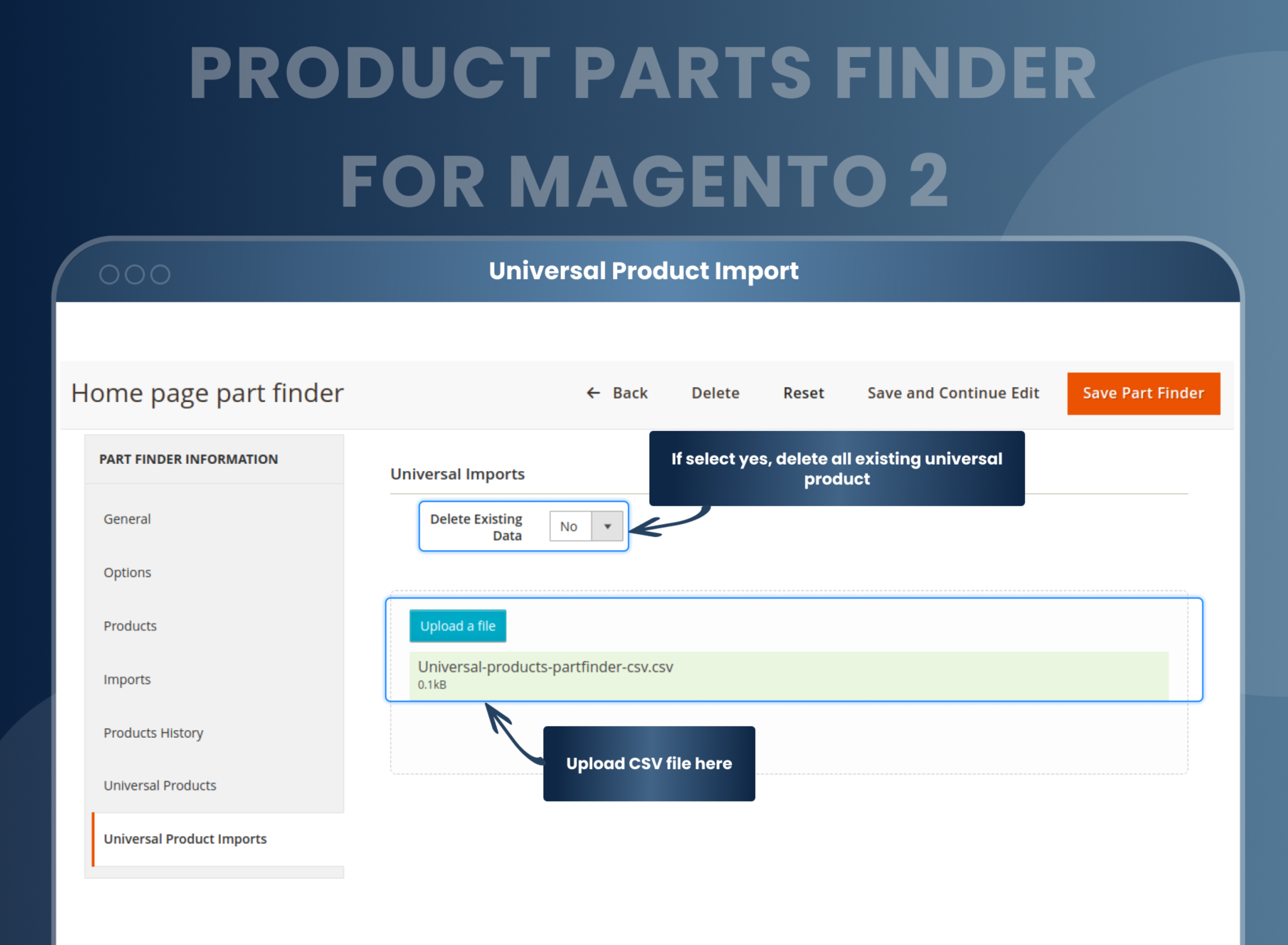
You can add various products for a particular choice by using the CSV file.
Yes, you can add part finder to any page by using the widget.
Yes, there are two options, by using the horizontal and vertical design you can display part finder.
Yes, you can set different part finder for different store view.
1) Magento 2 product finder is a perfect tool for Magento 2 store owners selling vehicle spare parts or accessories online.
2) Quickly search for needed products using multiple custom filters available.
3) Make your customers’ user experience much better as you can add an unlimited number of finders.
4) Integrate quick search capability on home, and category pages using the widget in the dropdown.
5) Customize the display of search results by redirecting customers to the product detail page when only one search result found.
Reviews
Customer 13 Reviews
Customization
Change Log
Current Version Number : 2.1.1
Date :28/11/2023
Compatible with magento version 2.4.6
- MageAnts team make extension compatible with magento version 2.4.6.
- MageAnts team make extension compatible with Hyva Theme.
Current Version Number : 2.1.0
Date :15/11/2022
Coding Standard
- MageAnts team makes this extension coding as per magento coding standard.
Current Version Number : 2.0.9
Date :15/02/2022
Bug Fixed
- In backend part finder product grid sorting option not working in Magento2.4.3 version.
Current Version Number : 2.0.8
Date : 07/10/2020
Bug Fixed
- Mass action filter was not working properly on the products grid and universal product grid.
- MageAnts team make Product Parts Finder extension compatible with Magento 2.4 latest version.
Current Version Number : 2.0.7
Date :30/01/2020
Bug Fixed
- The issue was while creating the same category as it's display two times in a year to make model dropdown.
Current Version Number : 2.0.6
Date : 23/09/2019
Bug fixed
- Options were not able to display on the part finder select box if the same part finder used somewhere else using the widget.
- Category page was not able to display all products in which part finder block added.
Current Version Number : 2.0.5
Date :24/06/2019
Bug fixed
- Add Widgets functionality in extension, now using widget admin can display part finder in particular page in frontend side, add in all Magento version and working fine in all Magento version.
Current Version Number : 2.0.4
Date :29/04/2019
Bug Fixed
- Because of Part Finder extension, Magento default search functionality is not working now to solve the issue and working fine in all Magento versions.
Current Version Number : 2.0.3
Date :08/03/2019
Bug fixed
- Pagination was not working in Part Finder extension, also product search using part finder and user filter with Position, Product name and Price then filter not working, both issue solve and working fine in all Magento version. Also, MageAnts update Part Finder extension in Magento 2.3 version.
Current Version Number : 2.0.2
Date :21/01/2019
Bug fixed
- Update module version name in composer.json file same as module.xml file.
- When user search any product in frontend then give error like page not found in magento2.2.x version only, now issue fixed in Magento2.2.x version, and working fine for all versions.
Current Version Number : 2.0.1
Date :08/08/2018
Bug fixed
- We change Product Part Finder functionality it's work like year make model.
- When user delete product from backend then also product display in frontend side. Now this issue solved.
- When user search product in frontend this product option not selected so user don't know which option product search so this issue also fixed.
- When user click on reset button on frontend then it's not working in Magento2.2. X. it's working now.
- Change in acl.xml file because give permission to admin user for add, edit, delete, etc.
How To Configure Product Parts Finder In Magento 2?
How Does Product Finder Magento 2 Work?
Why Does Your Store Need Product Parts Finder Magento 2 Extension?
Benefits of the Product Part Finder Magento 2 Extension
- Install Product part finder Magento 2 extension in your store.
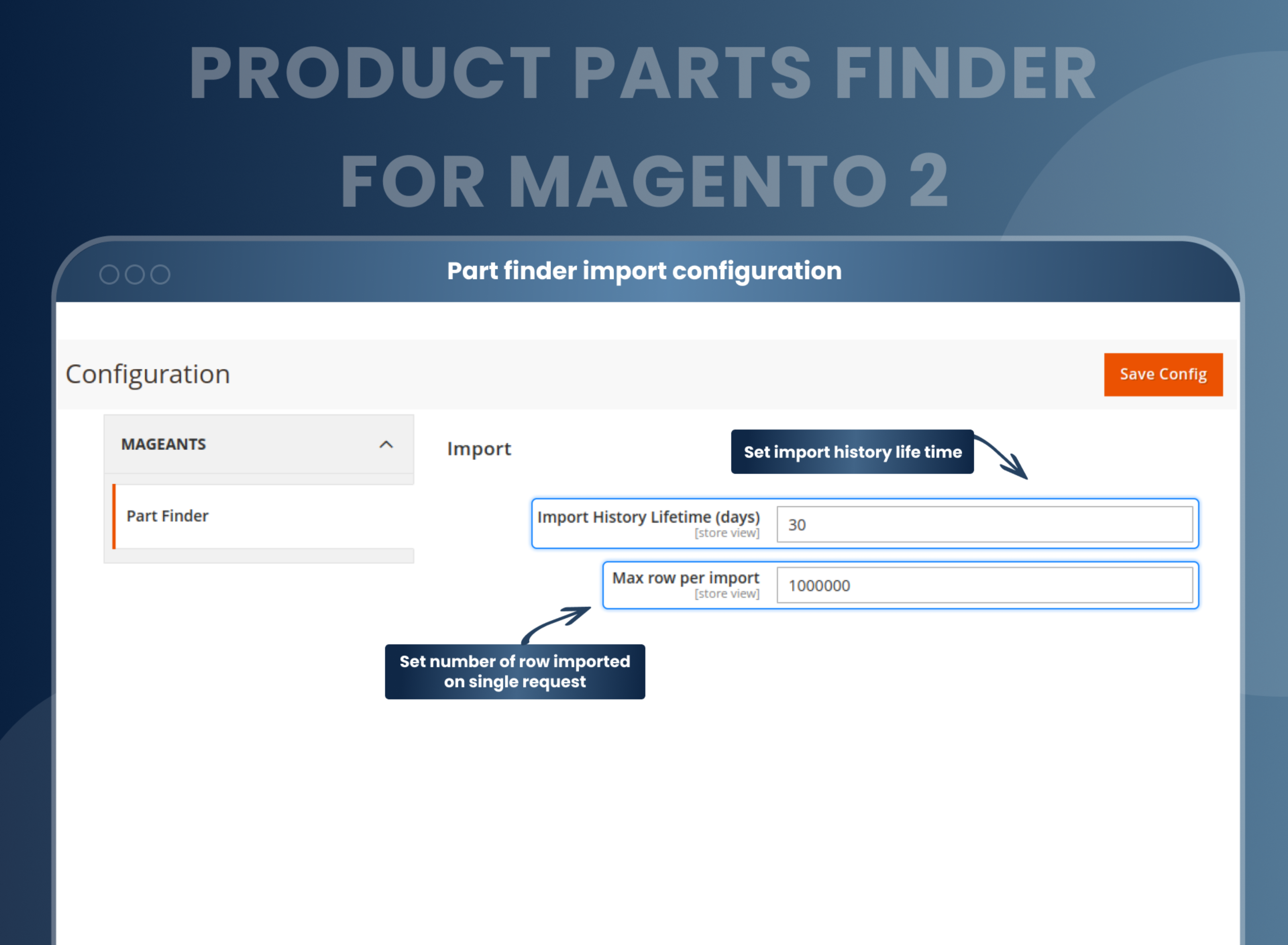
- You can enable extension from store > Configuration > Mageants > Product part finder.
- You can set other configuration as per your need and requirement.
- Then go to Product > Part finder and add new part finder.
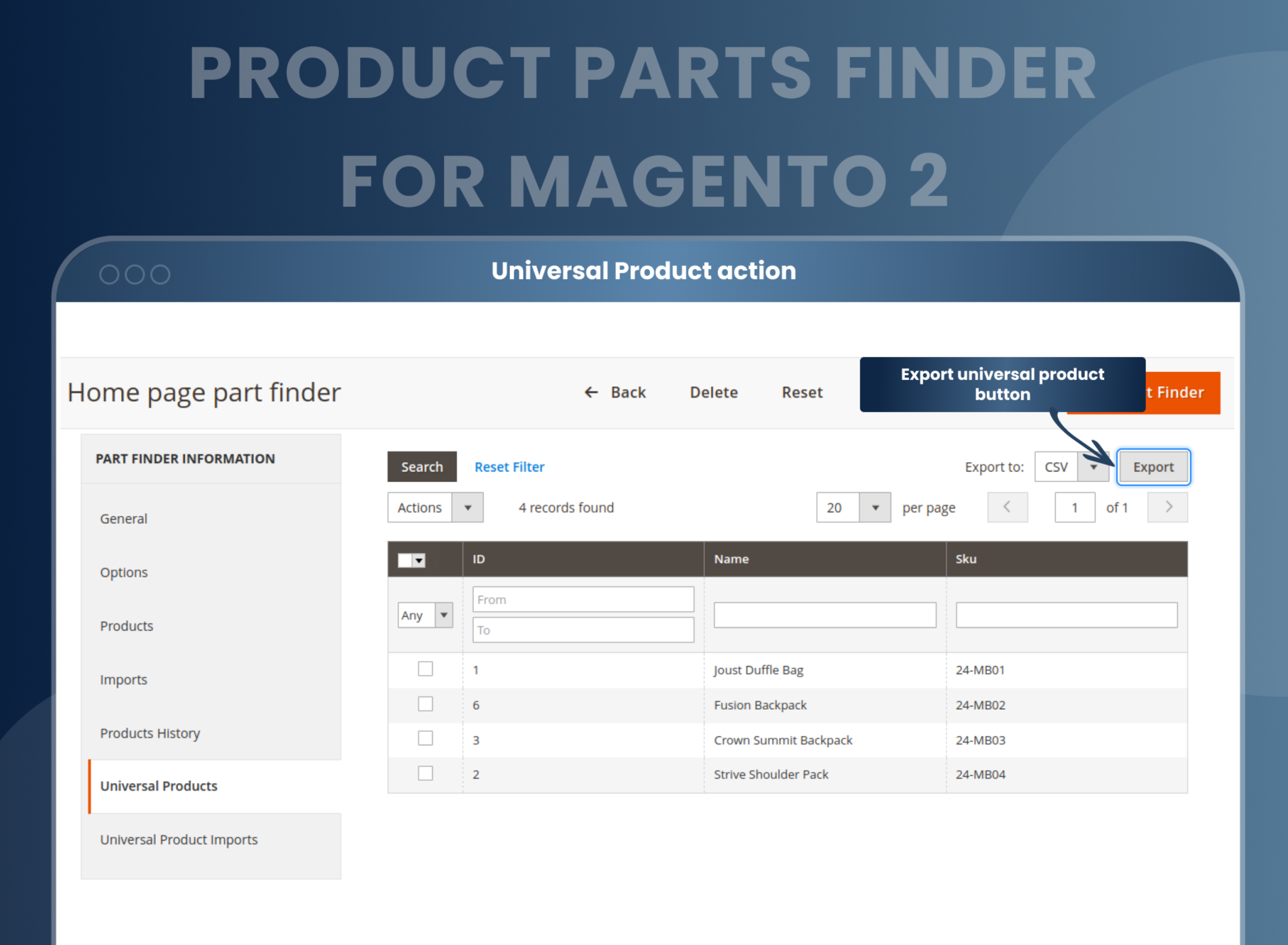
- You can import your part finder values using CSV file, or you can add manually.
- Copy your part finder code and paste where you want to set your part finder.
- Go to frontend and apply your filter on part finder.
- You can get result based on your filter.
- Part Finder Magento 2 extension is a must-have for those owning an automobile or parts manufacturing online stores. Searching for details for a particular product from store to store is a big headache. MageAnts Product Parts Finder plugin will lessen your struggle by providing categorized search options, customized and multiple filters options, etc.
- Since this plugin will make your store more user-friendly, customers will keep coming back to your store more frequently.
- An easy-to-use Magento 2 Car Parts Filter is an essential feature for online stores selling spare car parts or accessories.
- Magento 2 Finder is like a boon for the online store selling car parts and accessories. No one wants to revive their time searching for auto parts, and this is where Magento 2 auto parts have proven to be a great help. Not only car parts, but also it enriches its spectrum with a Magento 2 Year-Make-Model which allows you to categorize your search.
- Learn here - How To Filter Category Products By Vehicle Year-Make-Model In Magento 2
- Magento 2 Product Parts Finder is one of the best tools for eCommerce store owners owning an automobile or parts manufacturing stores. It helps to search for exact products for your customers using advanced filters like vehicle year-make-model and many more
- Some key highlights of this extension are that it helps to display parts finder on category and home pages, import universal products, fetch drop-down filter values dynamically, improve customer user experience, and make your store user-friendly. These are some of the reasons why your store needs product parts finder Magento 2 Extension.
- Multiple filters for easily finding products.
- Customize any page of the store.
- Save time by providing users with a powerful search tool to quickly find the parts they need.
- Increased customer satisfaction as customers can find the exact product part quickly and easily.
- Improved user experience as they can easily find the right product parts with advanced search filters and detailed product information.
- Increased sales
- Improved customer loyalty and repeat purchases.
Why Choose MageAnts
-

9+ Years of Industry Experience
9+ years of extensive experience in delivering Magento solutions & services. Over the years, we have watched technologies change and bounds, and our team has always focused on staying ahead in this competition.
-

100% Bug Free
Our team follow rules and takes care of perfect setup to ensure a bug-free and error-free code for the development process of theme, extension, or website development.
-
Extension created By Certified Developers
Team of certified developers for developing MageAnts Magento extensions. Skilled, qualified, and committed professionals to work on every extension.
-

Quick Technical Support
MageAnts ensures quick and quality technical support. Take advantage of our 90 days free support for a smooth and efficient experience.
-

Frequent Extension Updates
Intensive update roadmaps ensure highly compatible, bug-free, great performance, and innovative extensions.
Our services
-

Hyva Theme development
Are you facing Speed issues? Integrate Hyva Theme
-

Hire Magento 2 Developer
Hire Developer as per your custom requirement
-

Magento 2 Upgrade Services
Upgrade your Store with Magento 2 Latest Version
-

Support & Maintenance Services
Maintain your Store with MageAnts Support Services