



Product Slider For Magento 2




Key Features of Product Slider:
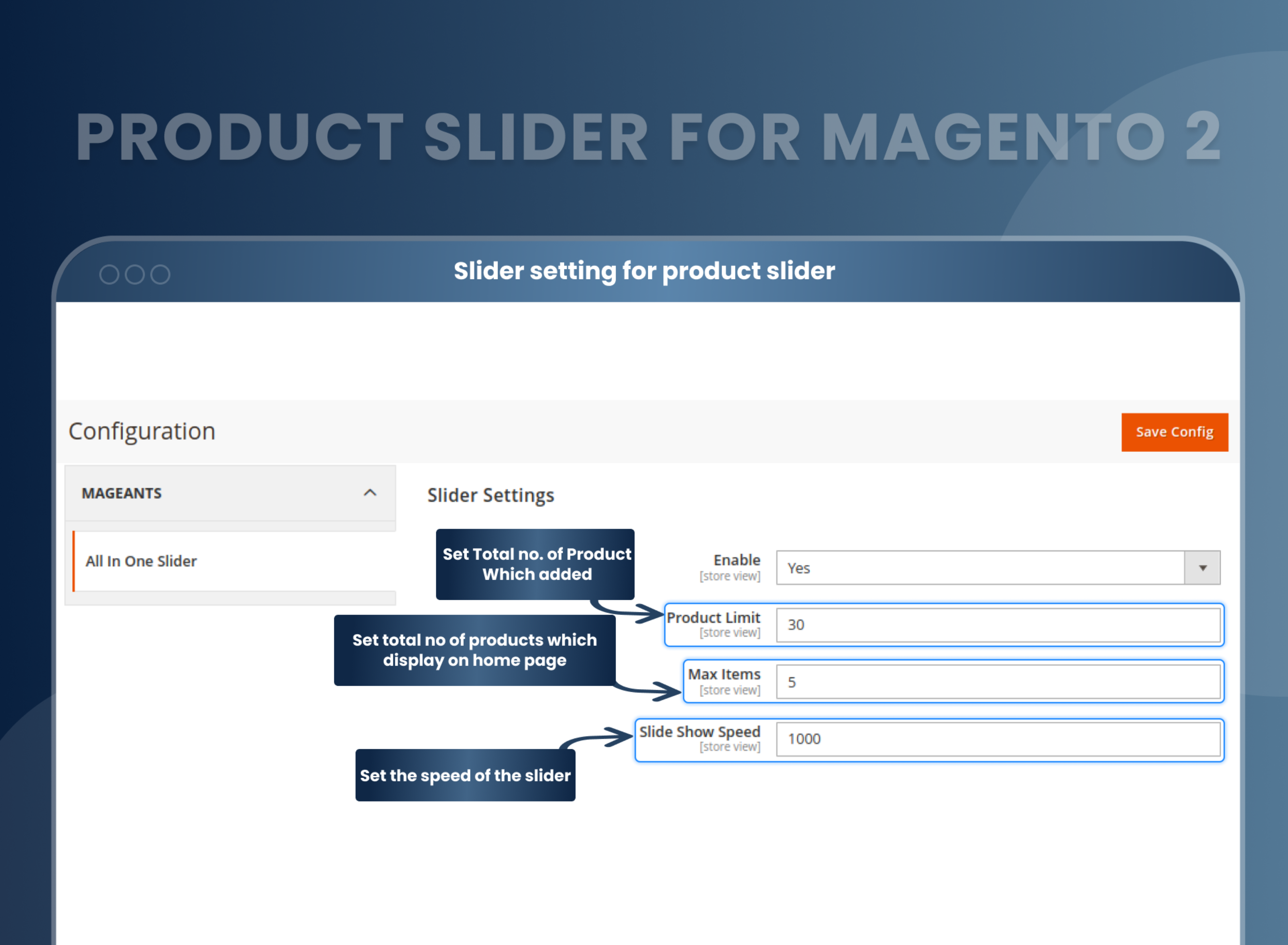
- Choose the maximum number of products to be added to the slider.
- Choose the number of products to be displayed and the slideshow speed.
- Manage the product details to be displayed according to your requirements.
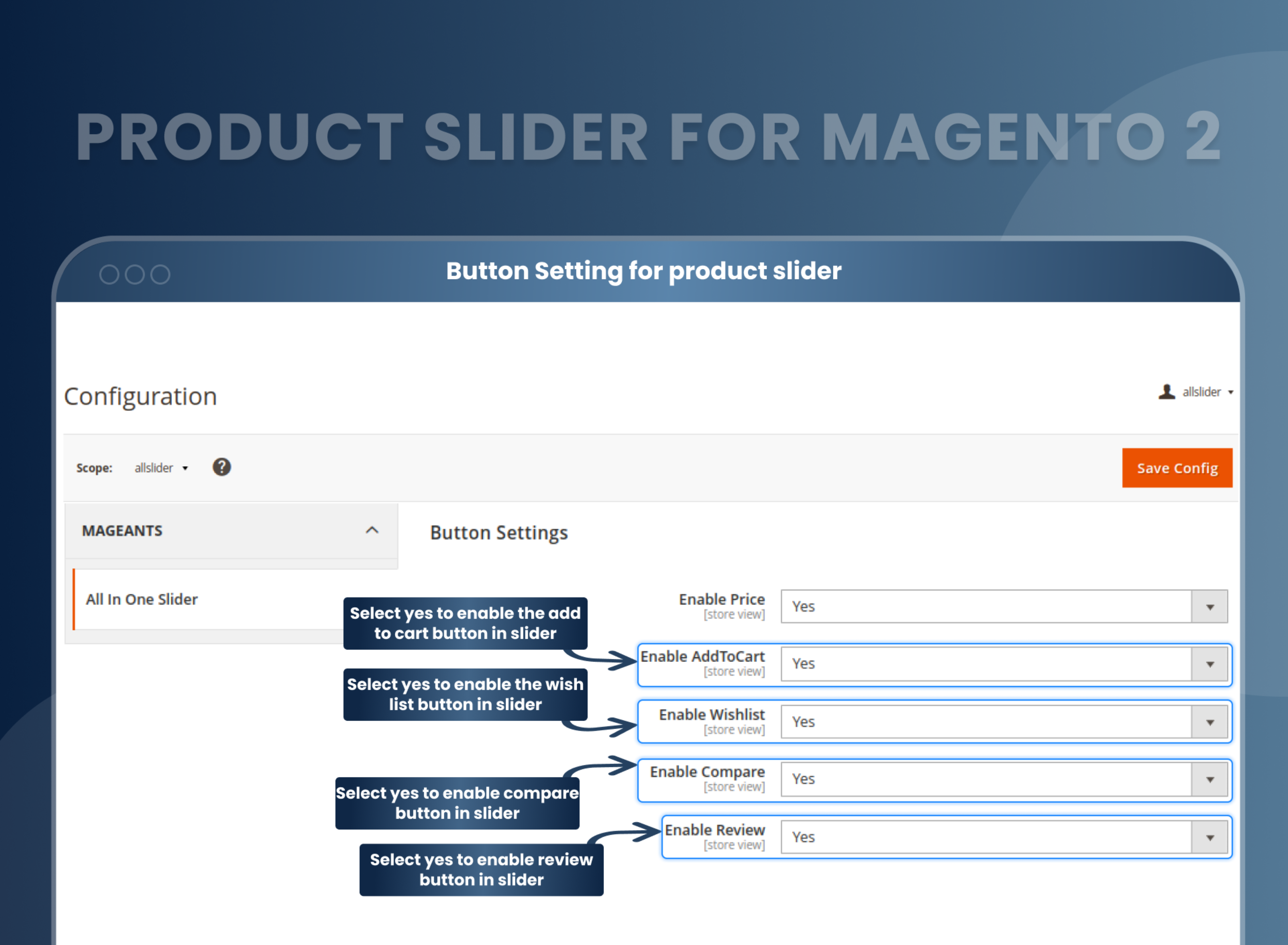
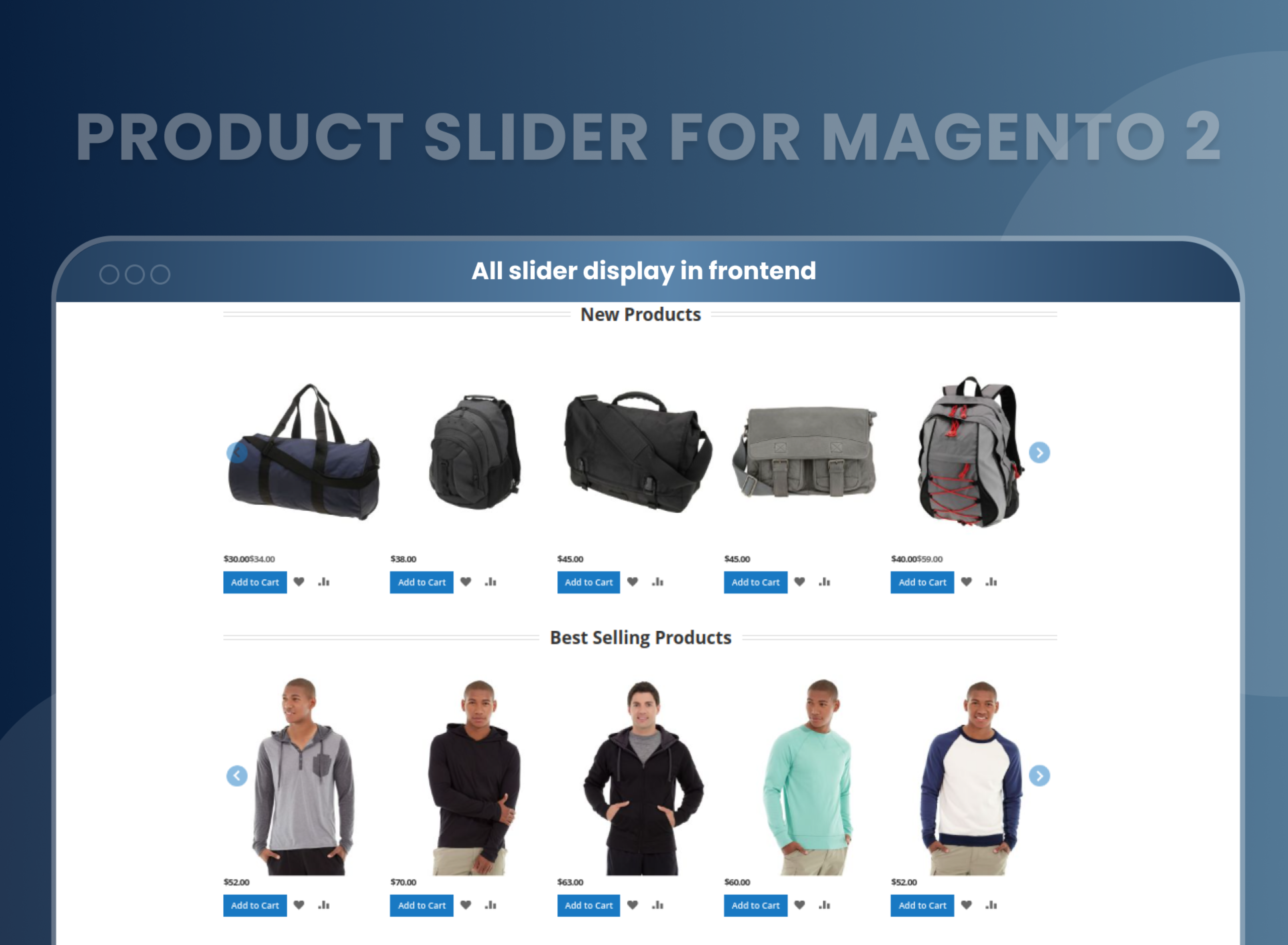
- Display price, add to cart, add to wish list, compare and review buttons.
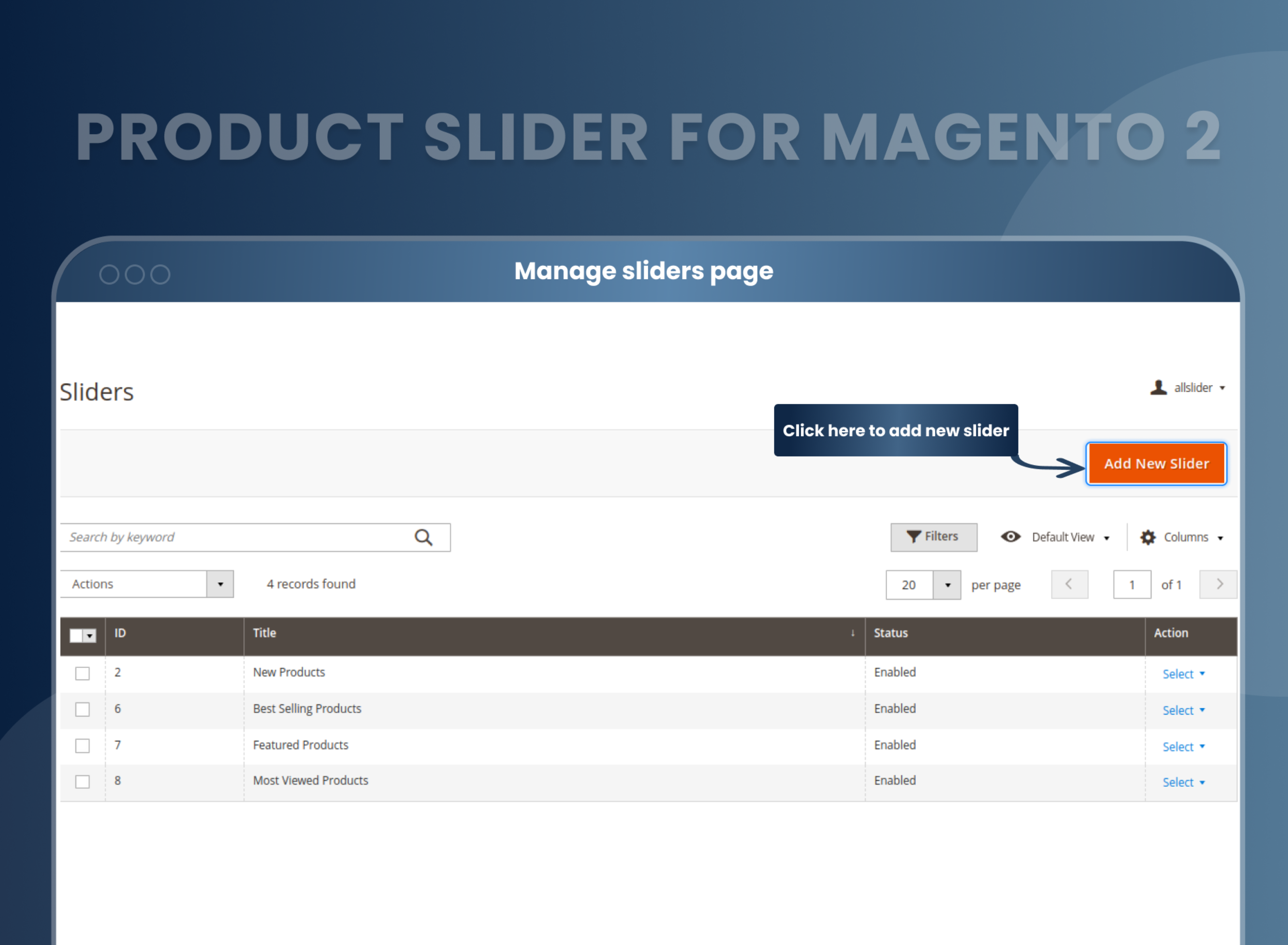
- Manually create and edit the product categories to be displayed.
- Use an extension with cross-browser compatibility for added efficiency.





Problem:
By default, Magento 2 does not have a feature that allows store owners to choose a default product slider to be displayed on the home page.
Solutions:
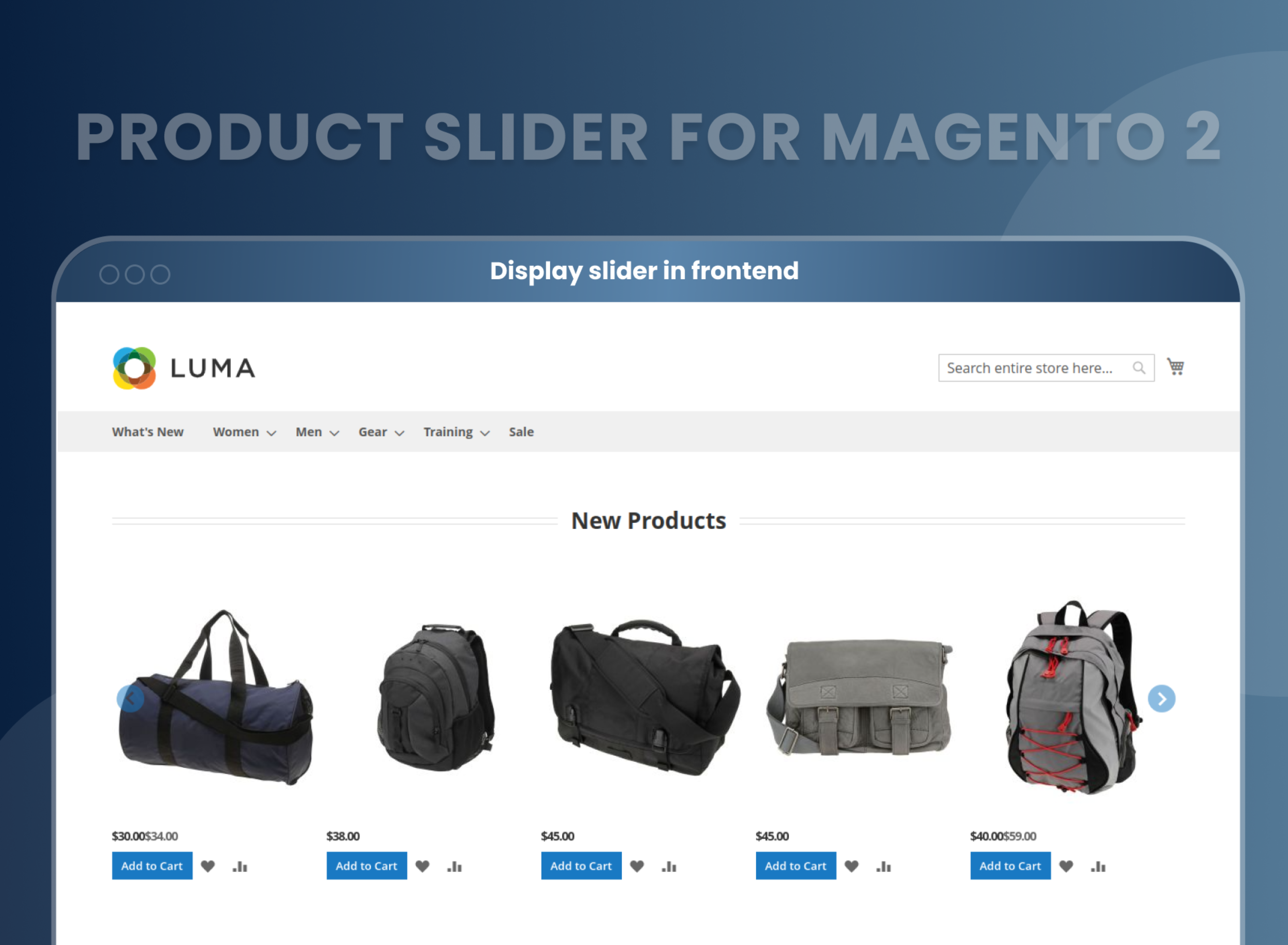
MageAnts Product slider extension for Magento 2 allows the store admins to add an aesthetic and marketing element to their website by adding a product slider where they can highlight or promote the best products and attract their customers to purchase them.
This slider would make the website more visually appealing and would also make it easier for customers to find the products they are looking for directly on the home page.
Description


FAQ
Reviews
Customer 1 Reviews
Customization
Change Log
Current Version Number : 2.0.2
Date :16/02/2023
Coding Standard
- Mageants team makes this extension coding as per the Magento coding standard.
Current Version Number : 2.0.1
Date :02/12/2020
Bug solved
- Mageants team make a extension compatible with Magento version2.4.
How Does This Work?
Benefits of Product Slider Magento 2 Extension
- The Magento 2 extension for Product Slider works totally for your convenience and thus, works according to your requisites. As a seller, you need to list out the products that you wish to highlight. You need to categorize the products in the way you want them to be displayed. Along-with the product, various price and purchasing options can be added or removed according to your requirement. Once you are satisfied with the details, you can enable the slider to make it live.
- Smooth user experience.
- Make repetitive purchase for showing products in slider.
- Improved product display
- Increased sales
- User-friendly interface
- Customization options
- Compatible with most of the browsers
Why Choose MageAnts
-

9+ Years of Industry Experience
9+ years of extensive experience in delivering Magento solutions & services. Over the years, we have watched technologies change and bounds, and our team has always focused on staying ahead in this competition.
-

100% Bug Free
Our team follow rules and takes care of perfect setup to ensure a bug-free and error-free code for the development process of theme, extension, or website development.
-
Extension created By Certified Developers
Team of certified developers for developing MageAnts Magento extensions. Skilled, qualified, and committed professionals to work on every extension.
-

Quick Technical Support
MageAnts ensures quick and quality technical support. Take advantage of our 90 days free support for a smooth and efficient experience.
-

Frequent Extension Updates
Intensive update roadmaps ensure highly compatible, bug-free, great performance, and innovative extensions.
Our services
-

Hyva Theme development
Are you facing Speed issues? Integrate Hyva Theme
-

Hire Magento 2 Developer
Hire Developer as per your custom requirement
-

Magento 2 Upgrade Services
Upgrade your Store with Magento 2 Latest Version
-

Support & Maintenance Services
Maintain your Store with MageAnts Support Services