


Minimum Quantity of Configurable Product For Magento 2




Key Features of Minimum Quantity of Configurable Product:
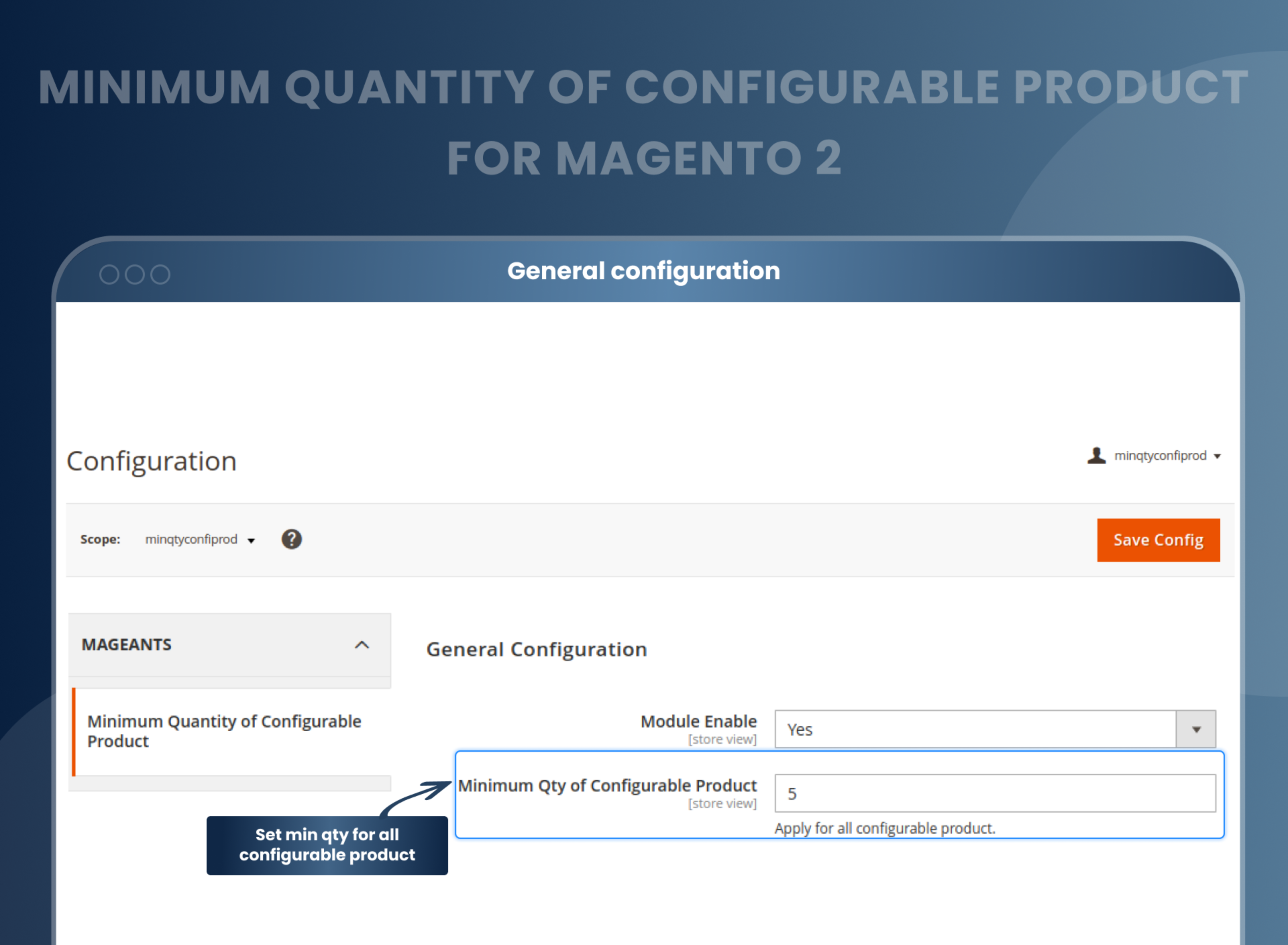
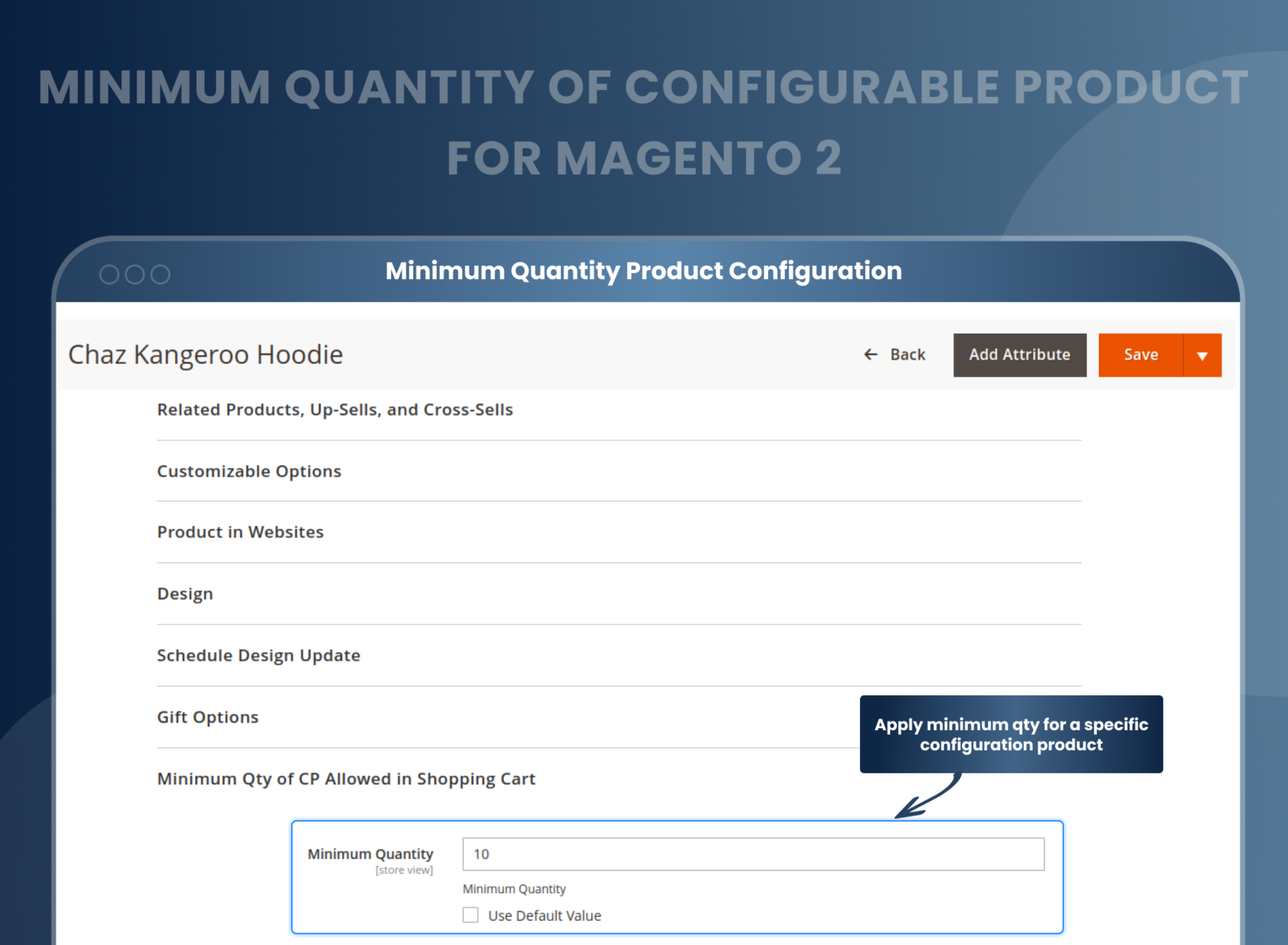
- Set the minimum quantity for all configurable products as well as specific configurable products.
- Set quantity validation conditions to ensure that customers cannot purchase or make orders less than the specified quantity.
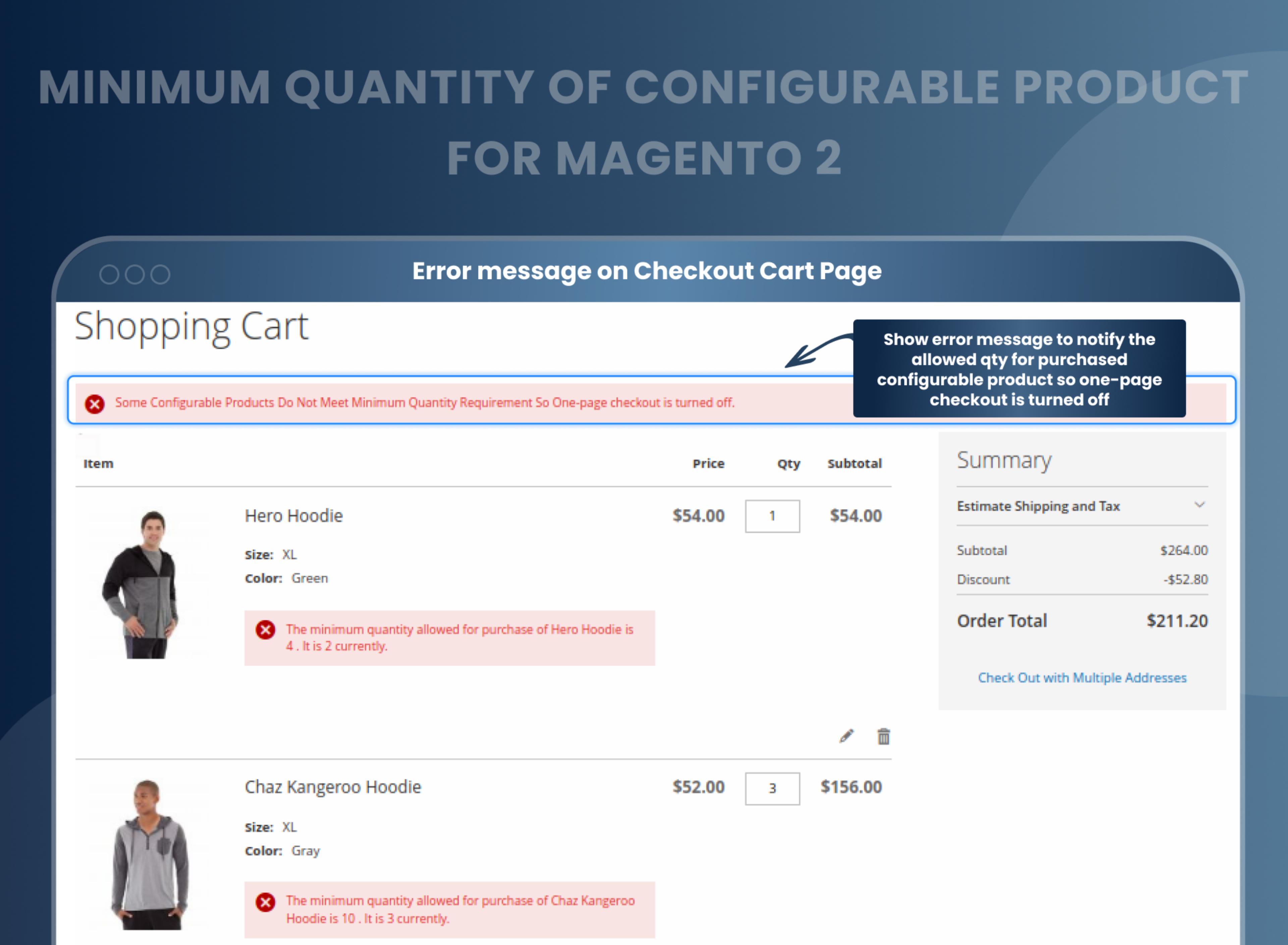
- Display custom messages to notify customers if they try to checkout with less quantity than the minimum quantity requirement.
- The checkout button will be hidden until the total quantity meets the minimum value set by the admin.





Problem:
All product types have a minimum quantity requirement in the default Magento 2 setting, except configurable, bundle, or group products. However, there are situations where store owners may want to change this setting for configurable products and limit the quantity a customer can purchase on their Magento store.
Solutions:
MageAnts Minimum Quantity of Configurable Products Magento 2 extension allows store admins to restrict customers from purchasing configurable products in minimum quantity by setting the minimum quantity as a compulsory condition at the time of customer checkout. This is an additional feature for store owners to increase sales, and even if customers try to checkout with less quantity, then the checkout button will be hidden and error messages will be displayed to them.
Description
FAQ
Reviews
Customer 4 Reviews
Customization
Change Log
Current Version Number : 2.0.1
Date : 31/07/2023
Compatible with Magento 246
- Mageants Team make extension compatible with Magento version 2.4.6.
Current Version Number : 2.0.0
Date :30/12/2022
New extension
- Mageants develop a new Minimum Quantity of Configurable Product extension which is working fine with all the Magento version.
How Does Magento 2 Configurable Product Minimum Quantity Extension Work?
Why Does Your Store Need Minimum Quantity Of Configurable Product For Magento 2 Extension?
Benefits of Minimum Quantity of Configurable Product Magento 2 Extension
- Magento 2 minimum quantity of configurable product extension works similar to other Magento 2 extensions. Install and configure the settings as per your requirement. Set the minimum quantity of all or specific configurable products with condition when customer checkout. So if the product quantity added to the customer’s shopping cart does not meet the minimum quantity set by admin, an error message will be shown to the customer, and they have to add the products to meet the condition.
- Being a Magento 2 store owner, if you are looking for a feature to set a minimum quantity of products to be ordered for configurable products, then you are at the right place. You can check this Minimum Quantity of configurable product extension, which you can restrict your customers to purchase any specific or all configurable products in minimum quantity set by you.
- But, here the question is why does your Magento store need the “Magento 2 minimum quantity of configurable product” extension. Let's find out some of the reasons behind this extension:
- Increase sales and cash flow
- Reduce additional cost
- Helps in clearing the products that are left in stock
- Effective solution to sell bulk and expensive products
- Allows to restrict customers to add minimum quantity to cart and complete the purchase
- Hide the checkout button until the product quantity reaches the set limit
- Increase sales and revenue.
- Minimum quantity condition.
- Simplifies product configuration
- Improved inventory management
- Saves shipping and handling costs.
Why Choose MageAnts
-

9+ Years of Industry Experience
9+ years of extensive experience in delivering Magento solutions & services. Over the years, we have watched technologies change and bounds, and our team has always focused on staying ahead in this competition.
-

100% Bug Free
Our team follow rules and takes care of perfect setup to ensure a bug-free and error-free code for the development process of theme, extension, or website development.
-
Extension created By Certified Developers
Team of certified developers for developing MageAnts Magento extensions. Skilled, qualified, and committed professionals to work on every extension.
-

Quick Technical Support
MageAnts ensures quick and quality technical support. Take advantage of our 90 days free support for a smooth and efficient experience.
-

Frequent Extension Updates
Intensive update roadmaps ensure highly compatible, bug-free, great performance, and innovative extensions.
Our services
-

Hyva Theme development
Are you facing Speed issues? Integrate Hyva Theme
-

Hire Magento 2 Developer
Hire Developer as per your custom requirement
-

Magento 2 Upgrade Services
Upgrade your Store with Magento 2 Latest Version
-

Support & Maintenance Services
Maintain your Store with MageAnts Support Services