


Event Manager For Magento 2
Ask AI About This Extension





Key Features
- Add and manage online events easily.
- Show events to your visitors with necessary details such as contact information, event details, event price, and event ticket.
- Create a beautiful event calendar for upcoming events.
- Working with simple products with custom options and configurable products.
- Edit event content with the WYSIWYG edition.
- Create multiple event tickets and sell them online.





Current Limitation in Magento 2
What Magento 2 Cannot Do
Magento 2 does not allow the admin to create event tickets and sell them online as a business. However, store admins do have the ability to display all information related to events on their website. Essentially, the platform does not have a built-in feature for selling event tickets online.
How Our Extension Solves This
MageAnts Event Manager Magento 2 is a superb module for Magento 2 merchants to create a beautiful event and sell event tickets easily. You can display these created events on the calendar and allow customers to purchase tickets for them. Draw customers’ attention by adding multiple events to the list easily, along with the images and videos. This extension helps businesses effectively manage events on their Magento website and improve the overall customer experience.
Description
Seamlessly manage events to improve customer engagement.
Magento 2 Event Manager extension lets stores create and manage events and even sell tickets. For instance, schedule a seasonal sale event with countdown timers and exclusive deals to boost participation.
Creating online events
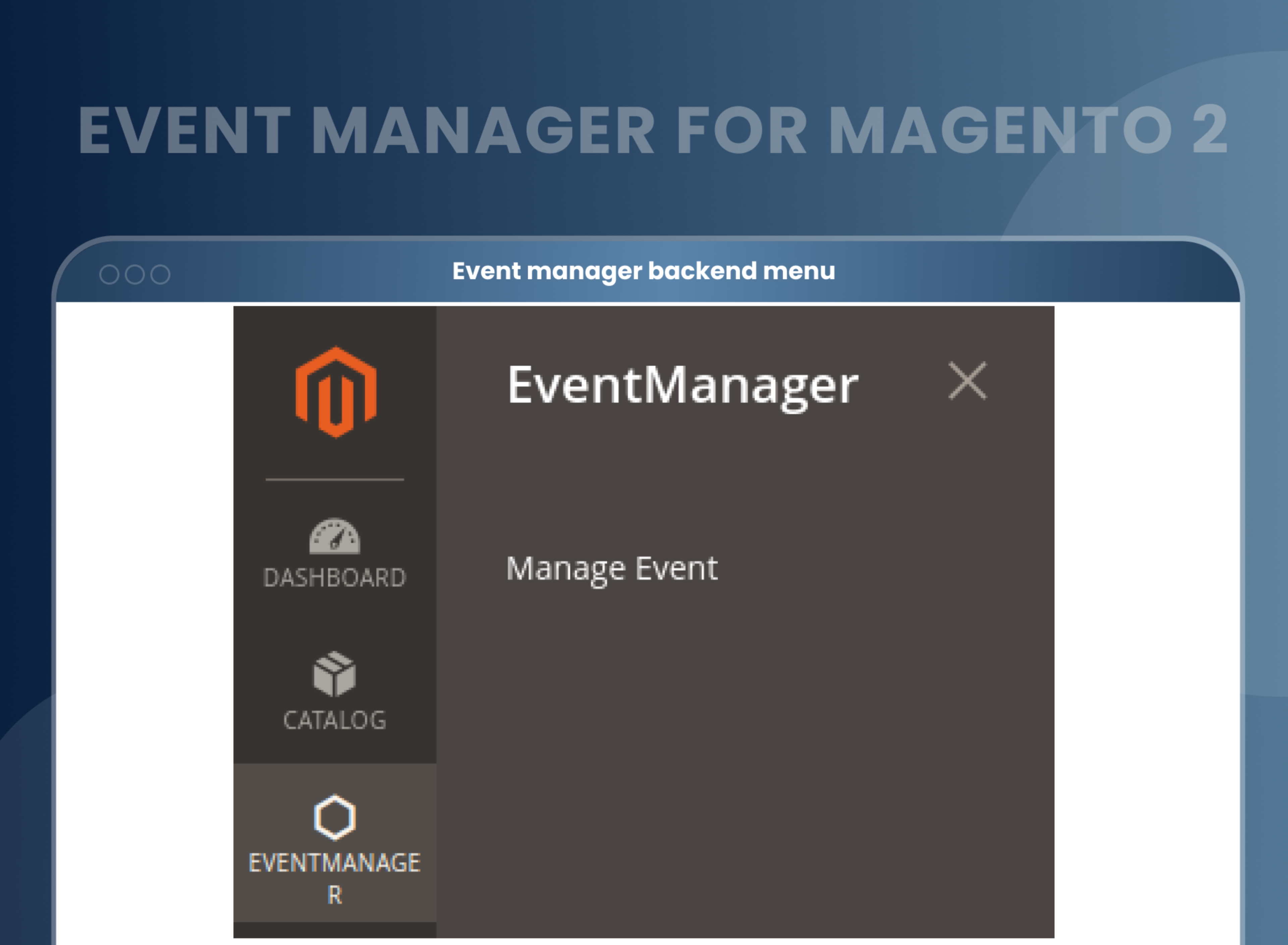
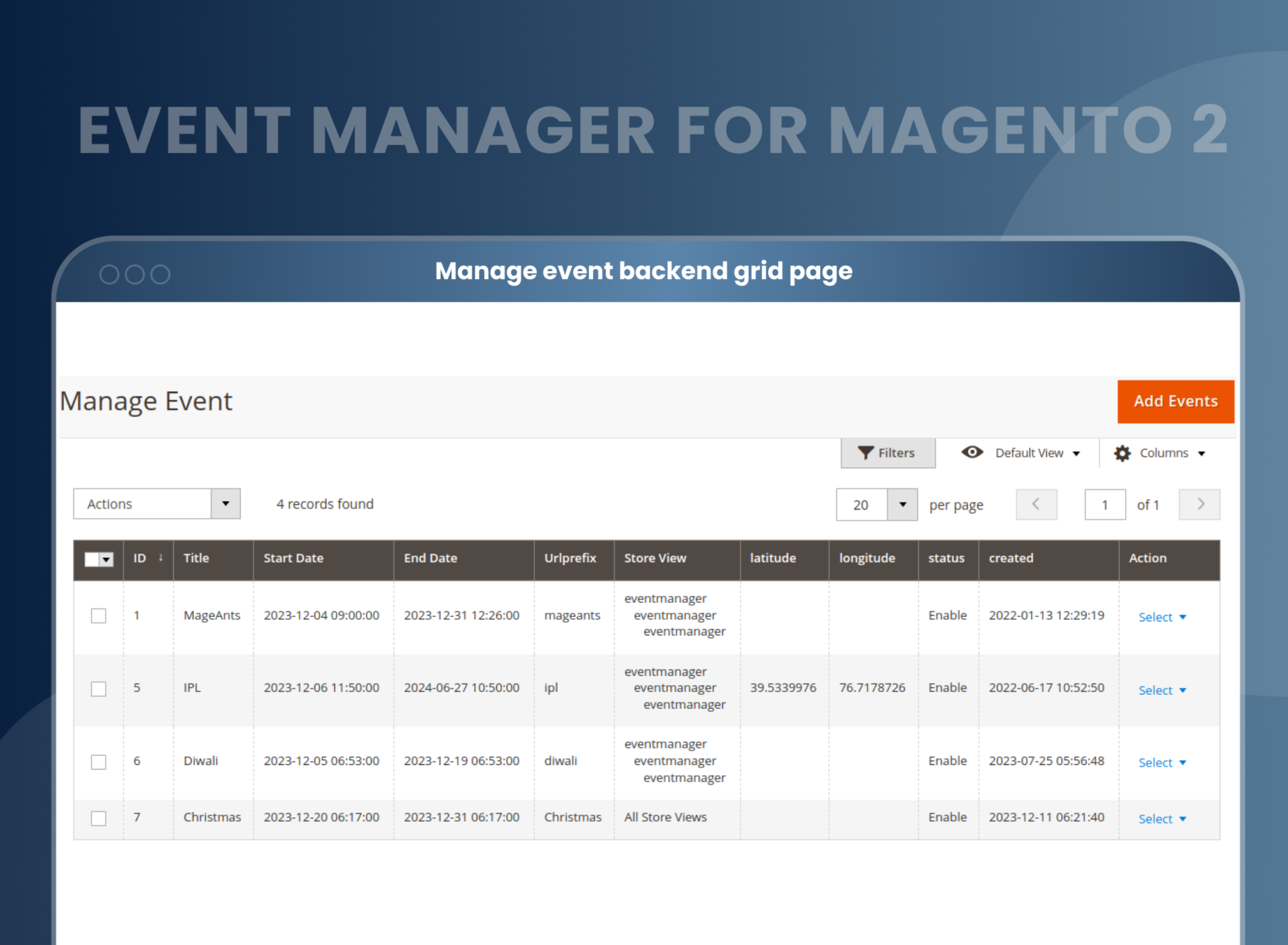
By configuring the Event Manager in Magento 2, the admin can manage and add new events.
Event Manager for the Magento 2 extension helps admins update information about ongoing and upcoming events and also delete previous ones.
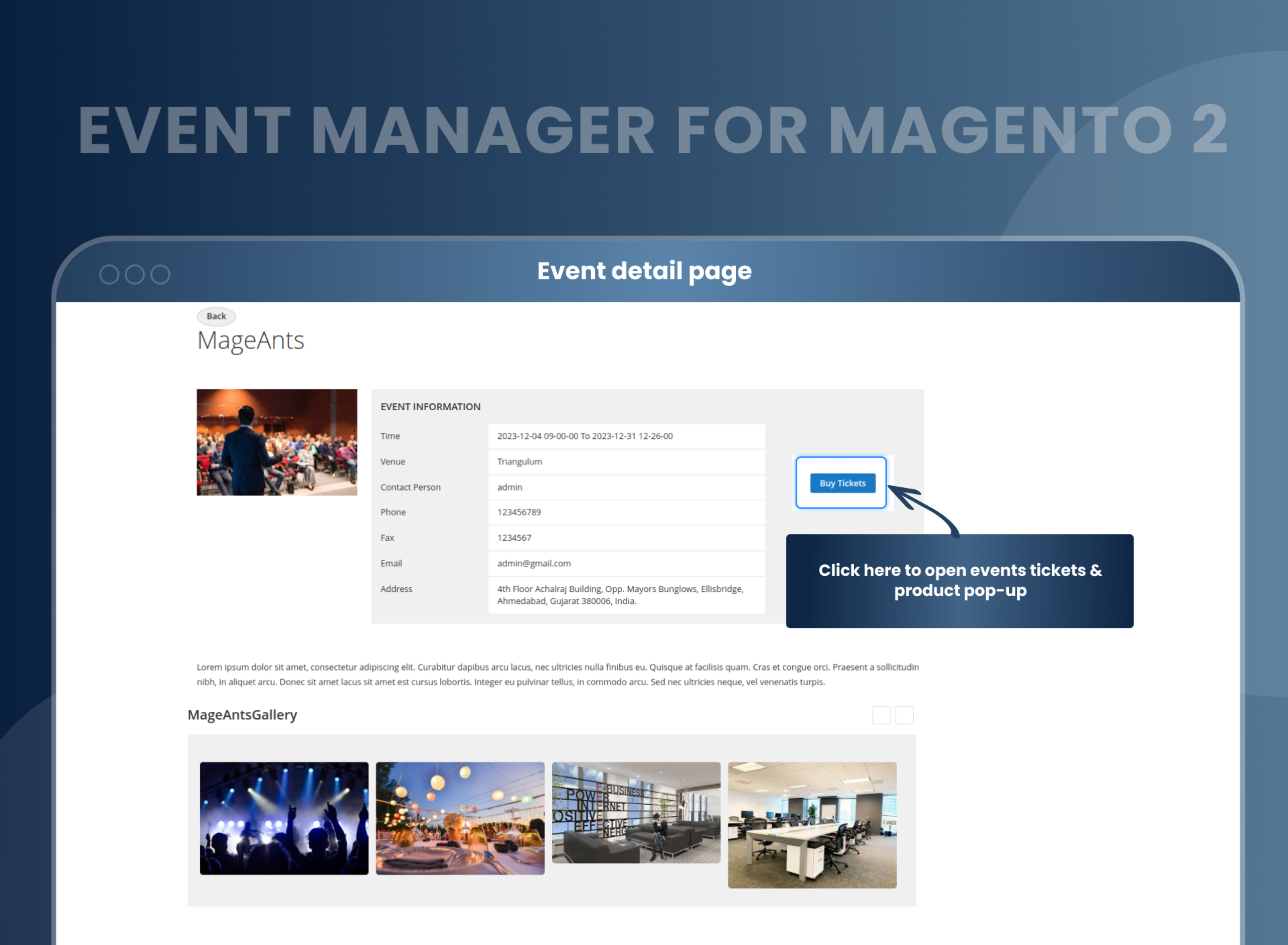
The admin can add the geolocation of the event and other meta-details.
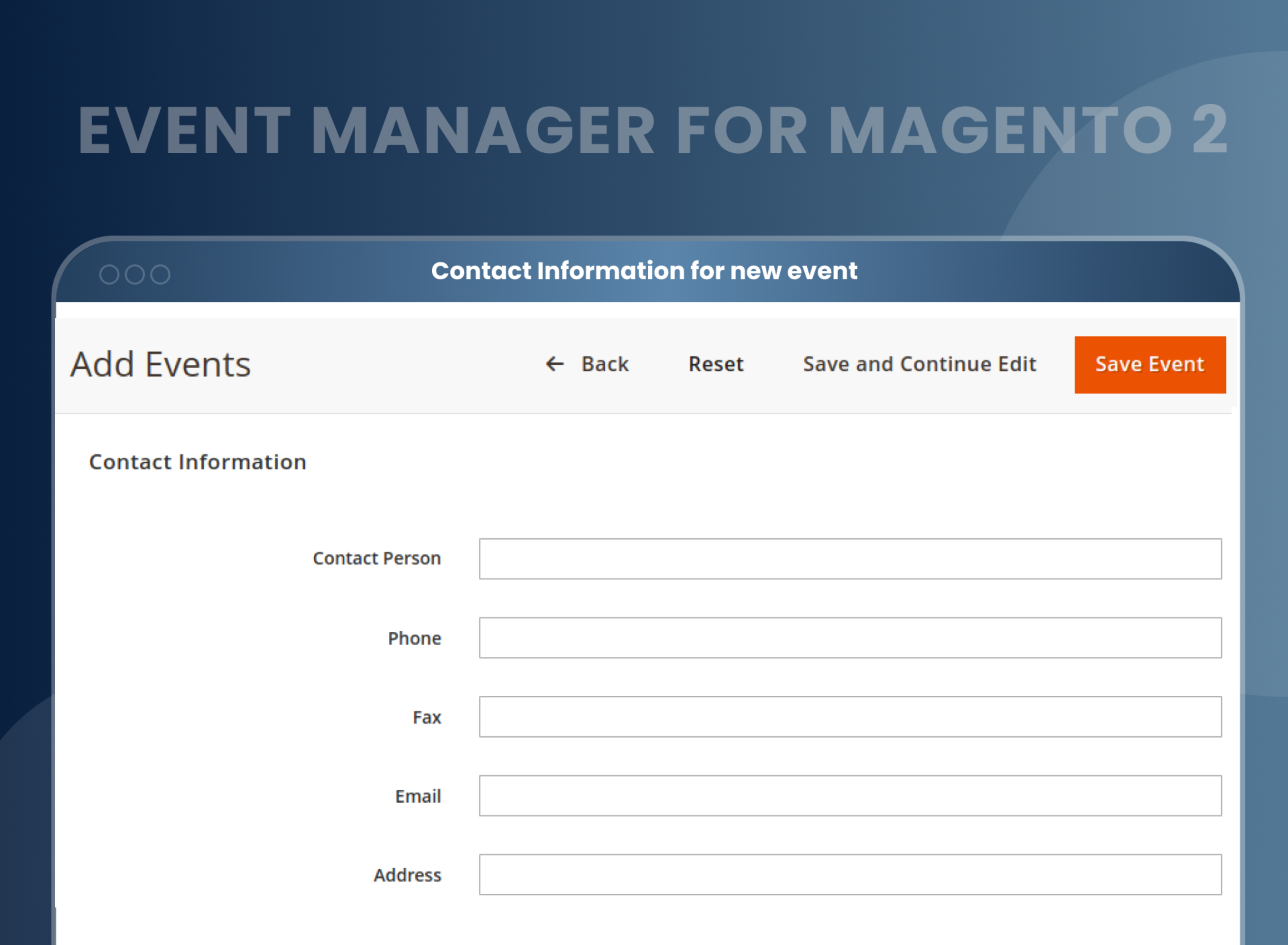
Add contact person details
The admin can add the location of the event to the Google map for the customer to get the direction.
Admin can add details about the contact person for visitors to contact. The details can include the phone number, email, and fax.
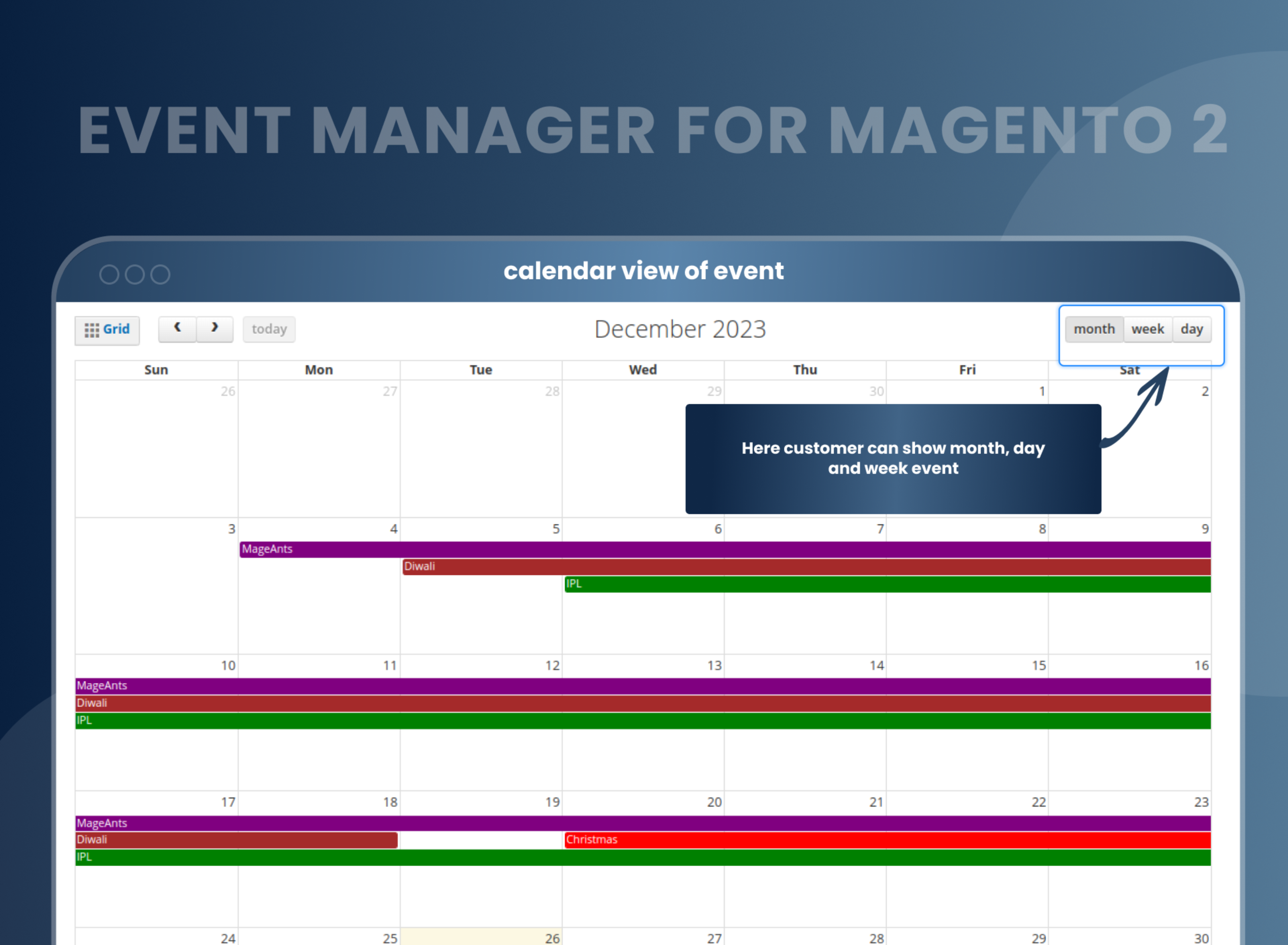
Enable calendar view
The admin can add the event thumbnail so that the customer can be allured to attend the event.
A pop-up with an event description, name, and date that can be added to the calendar is offered by the extension.
Listing of events
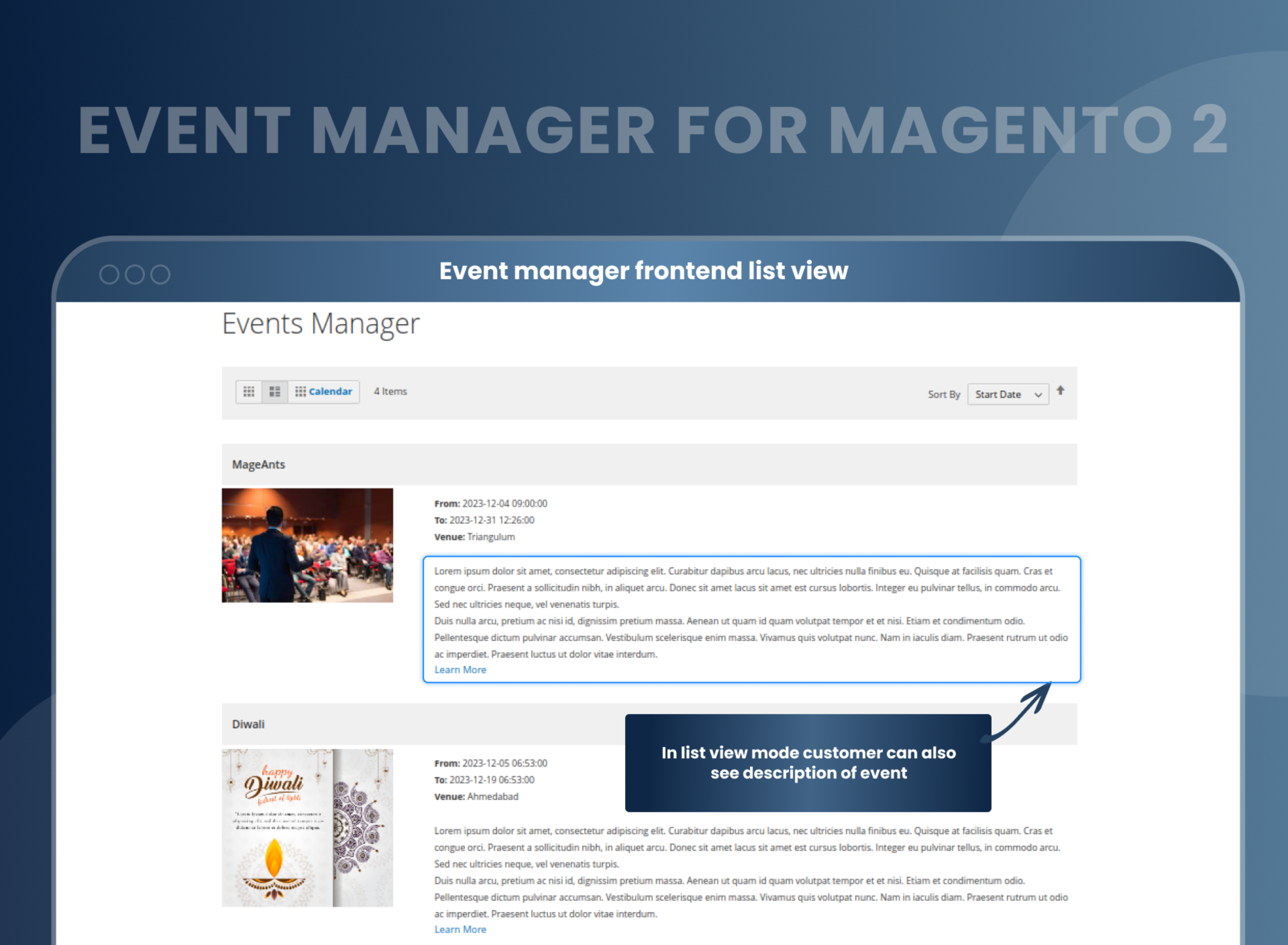
With Event Manager for Magento 2, the customer can be redirected to the listing of the events.
The Magento 2 event manager extension allows you to list multiple events and allow the customer to choose the one or more they are interested in.
The venue, date, and even the starting and finishing times of the events can be added by the admin.
Sell Tickets
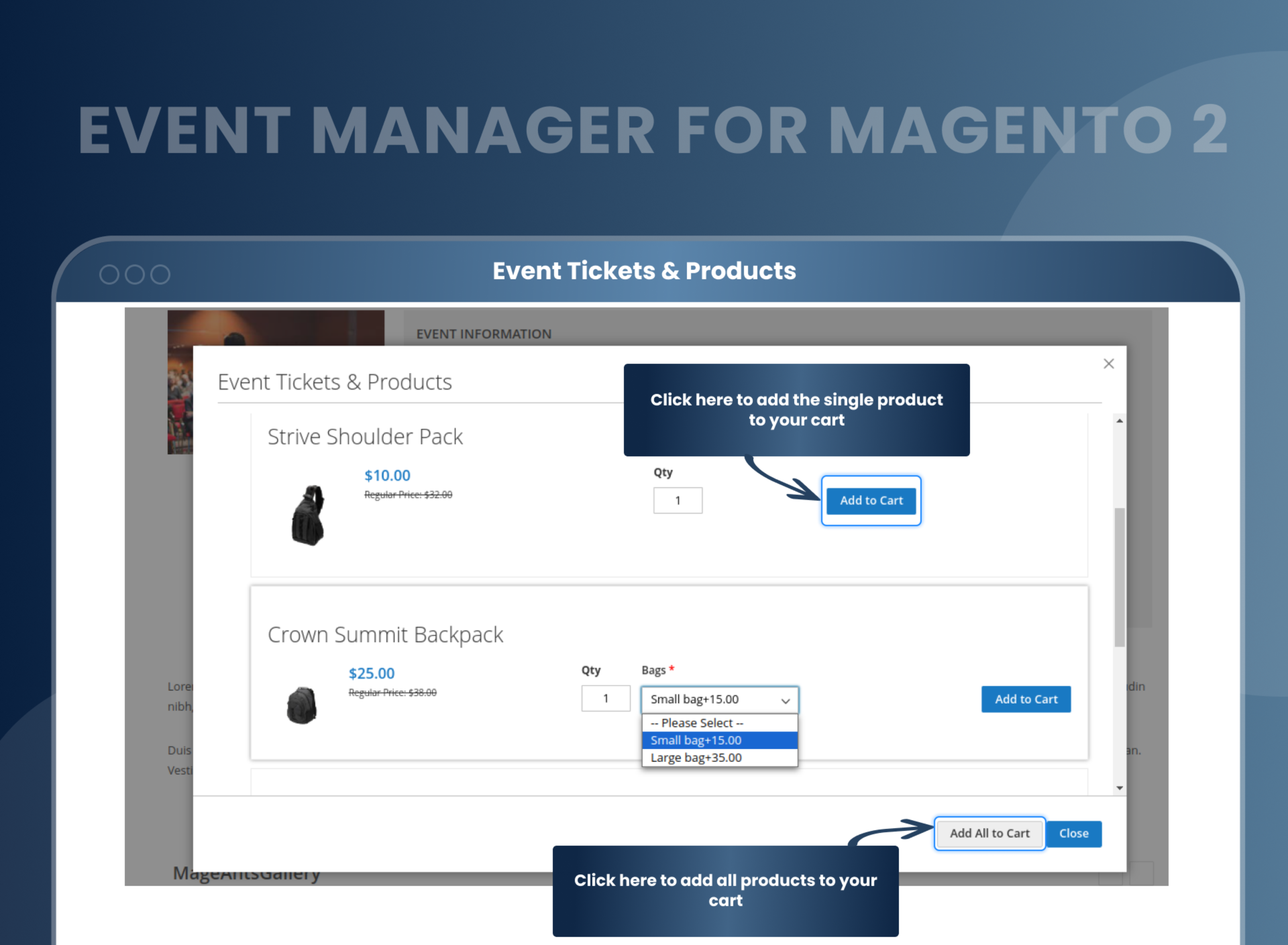
The tickets for the event can be added by the admin.
The images for the event can be added too, along with the tickets.
When the customer buys the tickets, the product is easily added to the cart for payment.
How Does Magento 2 Event Management Extension Work?
Why Does Your Store Need An Event Calendar Magento 2 Extension?
Benefits of Event Manager Magento 2 Extension
- After installing the Magento 2 Event Calendar, the store admin can easily manage the event and add events' details, and set a calendar for the customers. The admin also has the option to hide or show the event calendar on the online storefront. The events and their details can be easily entered using WYSIWYG or the HTML editor. Magento 2 Event Extension is a must-have module for store owners who host and schedule conferences, shows and events and want to promote it online in the fastest way possible.
- You need to keep your customers excited about new products and services. So why not bring in events like product launches or small service tutorials for the customers. You can offer these events online and offline. As a result, bring in more customers, increase your audience, and can easily change the target audience into loyal customers while ensuring customer retention with Magento 2 Event Manager.
- The fastest way to promote the store.
- Maximum revenue profit.
- Customer friendly.
- Increased efficiency and productivity
- Customizable Events
- Enhanced Marketing
- Increased Sales
- Improved Customer Engagement
FAQs
Reviews
Customization
Changelog
- Compatibility:- Verified and confirmed compatibility with Magento 2.4.7 & 2.4.8 and PHP 8.4.
- Compatibility:- Mageants Team made extension compatible with Hyva Theme.
Current Version Number : 2.0.4
Date : 12/01/2024
Bug Fixed
- When two simple products are added to one event ,increase the quantity of any product and click on "Add all to cart," but only a single quantity of the product is added to the cart.
- On the event PDP page, when a single image is added in Gallery Images, a multiple-time image is displayed in the slider.
- When configurable products is added to one event, the event detail page gets blank
- Tier price and special price added but not show there label
- Configurable product select price not change
- configurable product swatches when in dropdown then not show
- If a configurable product has a drop-down option not redirect that deatil page.
- On frontend, event is not visible according to the pagination.
Current Version Number : 2.0.3
Date : 21-04-2023
Bug Fixed
- Manage Event Not Open in Magento version2.4.6(8.2).
- Add Event Not Worked in Magento version2.4.6(8.2).
- Event Not Saved in Magento version2.4.6(8.2).
- Frontend Not Open in Magento version2.4.6(8.2).
- Event Tab Not Worked in Magento version2.4.6(8.2).
- Particular Event Page Not Worked in Magento version2.4.6(8.2).
- Storeview wise content of event not changed in Magento version 2.4.4 to 2.4.6.
- Storeview wise calender not changed in Magento version 2.4.4 to 2.4.6.
Current Version Number : 2.0.2
Date : 27-1-2023
Bug Fixed
- Make extension compatible with magento coding standard. and fixed one issue regarding date
Current Version Number : 2.0.1
Date : 10/11/2022
Coding Standard
- MageAnts team makes Event Manager extension coding as per the Magento standards.
Current Version Number : 2.0.0
Date : 18/01/2022
New extension
- MageAnts develops a new Event Manager extension which is working fine in all the Magento versions.
Why Choose MageAnts
-

30 Days Money Back Guarantee
We offer 30 Days money back guarantee if customer meets our refund policy. For more info you can read our terms and condition
-

Tested Before Every Release
Every version is tested on the latest Magento 2.4 release before it goes live, and bugs reported during your support period are fixed by our team.
-

Free 90 Days Support
MageAnts ensures quick and quality technical support. Take advantage of our 90 days free support for a smooth and efficient experience.
-

Frequent Extension Updates
Intensive update roadmaps ensure highly compatible, bug-free, great performance, and innovative extensions.
