


Custom Message For Magento 2



Key Features of Custom Message:
- Completely control the display of the default messages on your website.
- Choose the website locations where you need the messages to pop up.
- Control the attributes of the message text as well.
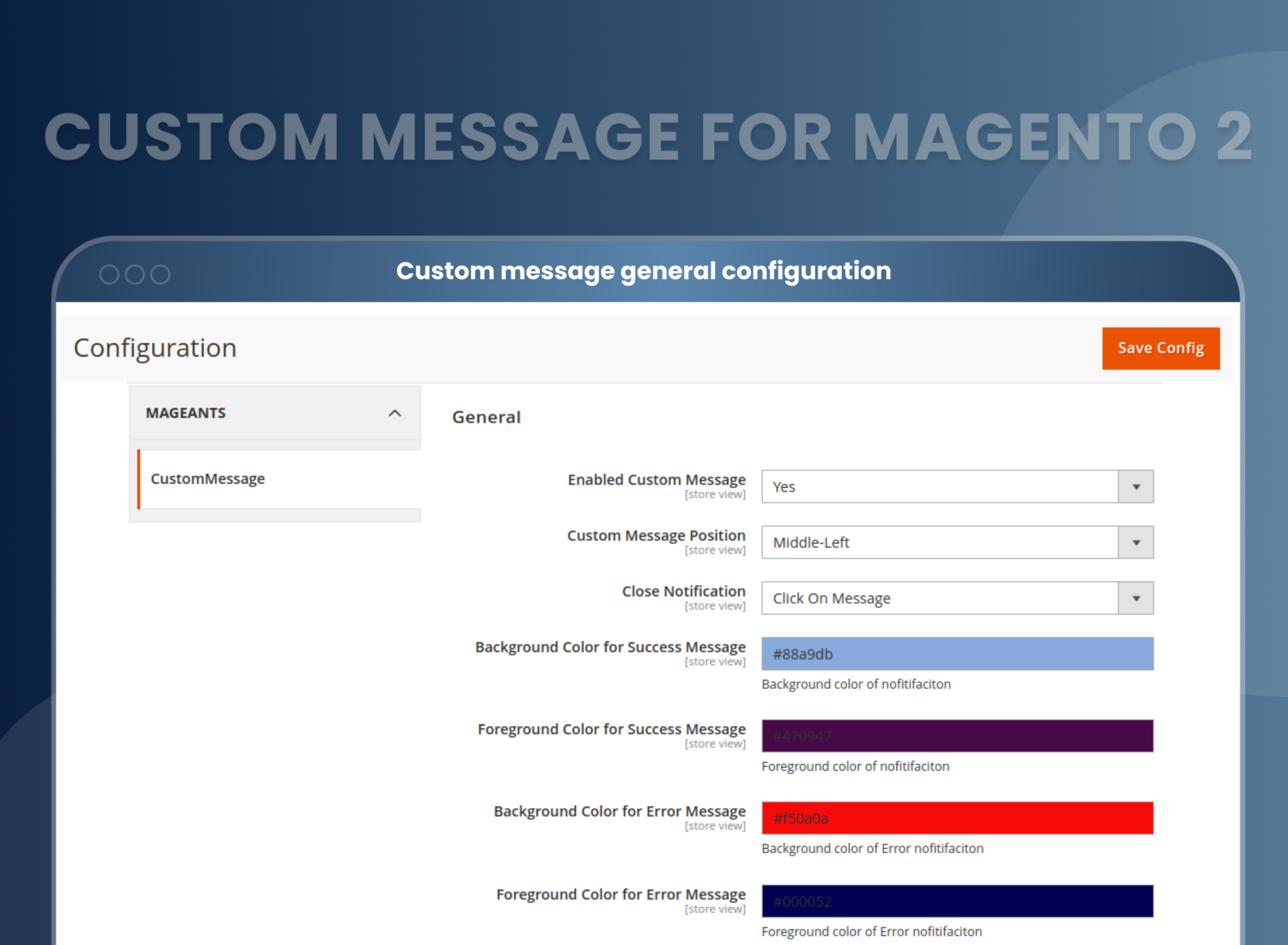
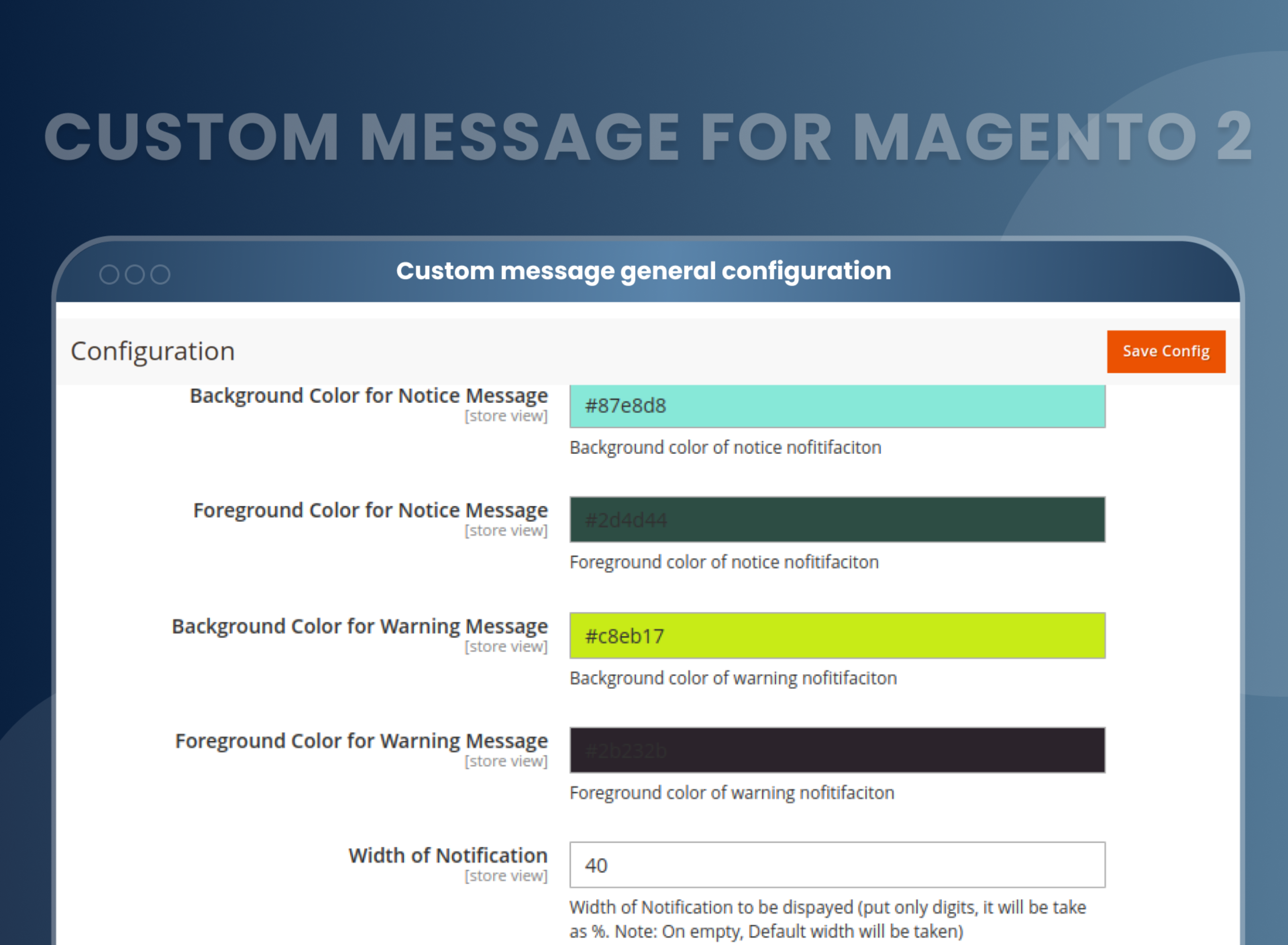
- Select the message size, pop-up, color, display, etc.
- Comprehensively manage the display of your website messages.





Problem:
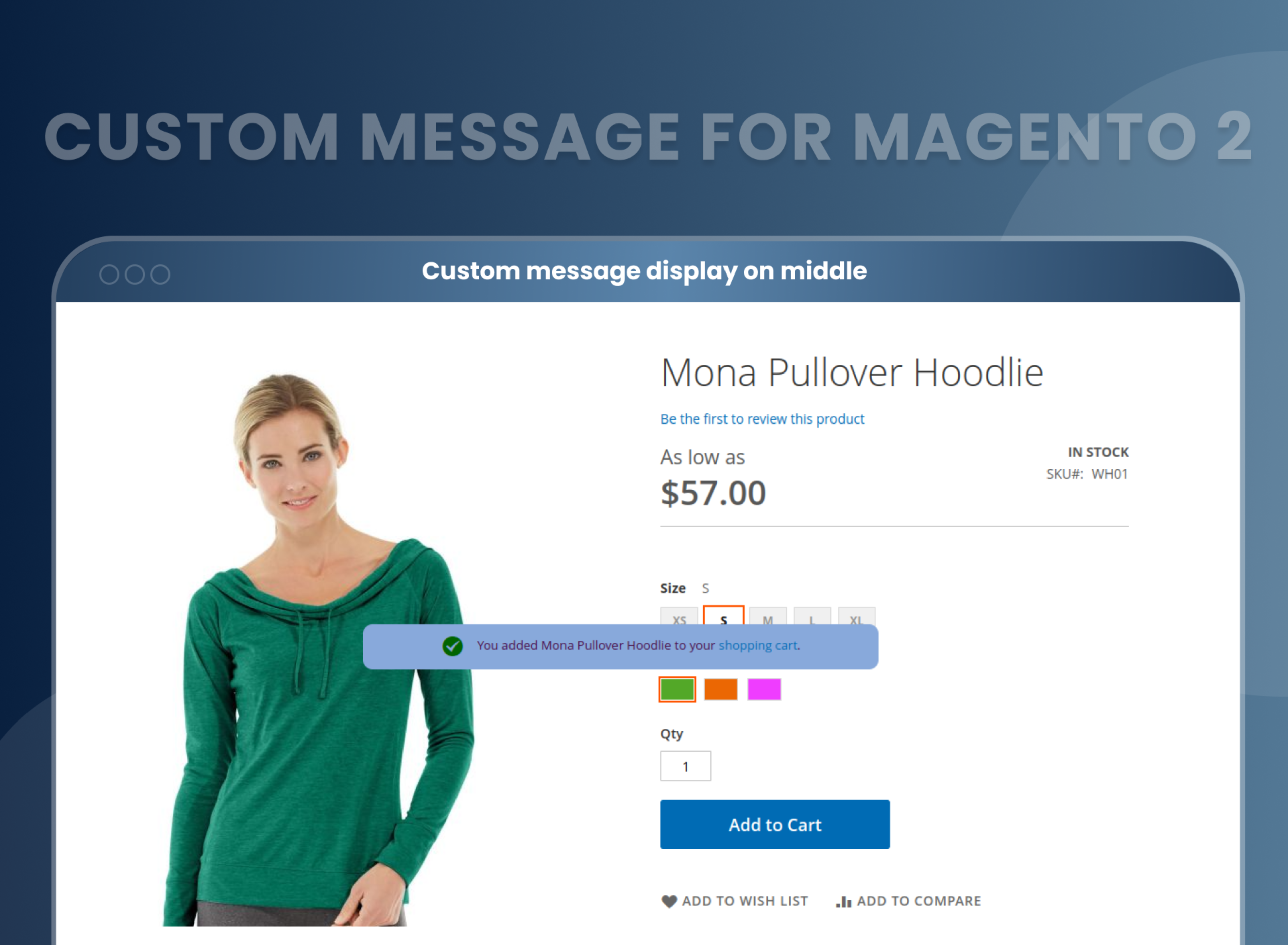
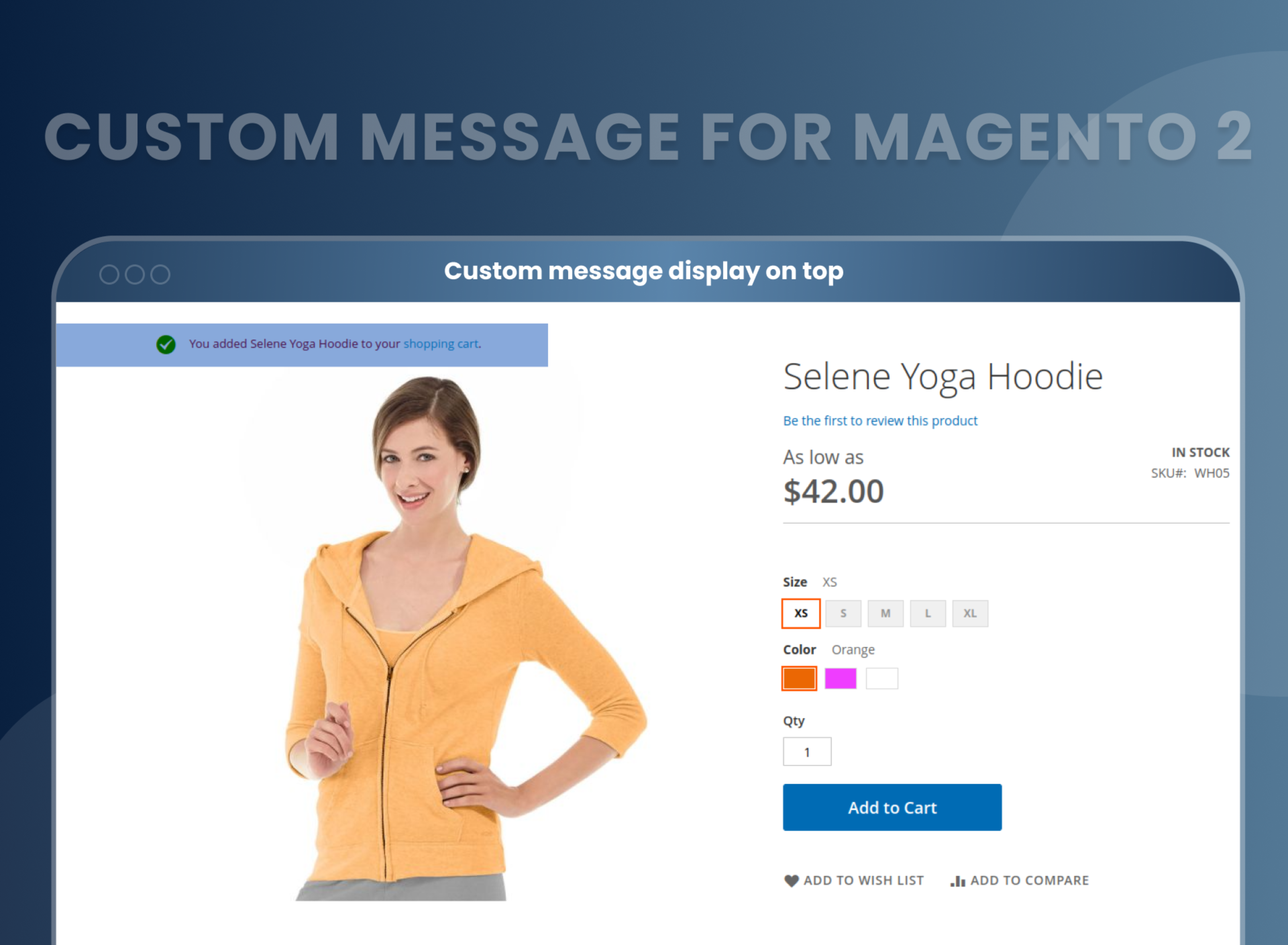
By default, Magento 2 does not have a feature that allows the administrator to personalize or change the appearance of all the messages in the online store, such as the messages that appear when adding items to the shopping cart. This includes options like changing the color, font size, and position of the messages.
Solutions:
Magento 2 Custom message extension by MageAnts allows the store owners to make their website more optimized by customizing the default website messages and making user-friendly interactions with customers. This extension can help enhance the user experience and improve customer engagement on a Magento 2 store.
Description
FAQ
Reviews
Customer 1 Reviews
Customization
Change Log
Current Version Number : 2.0.3
Date :15/05/2023
Bug fixed
- MageAnts team make extension compatible with latest magento 2.4.6 version.
Current Version Number : 2.0.2
Date :19/01/2023
Coding Standard
- Mageants team makes this extension coding as per the Magento coding standard.
Current Version Number : 2.0.1
Date :02/12/2020
Bug solved
- Admin side colorpicker not working in magento version 2.4, Mageants team resolved issue and make a compatible with all magento version.
How Does It Work?
Benefits of Custom Message Magento 2 Extension
- However, with the MageAnts Custom Message extension for Magento 2, you receive an admin panel which helps you customize the design of messages. As a seller, you can modify the message, its color, behavior, size of the default interface of Magento 2 allows the display of various error, warning, success, notice, etc. messages. These are generally preset by the Magento 2 software. Thus, the sellers have no control over design it easily. They are only allowed to choose the display events of these messages.
- Customize messages as needed.
- Attractive message design.
- Increased customer engagement
- Improved Customer Experience
- Increased Engagement
- Flexibility and Customization
Why Choose MageAnts
-

9+ Years of Industry Experience
9+ years of extensive experience in delivering Magento solutions & services. Over the years, we have watched technologies change and bounds, and our team has always focused on staying ahead in this competition.
-

100% Bug Free
Our team follow rules and takes care of perfect setup to ensure a bug-free and error-free code for the development process of theme, extension, or website development.
-
Extension created By Certified Developers
Team of certified developers for developing MageAnts Magento extensions. Skilled, qualified, and committed professionals to work on every extension.
-

Quick Technical Support
MageAnts ensures quick and quality technical support. Take advantage of our 90 days free support for a smooth and efficient experience.
-

Frequent Extension Updates
Intensive update roadmaps ensure highly compatible, bug-free, great performance, and innovative extensions.
Our services
-

Hyva Theme development
Are you facing Speed issues? Integrate Hyva Theme
-

Hire Magento 2 Developer
Hire Developer as per your custom requirement
-

Magento 2 Upgrade Services
Upgrade your Store with Magento 2 Latest Version
-

Support & Maintenance Services
Maintain your Store with MageAnts Support Services