



Ajax Add to Cart For Magento 2
Ask AI About This Extension




Key Features
- Display stylish Magento 2 AJAX cart pop-ups.
- It allows you to enhance your store's performance, usability, and conversion rate.
- Promote related items to enhance the purchase of products.
- Configure the number of products, block title, type, etc., to be displayed in the pop-up or dialogue box.
- Our module is quite flexible and works with different types of products, like simple, bundle, grouped, downloadable, and configurable.





Current Limitation in Magento 2
What Magento 2 Cannot Do
By default, in Magento 2, customers cannot add products to their cart using a popup or product suggestion block, which could potentially help them find the product they need.
How Our Extension Solves This
Magento 2 Ajax Add to Cart Extension by MageAnts will give your customers a better user experience by allowing them to add the product directly to the cart or mini-cart and select its attributes like size, quantity, colour, etc. without going to the product page.
The Magento 2 Ajax Cart extension facilitates your customers to add products easily to the cart without reloading each time they add items to the cart or remove items from the cart.
The Ajax Add to Cart for Magento 2 extension helps to improve your conversion rates and also enables store owners to customize the content, colour, position, and animation effect of the Ajax pop-up.
Description
Streamline the shopping experience with Ajax cart updates
Allow customers to add products to the cart without reloading the page. Perfect for reducing cart abandonment and improving browsing flow.
Configure your AJAX shopping cart
Set up an Ajax Add To Cart Magento 2 on your online store, along with various other settings like a canvas cart to be displayed on the product view pages.
Set up the timings as per your wish for the closure of the popup.

Customize your popups
Engage your customers by customizing your add to cart popup with colours, different positions, and flying image effects.
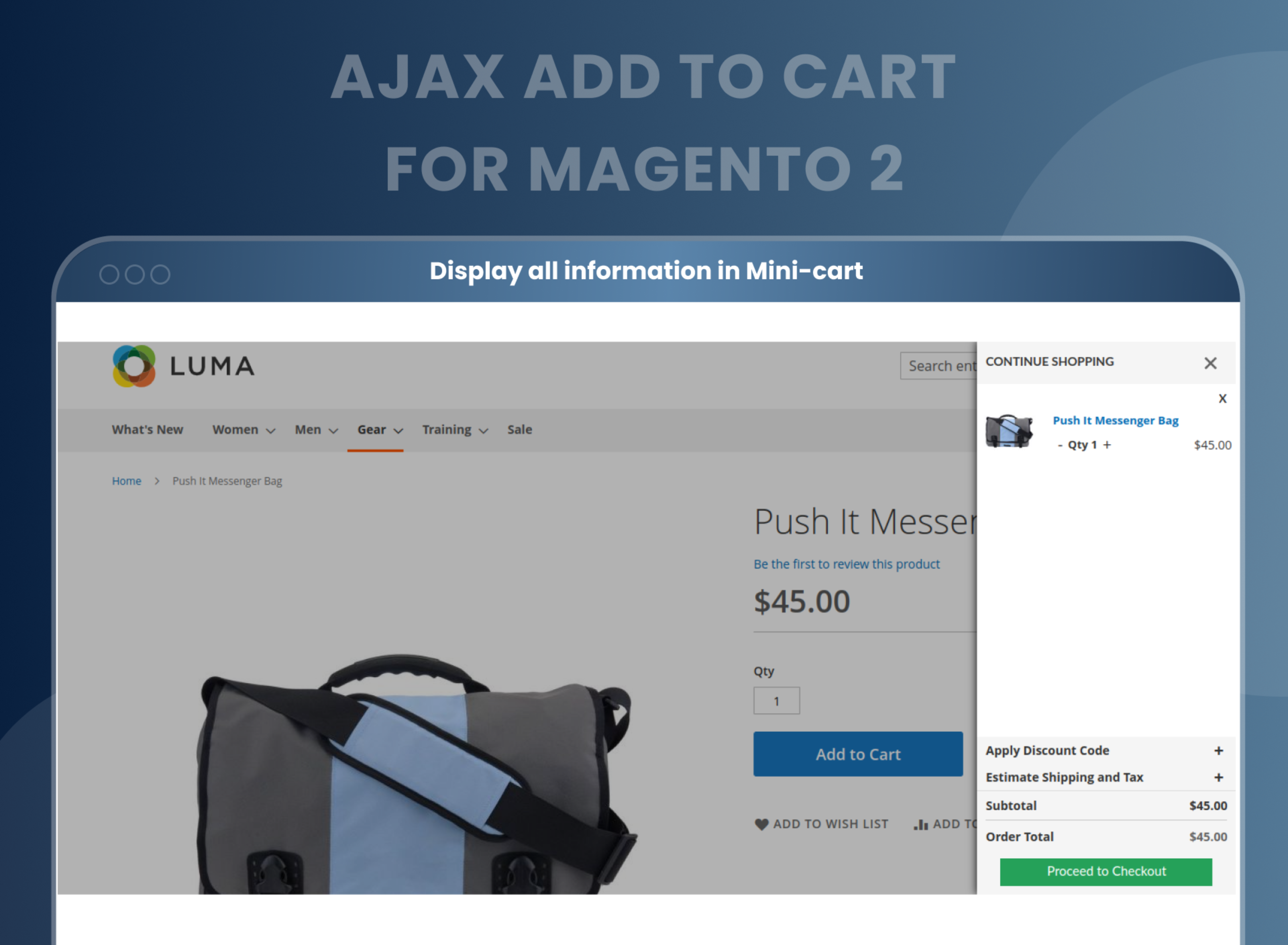
Configure the things you want to display, like cart information in the success popup, the total number of products and their amount in the cart, the product image in the dialogue box, the checkout button, etc.

Deliver a better shopping experience
Configure your selling options by adding a customizable block with related products or cross-sells.
Add product block type, title, and the number of products to be displayed in the add to cart ajax popup.

Display the necessary information
Make it easy for customers to know what they are buying by displaying all the necessary information, like the product details, any related products, etc.
As the store admin, set up the time left for the popup closure and also update the cart without the need for the user to go to the checkout page.

Improve the conversion rate
Magento 2 Ajax Add to Cart Extension eliminates the need to reload the page after adding an item to the cart. This Ajax cart Magento 2 enables customers to add products to their cart quickly and easily without having to wait for the page to reload.
It also helps to improve the store conversion rate by reducing the amount of time customers spend waiting for pages to load, leading to increased sales and conversions.
Support all product types
Magento 2 Ajax Add to Cart Extension is a powerful and flexible tool that allows customers to quickly add products to their shopping cart without leaving the product page.
This extension is quite flexible and works with different types of products, such as simple, bundle, grouped, downloadable, and configurable products.

How Does Magento 2 Ajax Add to Cart Module Work?
Why Needed
Benefits of Ajax Add to Cart Magento 2 Extension
- The Magento 2 Ajax Add to Cart is an effective extension, that every online store owner can benefit from. Upon integrating it into your store, your customers will no longer have to take the trouble of adding products to their cart as there will be no need for refreshing or reloading pages now and then. The convenient Ajax popups not only show the cart overview along with cart information but also display related product blocks to enhance up-selling or cross-selling as well.
- If you want to take the shopping experience of your customers to the next level, you must buy the Magento 2 Add to Cart plugin without giving it any thought. Its ability to serve users with a great customer experience by disposing of unwanted page reloads makes it an efficient tool to give a push to the conversion rates of your store.
- Enhanced Add to Cart process.
- Enhanced Mini-cart.
- Improved user experience and keeps customers engaged with the website.
- Increased conversions and improved conversion rates.
- Improved navigation and reduced cart abandonment.
- Smooth and efficient shopping experience
- Build customer loyalty and improve customer satisfaction.
- Increased product visibility
- Reduces page loading time.
FAQs
What is Magento 2 Ajax Add to Cart?
Magento 2 Ajax Add to Cart extension allows the customer to add any product to the shopping cart with the help of a pop-up box. Here, customers can easily choose configurable options and edit products in the popup and improve the customer's shopping experience.
Is it possible to close the popup automatically?
Yes, it is possible to close the popup automatically after some time.
Is it possible to display related products in popup?
Yes, you can display related products in a popup.
Is the pop up display only on the category page?
No, you can enable popup on the product view page as well.
Which information can you display in popup?
can view product images, several products in the cart, related products, the checkout button, and the continue button in the popup.
Is it to work with configurable products?
Yes, it works with configurable products.
Is it compatible with the latest version of Magento 2?
Yes, it is compatible with the latest versions of Magento 2.
How do I Disable Ajax Add To Cart On Product Page In Magento 2?
You can disable Ajax add to cart configuration Store --> Configuration --> Ajax add to cart.
How to enable Ajax for add-to-cart flying effect and Ajax add to cart popup for all pages?
You can either enable the flying effect or Ajax add to cart popup at a time, both functionalities don’t work together. To enable the flying effect, Go to store --> Configuration --> Ajax add to cart.
How to update cart quantity ajax in Magento 2?
You can update cart quantity from mini-cart using ajax add to cart Magento 2 extension.
Reviews
Customization
Changelog
- Mageants Team make extension compatible with Magento versions 2.4.7 & 2.4.8.
- Enhance the module feature and remove the extra code.
- MageAnts team make extension compatible with latest magento 2.4.6 version.
- Mageants team makes this extension coding as per the Magento standard compatible with the latest Magento version.
- Sometimes display error when run upgrade command. Now it is working fine in all Magento version.
- After apply coupon code field is visibale for coupon code, it should disable after apply copon code successfully.
- When customer add product to cart from home page then flying effect not working, MageAnts team resolved issue in all Magento version.
- Mageants team make extension compatible with Magento2.4 version.
- Extension working fine in all Magento version.
Why Choose MageAnts
-

30 Days Money Back Guarantee
We offer 30 Days money back guarantee if customer meets our refund policy. For more info you can read our terms and condition
-

Tested Before Every Release
Every version is tested on the latest Magento 2.4 release before it goes live, and bugs reported during your support period are fixed by our team.
-

Free 90 Days Support
MageAnts ensures quick and quality technical support. Take advantage of our 90 days free support for a smooth and efficient experience.
-

Frequent Extension Updates
Intensive update roadmaps ensure highly compatible, bug-free, great performance, and innovative extensions.
