


FAQ For Magento 2
Ask AI About This Extension





Key Features
- Effortlessly create and customize FAQs to enhance user experience.
- Seamlessly import FAQs using CSV files for quick setup.
- Assign FAQs to specific products for more targeted support.
- Enable customers to easily search and find answers.
- Boost search engine visibility with advanced SEO tools.





Current Limitation in Magento 2
What Magento 2 Cannot Do
By default, Magento 2 does not provide a dedicated feature for customers to ask questions or quickly find answers to their queries.
How Our Extension Solves This
MageAnts Magento 2 FAQ Extension will help store owners answer frequently asked questions and enable customers to look for common inquiries and relevant topics, ask questions, and get answers on the Knowledge Base and FAQ lists.
This Magento 2 FAQ plugin was developed to provide users with all the necessary information they need to get the most out of their online shopping experience and also helps to keep your Magento 2 stores more informative by adding and organizing FAQs systematically.
Description
Address common queries with an easy to navigate FAQ section
Create an informative FAQ page to help customers find answers without contacting support. Ideal for reducing support inquiries and improving customer satisfaction.
Easily Add and Customize FAQs
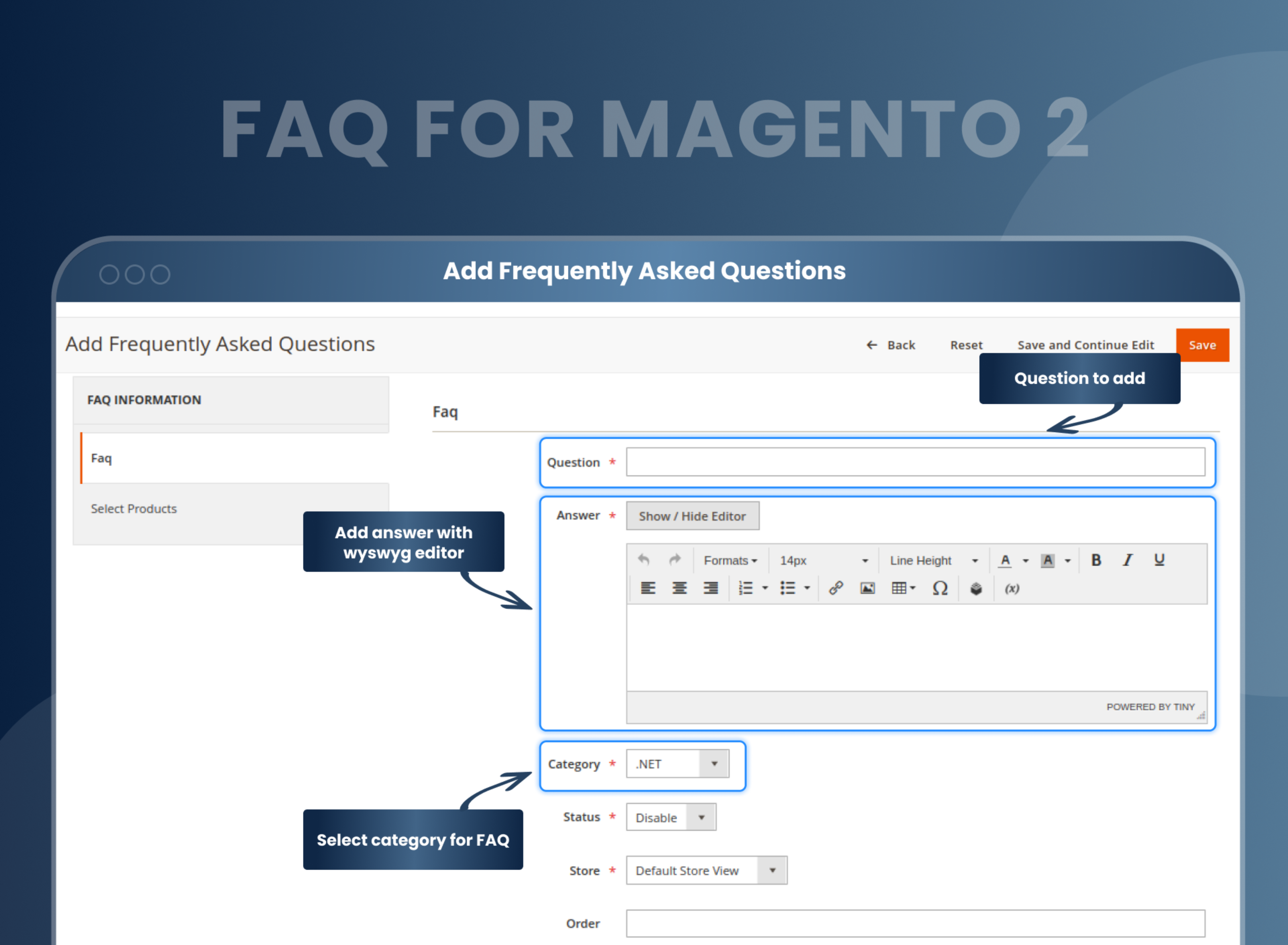
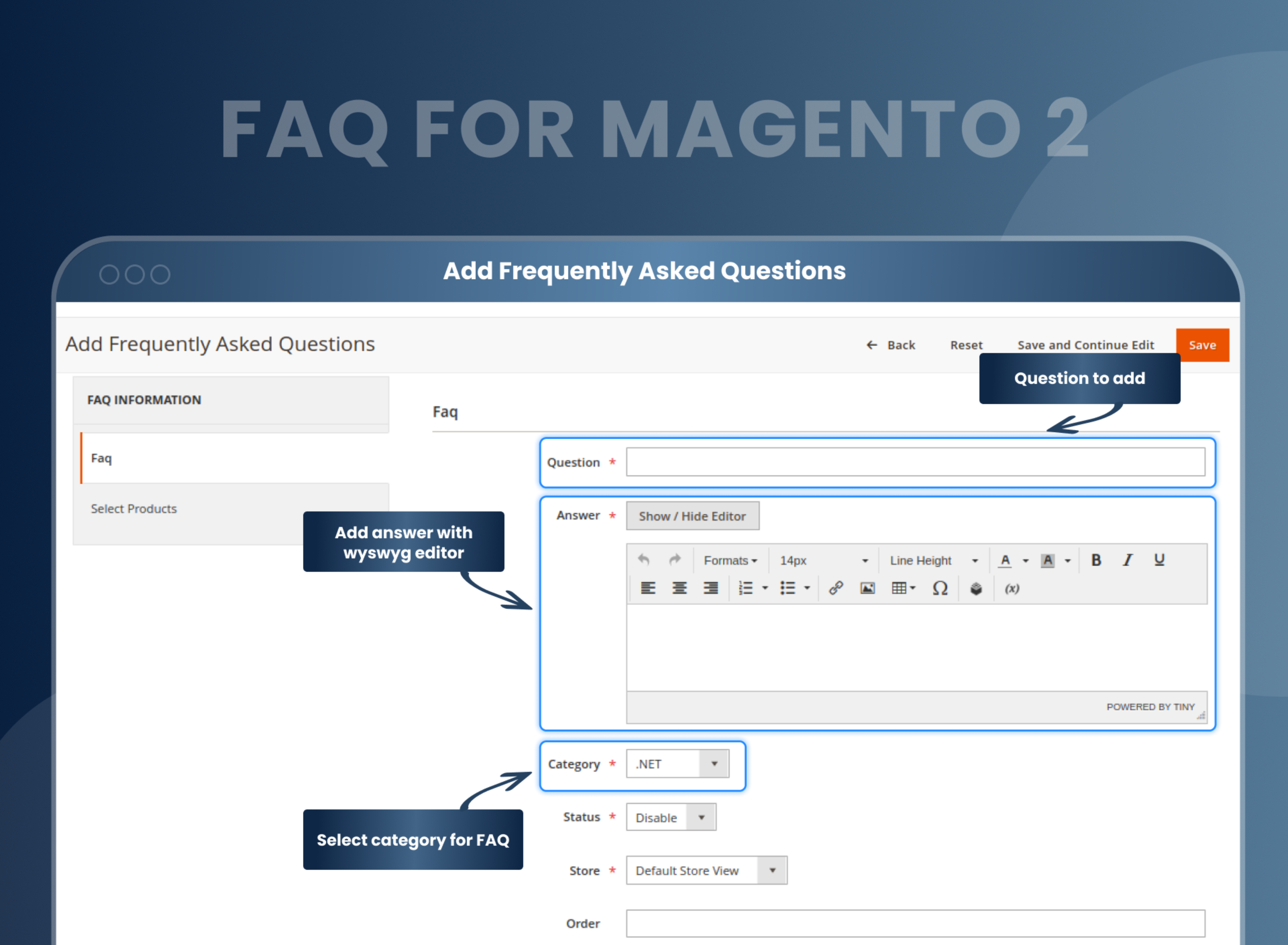
The Magento 2 FAQ module enables administrators to easily add and customize the most frequently asked questions on the FAQ page and put all answers in one place, saving customers time.
Store owners can:
- Add various FAQs and FAQ pages.
- Add FAQ categories.
- Add an answer with a variable and widget using the WYSIWYG editor.
- Edit status for the enable/disable FAQ
- Sorting and filtering FAQs for the order to display FAQs and support their customers instantly.
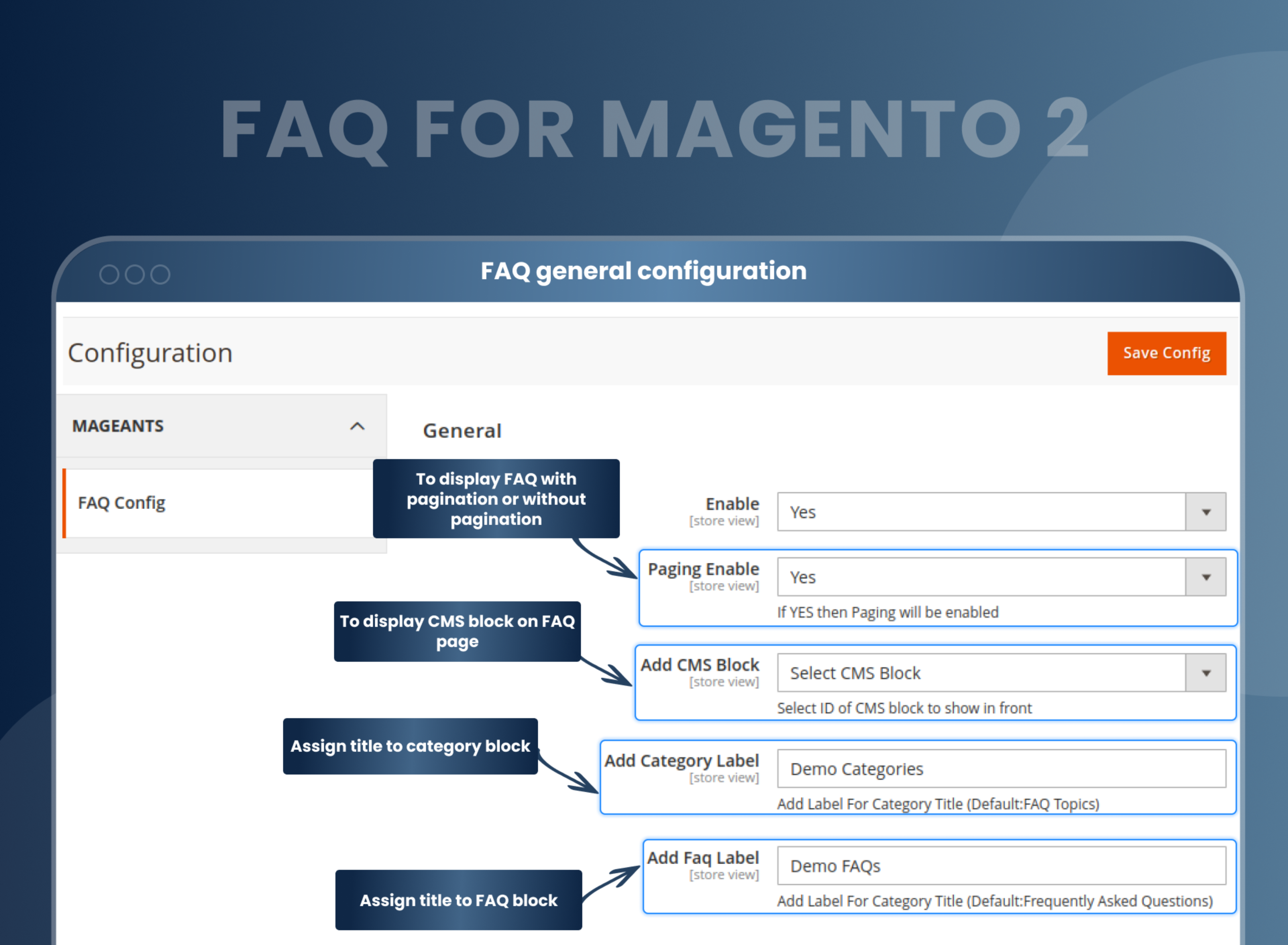
Add CMS static blocks to the FAQ page
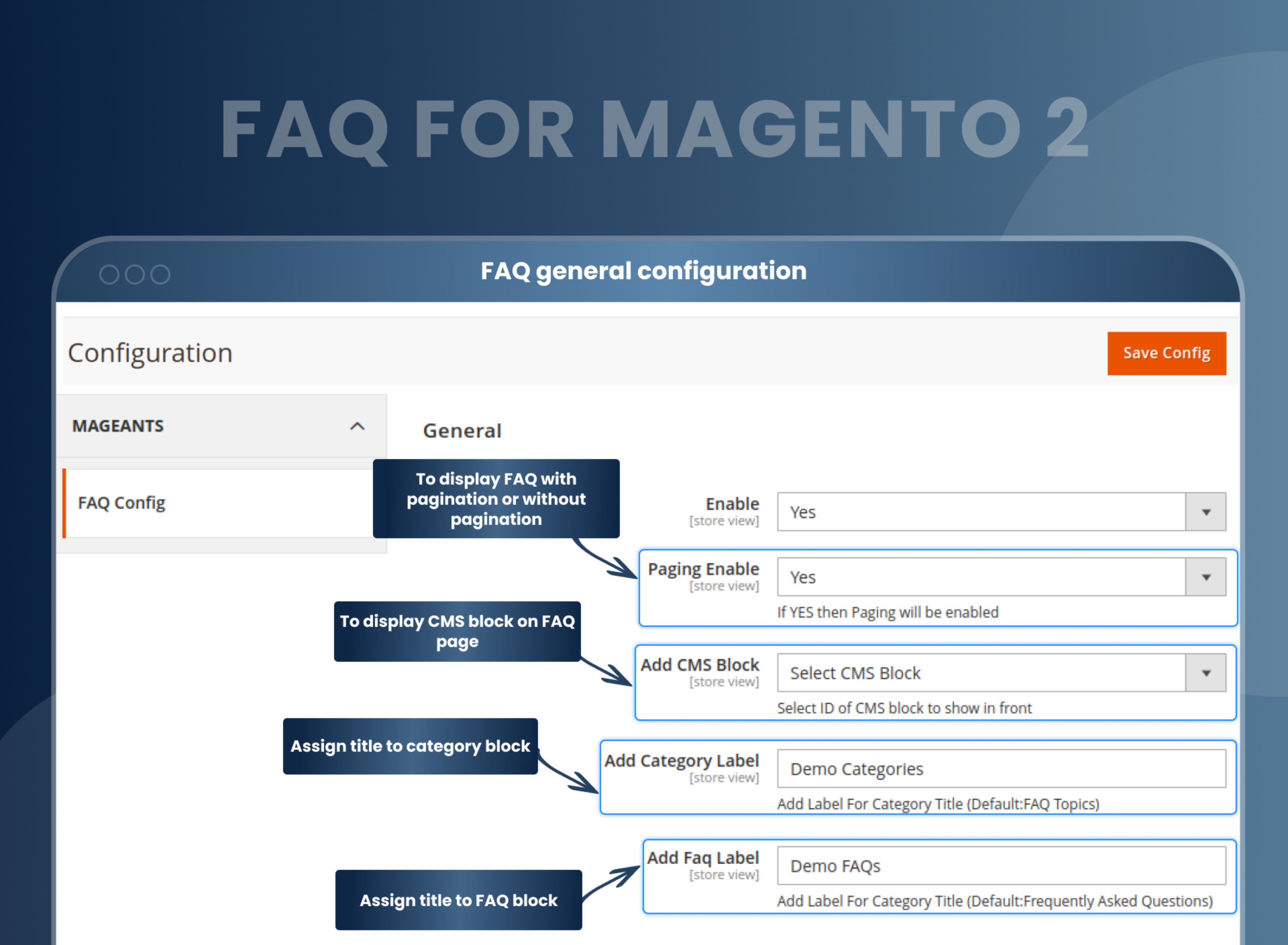
Apart from listing stunning questions and answers related to your website's product and service, this extension allows you to add CMS static blocks on the Magento 2 FAQ page. You can select and assign static blocks from the configuration admin panel. You can display a lot of dynamic and exciting content about your store's products and services for better engagement and retention right above the FAQs.
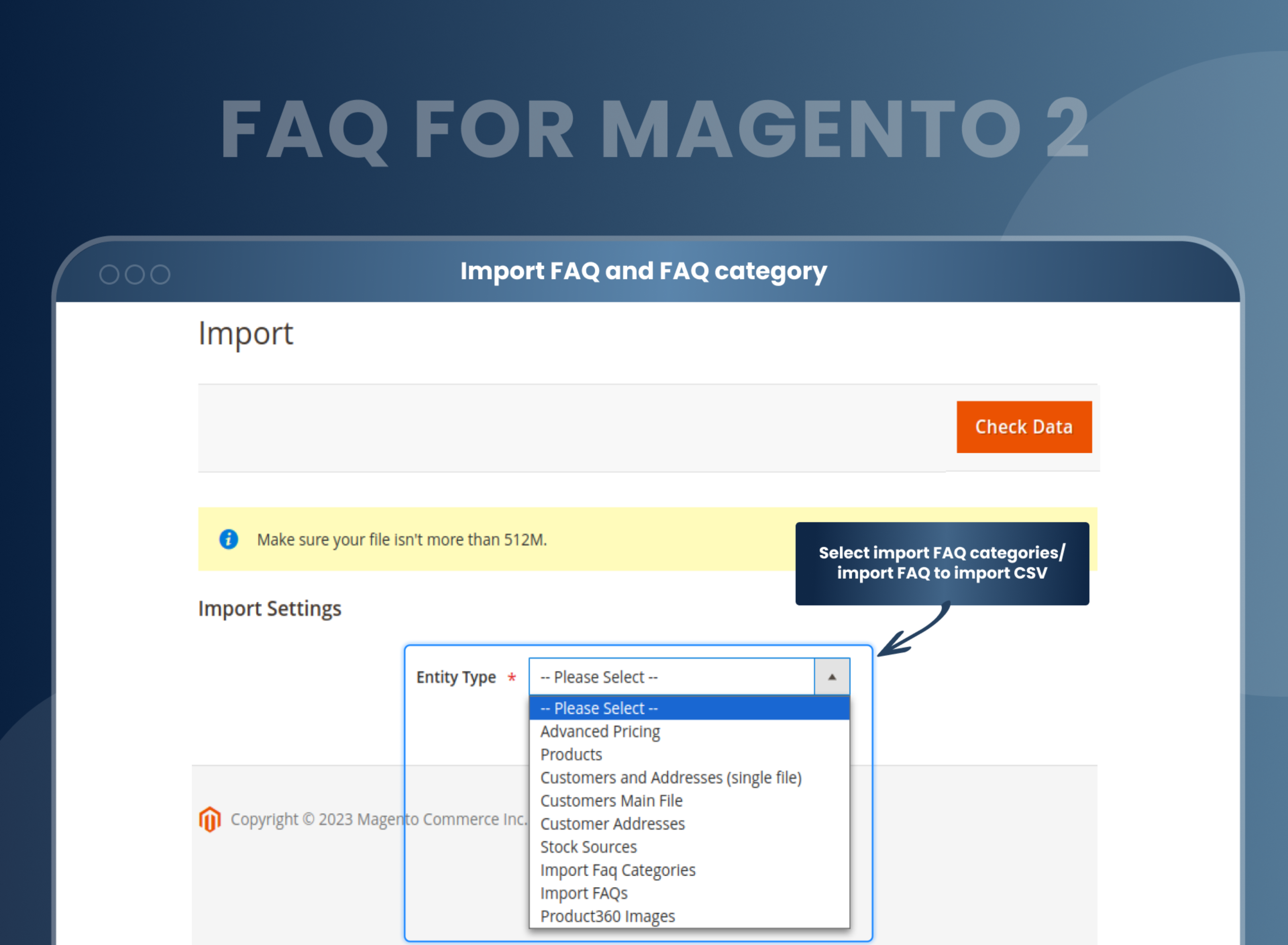
Quickly Import FAQ and FAQ Categories
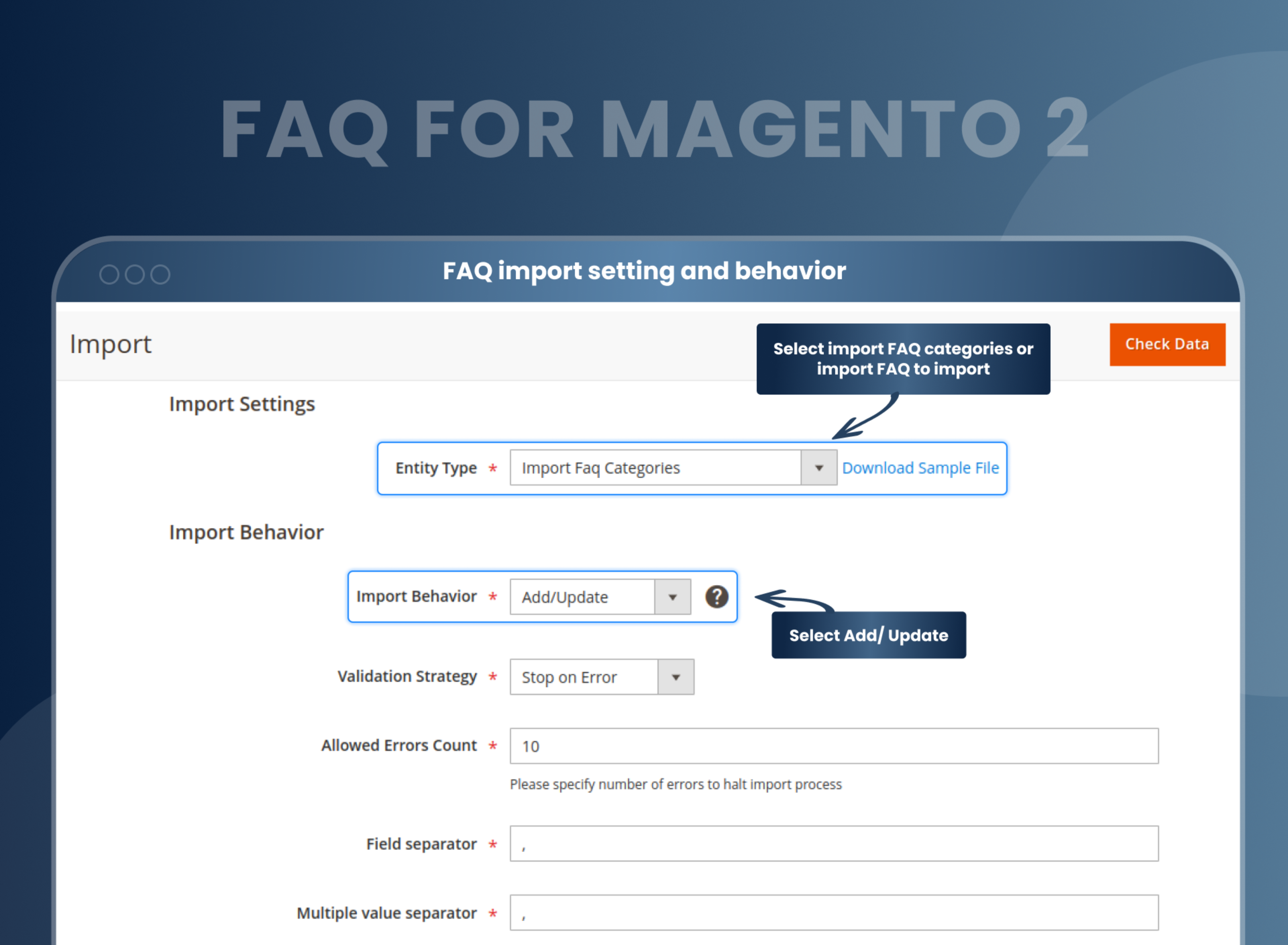
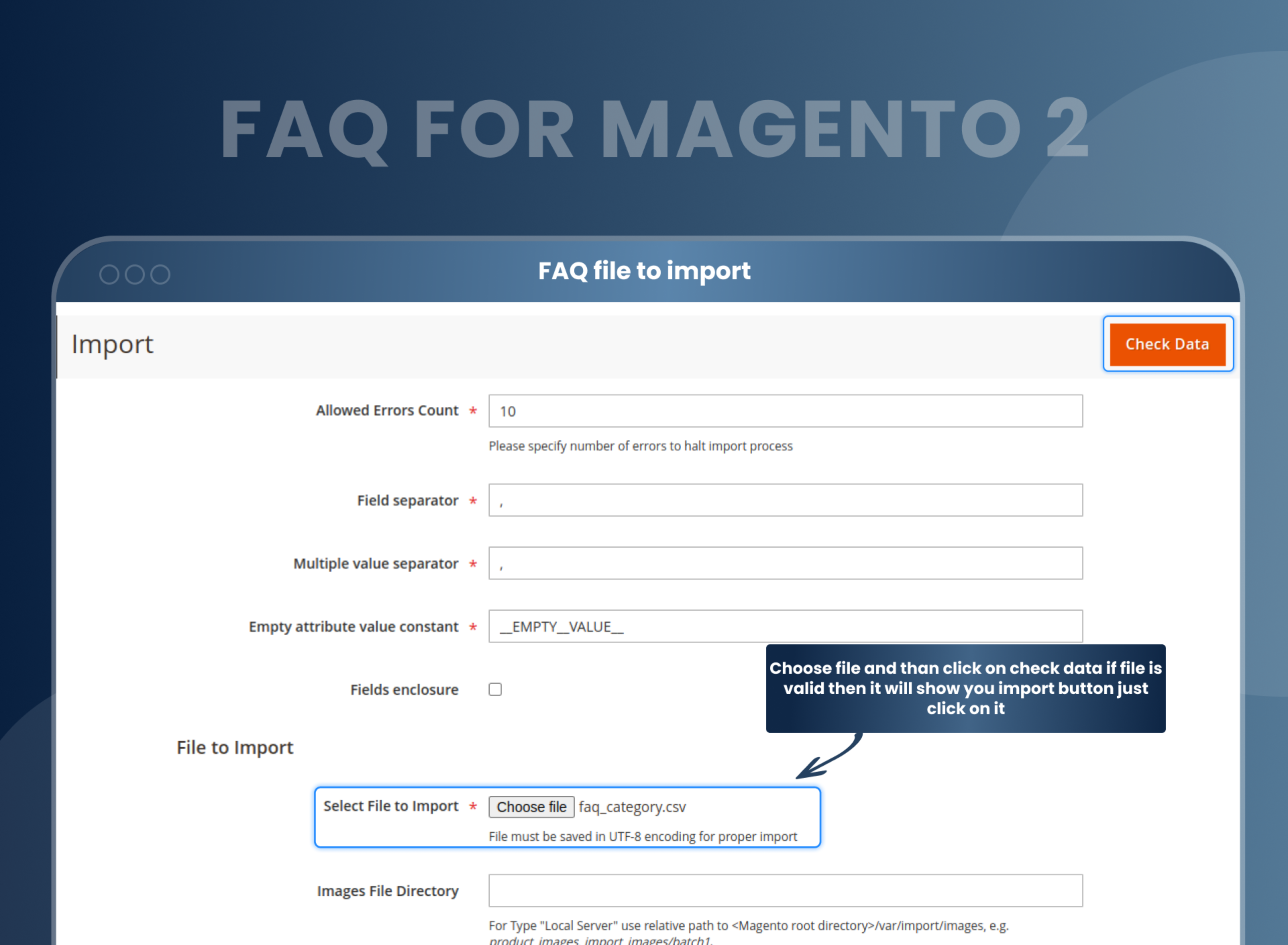
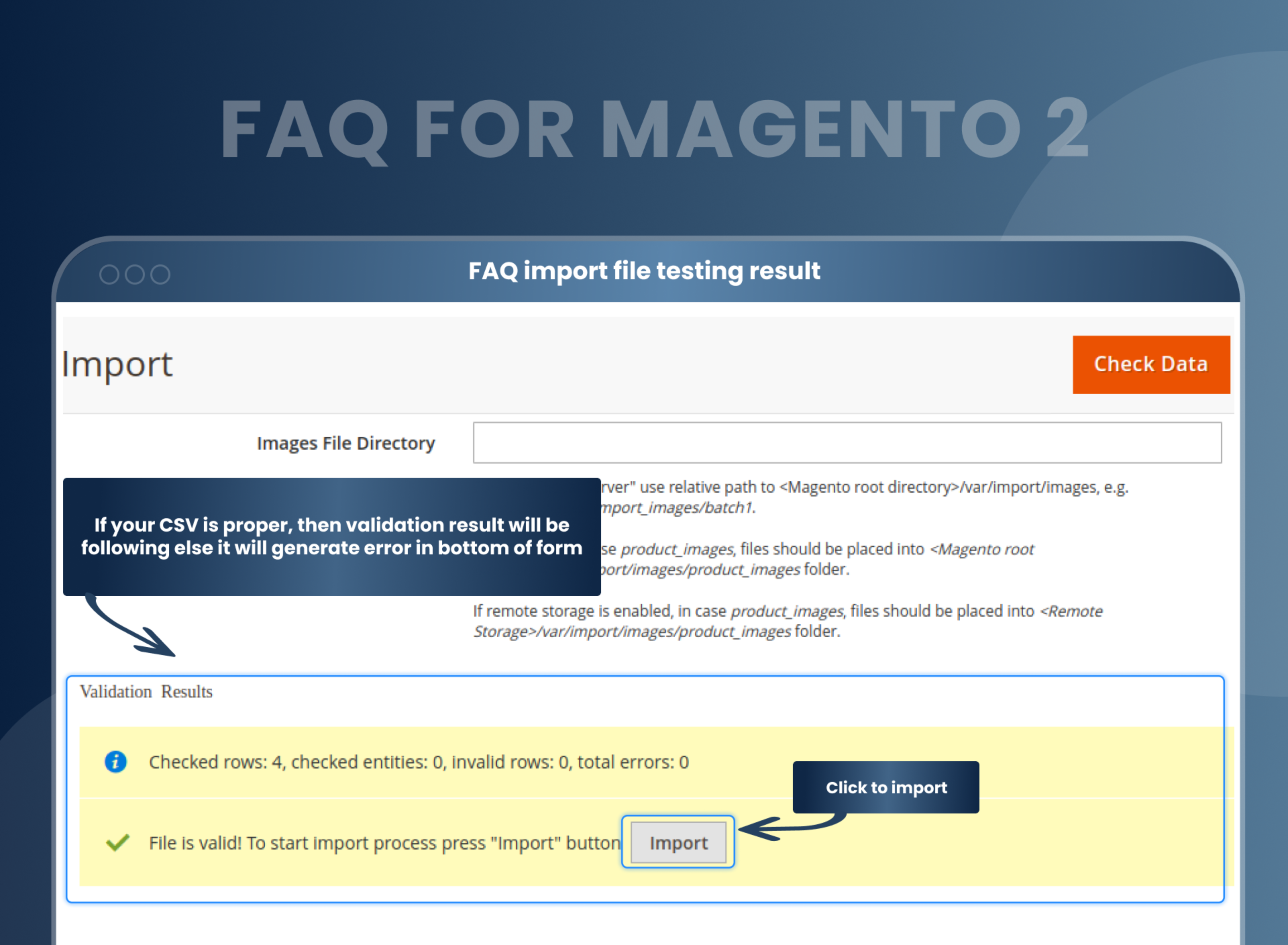
The Magento store owners can directly import FAQs on any page from the admin panel by selecting the entity type with the FAQ Magento 2 Extension. Thus, you can wrap up your work quicker.
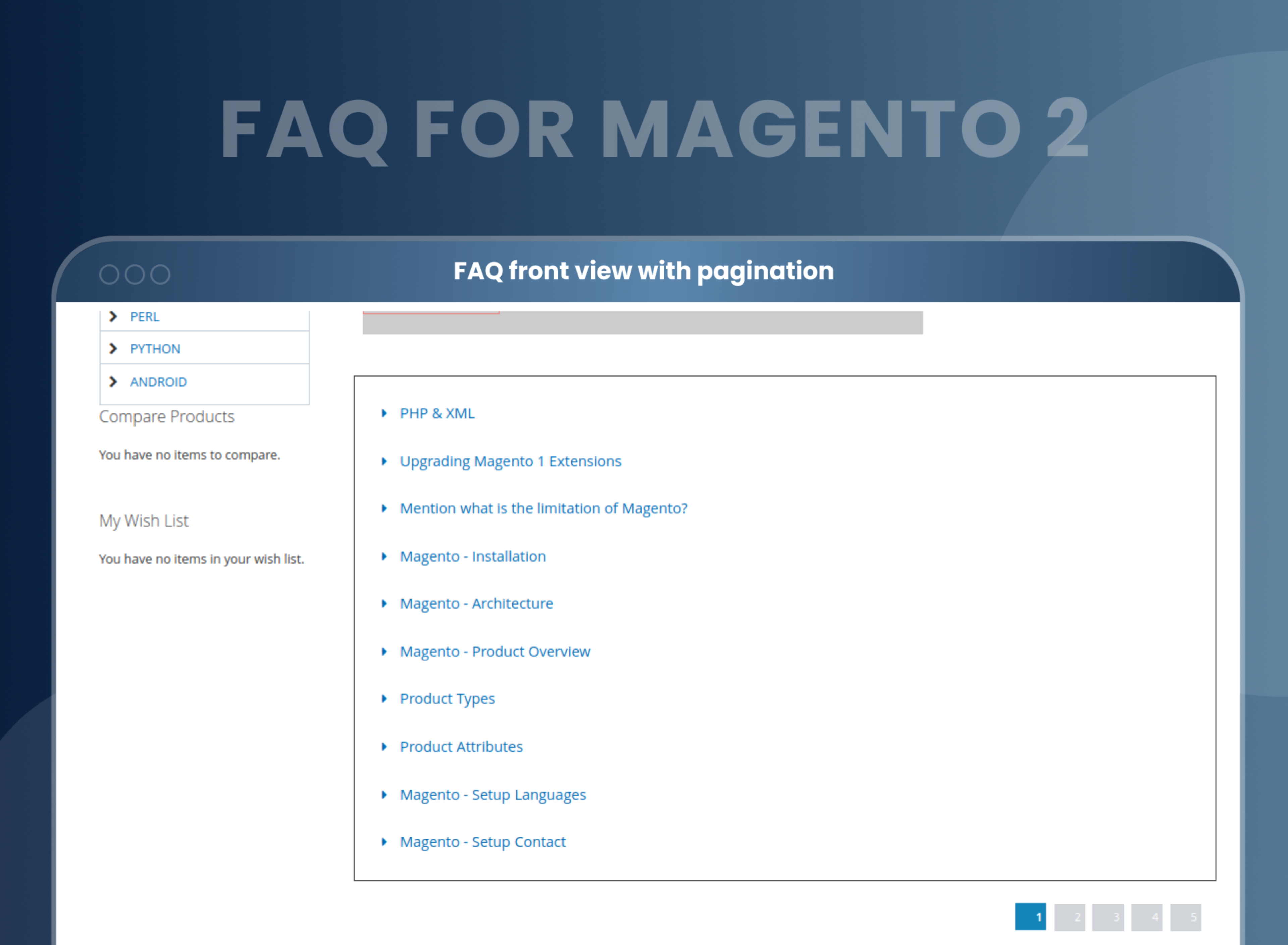
List FAQs with a paging feature
This brilliant paging feature of the Magento 2 FAQ extension enables you to manage and display all the FAQs 'page number' wise. Thus, you don't have to clutter them all into a single page.
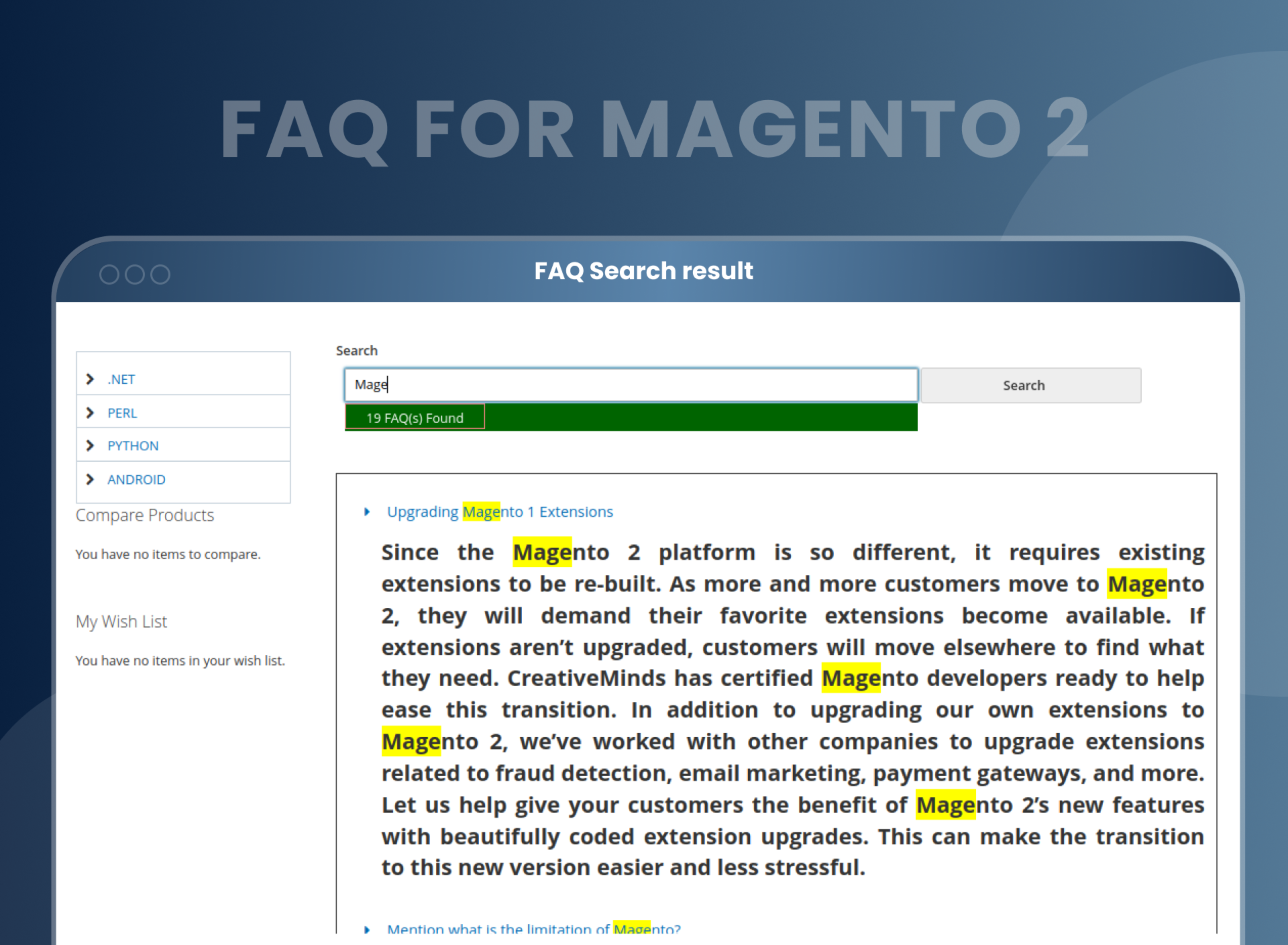
Quickly search FAQ
Our extension comes up with a search bar function strategy. Using it, you can add a search box to the FAQ page. With the help of the FAQ Extension for Magento 2, customers can search and find their queries faster by simply typing some in the search bar. This saves their time since they don't have to go through the entire list. And in this way, it enhances the user experience and makes website visitors happy.
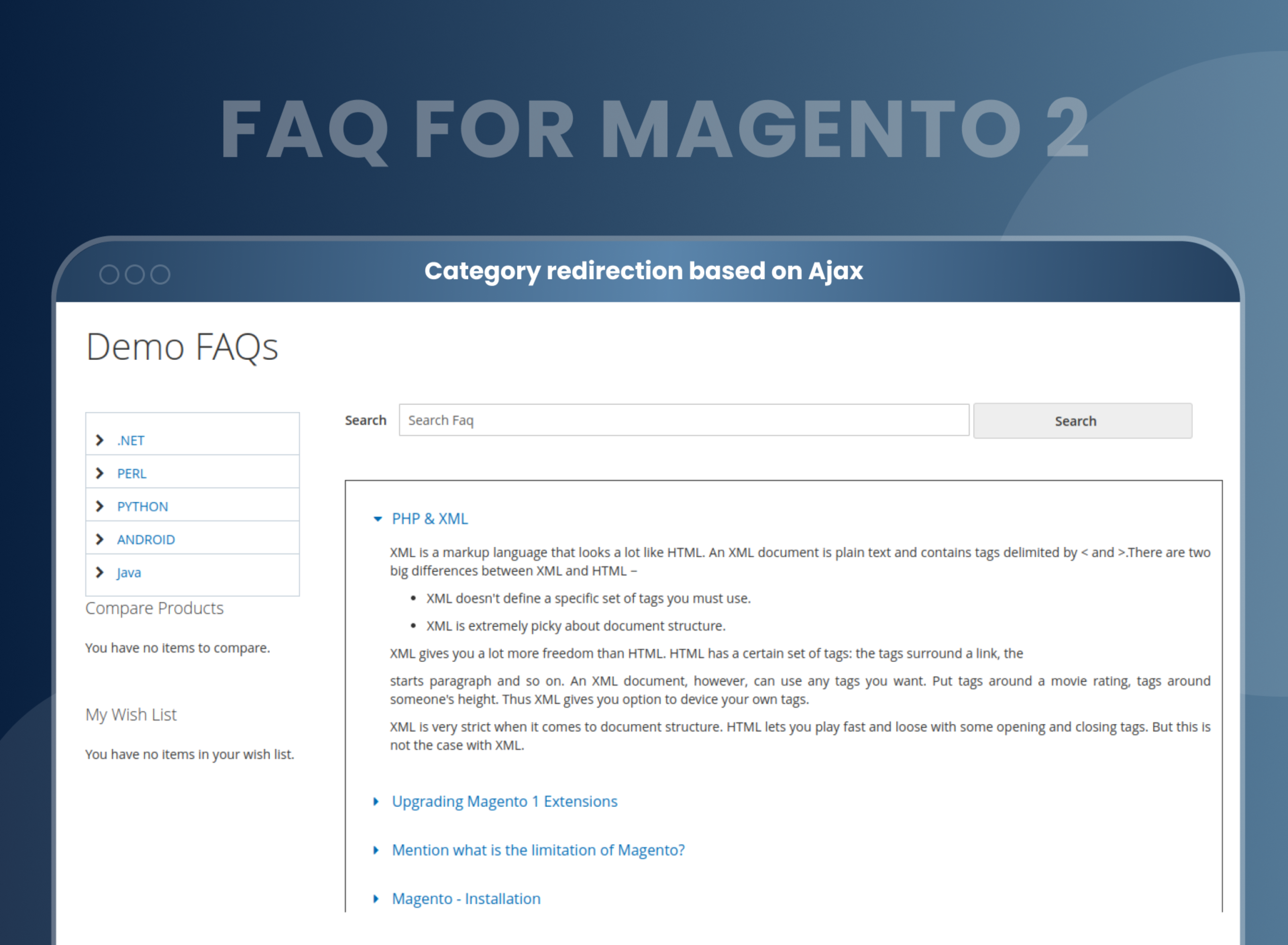
Category redirection based on Ajax
We have made this extension speed-optimized. That is why we have used the Ajax redirection system for it. This means that a viewer does not have to load another page to view a different category. They can immediately access the contents of another category simply by clicking on it.
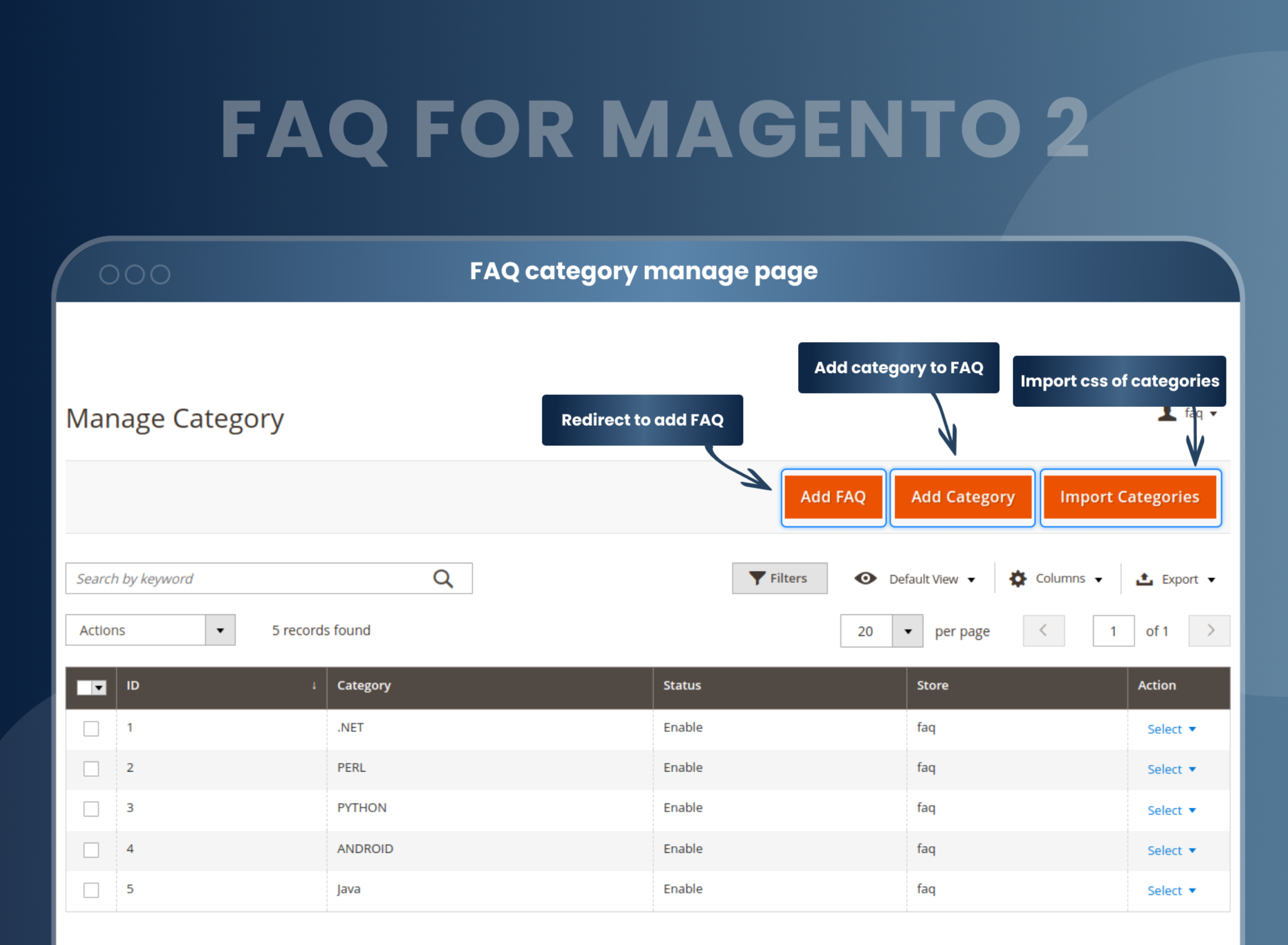
Easily create unlimited categories
The Magento 2 FAQ extension allows store owners to easily create an unlimited number of categories and questions from the backend using this extension.
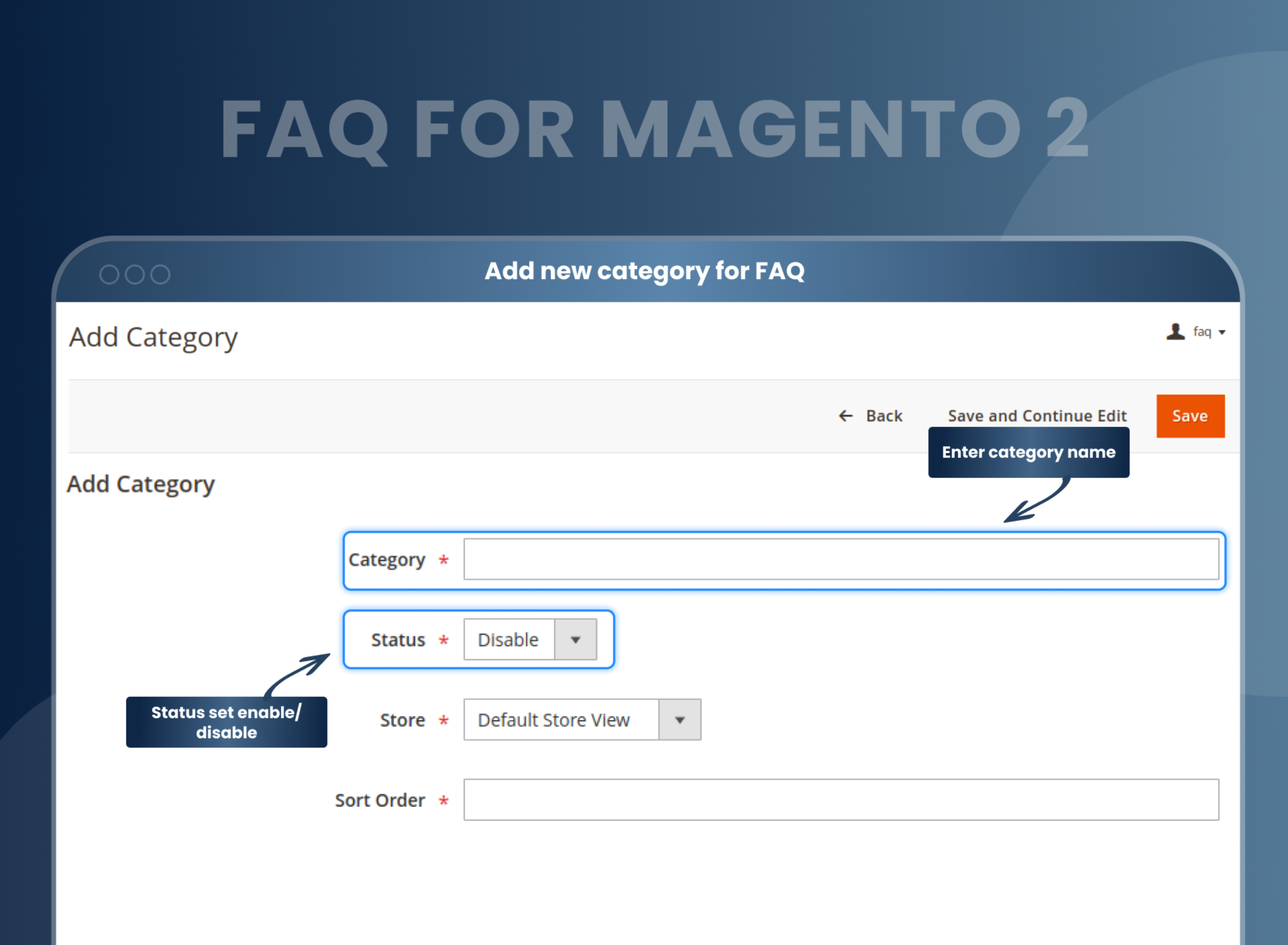
Set FAQs category-wise
The Magento 2 knowledge base extension allows the admin to set the FAQs category-wise. So customers can immediately search the FAQ for a particular category from the search box and save their time with this AJAX system.
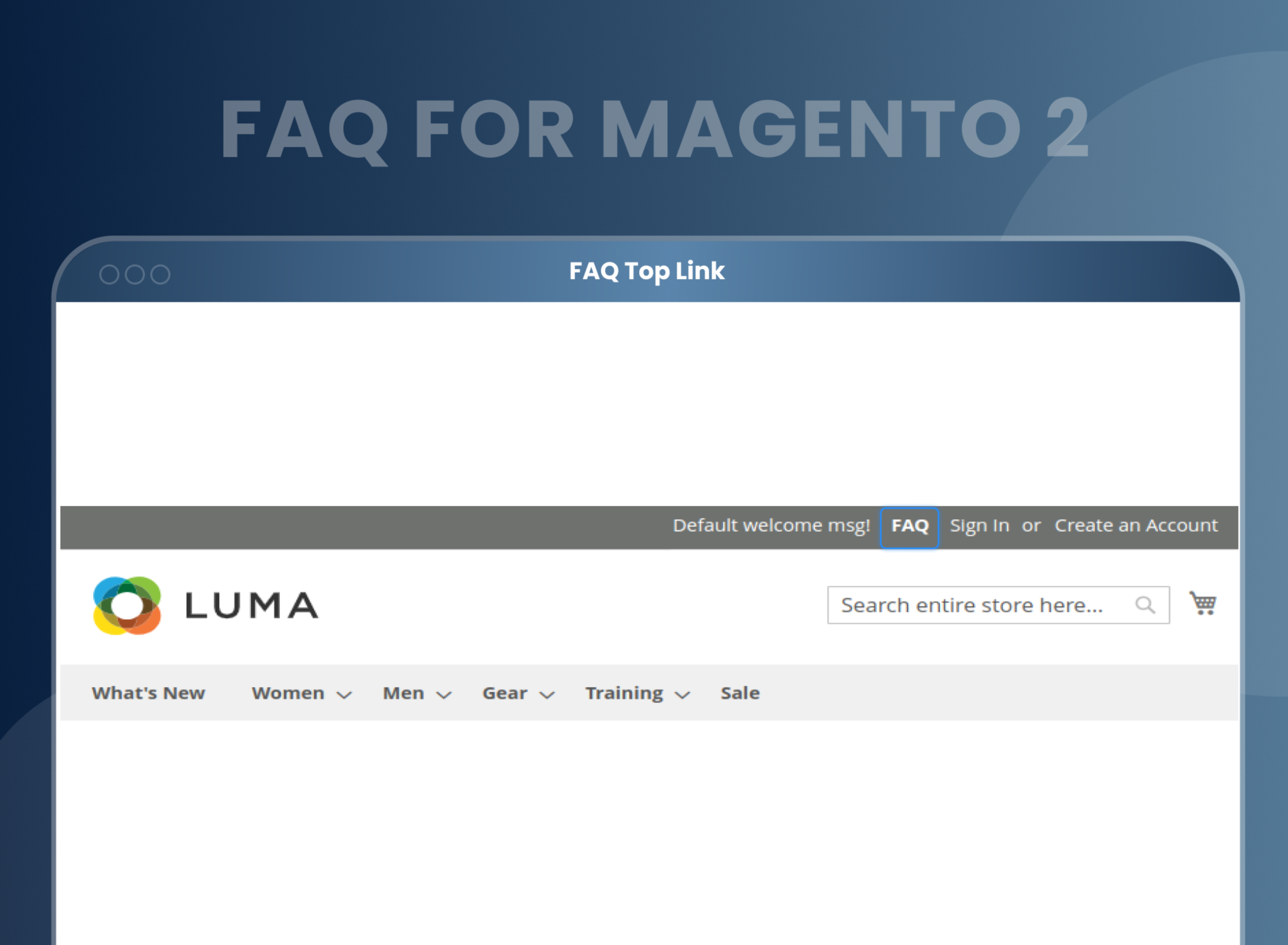
Display the FAQ page URL at the top of the website
With the FAQ Magento 2, admins can add an FAQ page link to the website header. So customers can directly visit the FAQ page from any of the website pages.
How To Create A FAQ Page In Magento 2?
How Does FAQ Module Magento 2 Work?
Benefits of the FAQ Magento 2 Extension
- Install MageAnts FAQ Magento 2 extension in your store.
- You can enable extension from store > Configuration > Mageants > FAQ.
- You can set other configuration as per your need and requirement.
- Go to FAQ and create FAQ and FAQ categories.
- Go to frontend FAQ page URL display in header of the site.
- Click on FAQ URL, you will redirect to FAQ page.
- As an eCommerce seller, you must be familiar with the doubts and apprehensions that would bother your clients. By using the FAQ extension for Magento 2 you can create a separate informative FAQs page for your customer. Here, you can list detailed and explanatory answers to all the common questions that shoppers usually have.
- You can assign the related categories, and numbers, to the questions. You can organize all the questions in a systematic and approachable format. Thus, using this MageAnts FAQ Magento 2, you can reach out to a number of customers at a time. You can solve their doubts together in one go.
- When we talk about filling the information gap between products and customers then we have one more extension Product Question Answers which helps you to convert a potential buyer into customers if they got clear information about your products. Use this extension to create a specific FAQ for your product and display them on the product page.
- Improves site navigation and SEO for higher rank on search engines.
- It helps with the accuracy and clarity of information.
- Helps build better understanding and rapport with customers.
- Improve the customer experience.
- It helps reduce the time for your customer support employees to answer simple questions.
FAQs
Is it possible to create a different category for different FAQs?
Yes, you can create a separate category for different FAQ pages.
Is there any search functionality available in your FAQ extension?
Yes, we provide search functionality for frontend users.
Can I add pagination for my long list of FAQs?
Yes, you can enable pagination. If you have more than 10 FAQs, then automatically rest will display on another page.
Is it possible to assign an order number for all FAQs?
Yes, you can add order number for all FAQs.
Is it possible to add CMS block on FAQ Page?
Yes, you can include CMS block on the FAQ page.
Is it work with a multi-store view?
Yes, it works with a multi-store view as well.
How can I create a FAQ page in Magento 2?
You can enable Magento 2 FAQ extension from backend configuration store --> Configuration --> FAQ, You can create FAQ from FAQ grid --> FAQ.
What is the Magento 2 FAQ Extension, and how does it benefit my store?
The Magento 2 FAQ Extension enables the creation and management of a category-wise Ajax FAQ listing page. It helps address customer queries quickly, improve user experience, and reduce support inquiries. By providing answers to common questions, it can also build trust and enhance SEO by targeting relevant keywords.
Is the extension compatible with my current Magento 2 version?
Yes, the Magento 2 FAQ Extension is compatible with latest Magento 2 versions.
Can I categorize FAQs for better organization?
Yes, you can create FAQ categories and subcategories to organize your questions logically. This makes it easier for customers to find the information they need quickly.
Will this extension impact my website’s performance?
No, the extension is optimized for performance. It uses efficient coding practices to ensure your website's loading speed and overall performance are not affected.
Is the extension mobile-friendly?
Yes, the Magento 2 FAQ Extension is fully responsive, ensuring a seamless user experience across all devices, including desktops, tablets, and smartphones.
Does the extension include a search feature?
Yes, the FAQ extension includes a built-in search bar. Customers can use keywords to quickly find relevant answers.
Reviews
Customization
Changelog
- Compatibility:- Mageants Team make extension compatible with magento 2.4.7 & 2.4.8 versions.
- Compatibility:- Mageants Team make extension compatible with Hyva Theme.
- Fixes:- Resolved deprecation issue when run upgrade command.
- Fixes:- Resolve pagination and design issue in faq grid.
- text is in bold and with colour and you search for a particular word in that question, search results are visible in normal text.
- When you click on pagination, an error is visible.
- In the front-end, when you open a product, its FAQ is visible in all store views.
- When you directly click on the save button after selecting a product, the FAQ is visible on the front-end selected product, whereas when you select a change product and on the click on save button, the FAQ is not visible on the front-end selected product.
- When you disable paging from the back-end, the front-end FAQ does not open when you click on the arrow answer not show In Magneto246.
- There should be the same space in all tabs on the front end when you open the product.
- make extension compitible with Coding Standard.
- Add functionality in product grid in backend and show in frontend perticular product in all version.
- Add functionality in search Faq Highlight in frontend faq tab in all version.
- import Faq not working in magento2.4.6.
- text is in bold and with colour and you search for a particular word in that question, search results are visible in normal text.
- MageAnts team make extension compatible with latest magento 2.4.6 version.
- Confirmation message displayed wrong when admin deleted Category and FAQ record. MageAnts team resolved this issue in all Magento versions.
- When customer search FAQ and click on FAQ then it's redirect to particular FAQ search, Mageants resolved issue in all Magento version.
- MageAnts add new functionality in FAQ extension now if multiple FAQ available then admin also set pagination for FAQ.
- When admin run setup:di:compile command in magento 2.1 version then display error, resolved issue in all magento version.
- Change background color when find FAQ on search textbox.
- When user save FAQ category from backend then sort order text box is automatically blank in category -→ https://nimb.ws/MJVjfQ.
- Sort order option not work when user import category using CSV file, now solve issue and working fine in all Magento Version.
- Menu for FAQ categories is not working for ACL resources, Now issue fixed and working fine in all Magento Version.
- MageAnts add sorting option in FAQ extension now also admin sort category option from backend. Working fine in all Magento Version.
- When the user adds images in FAQ than the image not upload.
- Import sample file download function was missing. So admin directly download a sample CSV file.
- Developed own import function, Magento 2.3 SKU issue will not affect anymore.
- Insert Variable button was not working in FAQ form's answer field, Now all issue working fine in all Magento Version.
- MageAnts update FAQ extension in the latest Magento 2.3 Version, Now extension working with all Magento Version.
- Update module version name in composer.json file same as module.xml file.
Why Choose MageAnts
-

30 Days Money Back Guarantee
We offer 30 Days money back guarantee if customer meets our refund policy. For more info you can read our terms and condition
-

Tested Before Every Release
Every version is tested on the latest Magento 2.4 release before it goes live, and bugs reported during your support period are fixed by our team.
-

Free 90 Days Support
MageAnts ensures quick and quality technical support. Take advantage of our 90 days free support for a smooth and efficient experience.
-

Frequent Extension Updates
Intensive update roadmaps ensure highly compatible, bug-free, great performance, and innovative extensions.
