


Free Shipping Bar For Magento 2
Ask AI About This Extension





Key Features
- It displays a free shipping bar for Magento 2 to show the amount left until free shipping.
- It also shows the success message after reaching the free shipping amount for the buyer.
- With the help of this, it auto-updates the recent cart total as well as the remaining amount.
- It also helps in customizing the color and font of the free shipping bar, along with a success message.
- Set a free shipping bar on all the pages as well as specific pages on your website.





Current Limitation in Magento 2
What Magento 2 Cannot Do
By default, in Magento 2, free shipping is not automatically displayed for orders under a certain amount.
How Our Extension Solves This
The Free Shipping Bar for Magento 2 extension by MageAnts is an additional feature to enhance sales and the average cart value by providing attractive offers to customers. Using this extension, the admin can display the free shipping bar on all the pages or on any specific page of the website. This helps to display the amount left to reach the free delivery offer and allows customers to reach the goal of free shipping.
Description
Motivate higher orders with a free shipping bar
Display a dynamic progress bar showing how much more a customer needs to spend for free shipping. Perfect for encouraging customers to increase cart value
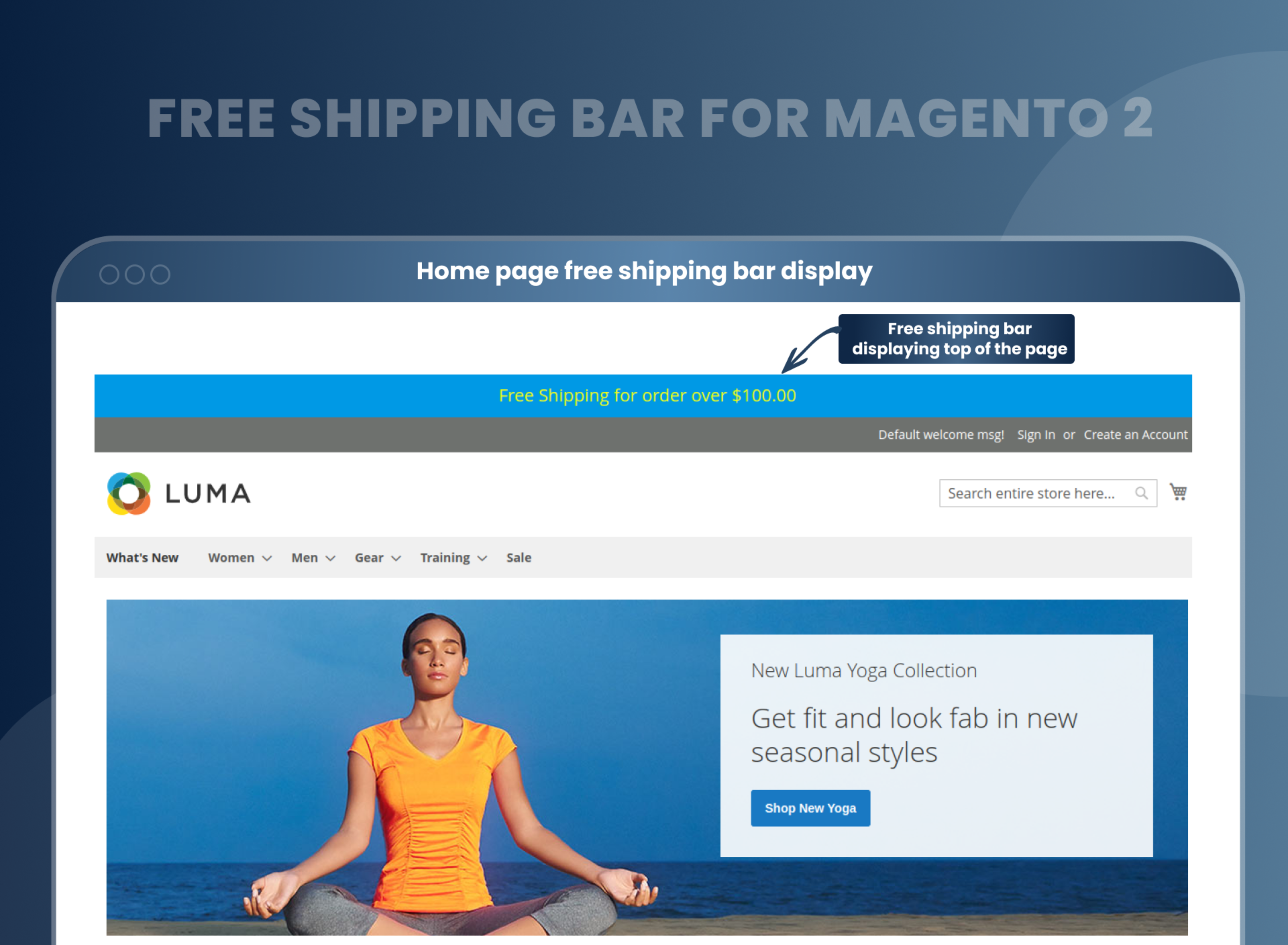
Home page free shipping bar display
Free Shipping Bar Magento 2 Extension provides a free shipping bar in the front end. The free-shipping bar will be displayed on the front-end at the time when the admin has created a free-shipping bar right from the back-end.
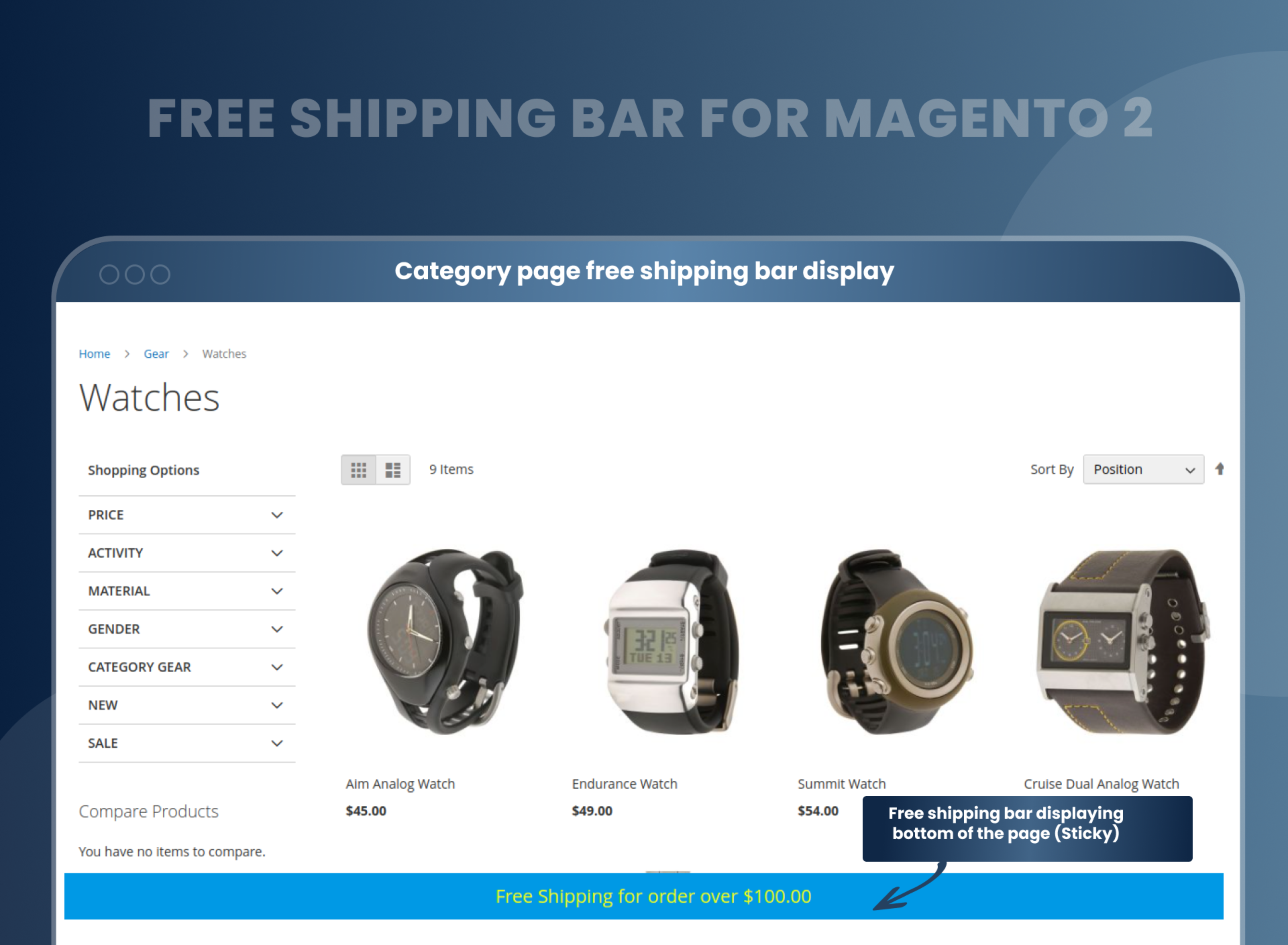
Category page free shipping bar display
Here, in the Free Shipping Bar Extension for Magento 2, a notification bar is displayed at the top as well as the bottom of your website. And it displays the progress and the availability of free shipping. In the product view page, it will be displayed like this:
On the product view page, it will be displayed like this:
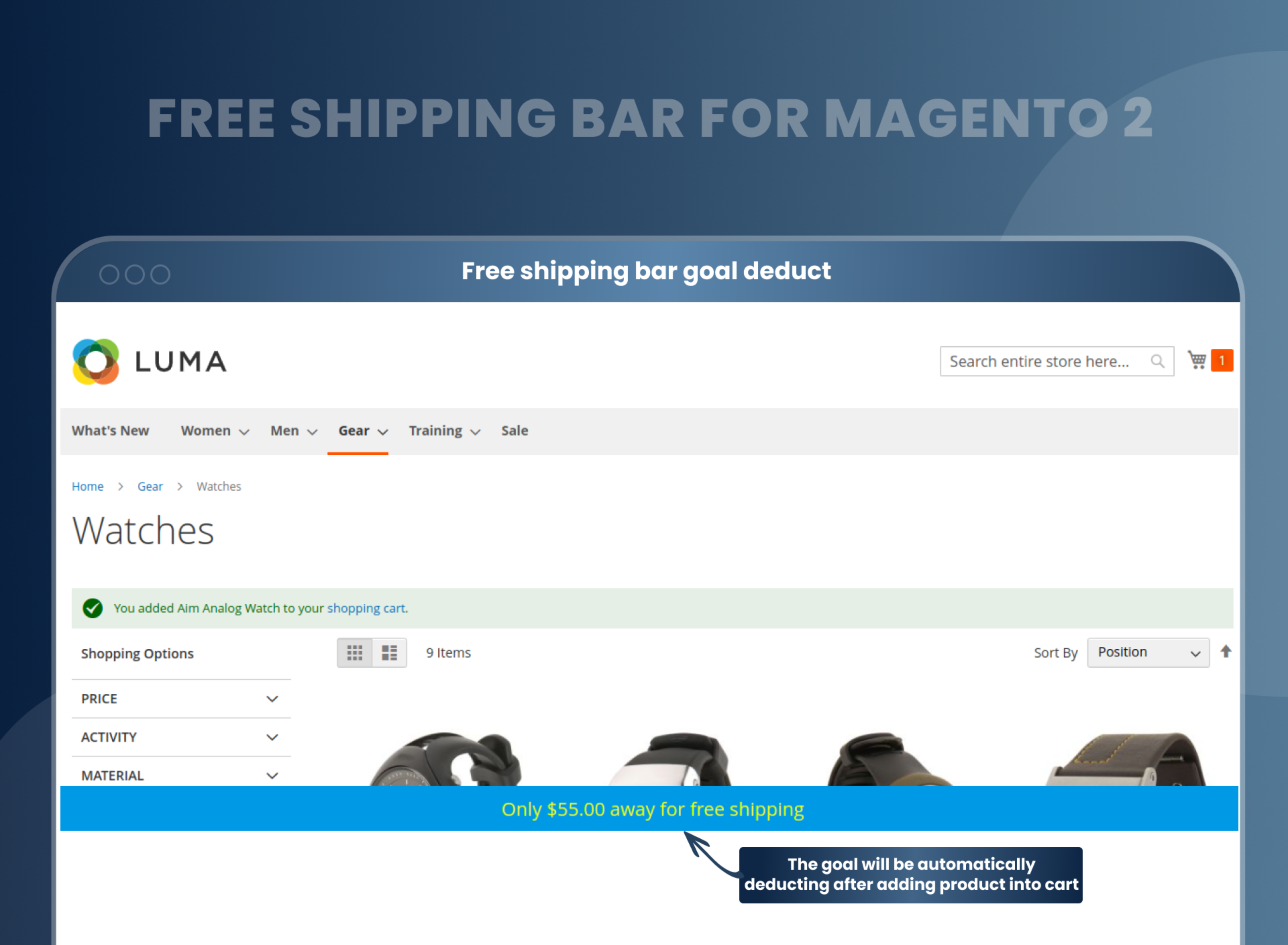
Free shipping bar goal deduct
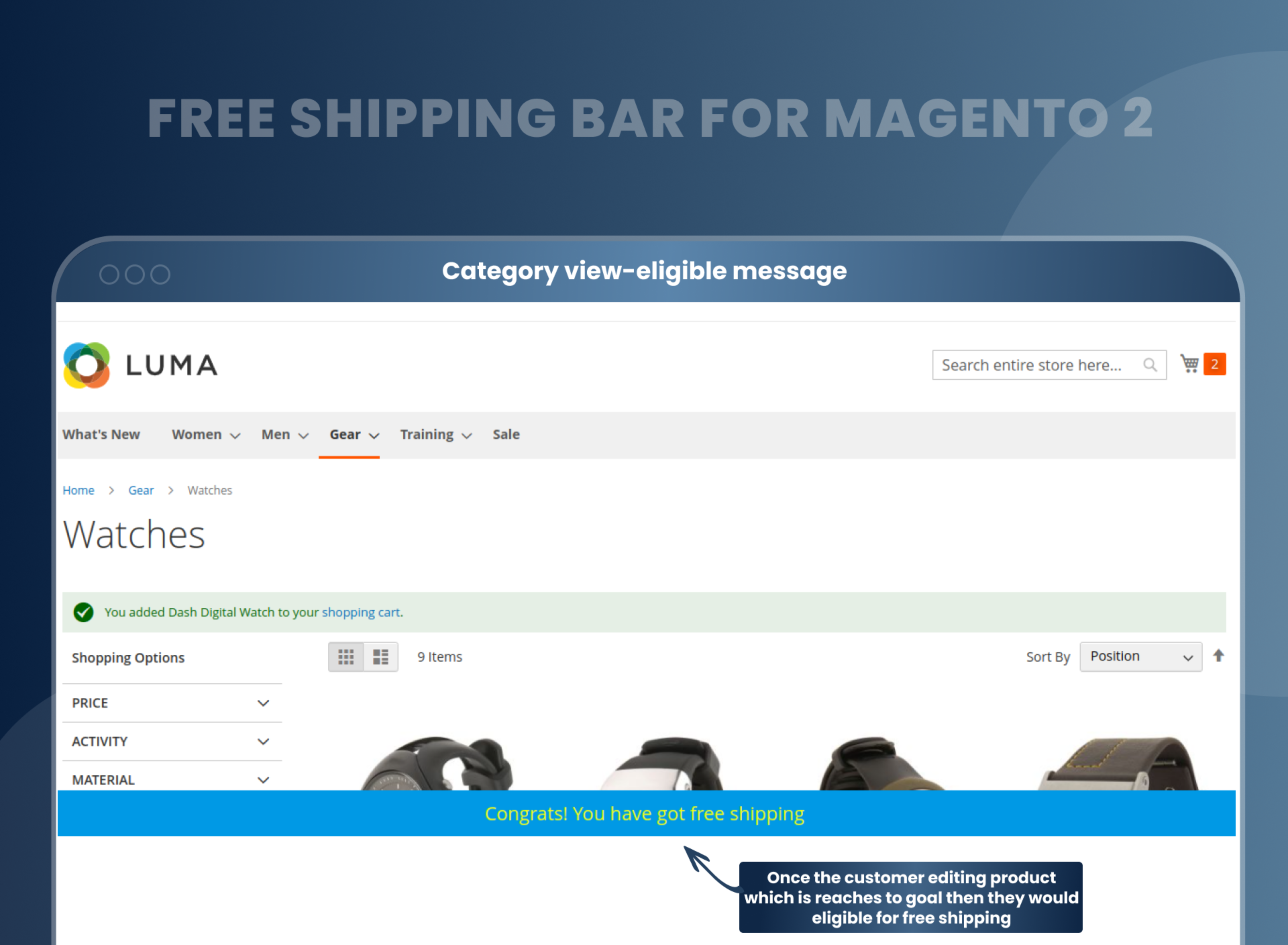
After reaching the goal, the user will be notified that they are eligible for free shipping. It will be displayed like this:
Category view-eligible message
At the time of adding the product to the cart, the goal will automatically change like this:
Checkout-page-free shipping
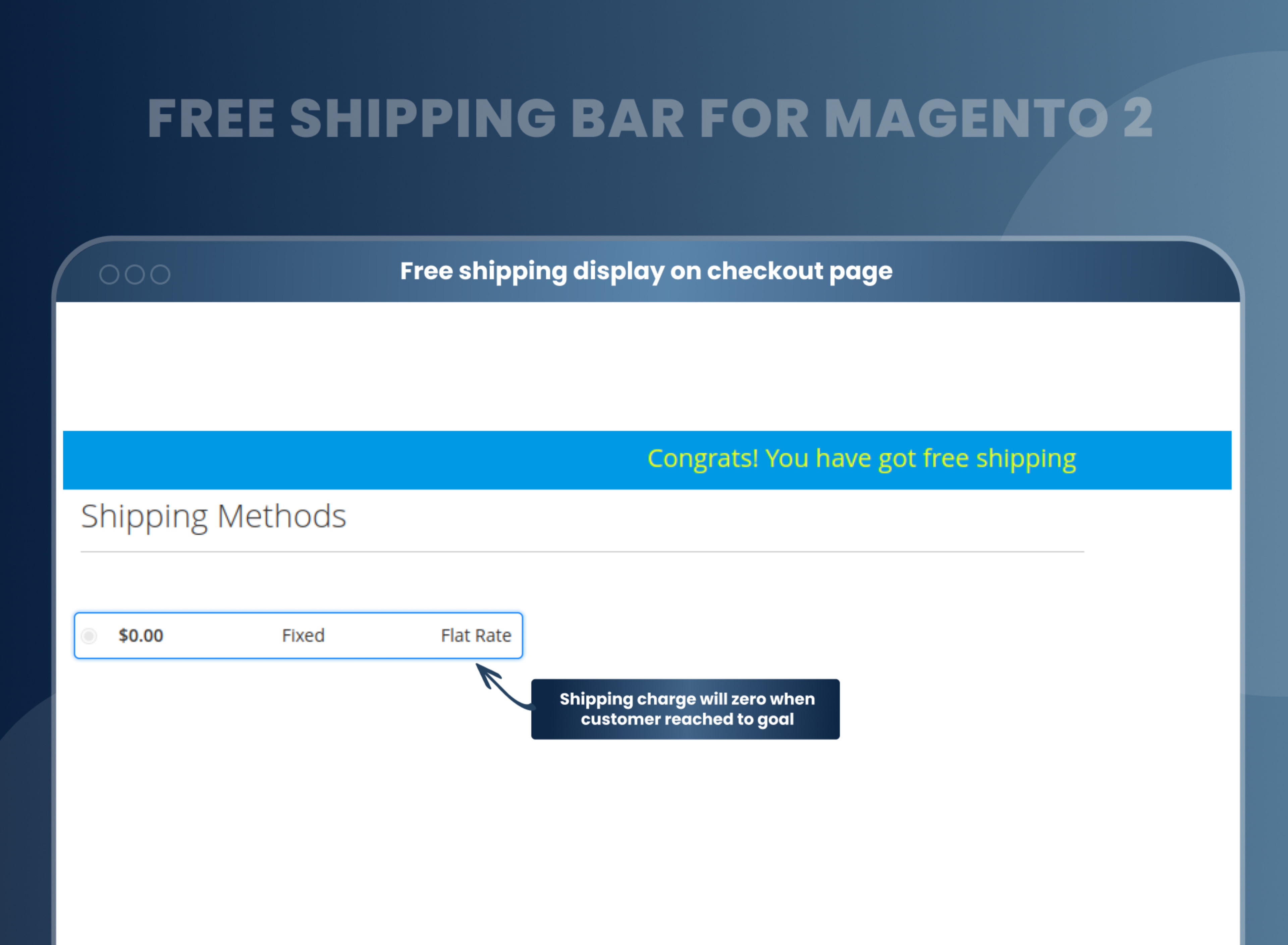
It shows how much is left until free shipping in a free-shipping notification bar. Here, the buyers will be informed about the minimum amount of the order for free shipping. Here, the limit of the total number of the recent cart, as well as the remaining amount, is also auto-updated.
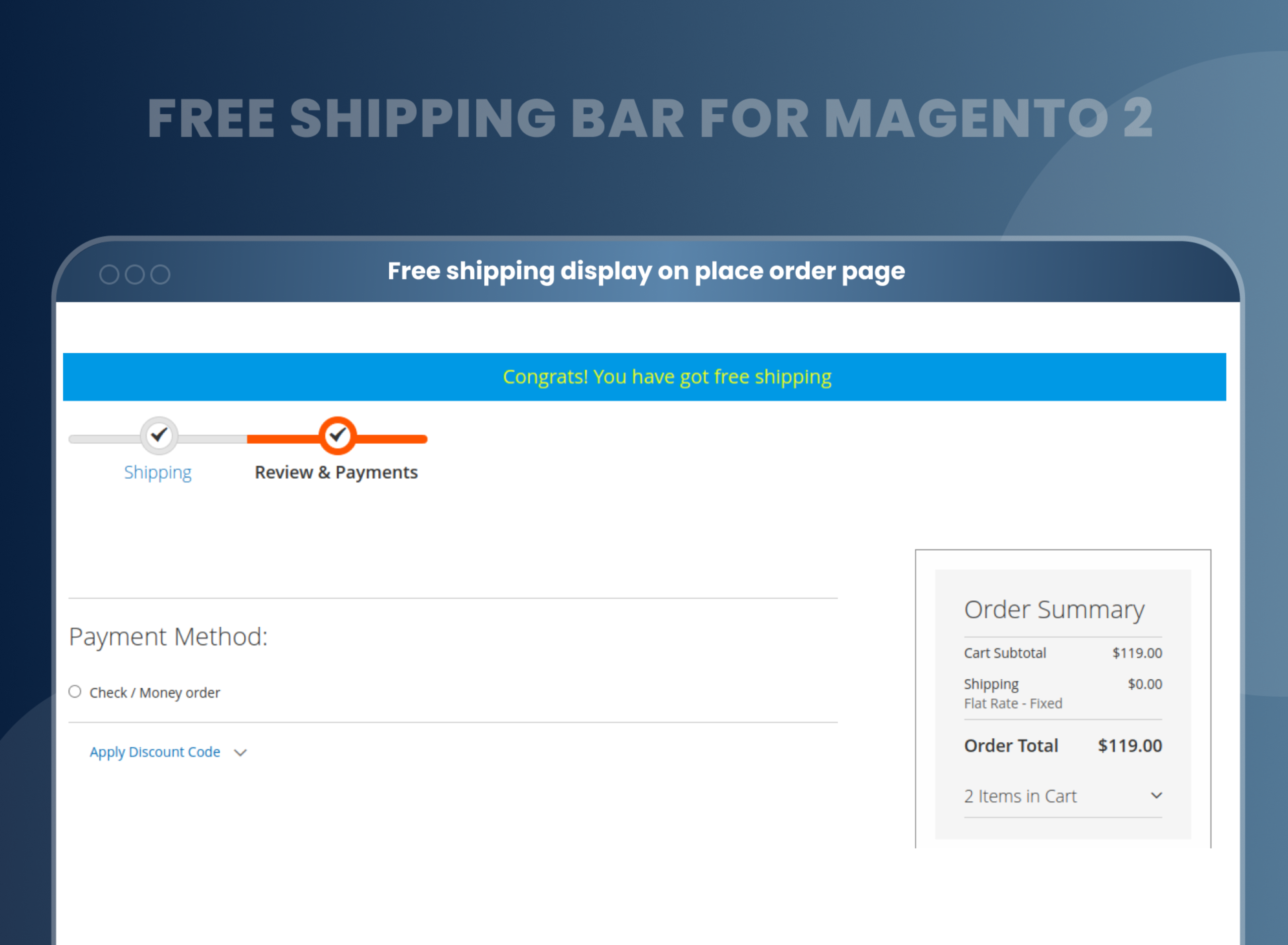
Once the users are done with the free shipping, they will click on the checkout page, and they will get to know about the free shipping as follows:
Here, it shows a different free-shipping limit for each store view in a specific language. At the backend, the scope for the setup or configuration of the free shipping bar extension. Therefore, the admin can choose to show the discrete amount for free delivery at each store.
How To Add Free Shipping In Magento 2?
How Does Magento 2 Free Shipping Bar Work?
Why Needed?
Benefits of Free Shipping Bar Magento 2 Extension
- Install Free shipping bar Magento 2 extension in your store.
- You can enable extension from store --> Configuration --> Mageants --> Free shipping bar.
- You can set other configurations as per your needs and requirements.
- Create new free shipping bar rules from Marketing --> Free shipping bar --> Add new free shipping bar.
- Admin can set a goal (amount) for free shipping.
- Add free shipping bar in all pages or specific pages.
- When customer achieve goal of amount, then allow for free shipping.
- It works in the following ways.
- This Free shipping bar extension delivers the information straight to the customer. The particular shipping bar does not take much time for the configuration.
- The bar acts as a reminder of additional value as well as for the free shipping. For which the customer can get free shipping.
- The extension automatically helps in calculating the difference between the current cart total and also the free shipping goal for making the customers always aware of the opportunities they have.
- It needs to make the customer know about the free shipping. Here, a progress bar is also included to show how far the customer from availing the free shipping offer is.
- From this Magento 2 Free Shipping Bar extension, the store owners can totally reveal the lacking cash amount of customers to get free shipping. They also can design as well as put the free shipping bar on the top and bottom positions.
- Increase conversion rates and sales.
- Encourage your customers to buy more.
- Customers can enjoy free shipping on orders.
- Increase the average order value.
- Reduces Cart Abandonment
- Increase customer engagement.
- Cost-effective marketing strategy to attract customers
FAQs
What is Magento 2 Free Shipping Bar?
Magento 2 Free Shipping Bar extension helps your customers to increase their shopping cart size by providing attractive and amazing offers, and it assists you in showing a free shipping bar of Magento 2 for displaying the amount that is left until the free shipping.
Is it possible to add a custom message to the shipping bar?
Yes, it is possible to add a custom message in the shipping bar.
Can I set the font family and bar color from the backend?
Yes, you can set the font family and bar color from the backend.
Is it possible to display a bar on a specific page?
Yes, you can set a display bar from the configuration of a particular page.
Can I use an image in a shipping bar instead of a solid color?
Yes, you can use an image in the shipping bar instead of a solid color.
Where to set a display bar?
You can display the bar at the top of the page and bottom of the page.
How do I enable free shipping in Magento 2?
You can enable free shipping bar from backend configuration, Store --> Configuration --> Free shipping bar.
Reviews
Customization
Changelog
- Mageants Team make extension compatible with magento versions 2.4.7 & 2.4.8.
- Make extension compatible with the Hyva theme.
- Make extension compatible with magento coding standard.
- Add new functionality : Show Shipping bar on selected category page.
- MageAnts team make extension compatible with latest magento 2.4.6 version.
- Mageants team makes this extension coding as per the Magento standard compatible with the latest Magento version.
- Mageants team make a enhancement in free shipping bar extension now admin can choose product from backend and only selected product allow for free shipping. Enhancement working fine in all magento version.
- Extension working fine in all Magento version.
Why Choose MageAnts
-

30 Days Money Back Guarantee
We offer 30 Days money back guarantee if customer meets our refund policy. For more info you can read our terms and condition
-

Tested Before Every Release
Every version is tested on the latest Magento 2.4 release before it goes live, and bugs reported during your support period are fixed by our team.
-

Free 90 Days Support
MageAnts ensures quick and quality technical support. Take advantage of our 90 days free support for a smooth and efficient experience.
-

Frequent Extension Updates
Intensive update roadmaps ensure highly compatible, bug-free, great performance, and innovative extensions.
