


Custom Form For Magento 2
Ask AI About This Extension




Key Features
- Easy creation of multiple-questionnaires
- 20+ inbuilt controls for custom form creation
- Allow to create single- and multi-page forms.
- Five already-available form templates
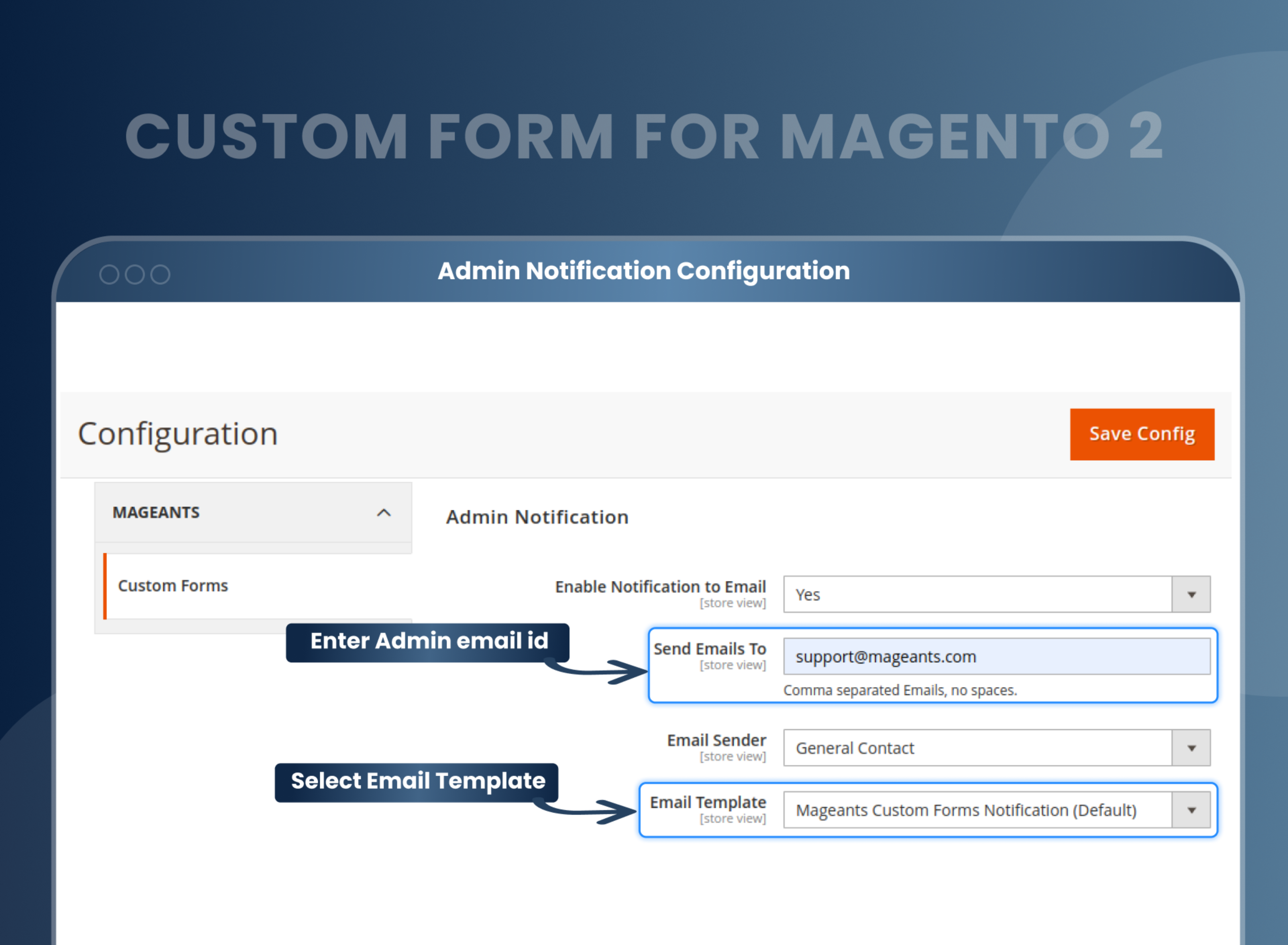
- Admins and customers received email notifications when custom forms were submitted.
- Export the submitted custom form data into CSV format.
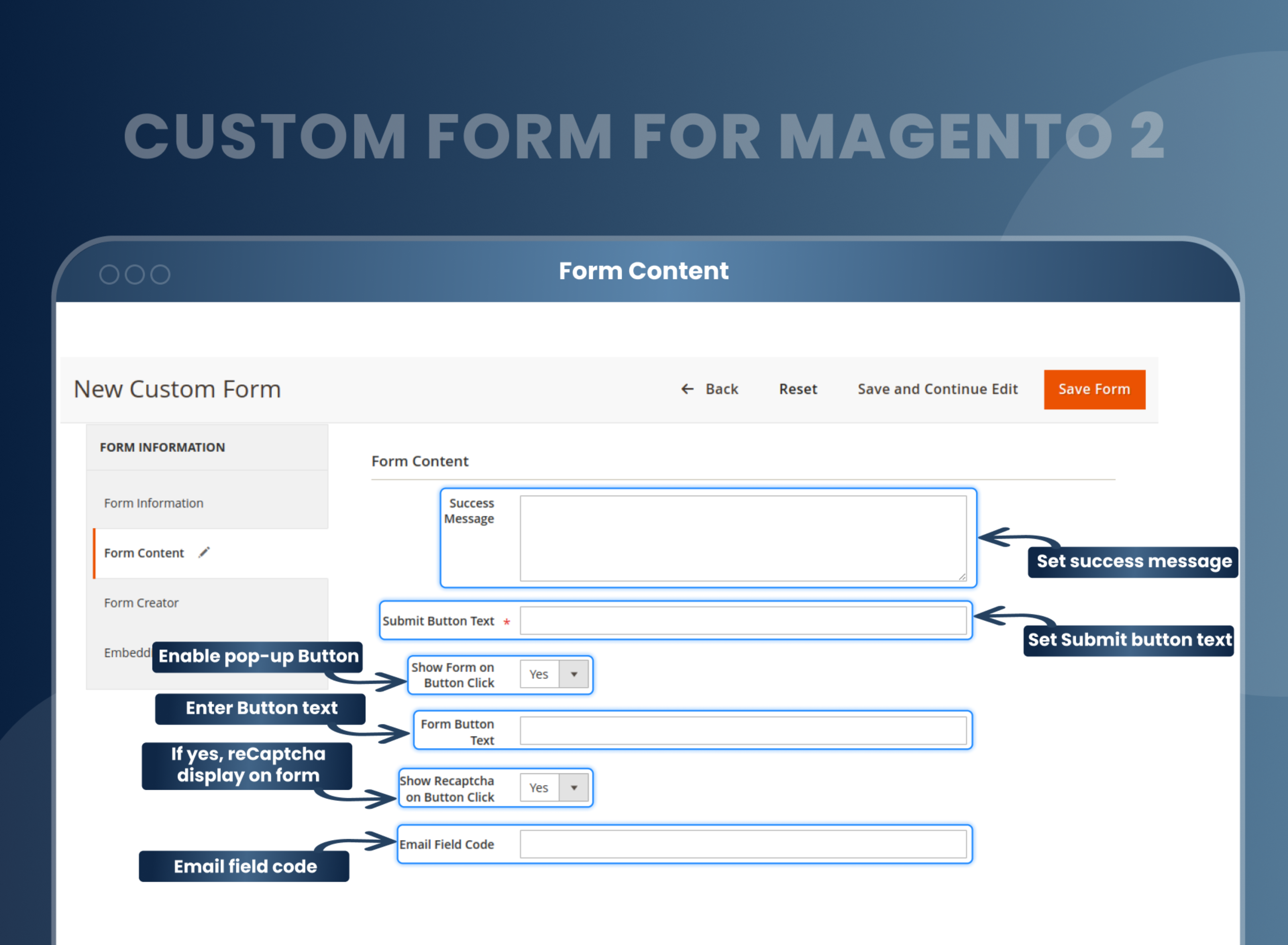
- Pre-made Google reCAPTCHA control.





Current Limitation in Magento 2
What Magento 2 Cannot Do
While Magento 2 comes with pre-existing forms, these forms may not suffice to gather all the necessary information from customers to enhance the store's performance. Additional forms or methods may be required to elevate the store to the next level.
How Our Extension Solves This
The Magento 2 custom form extension by MageAnts can be installed on a Magento 2 website to add custom form functionality. It enables store owners to create and customize forms tailored to their specific needs, such as contact forms, feedback forms, and more. These forms can seamlessly integrate into website pages and serve as effective tools for collecting information from users. The extension boasts a user-friendly interface and enhances the functionality and user experience of a Magento 2 website by providing a flexible and versatile form-building solution.
Description
Create dynamic forms for any business need.
Magento 2 Custom Form extension enables stores to design forms for inquiries, feedback, or custom requirements. For example, a store owner can create a feedback form for customers to fill out post purchase.
Easy creation of multiple questionnaires
With a feature-loaded Magento 2 custom form extension, expand the Magento 2 default functionality:
Creation of web surveys to collect customer information with ease and effectiveness.
The drag-and-drop feature of the Magento 2 custom form builder helps you create any form using multiple elements and types.
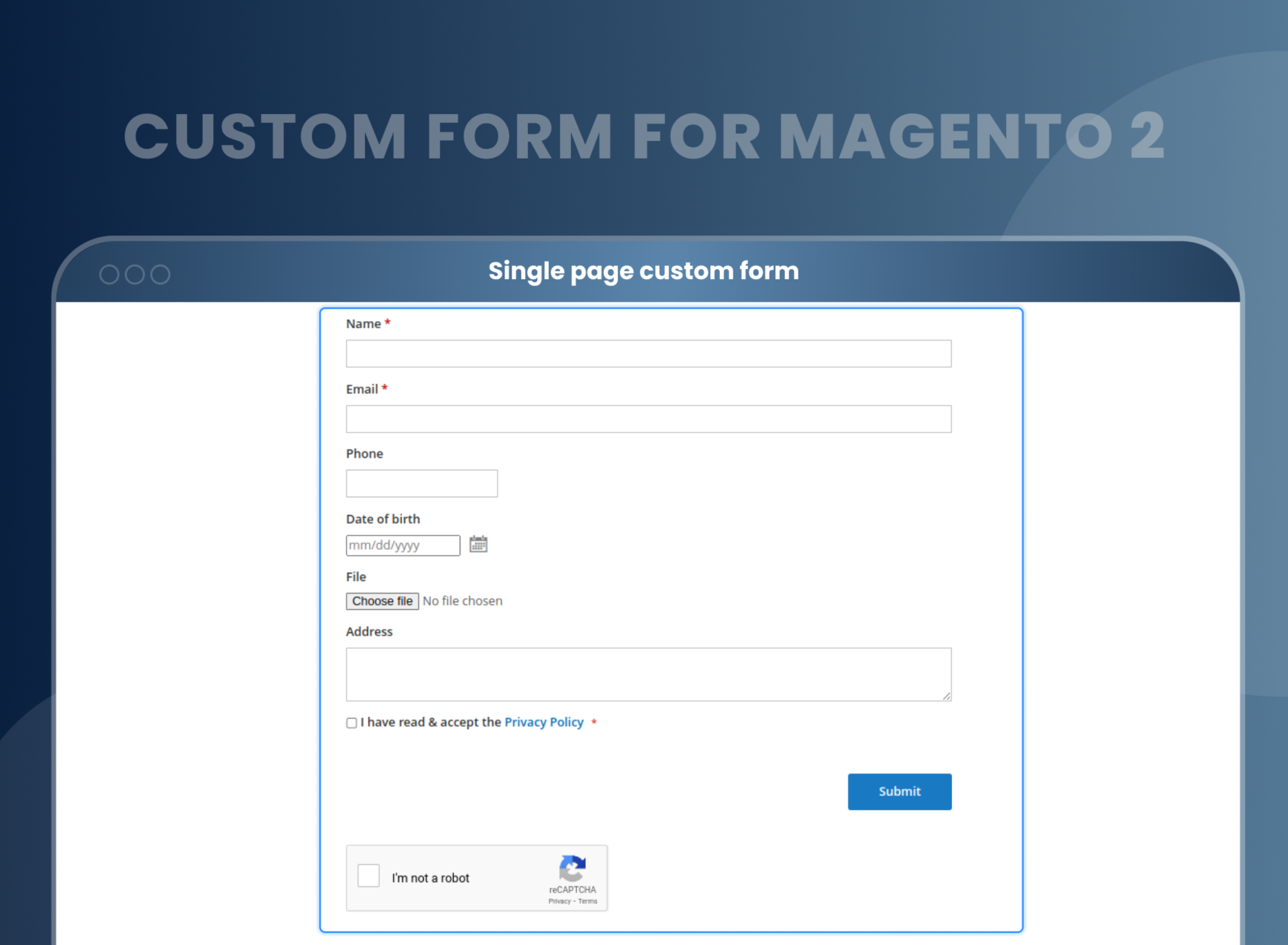
Forms are displayed on one page, and then users are redirected to the specific page after the submission of the information.
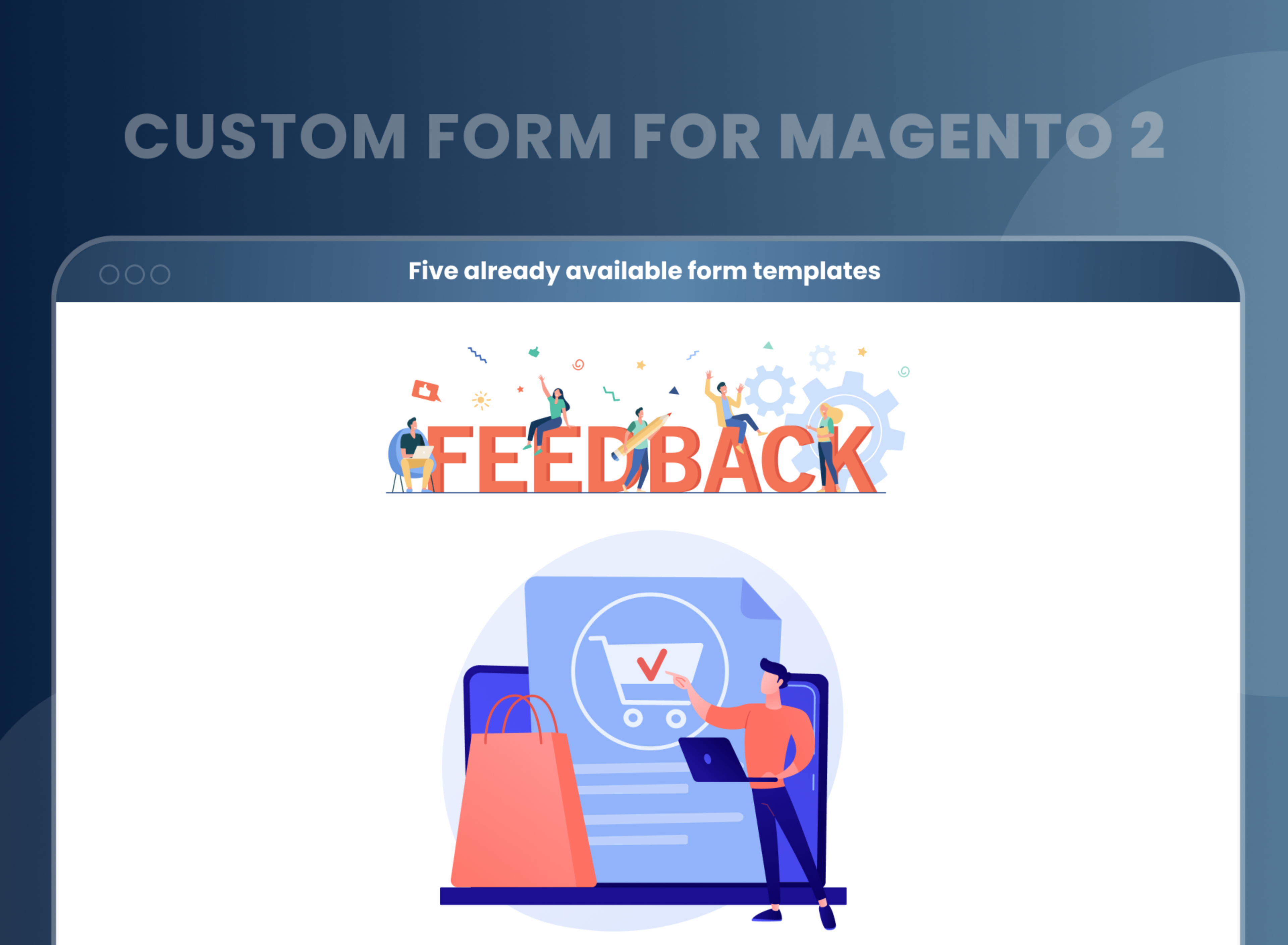
Five already-available form templates
With the Magento 2 custom form module, you will get already-made custom form templates:
- Reservation
- Feedback
- A sample request (3 pages)
- Order Request
- Loyalty Program
Already existing design theme
With the help of the custom contact form extension in Magento 2, you can quickly choose the form style from the already-made design theme layouts. Create an amazing and pleasant user experience by submitting the forms on multiple pages, even on smartphones. Pick the visualization that suits your store layout.
Drag-and-drop form builder
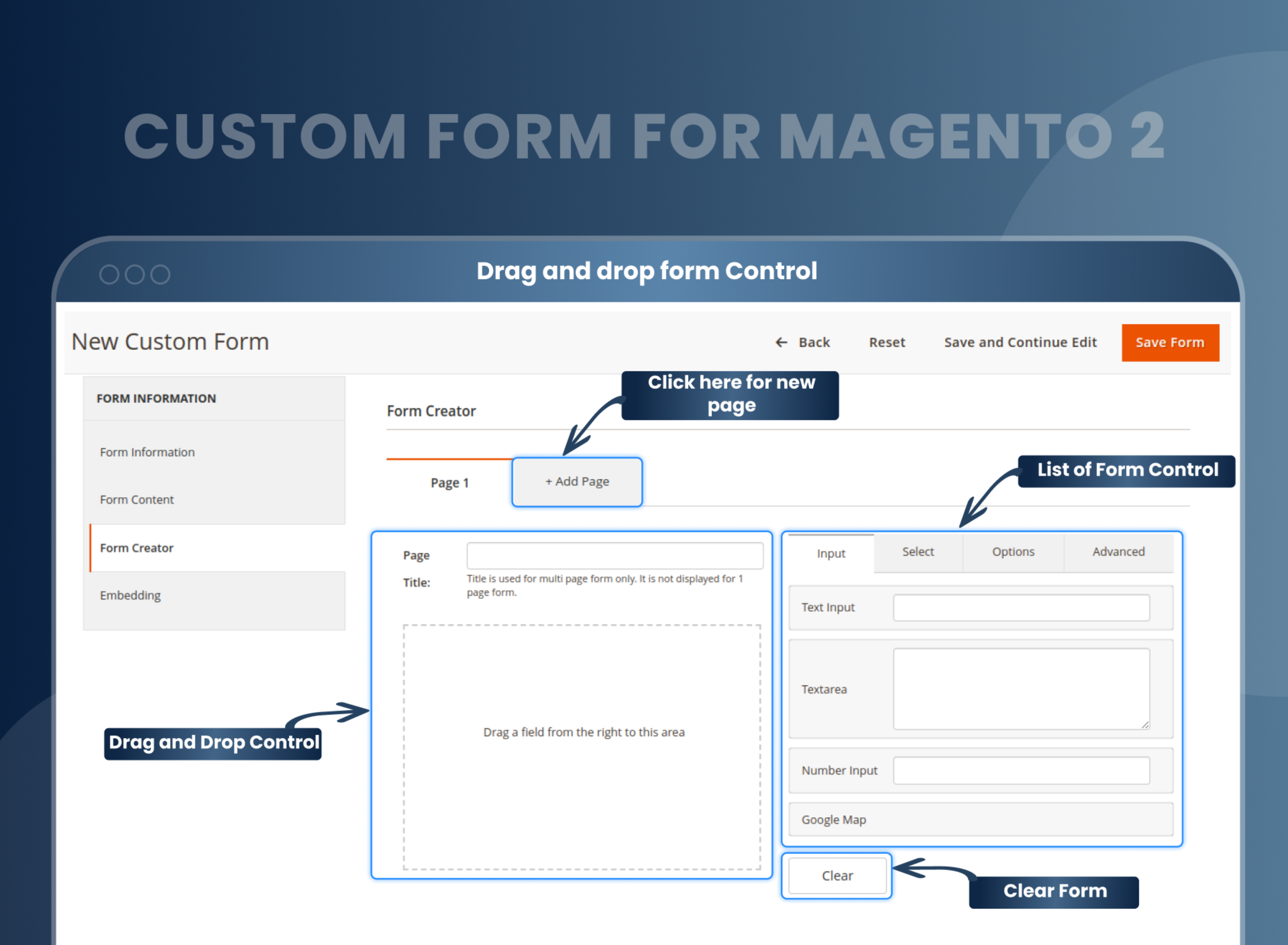
The drag-and-drop feature of the Magento 2 custom form builder lets you create any form using multiple elements without coding expertise. You only need to pick the necessary elements and arrange them accordingly.
Each element gives different custom options. Every element can be deleted or copied instantly with a single click.
Store owners can smoothly make a form with different types of elements like checkboxes, file uploads, dropdowns, paragraphs, text areas, headers, etc.
Multipage survey forms
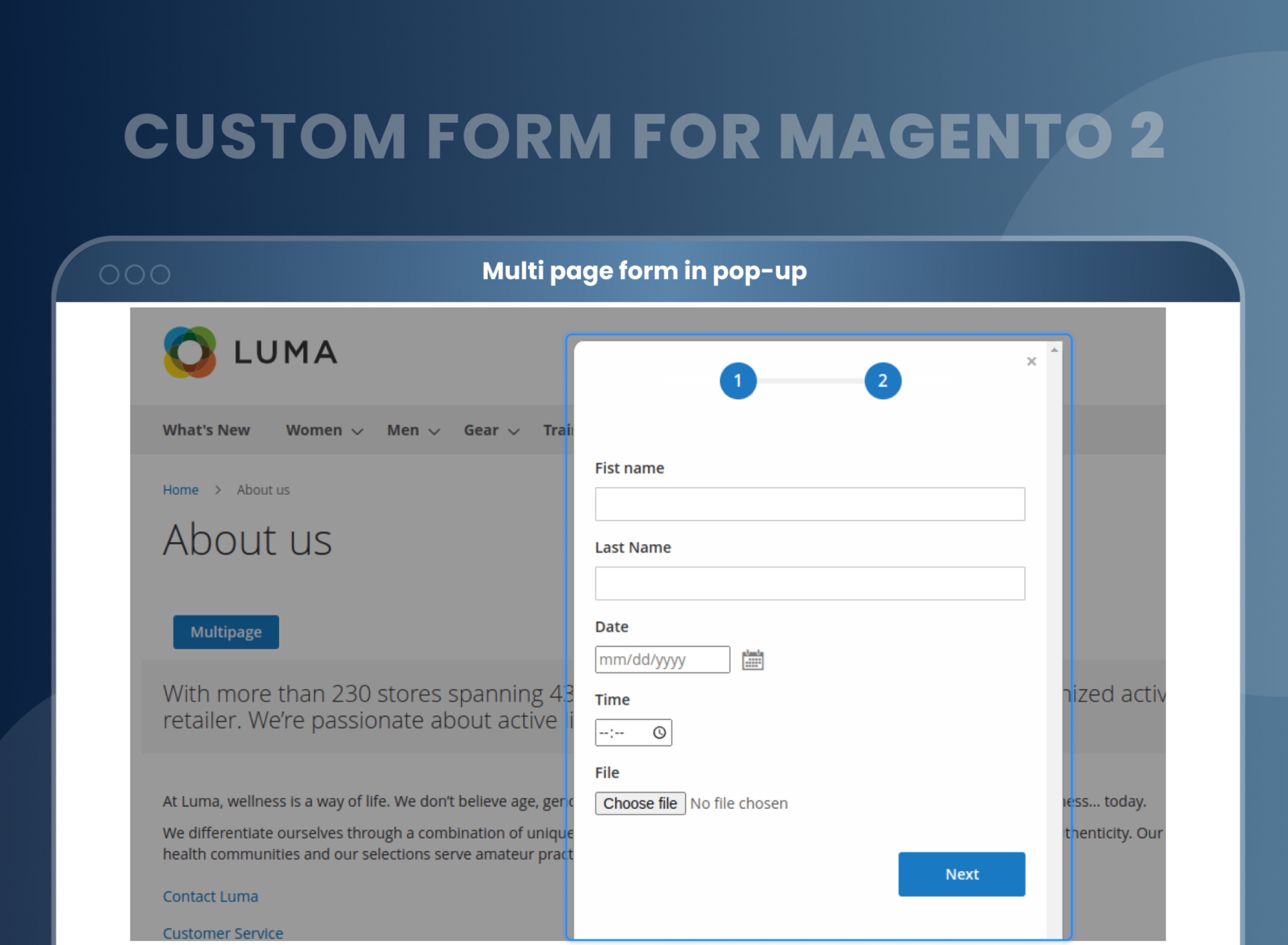
Store owners can easily create various forms using a user-friendly interface. Also, in the backend, you can feel the web browser environment adding new tabs with a single click.
Forms are displayed on one page, and then users are redirected to the specific page after completing the survey.
Google Maps
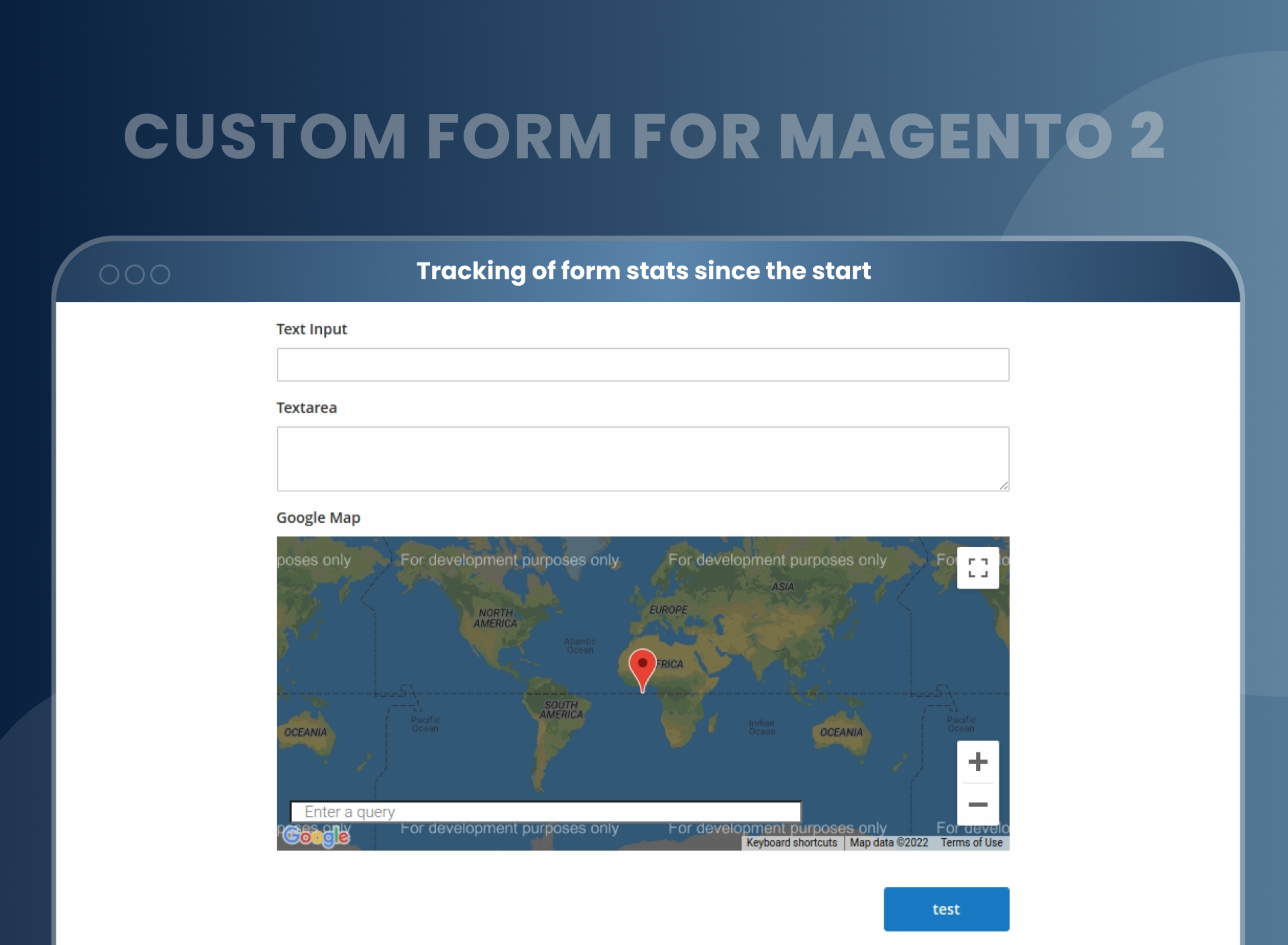
The Google Maps element in the Custom Form Magento 2 helps significantly enhance your form's clarity by adjusting the Google Maps element. This is a must-have feature for the collection of location data.
Fields dependency
Field dependency is used to build flexible questionnaires, where one answer to a specific question leads to the presence of another type of field. Similarly, you'll get an accurate picture of your customer's interests.
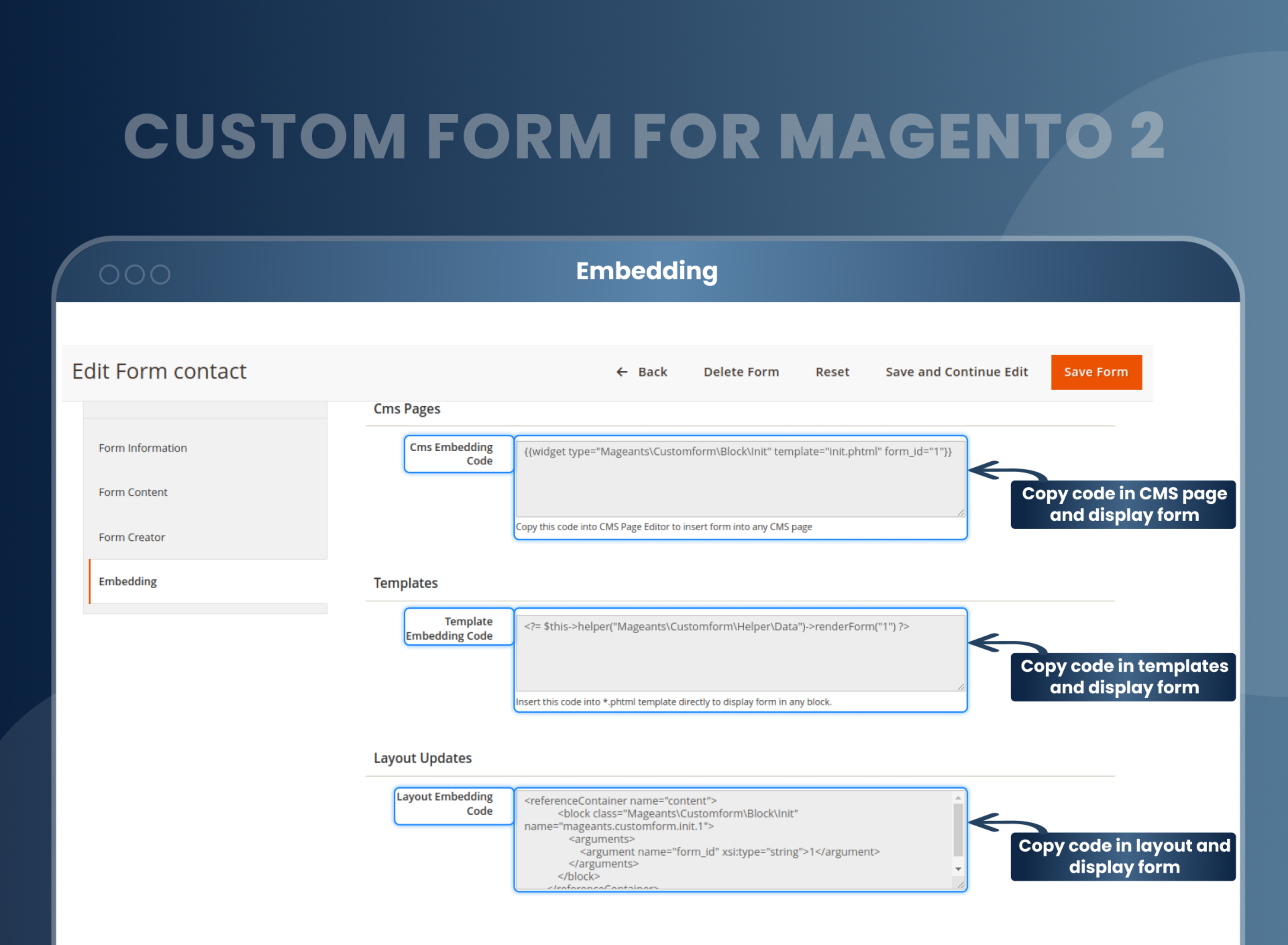
Advanced Elements
With the advanced element of the Magento 2 Custom Form extension, you can quickly build engaging and easy-to-use questionnaires. In your form, add address fields, including pin code, country, city, state, and zip code. By using star ratings, you can quickly collect the testimonials.
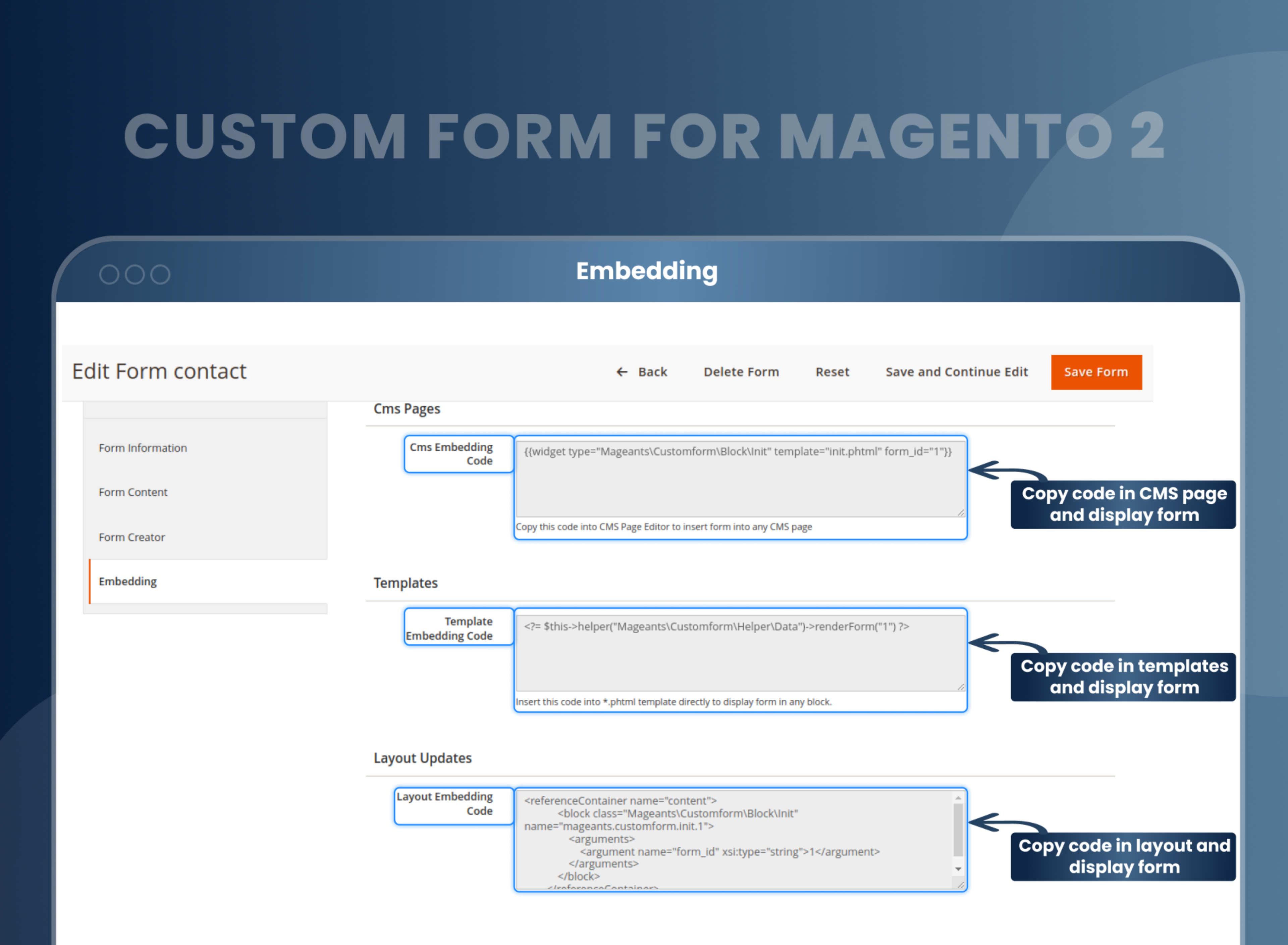
Give a reply from the submitted form page
This Magento 2 form builder feature empowers the store owner to respond from the submitted form page to fulfill the specific query of the customer.

Auto respond
The auto-response feature is the most important feature that enables you to send auto-response messages whenever a query is submitted.
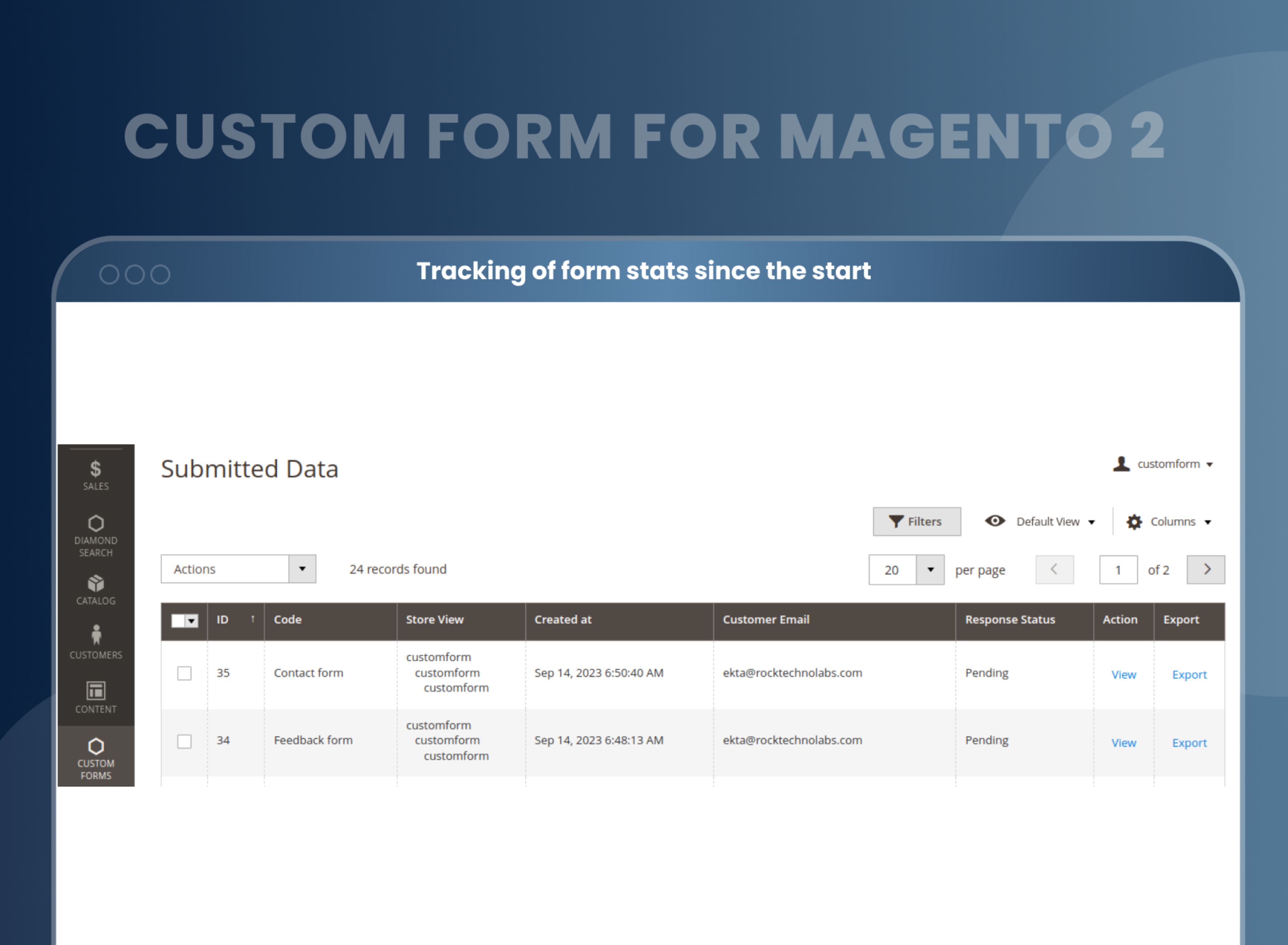
Tracking of form stats since the start
You can easily manage your Magento 2 Form in one place. You can see the forms' status and amounts in the results column of the grid.
The plugin collects and displays all the submitted data on a separate grid.
reCAPTCHA
reCAPTCHA is one of the essential features to protect customer details. The Magento 2 Form Builder already comes with Google Invisible reCAPTCHA , which protects customer surveys from fraud and spam.
How To Create Custom Forms In Magento 2?
How Does Custom Magento 2 Form Builder Work?
Custom Form Features
Why Does Your Store Need Form Builder Extension For Magento 2?
Benefits of Custom Form Builder Magento 2 Extension
- Install Custom form Magento 2 extension in your store.
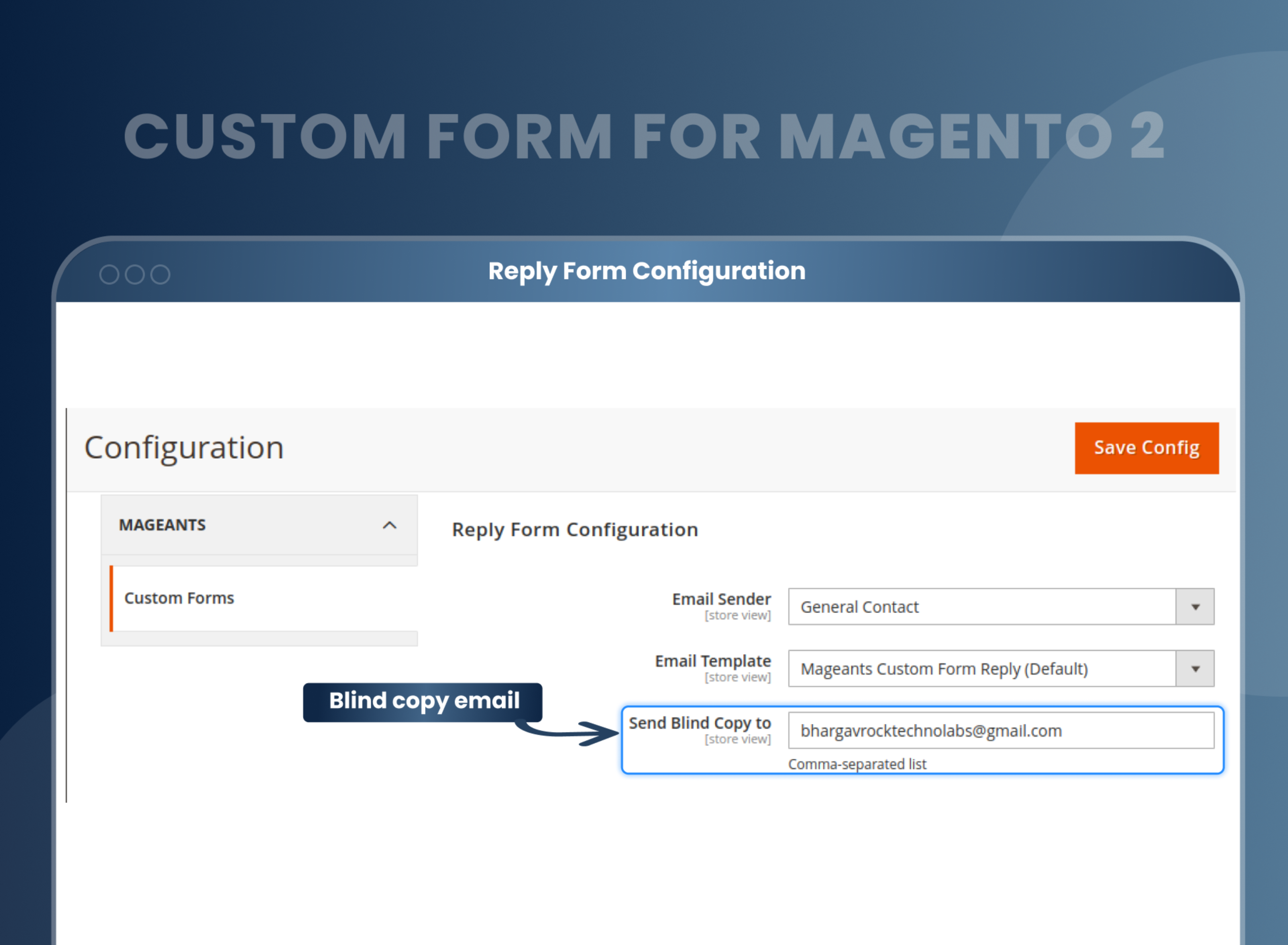
- You can enable extension from store --> Configuration --> Mageants --> Custom form.
- You can set other configuration as per your need and requirement.
- Admin can create custom form with various controls.
- Admin can use control like Input text, text area, Google map, Checkbox, radio button, google reCAPTCHA and other controls.
- Create a single and multi form using page builder drag-drop function.
- To make your own form to collect customer information instead of contact, survey.
- With Custom Form for Magento 2, you can easily create multiple forms with significantly different field types to gather the customer's information that you can use in the curation of your marketing strategy. The extension is outfitted with drag-and-drop features that will let you instantly generate any forms using any inputs up to 15 elements and types.
- Moreover, this Magento 2 custom form helps store owners get all the forms open on one page if required and redirect the visitor to the specific page after submitting the form.Store owners can also make any of the required fields, display additional tooltips, and set predefined default values.
- Construct custom form via the Drag-and-Drop editor
- The custom form can be created with 20 elements
- Multiple pages can be displayed on a single page
- Mobile optimized
- Collect customers data
- Magento 2 Custom Form builder helps eCommerce Store owners build multiple forms without coding, such as contact forms, survey forms, etc. to get the customers' information when they visit their store.
- Multiple format input choices
- Auto-response email
- Collect customer data.
- Drag-and-Drop editor
- Collect and increase the customer database, which can be used for brand marketing purposes.
- User-Friendly Interface
- Enhanced customer engagement
- Create tailored forms according to your specific business needs.
FAQs
How to Create Custom Form in Magento 2?
Create custom forms easily using Magento 2 custom form extension. From backend Custom form --> View form --> Add new custom form.
How to add captcha to a custom form?
When you create a custom form using our extension, you can also add a captcha feature to the custom form.
How To Add A Custom Field At Product Form, Magento2?
Install our Magento 2 custom form module to your store. When you create a form, you can add a custom field in the form as per your requirement.
Reviews
Customization
Changelog
- Compatibility:- Verified and confirmed compatibility with Magento 2.4.7 & 2.4.8 and PHP 8.4.
- Fixes:- Custom form design issue and dependecy issue.
Current Version Number : 2.0.4
Date :24/08/2023
Bug Fixed and Compatible with 2.4.6
- After successfully submit custom form not redirect to given specific url MageAnts team resolved issue and make compatible with it.
Current Version Number : 2.0.3
Date :26/06/2023
Bug Fixed and Compatible with 2.4.6
- Add Recaptcha Functionality in particular custom form In all magento version.
- Remove Hide_email functionality in admin side in all magento version.
- Add download image functionality on email template.
Current Version Number : 2.0.2
Date :15/11/2022
Coding Standard
- MageAnts team makes this extension coding as per magento coding standard.
Current Version Number : 2.0.1
Date :06/04/2022
Enhancement & Bug fixed
- Add new column of 'Export' in custom form data submitted.
- When customer submit the custom form then customer redirect to same page, MageAnts team resolved issue in all magento version.
Current Version Number : 2.0.0
Date :07/07/2021
New extension
- Mageants develop new Custom form extension working fine in all magento version.
Why Choose MageAnts
-

30 Days Money Back Guarantee
We offer 30 Days money back guarantee if customer meets our refund policy. For more info you can read our terms and condition
-

Tested Before Every Release
Every version is tested on the latest Magento 2.4 release before it goes live, and bugs reported during your support period are fixed by our team.
-

Free 90 Days Support
MageAnts ensures quick and quality technical support. Take advantage of our 90 days free support for a smooth and efficient experience.
-

Frequent Extension Updates
Intensive update roadmaps ensure highly compatible, bug-free, great performance, and innovative extensions.
