


PDF Invoice For Magento 2





Key Features of PDF Invoice:
- Send beautiful invoices without technical expertise.
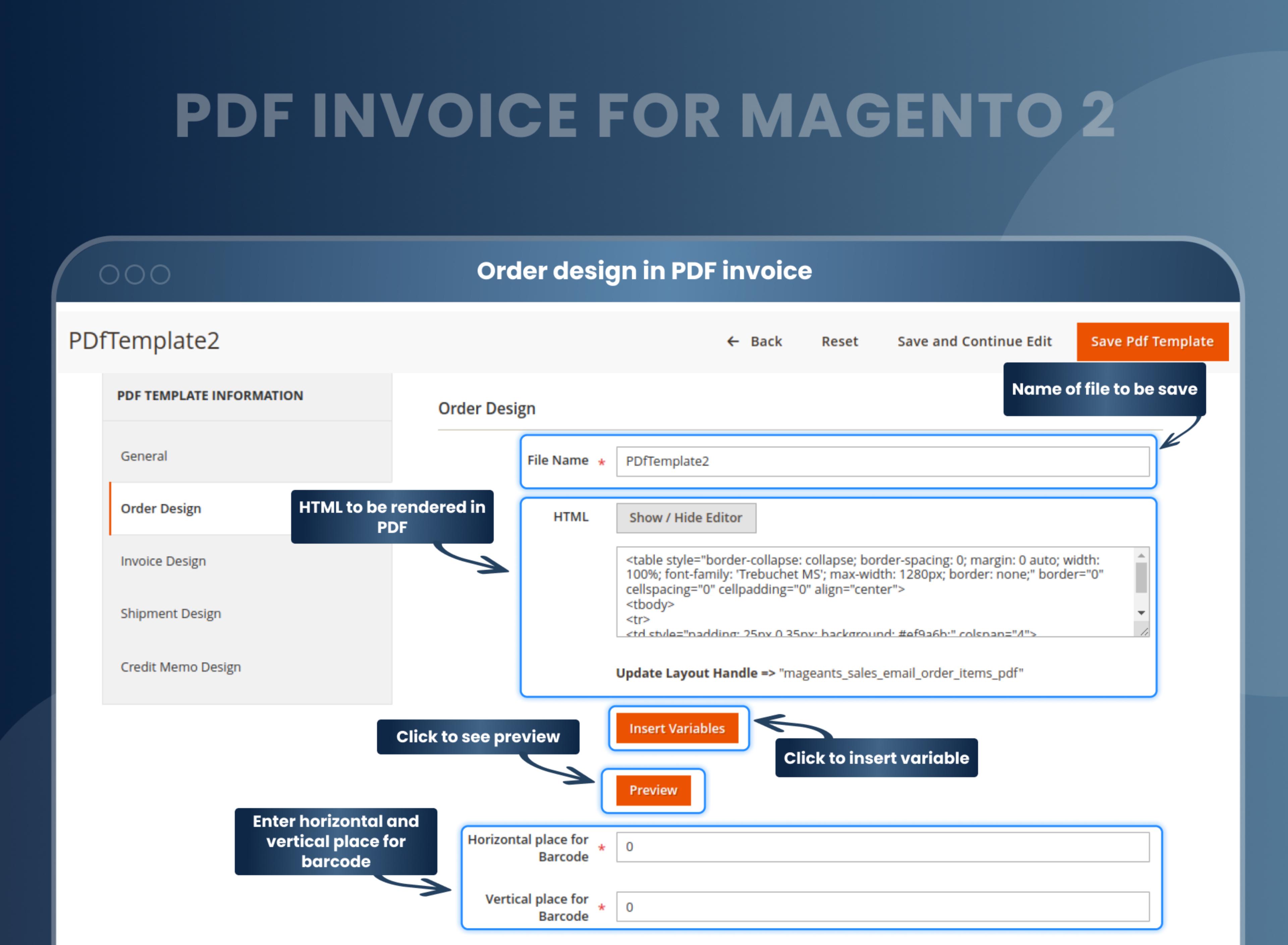
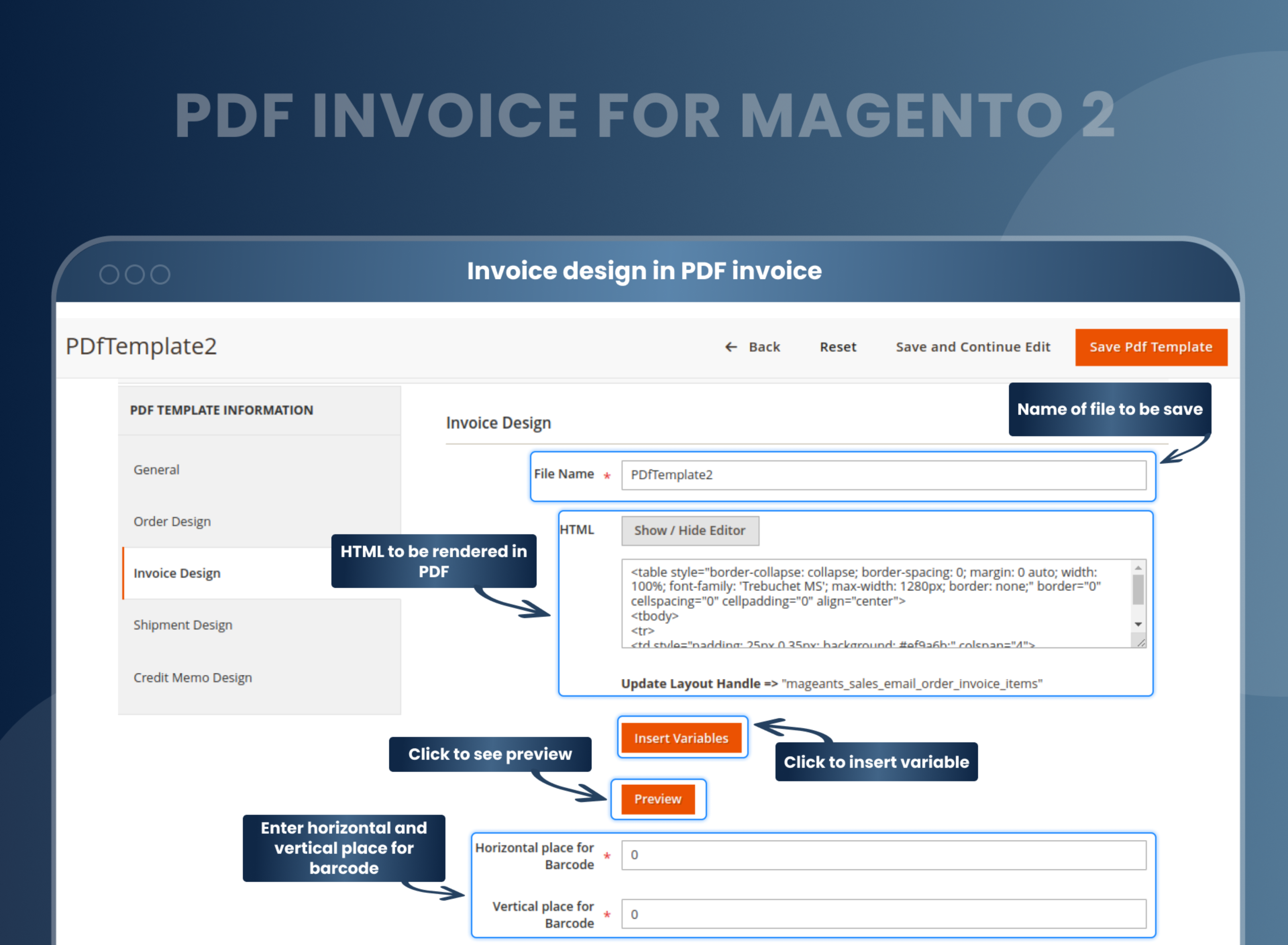
- Create a custom PDF invoice design using minimal HTML.
- It is easy to edit the header, footer, and body of your PDF invoice.
- Allows you to add custom variables to a PDF.
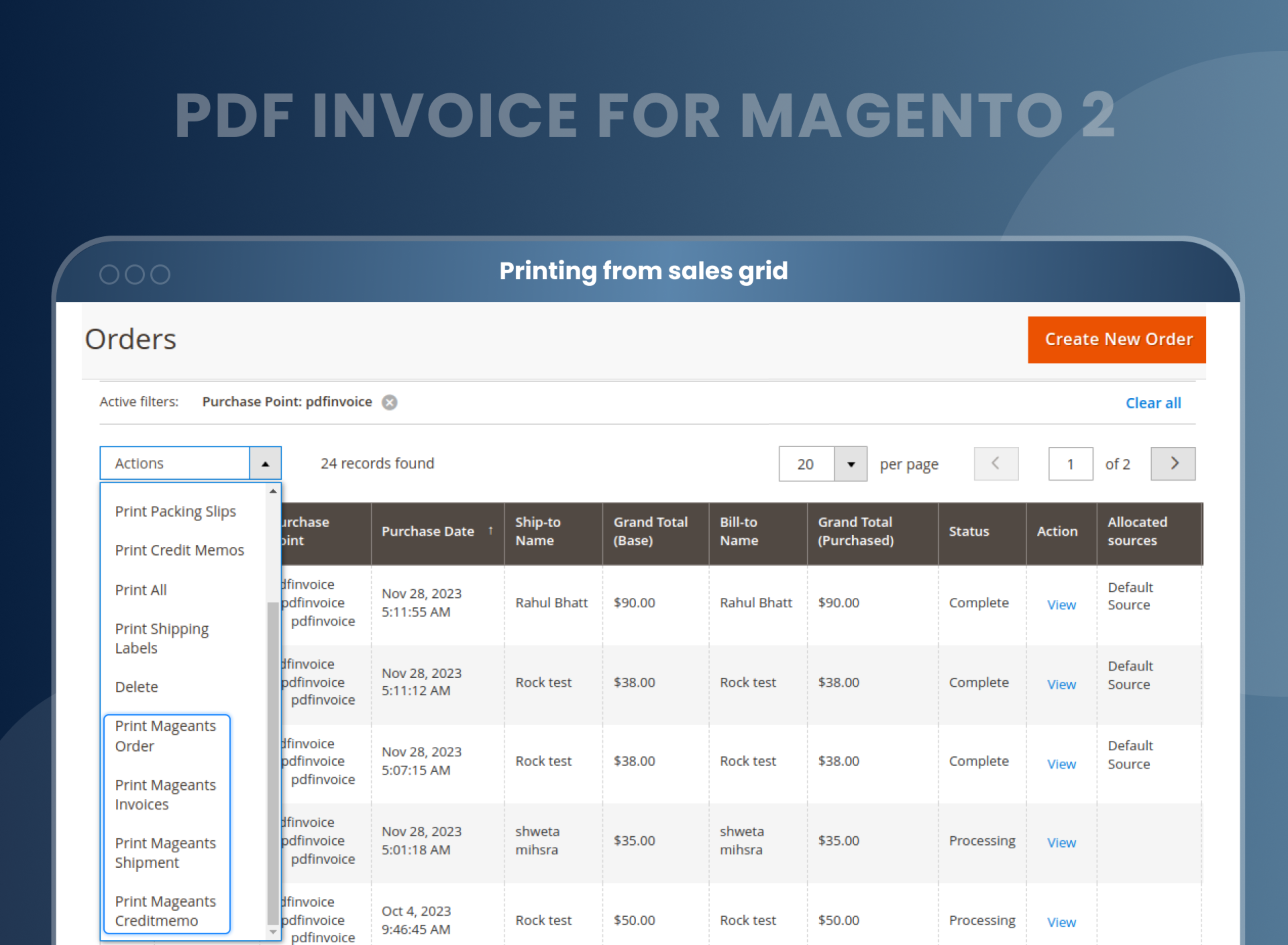
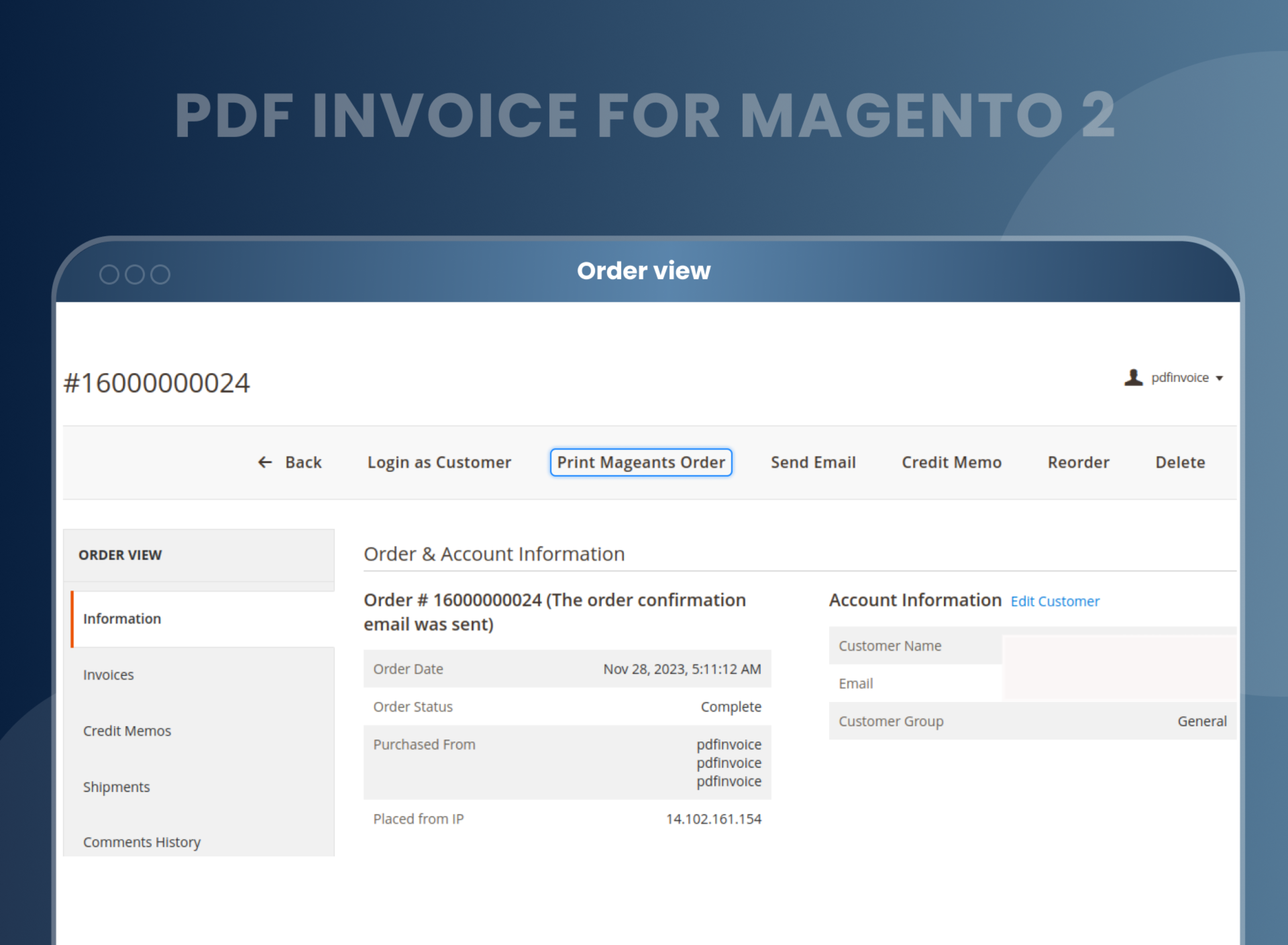
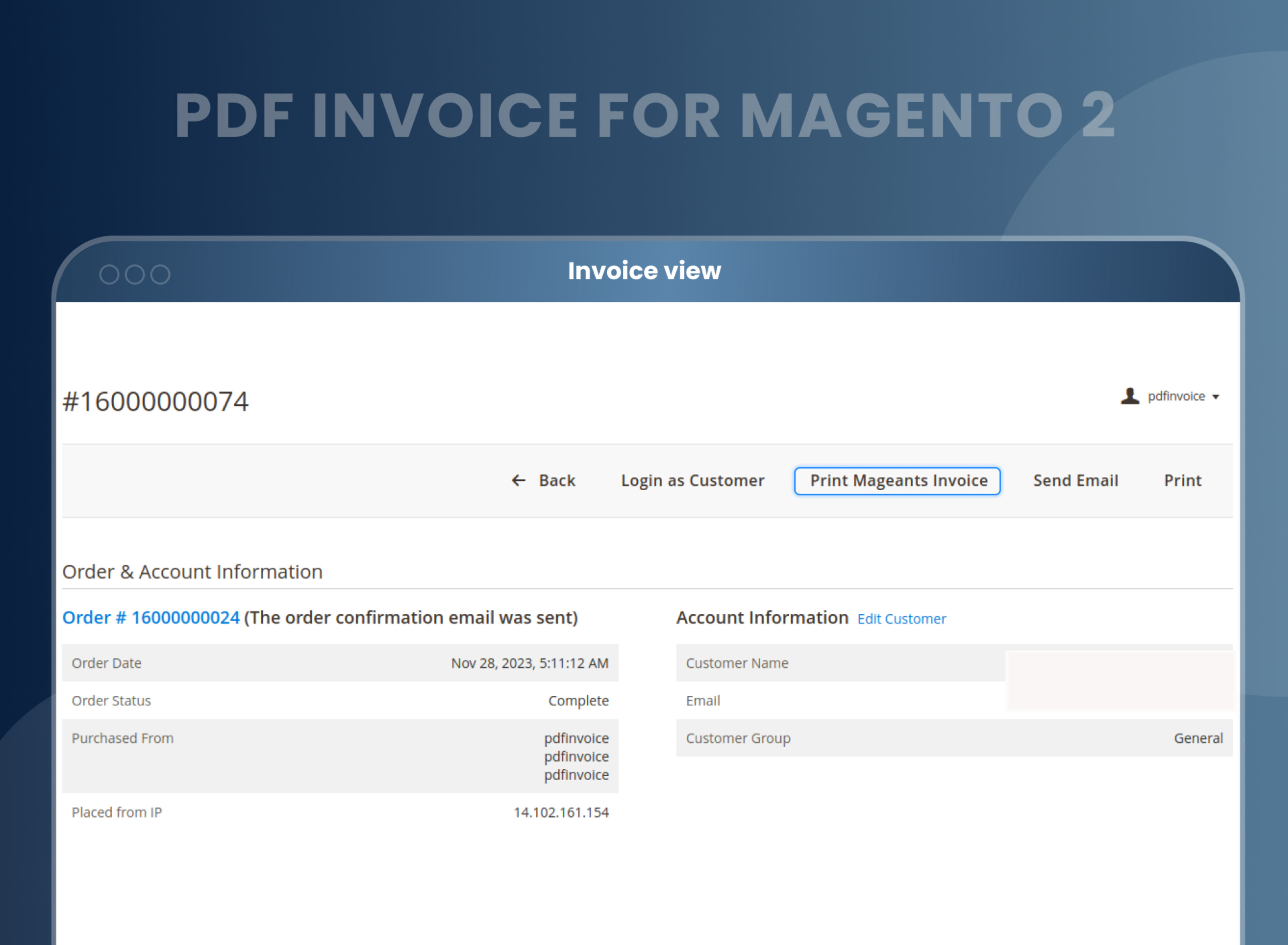
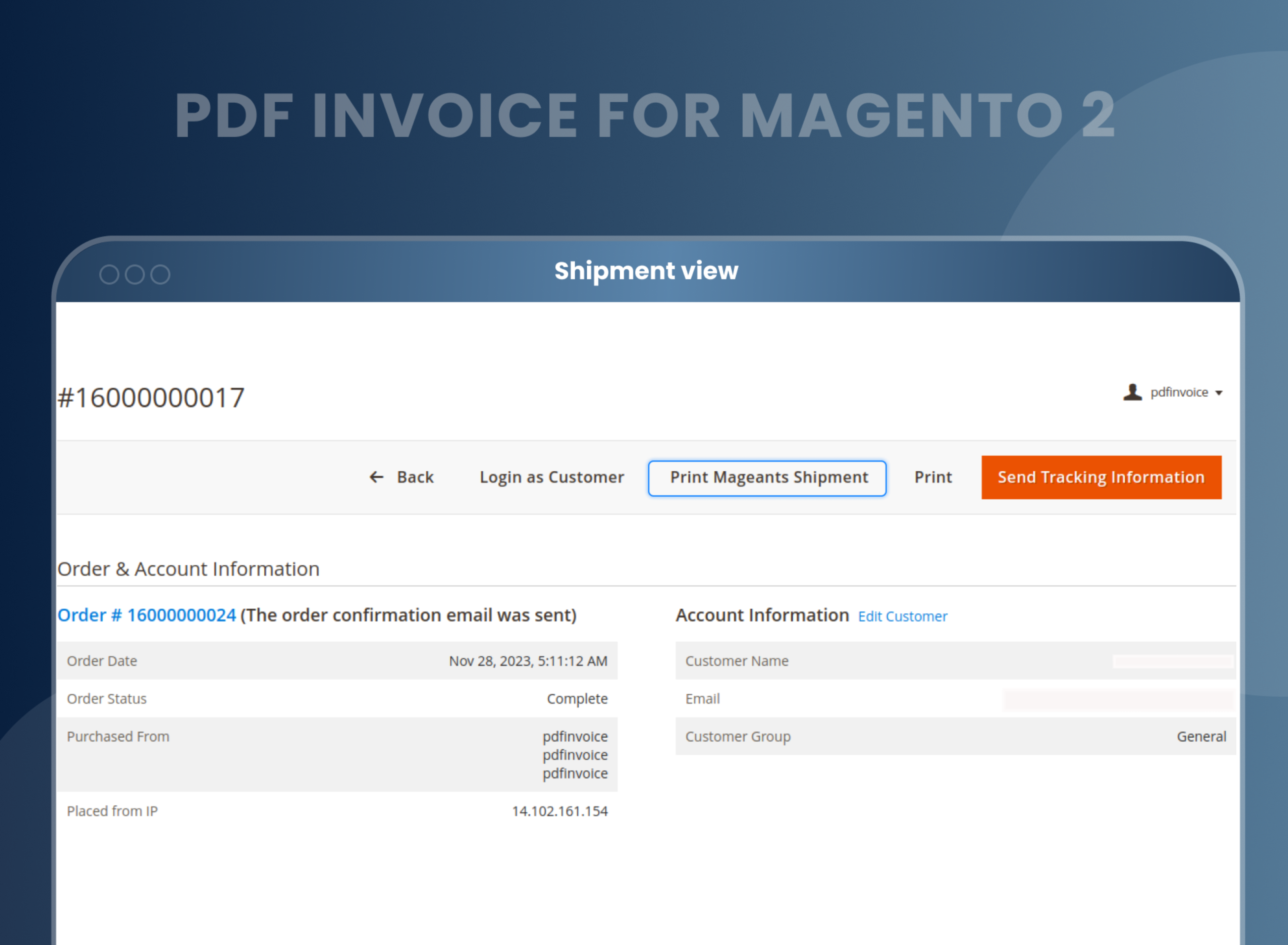
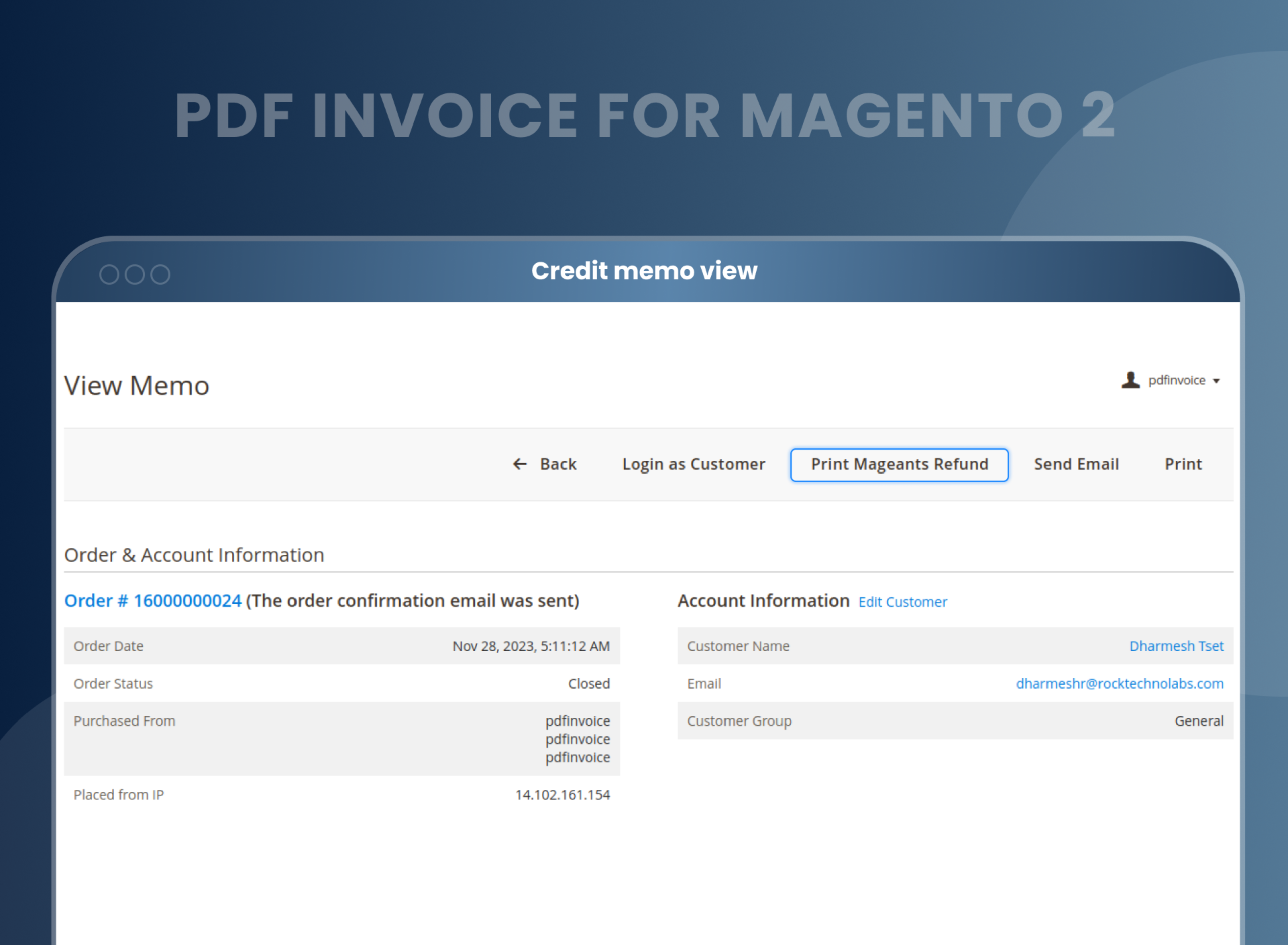
- Generate PDFs of orders, invoices, shipments, and credit memos.
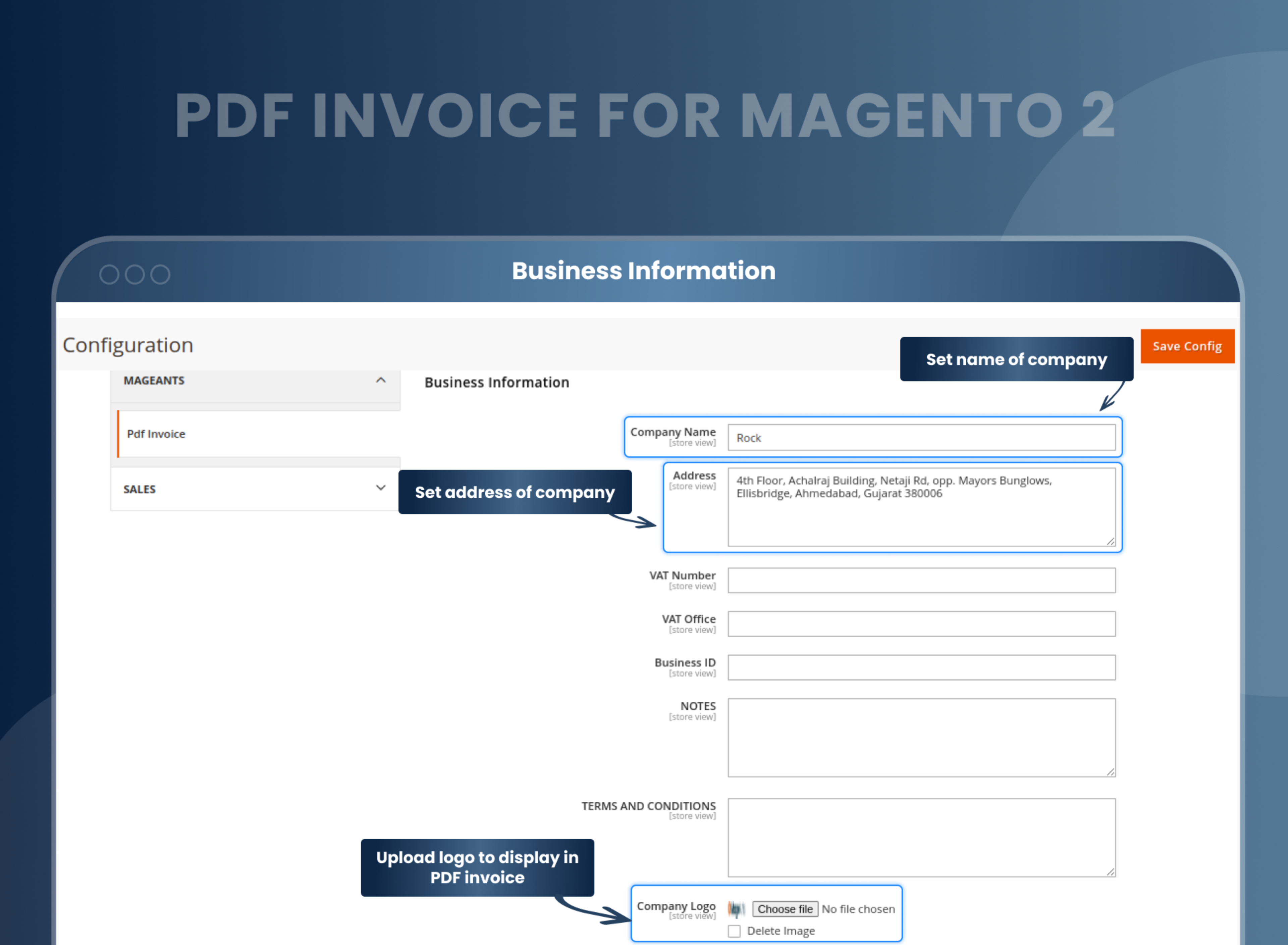
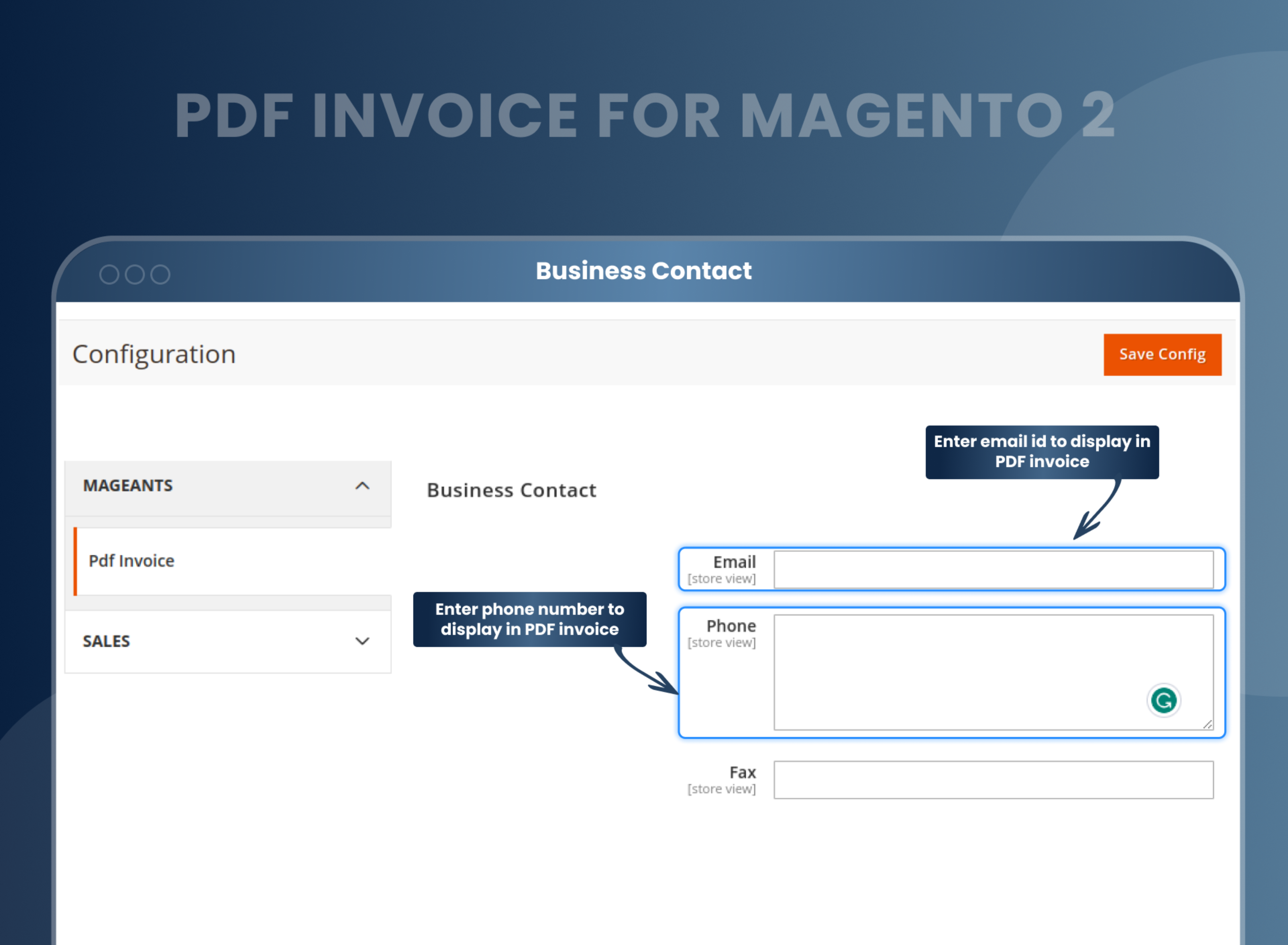
- Add business information and contact details to display in the PDF.
- Allows your customers to download order PDFs.
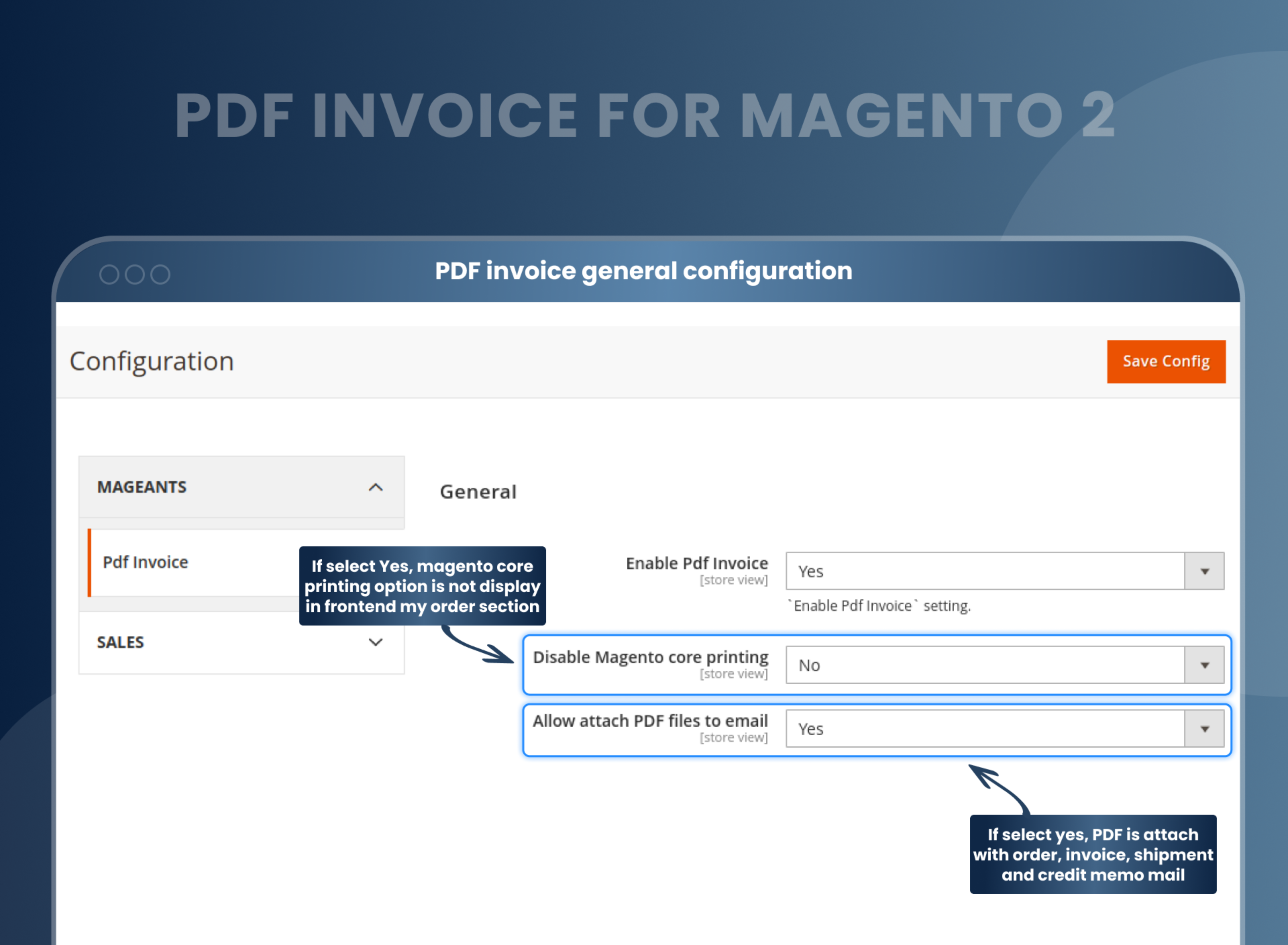
- Attach a customized PDF to the order, invoice, shipment, and credit memo email.
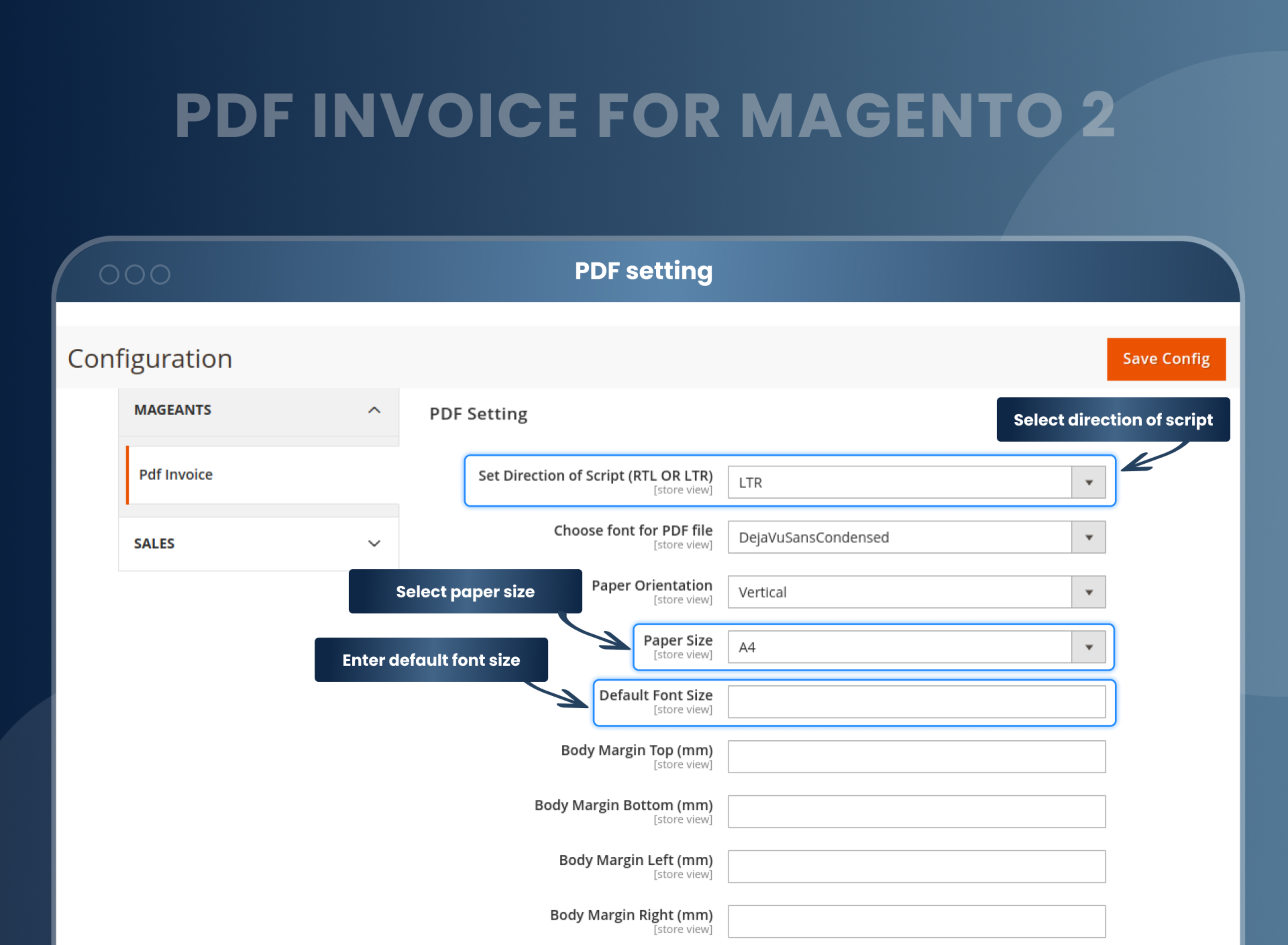
- Compatible with multi-language and RTL-LTR scripts.





Problem:
Default Magento 2 does not enable store owners to generate PDFs of orders, invoices, shipments, and credit memos, nor does it allow for adding PDFs in emails, meaning customers cannot download order PDFs from their accounts.
Solutions:
With the Magento 2 PDF Invoice by MageAnts, store owners can now generate PDF invoices and attach them to emails, allowing customers to have a much more professional experience when they receive their invoices. Customers can download the order PDF from their account.
Magento 2 PDF Invoice Extension provides a simple and easy-to-use interface that lets you customize the look and feel of the PDF invoices, as well as add additional information about the order. It also includes features such as customized invoices, email notifications, and multiple language compatibility.
Description
FAQ
PDF Invoice is a perfect extension for the store owners who want to customize or redesign order print, invoice print, shipment print & credit memo print. It allows you to customize invoice PDF design with custom variables, order variables, shipment variables, credit memo variables, invoice variables as well as configuration variables.
Yes, our PDF invoice extension supports the Arabic language.
Yes, you can create your PDF template and use it for sending to your customers.
Yes, all our extensions are to work with the multi-store.
Yes, This will give you complete control over how your invoice looks.
Yes, you can generate order, invoice, shipment and credit memo PDF.
Yes, customers can download order PDF from the frontend.
You can create PDF invoice from backend Catalog --> PDF invoice, You can create PDF as per your requirement.
Change invoice format or template as you want. You can make an editable PDF invoice by using MageAnts PDF invoice Magento 2.
To make and print order templates, you can use our Magento 2 Print Order PDF Extension module.
Reviews
Customer 17 Reviews
Customization
Change Log
Current Version Number : 2.0.8
Date :28/11/2023
Update Extension Functionality
- Updated Extension Functionality Change Data Order-wise, Invoice-wise, CreditMemo-wise, and Shipment-wise.
- Solve Design Issues.
Current Version Number : 2.0.7
Date : 15/05/2023
Bug fixed
- MageAnts team make extension compatible with latest magento 2.4.6 version.
Current Version Number : 2.0.6
Date :29/03/2023
Coding standard and Compatible with Hyva
- Mageants team make extension compatible with magento coding standard and compatible with hyva theme.
Current Version Number : 2.0.5
Date : 22/06/2022
Bug fixed
- When multiple products were added in order, then all product display in single PDF page. But MageAnts team set limited products displaying on the single page.
Current Version Number : 2.0.4
Date :21/05/2021
Bug fixed
- E-Mail Functionality didn't work when attached the pdf in the Email.
- Product didn't display in pdf of Invoice, Shipping and Credit Memo in Magento 2.4 version.
- Made store wise configuration for all the versions.
Current Version Number : 2.0.3
Date :20/11/2019
New feature
- MageAnts add 'Customer notes' in invoice variable now admin also add customer notes(invoice comment) in PDF invoice. - https://nimb.ws/v4Djhe
- PDF invoice extension not compatible with Magento2.3.3 version, solved bugs and make compatible with Magento2.3.3 version.
Current Version Number : 2.0.2
Date :23/04/2019
Bug fixed
- Multiple order print not work at one time from backend order grid. Now solve the issue and admin can print multiple order print at a time.
- When user place order then receive order print in email but In email the barcode is not display, so solve issue and working fine in all Magento version.
- The Fax Number and Terms And Condition is not display proper in order print in Magento 2.3version.
- When admin add new variable in invoice print then invoice is not display proper in Magento 2.3version.
- User was redirecting the blank page on invoice printing of pending order from order grid.
- In 4th template company details and customer details was same, so change in both details.
- In 3rd template in company information some data was default added, so change company information in template, all issue solved and working fine in all Magento version.
Current Version Number : 2.0.1
Date :08/03/2019
Bug fixed And Added New functionality
- MageAnts update PDF Invoice extension in Magento 2.3 version. Now PDF invoice extension working with Magento2.1,Magento2.2 and Magento2.3.
- Added PDF printing for Order, Invoice, Shipment and Credit memo, Previously admin was able to print only invoice.
- Added printing links in order grid, invoice grid, shipment grid and credit memo grid. There were no link in any grid in previous version.
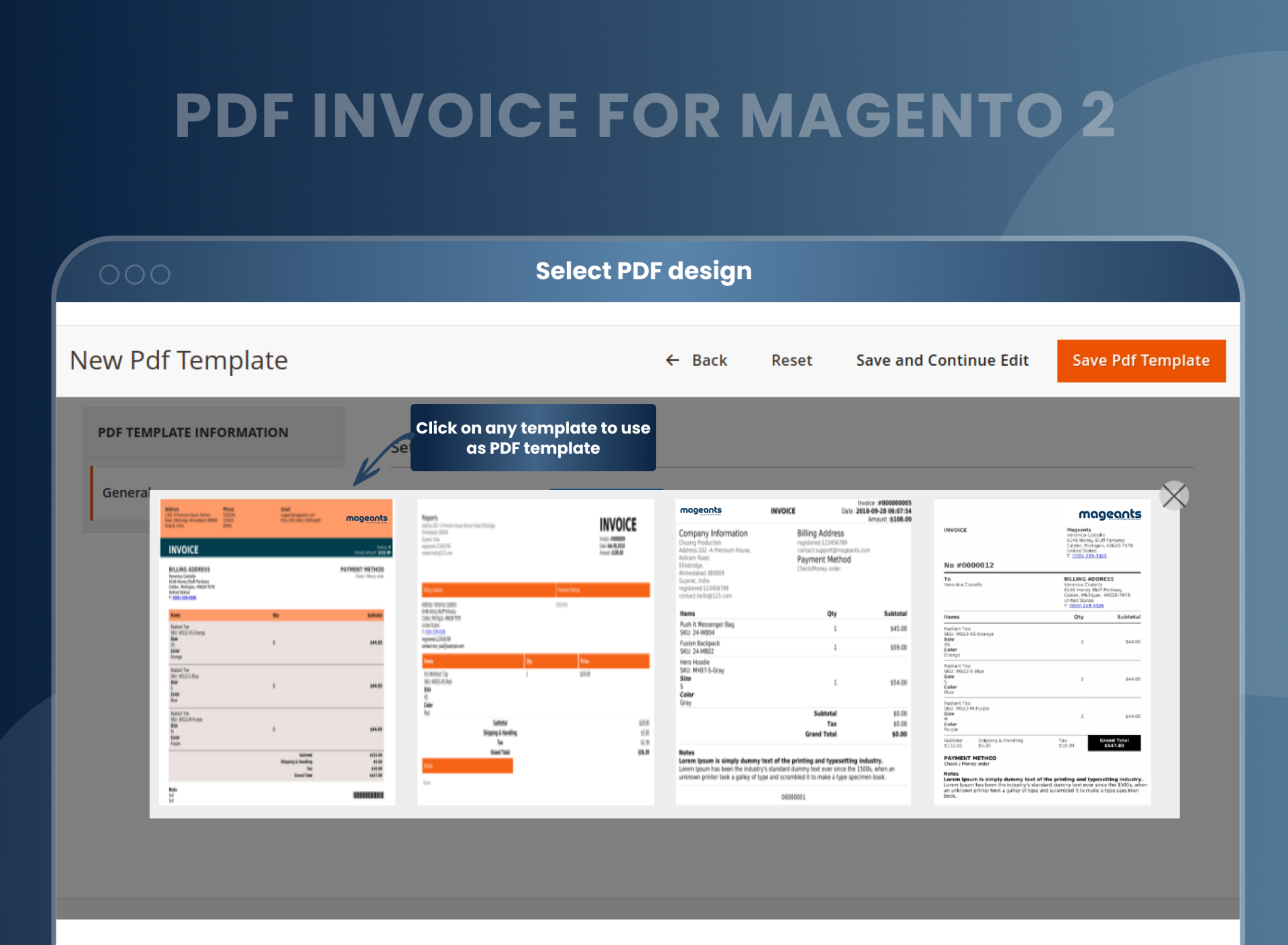
- Four built in templates for PDF.
- Admin can check preview.
- Admin can change design individually for order, invoice, shipment, credit memo in same template.
- Dynamic variable button added like configuration variables, custom variables, order variables, shipment variables, invoice variables, credit memo variables.
- Now admin can also send PDF attachment with order, invoice, shipment and credit memo email.
- Updated module with compatible with multi-language, RTL - LTR compatible, disable core printing, font selection from configuration.
- Admin can add barcode with configuration and horizontal and vertical position.
- Admin can add business information and contact details in configuration to display in PDF.
- Added printing links in frontend side to print order, shipment, invoice and credit memo. Previously we didn't use frontend side.
How To Customize Invoice PDF In Magento 2?
How Does Magento 2 Customize Invoice PDF Work?
Why Do You Need Magento 2 Print Order PDF Extension For Your Store?
Benefits of the PDF Invoice Magento 2 Extension
- Install PDF Invoice Magento 2 extension in your store.
- You can enable extension from Store > Configuration > MageAnts > PDF invoice.
- You can set other configurations as per your requirement.
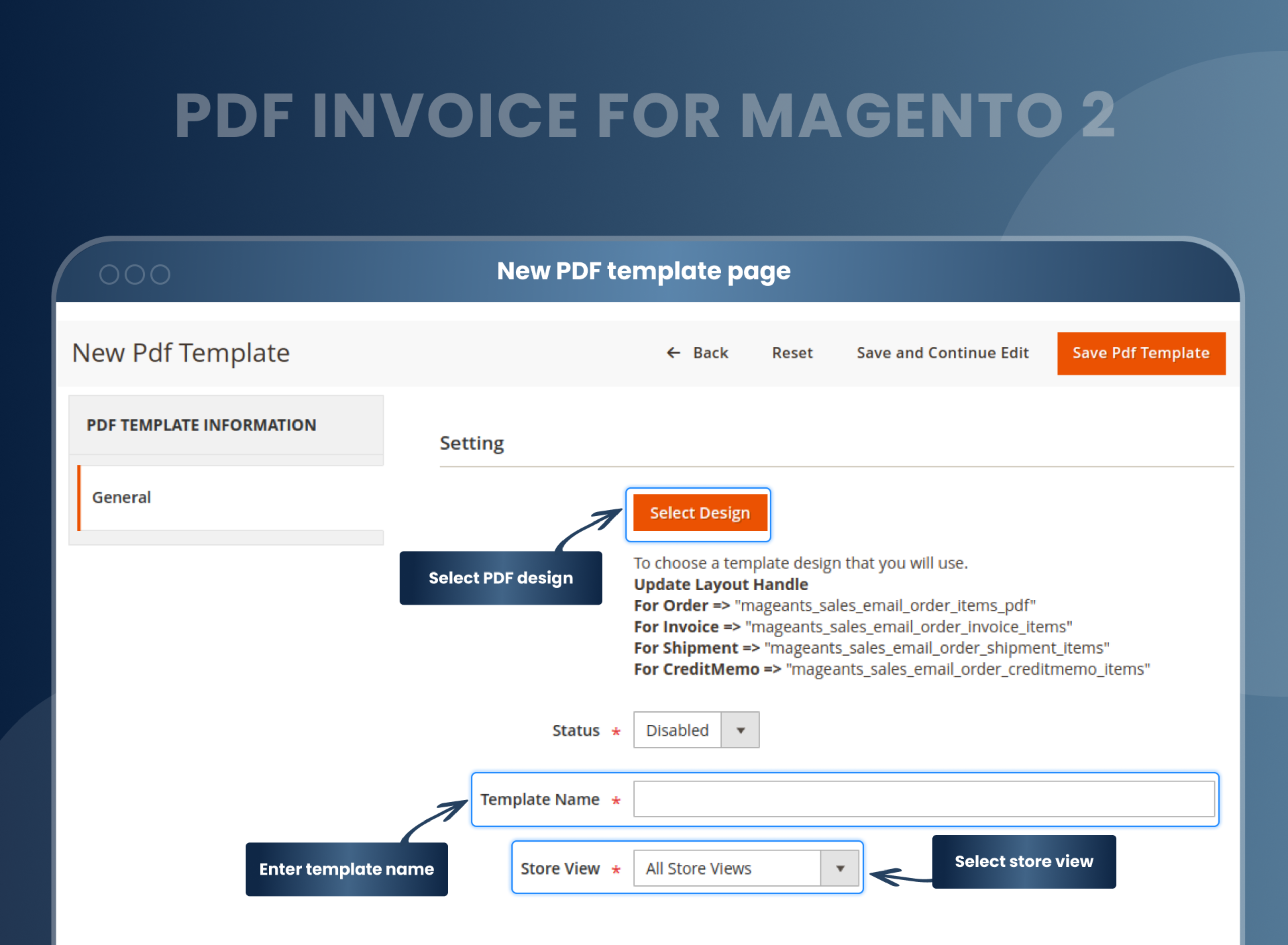
- Create PDF template from Catalog > PDF invoice.
- Click on add new templates and add some general information.
- Select design for order, invoice, shipment credit memo and save it.
- Go to your particular order from sales > order.
- You can generate customized PDF for order, invoice, shipment, and credit memo.
- Magento 2 PDF Invoice Customizer is a fantastic plugin developed by The MageAnts team for e-com sellers. The purpose of this extension is to provide customization of liberty to the sellers. With Magento 2 auto invoice extension, you can design the structure and the graphics of your invoice and manage all the templates.
- All you need to do is design the template once and set it as default. If you are a store owner who owns multiple stores, this extension is more than perfect for you. You can design various templates and check a template as a PDF with Magento 2 custom invoice. With just some basic knowledge of HTML and CSS, you can do all of it, and if you find any difficulties, our team is equipped at all times to hold you back.
- An invoice is a document that describes the list of items purchased and the rates applicable. It can also be used as a receipt of payment made by the purchaser to the vendor. Every customer has a right to get an invoice. Thus, as a responsible e-com seller, it is your duty that you send out the required invoice to your customers.
- PDF invoices are usually designed in a simple default format. But if you want to stand out of the pack, you should do something unique. Branding is an essential aspect of marketing and success in business. For efficient marketing, you should use every possible tool at your disposal. Talking about the invoice, how great would it be if you could design your invoice according to your brand image? Yes. Instead of using the default simple invoice design, you can create a design that identifies with your brand. This would not only help you with branding, but also make your invoice aesthetic and more appealing.
- The MageAnts PDF Invoice extension for Magento 2 is an impeccable tool for the sellers who use the Magento platform for their e-commerce business. With this extension by team MageAnts, you can design your template of the invoice you want to give to your customers. The more creative you make your invoice and the more you relate it to your brand image, the more your customers' chances are noticing it.
- Design a personalized and custom template.
- Generate PDFs of orders, invoices, shipments, and credit memos.
- Can generate PDFs without any technical knowledge or programming skills.
- Enhance your marketing efforts efficiently and quickly.
- Customize the look of PDF invoices to give them a professional and branded look.
- Reduce manual work.
- Improved brand recognition
- Increased customer convenience
- Supports multiple languages
Why Choose MageAnts
-

9+ Years of Industry Experience
9+ years of extensive experience in delivering Magento solutions & services. Over the years, we have watched technologies change and bounds, and our team has always focused on staying ahead in this competition.
-

100% Bug Free
Our team follow rules and takes care of perfect setup to ensure a bug-free and error-free code for the development process of theme, extension, or website development.
-
Extension created By Certified Developers
Team of certified developers for developing MageAnts Magento extensions. Skilled, qualified, and committed professionals to work on every extension.
-

Quick Technical Support
MageAnts ensures quick and quality technical support. Take advantage of our 90 days free support for a smooth and efficient experience.
-

Frequent Extension Updates
Intensive update roadmaps ensure highly compatible, bug-free, great performance, and innovative extensions.
Our services
-

Hyva Theme development
Are you facing Speed issues? Integrate Hyva Theme
-

Hire Magento 2 Developer
Hire Developer as per your custom requirement
-

Magento 2 Upgrade Services
Upgrade your Store with Magento 2 Latest Version
-

Support & Maintenance Services
Maintain your Store with MageAnts Support Services