


Custom Option Image For Magento 2
Ask AI About This Extension





Key Features
- Add images to the custom option.
- Work with the drop-down, multi-select, radio button, and checkbox.
- Set the custom option image height and width as needed.
- Improved product visualization for a better shopping experience.
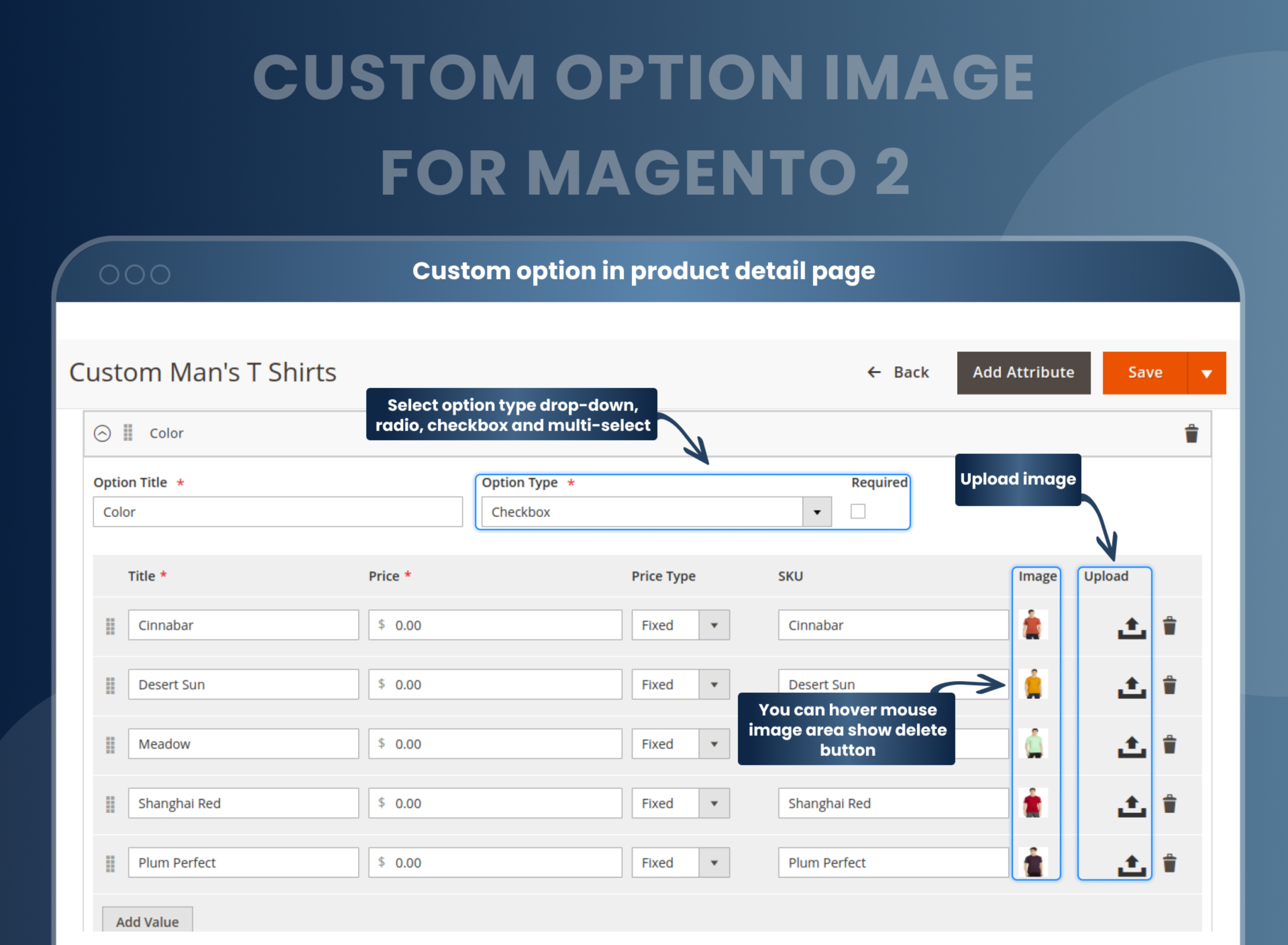
- On the backend product edit page, admins can add a custom option image to a product.





Current Limitation in Magento 2
What Magento 2 Cannot Do
Magento 2 currently lacks a feature that allows store owners to add images as custom product options. Thus, the customers cannot get an idea of what the product options look like before buying.
How Our Extension Solves This
MageAnts Custom Option Image Magento 2 extension provides a solution for all store owners to display the product's images with custom options like checkboxes, dropdowns, multiple selects, radio buttons, etc., and provide them with a better view of their product.
This extension is an additional feature for Magento 2 and is also flexible and easy to configure. Choose any variant with different options to display the product, and when the customer decides on any value from these custom options, the respective image will be selected and displayed. This way, customers will visualize the product in a better way.
Description
Enhance product options with clear and detailed visuals.
Magento 2 Custom Option Image extension allows stores to add images for custom product options, making customer choices easier. For example, a furniture store can show fabric swatches for customizable chairs to help customers decide.
Add images to the custom option
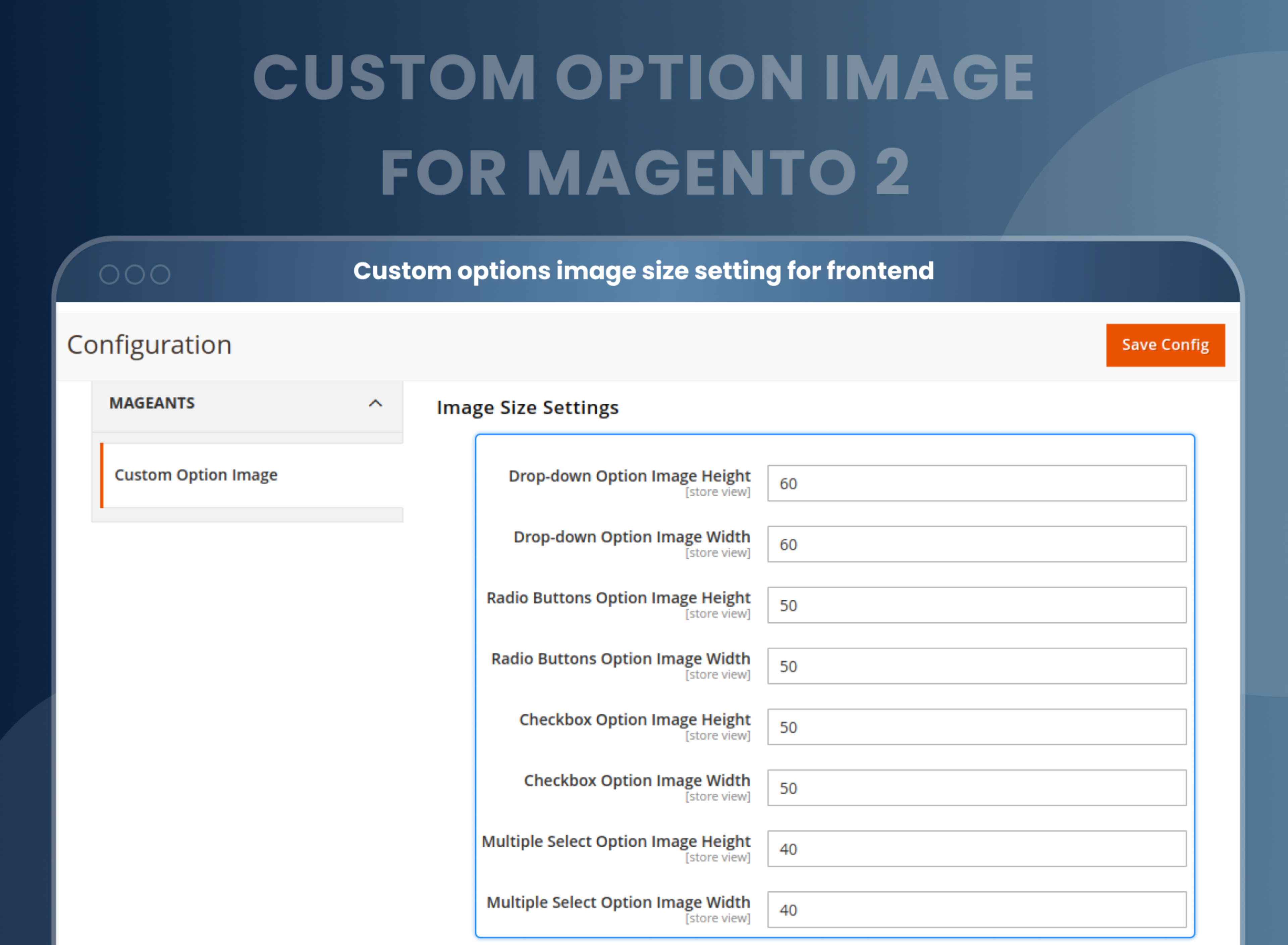
Admins can configure the width and height of the image.
Admins can upload a placeholder image of the product's custom option image.
Easily, the admin can configure the size of the image to be uploaded.
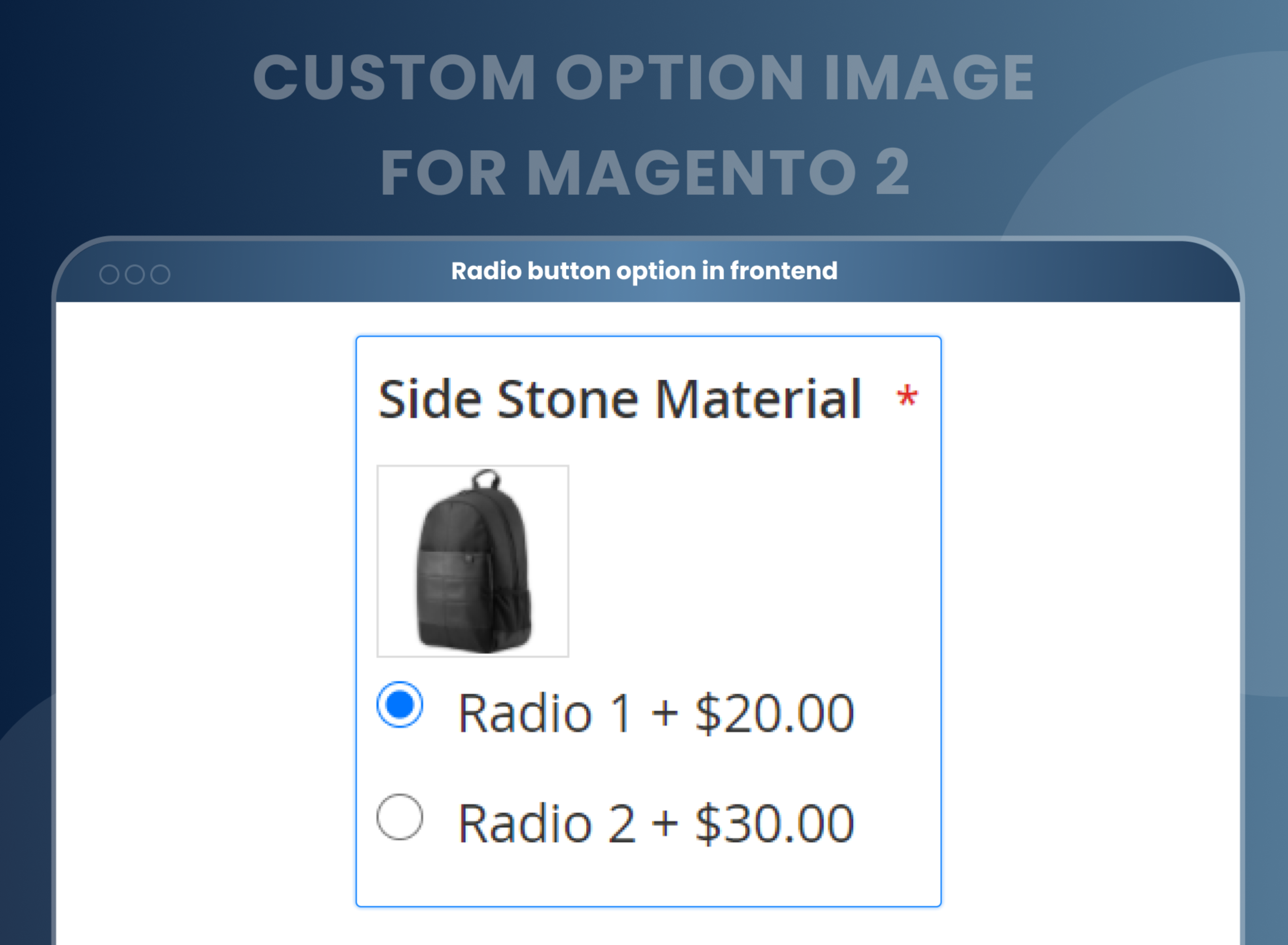
Configure thumbnails to enlarge a display image
Admin can create a thumbnail for a custom option image using the Product Custom Option Image for Magento 2 extension.
The thumbnail can be used for enlarging the image without making it blurry and for a full-screen display.
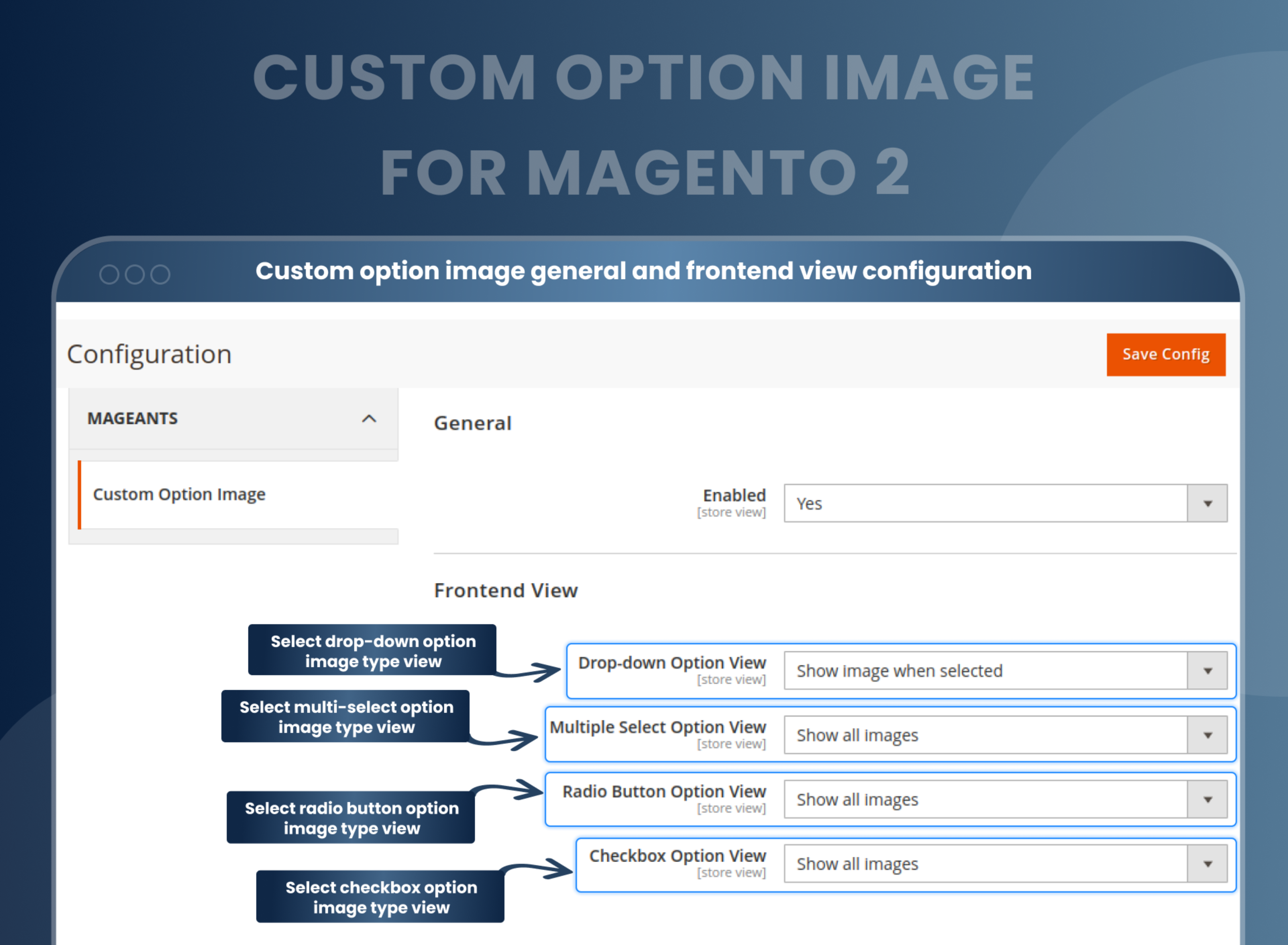
Show images to customers in different option views
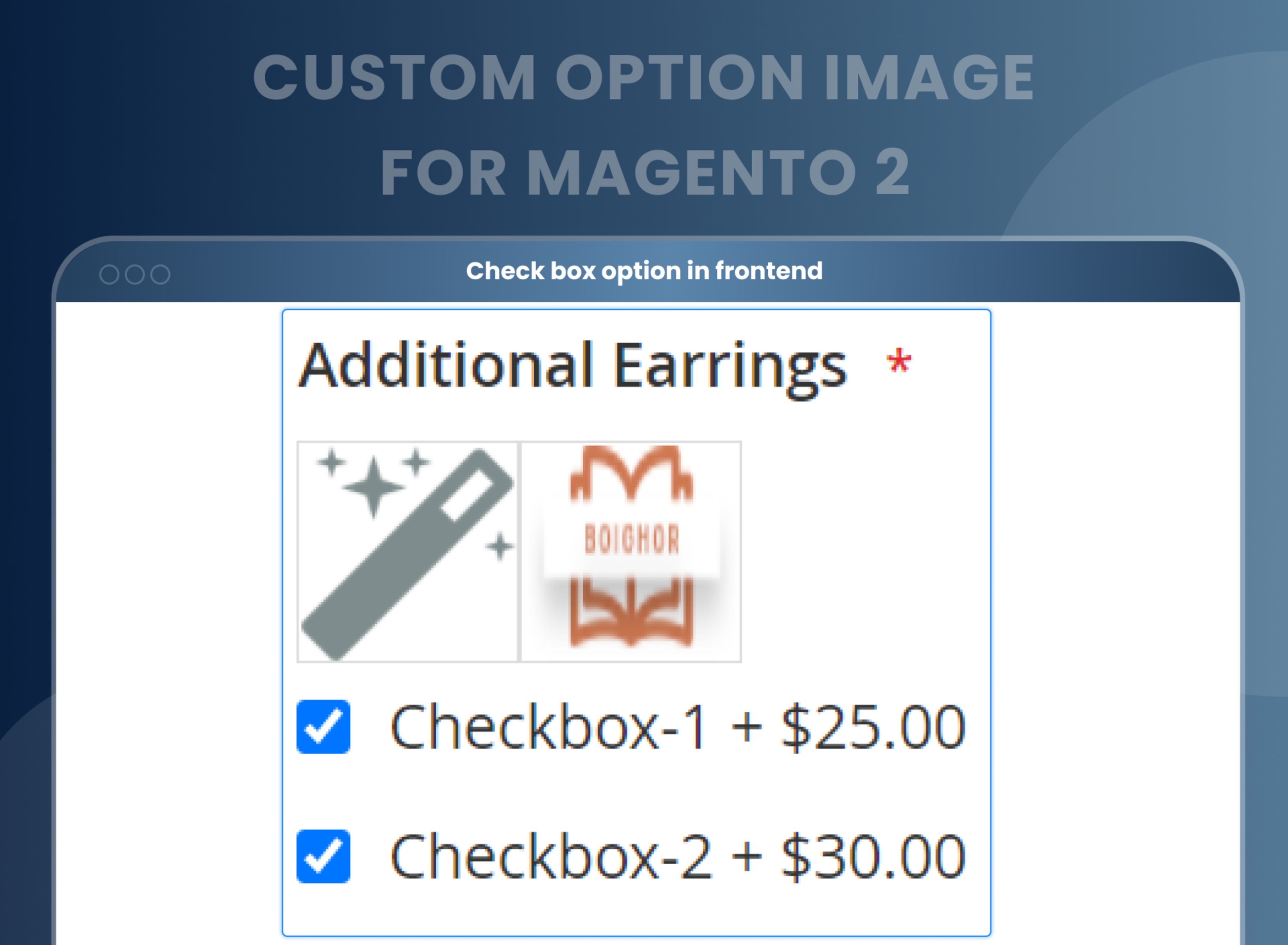
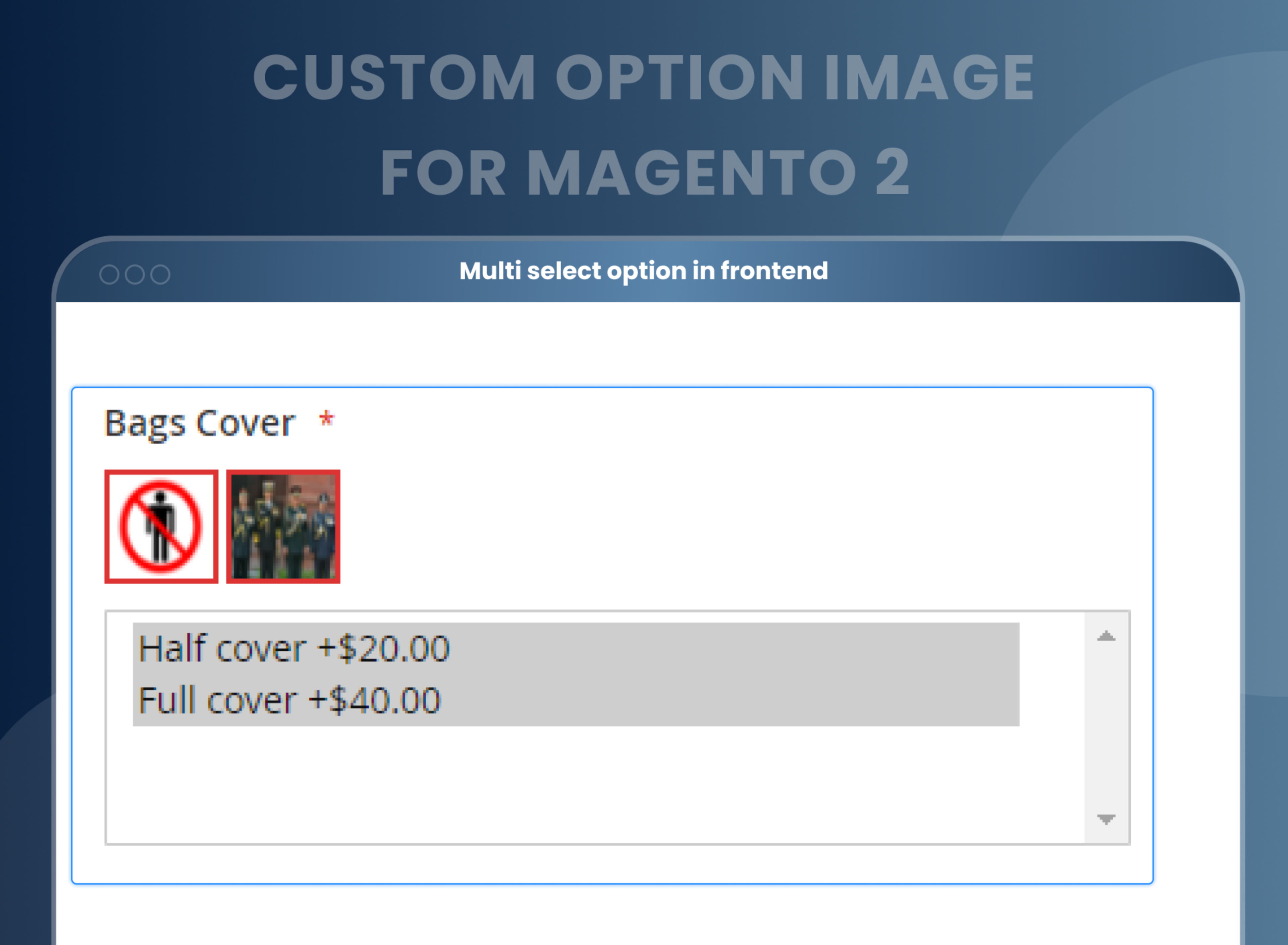
Store admins can easily add and remove images from custom options. Images will be displayed to customers when they're selected. Customers can get a better idea of the products as images are displayed to them. Make it easy for them to make a purchase decision with this module.
Custom Option Image for Magento 2 works excellently with the following default custom types:
- Dropdown option view.
- Multiple-select option view.
- Radio button option view.
- Checkbox option view.
Custom option images for swatches
There are two swatch type options: single-select swatch and multi-select swatch.
The admin can select any of the swatch types and also decide on an image swatch and a text swatch.
Preselect the value option. the value option
For a particular product, the admin can set default type value options.
A preselected value option can be set as ‘Is Default’.
The default image for a particular value option can easily be deleted or uploaded at any time.
How Does Magento 2 Custom Option Image Work?
Why Does Your Store Need MageAnts Custom Option Image?
Benefits of the Custom Option Image Magento 2 Extension
- As the eCommerce store owner, you can offer an extensive range of Magento 2 custom options with images to make your website more alluring. You can offer your customers to make the right decision for their purchase with the swatch images. It is easy to upload the image files to the store on the backend by just using the plugin. All you have to do is just type in the URLs through the admin panel and add the new custom attribute for the Magento 2 backend.
- With Magento 2 Custom Option Image, you will be offering more than just the products and services.
- It is the way to entice your customer because an image, mainly the right image, speaks more than 1000 words. So, when you can offer a customized image for your consumer, you are offering them a service that very few can – complete transparency with the images. So, unless you want to lose your customers to your competitors without the appealing visuals, install Custom Image Option today to boost your sales and increase your revenue.
- Visualize product
- Optimizing Product
- Improved user experience
- Increased customer engagement and sales
- Easily customize product options with images.
- Make product options more visually appealing.
- Streamline product configuration with an easy-to-use interface.
- Improve product conversions by offering customers more options.
- Enhance the overall product page with images of product options.
- Increase store revenue by making product options more attractive.
FAQs
Reviews
Customization
Changelog
- Mageants Team make extension compatible with Magento versions 2.4.7 & 2.4.8.
- Make extension compatible with magento 2.4.7 version.
- Make extension compatible with Hyva Theme.
- MageAnts team make extension compatible with latest magento 2.4.6 version.
- MageAnts team makes custom option image extension coding as per the Magento standards.
- Mageants custom option image extension not upload store wise images in product details page, MageAnts team resolved issue in all the Magento versions.
- Mageants develops a new Custom option image extension which is working fine in all the Magento versions.
Why Choose MageAnts
-

30 Days Money Back Guarantee
We offer 30 Days money back guarantee if customer meets our refund policy. For more info you can read our terms and condition
-

Tested Before Every Release
Every version is tested on the latest Magento 2.4 release before it goes live, and bugs reported during your support period are fixed by our team.
-

Free 90 Days Support
MageAnts ensures quick and quality technical support. Take advantage of our 90 days free support for a smooth and efficient experience.
-

Frequent Extension Updates
Intensive update roadmaps ensure highly compatible, bug-free, great performance, and innovative extensions.
