


Force Login For Magento 2




Key Features of Force Login:
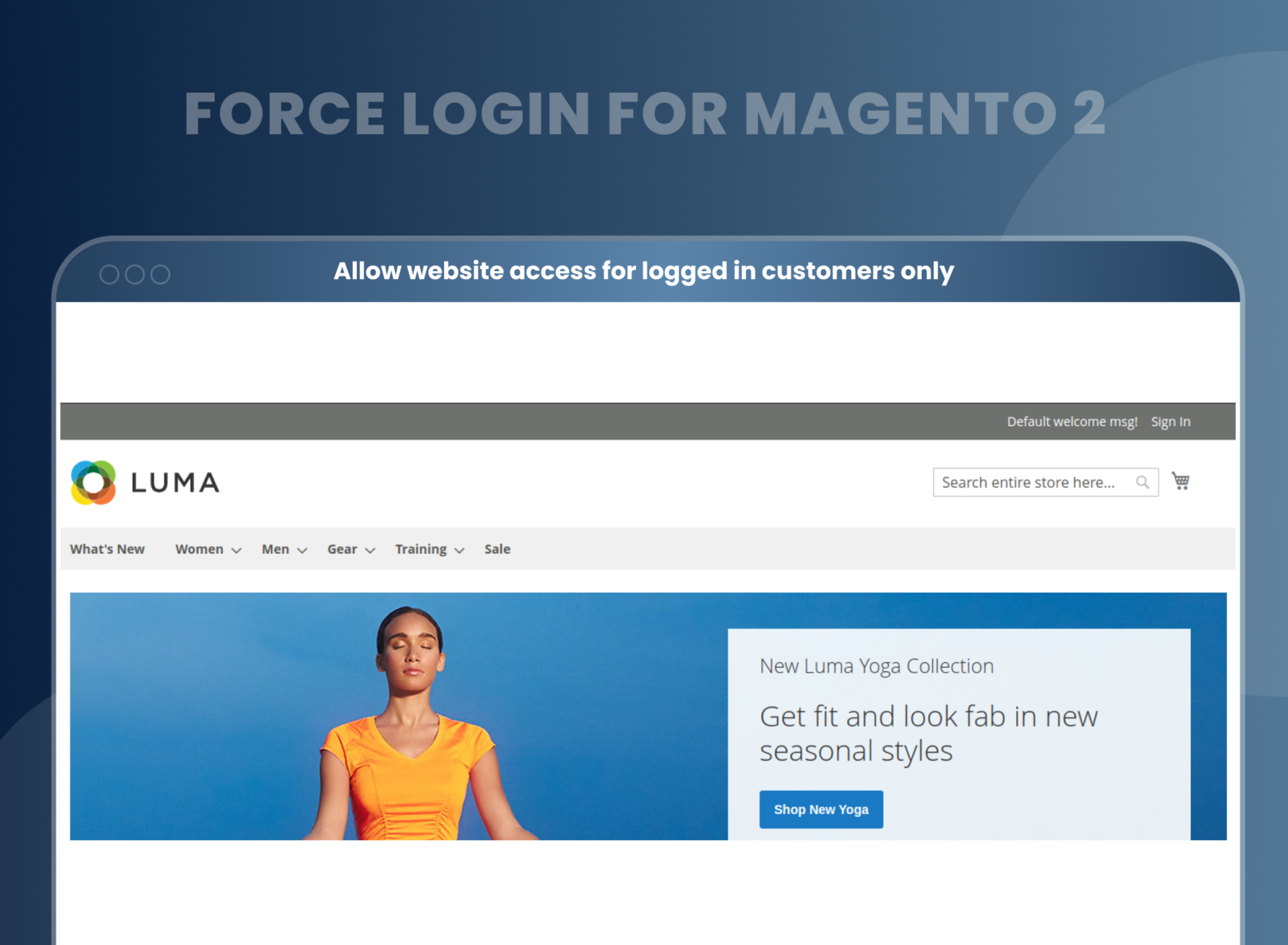
- Restrict access to various pages and allow it for logged-in users only.
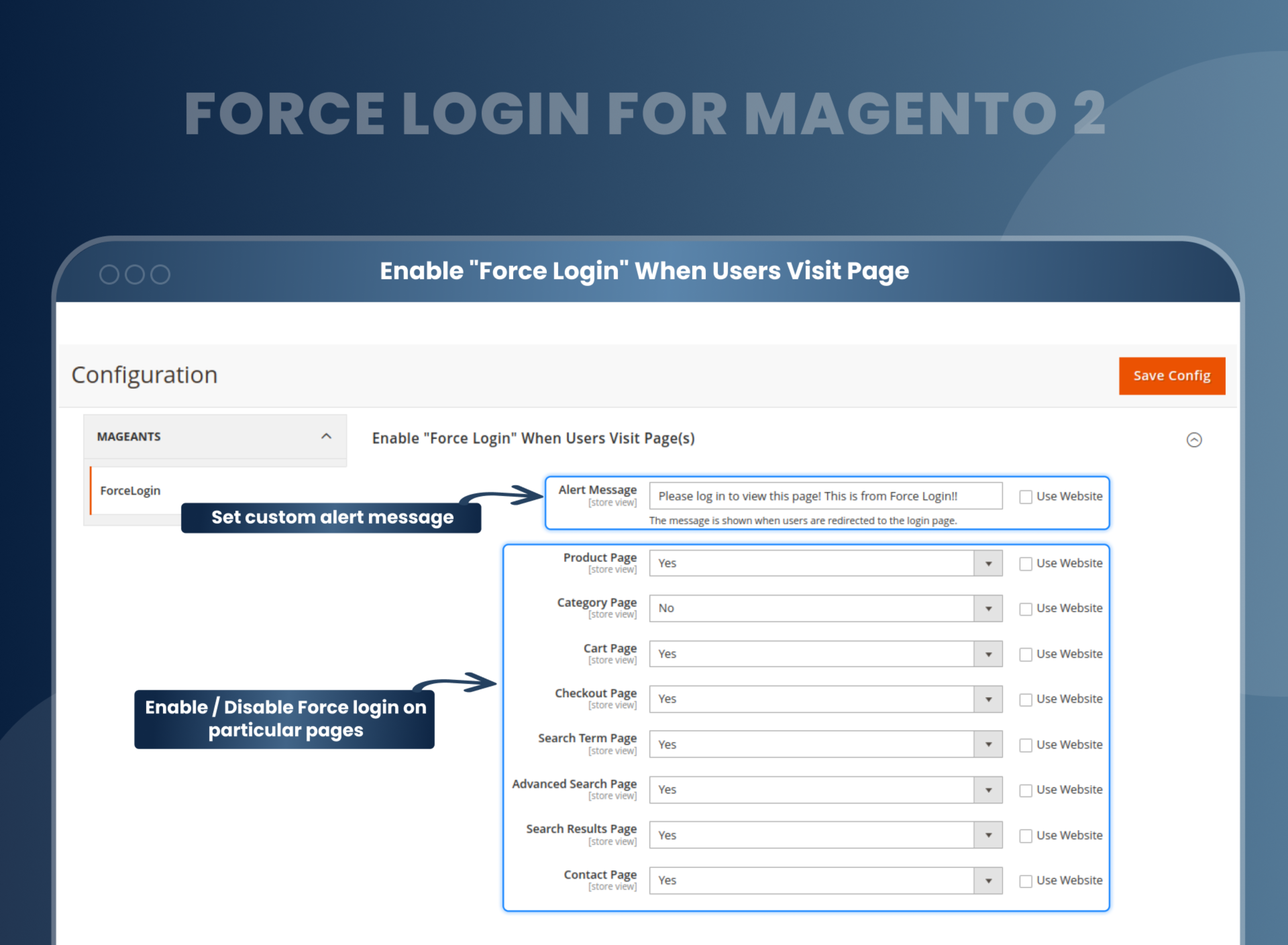
- Enable force customer login for specific pages.
- Allow restricting CMS pages.
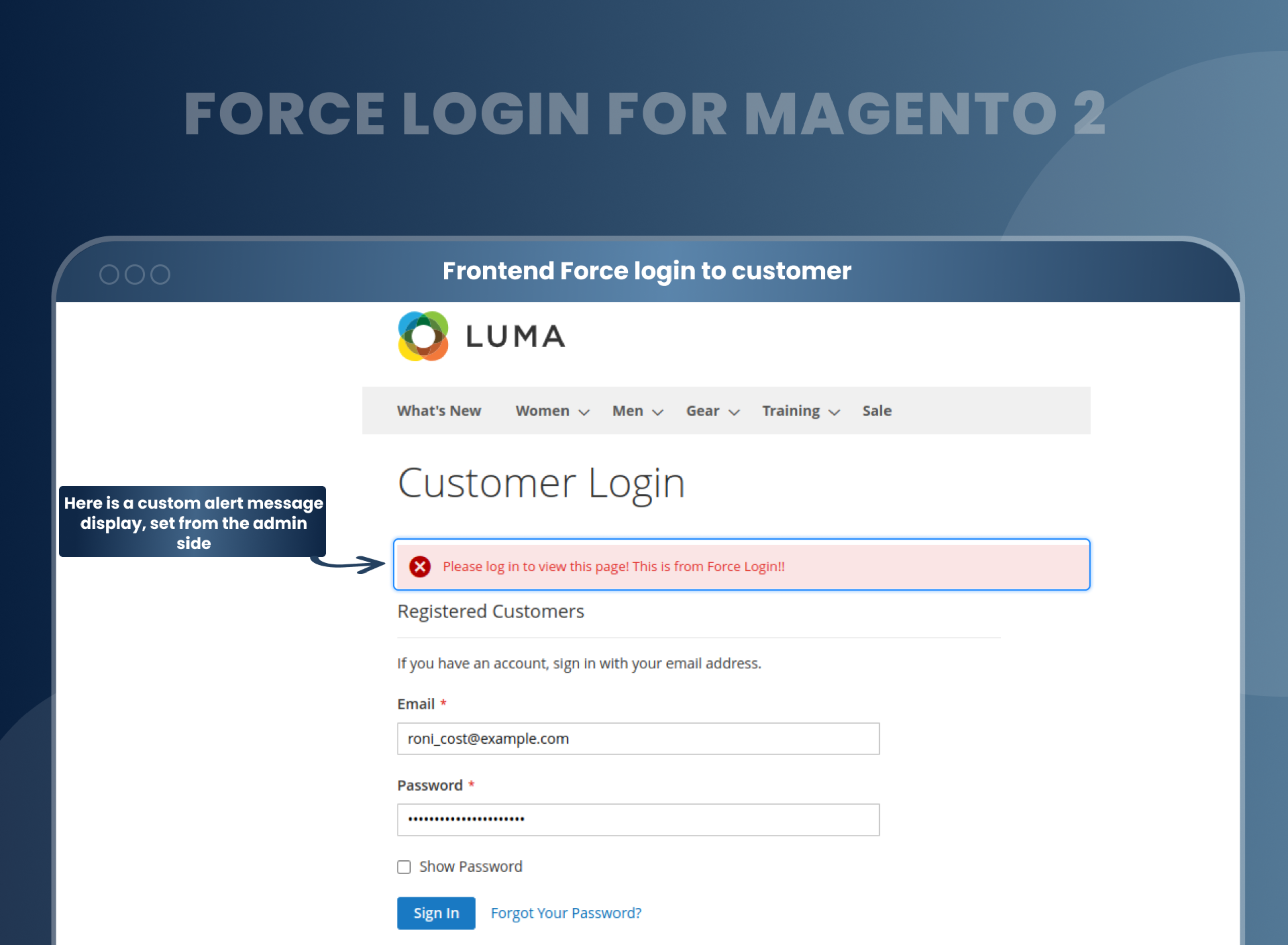
- Show a custom error message for non-accessible pages.
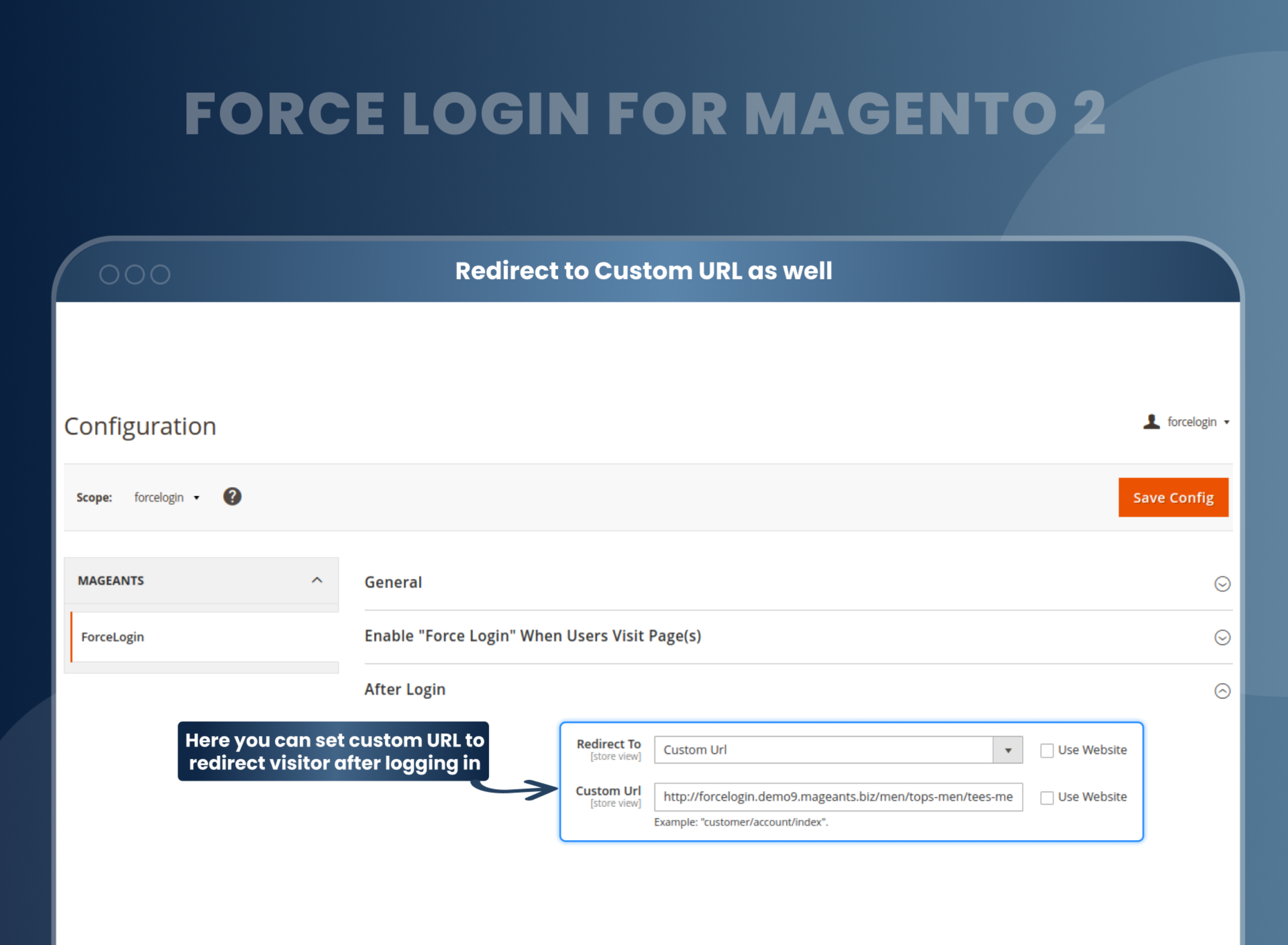
- Set a custom URL for redirection after user login.
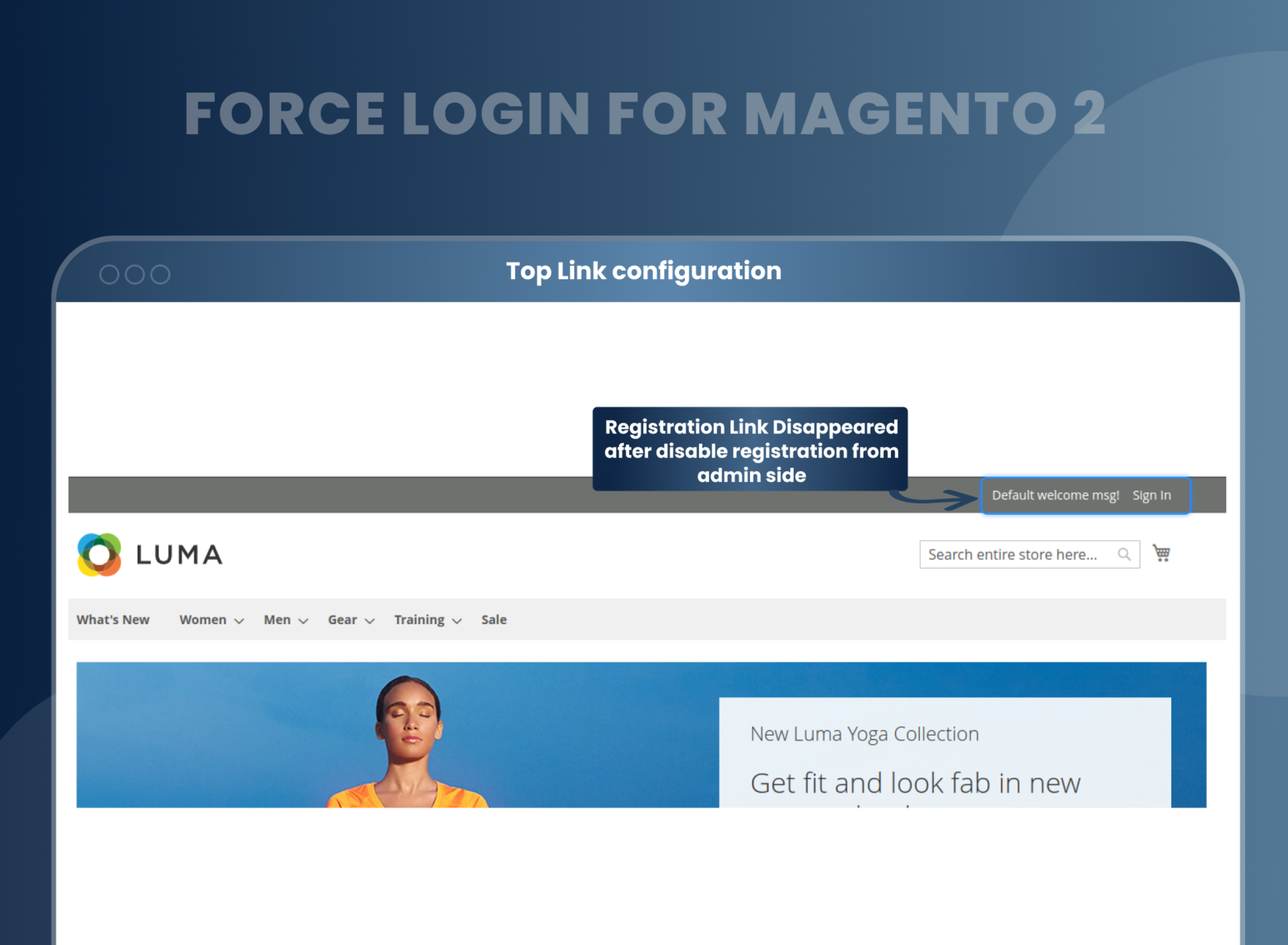
- Disable customers' registration directly.





Problem:
By default, Magento 2 does not have the capability to restrict certain pages for use by guest customers only. This means that all customers, including guests, have access to these pages. As a result, store owners are required to display sensitive information on these pages to all customers.
Solutions:
Force Sign in Magento 2 by MageAnts helps Magento store owners restrict some content of the website for non-logged-in users. And if they want to access the restricted pages, categories, or content, then they need to log in, and they will be redirected to the specific content. This feature is useful for stores that want to limit access to certain products, pricing, or information to registered users only. It also helps to improve security and prevent unauthorized access to sensitive information on the website.
Description
FAQ
Magento 2 Force sign in provide a feature to store owners to restrict access to particular pages and allow information visibility to logged-in users only. With the help of this, you can customize the front end of your store.
Yes, you can restrict customers to access the product detail page without login.
Yes, you can set URL when customer login, and then it redirects to a particular page.
Yes, you can disable registration from configuration setting.
Reviews
Customer 6 Reviews
Customization
Change Log
Current Version Number : 2.0.5
Date :24/04/2023
Bug fixed
- MageAnts team make extension compatible with latest magento 2.4.6 version.
Current Version Number : 2.0.4
Date :15/11/2022
Coding Standard
- MageAnts team makes this extension coding as per magento coding standard.
Current Version Number : 2.0.3
Date :27/01/2021
Bug fixed
- When admin restricted any page for the guest customer and when guest customer tried to access that particular page, the page didn't work. Error has been occurred on the frontend. Mageants team resolved this issue in all the Magento versions.
Current Version Number : 2.0.2
Date :29/05/2020
Bug fixed
- When admin restrict to use product detail page without login then sometime product detail page display blank, MageAnts resolved issue and working fine in all Magento version.
Current Version Number : 2.0.1
Date :28/11/2019
Bug fixed
- When customer force login after redirect specific Home Page, Previous URL, Custom URL, Default Account page not working, now issue solve and working with all Magento version.
Current Version Number : 2.0.0
Date :20/03/2019
Bug fixed
- MageAnts update Force Login extension in latest magento2.3 version, Now extension working with all Magento version.
- Update module version name in composer.json file same as module.xml file.
How To Enable The Force Login Module In Magento 2?
How Does MageAnts Force Login Work?
Why Does Your Store Need Magento 2 Force Sign-In ?
Benefits of Force Login Magento 2 Extension
- Install Force login module in your Magento 2 store.
- You can enable extension from store --> Configuration --> Mageants --> Force login.
- You can set other configuration as per your need and requirement.
- Admin can restrict the visibility of the specific page like category page, product page, search page, cart page, checkout, or any other.
- Customer need to log in to use these pages.
- Admin can set the page to redirect customer after login.
- Magento 2 Force Login is a must-buy for store owners due to its simplicity and exclusive features. Adding this extension to your Magento store allows the user to visit the pages that you have predecided. It gives the user a smooth shopping experience.
- Moreover, it's Magento 2 customer force sign-in function, enables the visitor to become a registered user and gain further benefits. While the sellers can keep a record of guest and registered users separately from the backend. It's easy to install, user-friendly and flexible.
- Users flock to websites every second and identifying the guest and registered users among them become almost impossible. It is when Magento 2 Force Login extension is the most needed. It eases the job of admin by taking any visitor to a login page in order to register themselves first as by registration, the user can get the maximum benefit out of it like knowing more about the products, search and explore about it further etc.
- Magento 2 customer force sign in extension is required for Magento store owners to hide the store content and ask customers to sign in if they want to view and access the website content or detail page. Merchants can restrict store information from fake and spam users. Also, they can notify customers with an alert message to log into the website to access the restricted content.
- Convert the guest user of your website to registered customers automatically after checkout and successfully order completion using Magento 2 Guest to Customers extension by MageAnts.
- Increase customer registration.
- Prompt your customer to log in.
- Reduces the risk of unauthorized access
- Increased Security
- Improved User Experience
Why Choose MageAnts
-

9+ Years of Industry Experience
9+ years of extensive experience in delivering Magento solutions & services. Over the years, we have watched technologies change and bounds, and our team has always focused on staying ahead in this competition.
-

100% Bug Free
Our team follow rules and takes care of perfect setup to ensure a bug-free and error-free code for the development process of theme, extension, or website development.
-
Extension created By Certified Developers
Team of certified developers for developing MageAnts Magento extensions. Skilled, qualified, and committed professionals to work on every extension.
-

Quick Technical Support
MageAnts ensures quick and quality technical support. Take advantage of our 90 days free support for a smooth and efficient experience.
-

Frequent Extension Updates
Intensive update roadmaps ensure highly compatible, bug-free, great performance, and innovative extensions.
Our services
-

Hyva Theme development
Are you facing Speed issues? Integrate Hyva Theme
-

Hire Magento 2 Developer
Hire Developer as per your custom requirement
-

Magento 2 Upgrade Services
Upgrade your Store with Magento 2 Latest Version
-

Support & Maintenance Services
Maintain your Store with MageAnts Support Services