


Product Tabs For Magento 2




Key Features of Product Tabs:
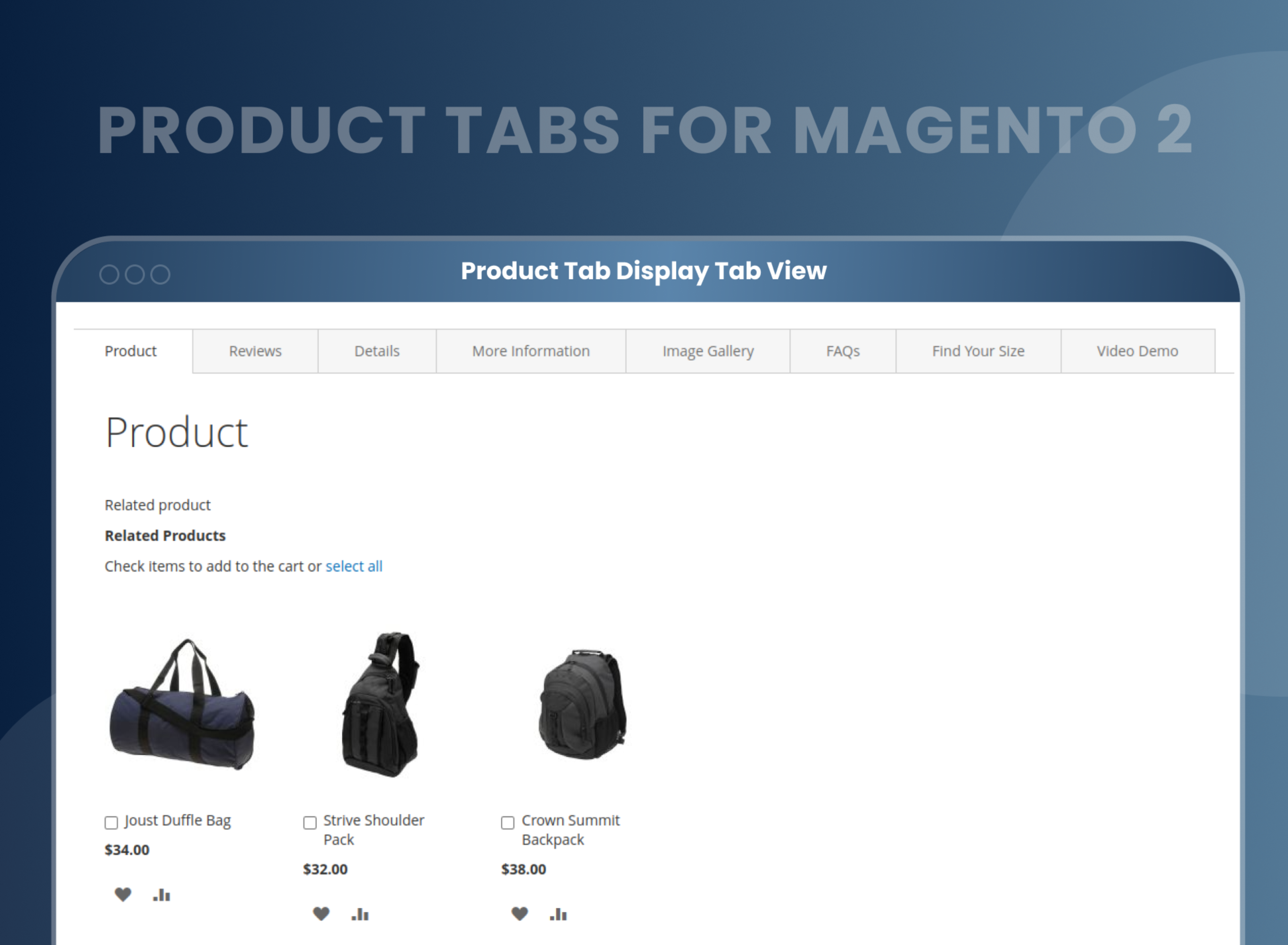
- Tabbed content enhances the user experience.
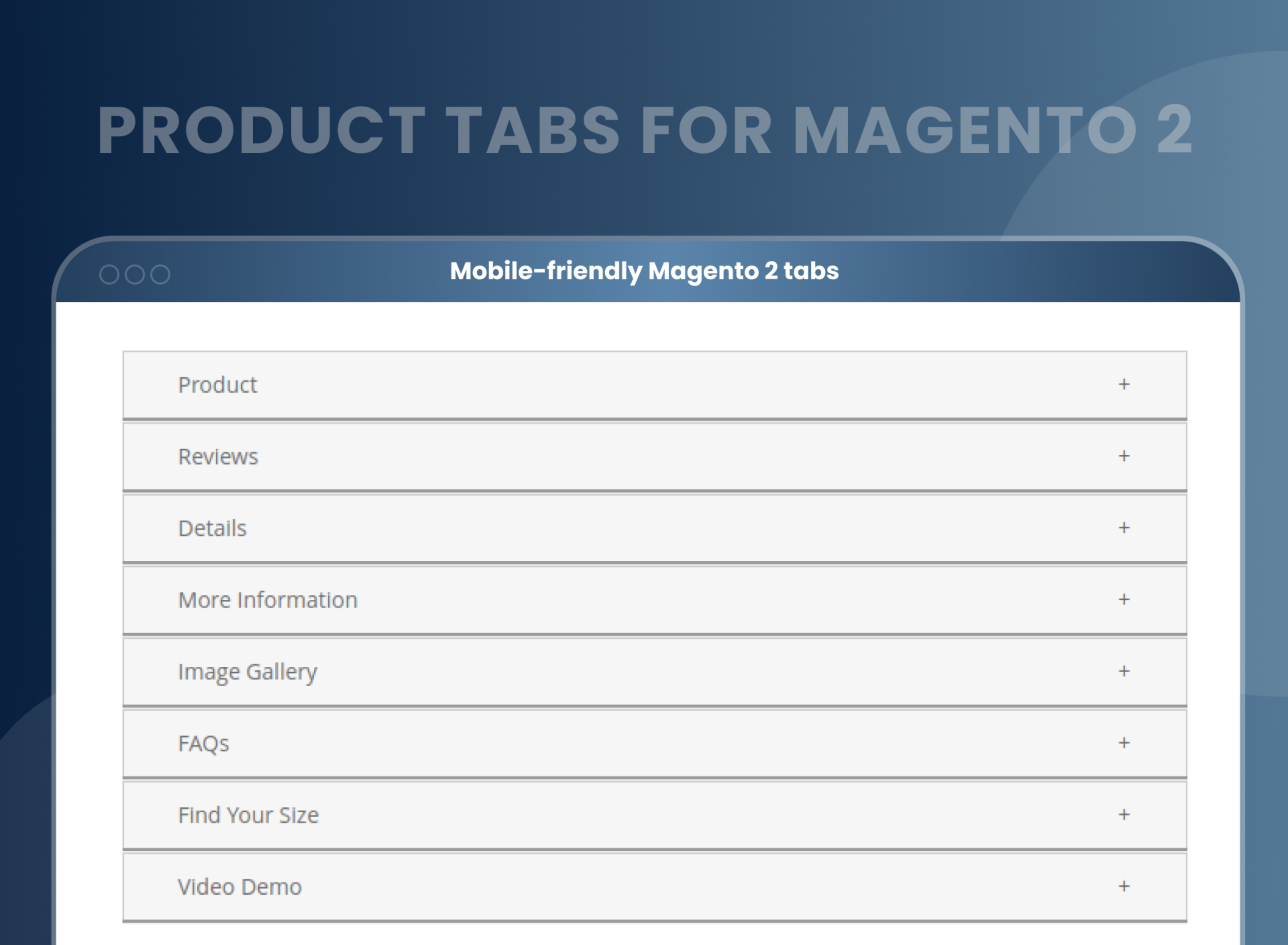
- Mobile-friendly Magento 2 tabs
- Set the normal view as well as the accordion view.
- Create unlimited tabs as per your needs, like Product, Review, Details, More Information, Image Gallery, FAQ, Find Your Size, and Video.
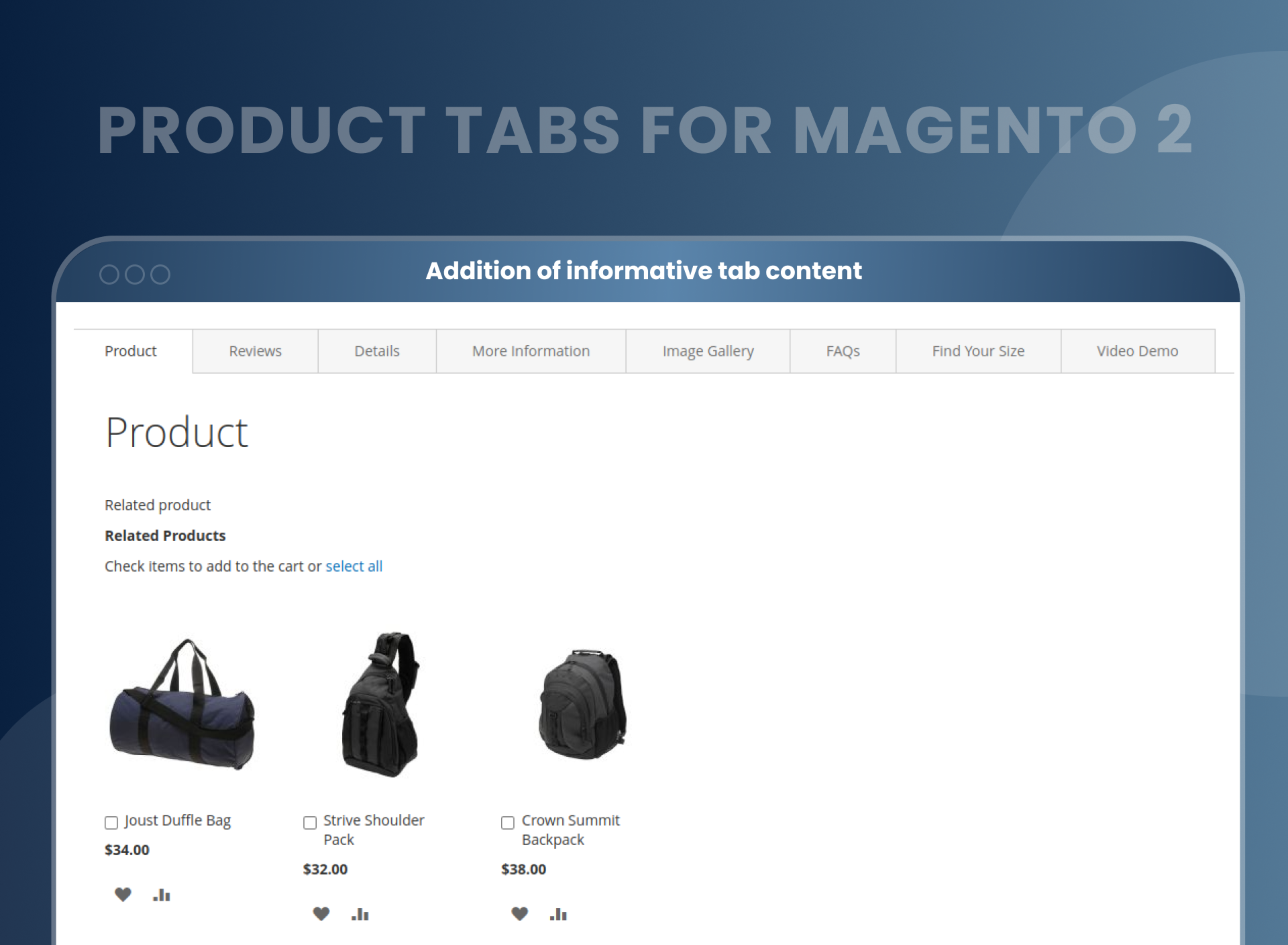
- Edit custom tab content with the WYSIWYG editor.





Problem:
By default, Magento 2 only offers 2 to 3 tabs to display information about a product. However, this is no longer sufficient in modern times, as customers often require more detailed information about a product before making a purchase. This implies that additional tabs or features may need to be added to the platform to meet the needs of customers.
Solutions:
MageAnts Magento 2 product tabs enable you to add custom tabs to your product page and make it more informative to attract more customers. The extension helps to organize and present product information in a clear and organized manner, making it easier for customers to navigate and find the information they need. It also offers flexibility in terms of tab customization, allowing store owners to customize the tabs as needed. This extension can enhance the shopping experience for customers and ultimately lead to increased sales and customer satisfaction.
Description
FAQ
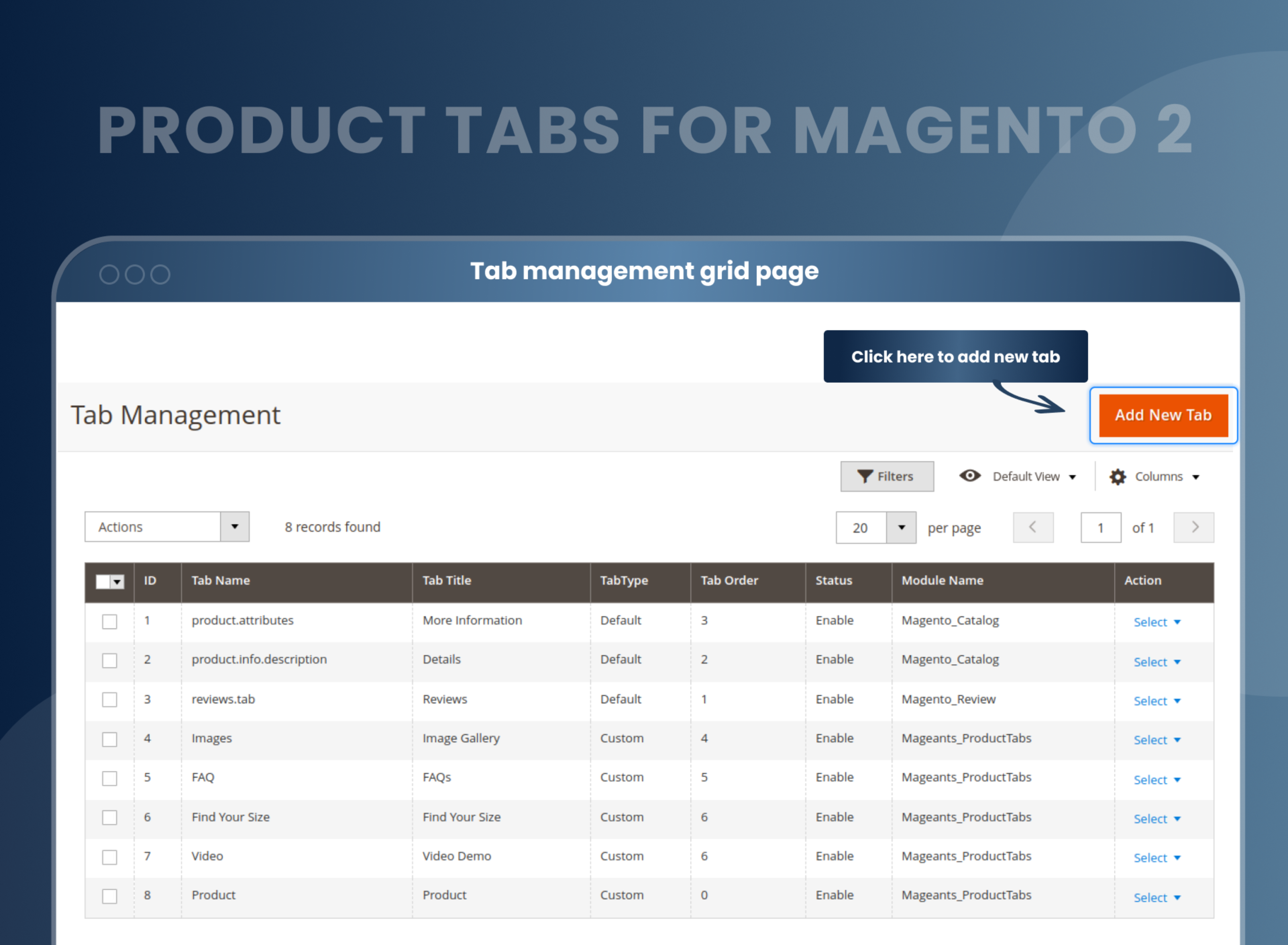
With MageAnts Product Tabs Extension, You can add from catalog --> Tab management --> Add new tab from backend.
With MageAnts Product Tabs Extension, Go to your product tab from catalog --> Tab Management --> Edit your Tab and change product tab name.
In MageAnts Product Tabs module, You can remove from below file. You can remove or disable from here. vendor/magento/module-catalog/view/frontend/layout/catalog_product_view.xml
Need to create attribute from backend then you can add custom tab from catalog_product_view.xml file.
You can remove reorder default Magento tabs from below file.
vendor/magento/module-sales/view/frontend/templates/order/history.phtml
Reviews
Customer 7 Reviews
Customization
Change Log
Current Version Number : 2.0.2
Date :26/06/2023
Issue solve in 2.4.6
- MageAnts team make extension compatible with magento 2.4.6 version.
Current Version Number : 2.0.1
Date :11/10/2022
Coding standard
- MageAnts team makes this extension coding as per the Magento coding standards.
Current Version Number : 2.0.0
Date :10/12/2020
New extension
- MageAnts develop new Product Tabs extension working fine in all Magento Version.
How Do I Add Tabs To The Product Page In Magento 2?
How Does Product Tabs Extension For Magento 2 Work?
Product Tab Features
Why Does Your Store Need Custom Product Tabs Magento 2 Extension?
Benefits of Product Tabs Magento 2 Extension
- Install Product tabs Magento 2 extension in your store.
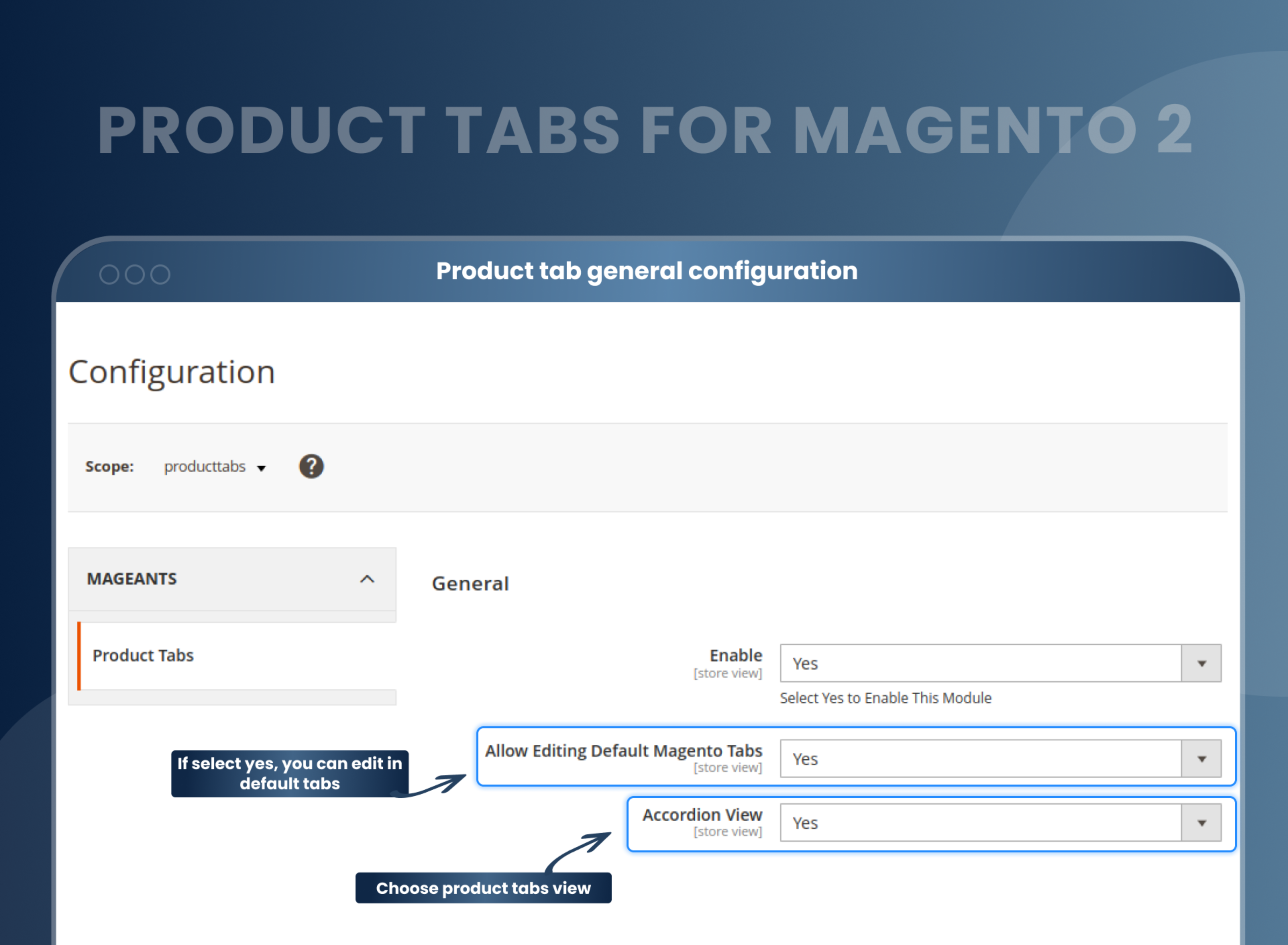
- You can enable extension from store --> Configuration --> Mageants --> Product tabs.
- You can set other configuration as per your need and requirement.
- Create new tab from Catalog --> Tab management --> Add new tabs.
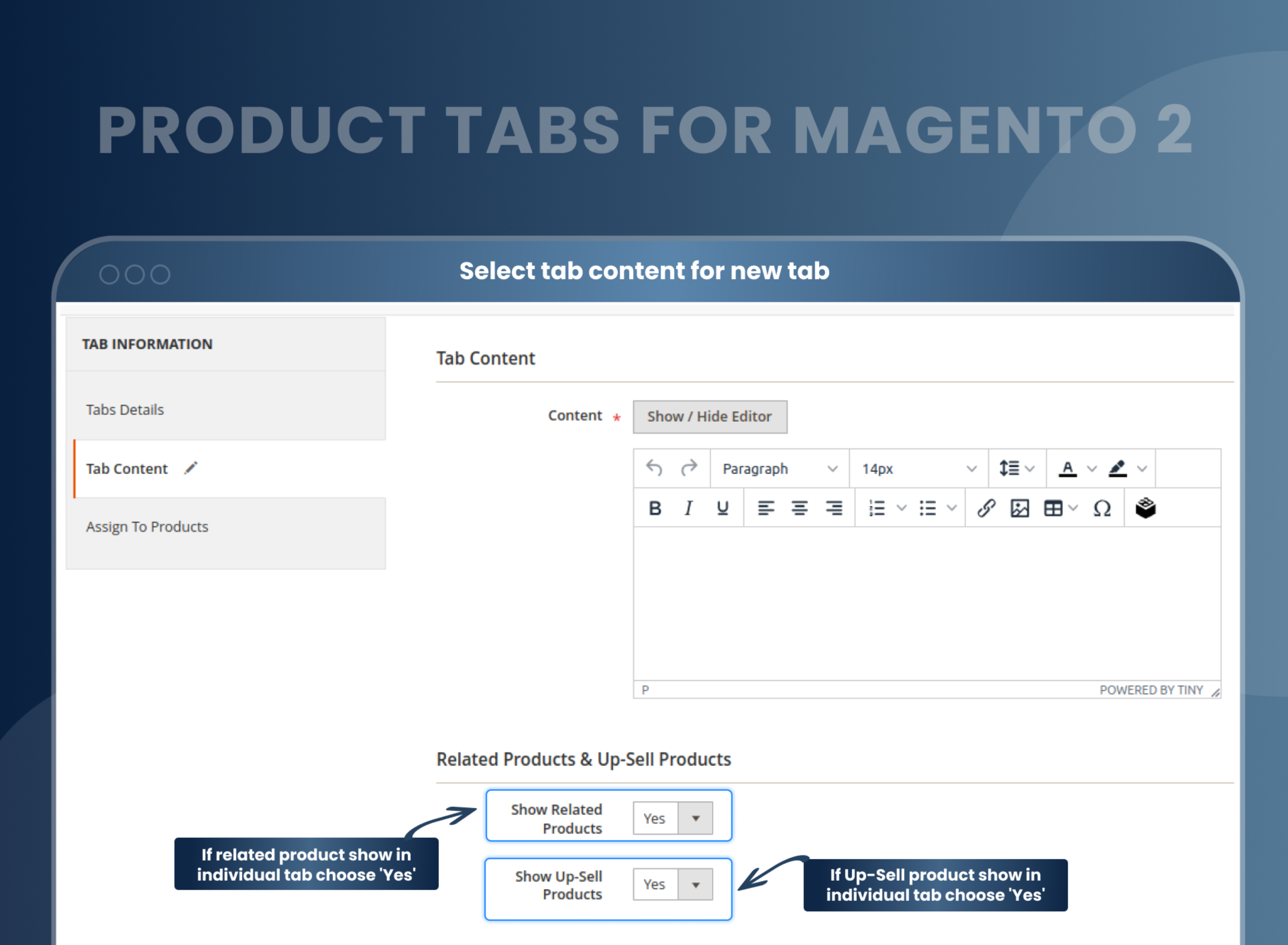
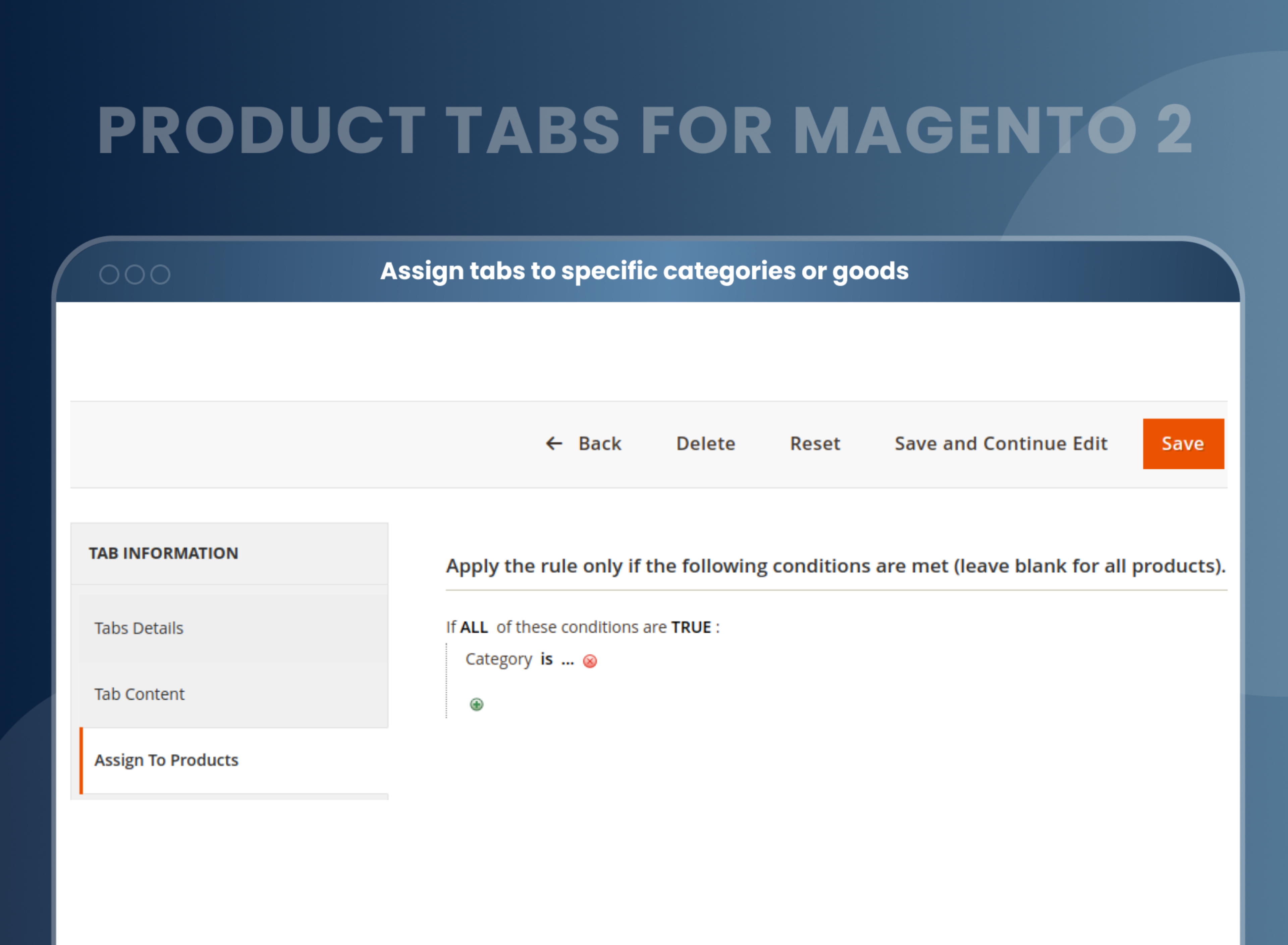
- Assign products to tabs.
- Created tabs show in particular product in product details page.
- MageAnts Product Tab Extension for Magento 2 provides you with complete control over the tabs. With the help of automatic Admin GUI, you can insert tabs depending on the product's attribute. You can even add a number. It aims to make the life of both the store owner and the buyer easier. You only need to go through the procedure to add a convenient shopping method for your users.
- For all individual and multiple products, it adds tabs
- For each product individually, adds multiple tabs
- Easy admin panel tab creation and management
- Easily adds tab content: images, text, HTML, and video using WYSIWYG HTML editor
- Save or add tabs & apply the needed range of products.
- For a particular product, easy to delete, add tabs from the admin panel.
- Easy to change titles from tab.
- The product page is the most important part of any e-commerce website. You can say it is the heart of any e-commerce website. A store owner wants their product page to look up to the mark and make the shopping easier for the customer. If the customer can't find the product details they want to purchase, he might leave the page without purchasing. Hence, the Custom Product Tabs is the best extension to buy to make the user shopping experience easier and more convenient.
- MageAnts Product Tabs helps store owners to display various product data and information with tabs on the product page to enhance the store usability. It will help customers seek through every product detail with ease. For example, when the customer gets into the product description section, they can see each detail related to the product. So, there will not be any need to add customized new tabs.
- Detailed product information.
- Customizable system tabs.
- Increase the number of purchases.
- Enhance the user experience.
- Increases the chances of conversion
- Cross-sell and upsell opportunities
- Mobile Responsive
- Faster and smoother browsing experience for customers
- Reducing bounce rates by describing products better in product tabs.
- Use rich, relevant content to increase conversions.
Why Choose MageAnts
-

9+ Years of Industry Experience
9+ years of extensive experience in delivering Magento solutions & services. Over the years, we have watched technologies change and bounds, and our team has always focused on staying ahead in this competition.
-

100% Bug Free
Our team follow rules and takes care of perfect setup to ensure a bug-free and error-free code for the development process of theme, extension, or website development.
-
Extension created By Certified Developers
Team of certified developers for developing MageAnts Magento extensions. Skilled, qualified, and committed professionals to work on every extension.
-

Quick Technical Support
MageAnts ensures quick and quality technical support. Take advantage of our 90 days free support for a smooth and efficient experience.
-

Frequent Extension Updates
Intensive update roadmaps ensure highly compatible, bug-free, great performance, and innovative extensions.
Our services
-

Hyva Theme development
Are you facing Speed issues? Integrate Hyva Theme
-

Hire Magento 2 Developer
Hire Developer as per your custom requirement
-

Magento 2 Upgrade Services
Upgrade your Store with Magento 2 Latest Version
-

Support & Maintenance Services
Maintain your Store with MageAnts Support Services