



Custom Price For Magento 2
Ask AI About This Extension



Key Features
- Set the custom price globally and also for each particular product.
- Use for Simple, Configurable, Grouped, and Downloadable Products
- Set a custom label on the frontend.
- Allow to set the minimum product price globally or for a for a particular product.
- Display an error message if the customer’s entered custom price is less than the minimum set product price.
- Import customized pricing using a CSV file.





Current Limitation in Magento 2
What Magento 2 Cannot Do
Magento 2 does not allow store owners to set custom prices for products. As a result, store owners are unable to set a minimum price for their products.
How Our Extension Solves This
Magento 2 Custom Price Extension by MageAnts allows businesses to set custom prices for their products. And also allows admins to set a minimum price for a product from the backend of their website. When a customer views the product on the website, they will not see the minimum price set by the merchant. Instead, they will be prompted to enter a custom price for the product.
This gives customers the flexibility to offer a price that they feel is reasonable for the product. However, if a customer tries to submit a price that is lower than the minimum custom price set by the admin, an error message will be displayed. This ensures that merchants are still able to maintain a certain level of profitability for their products.
Description
Offer tailored pricing for personalized customer experiences.
Set unique prices for products directly from the admin panel, and let customers add their own custom prices for the product.
Custom Price Option
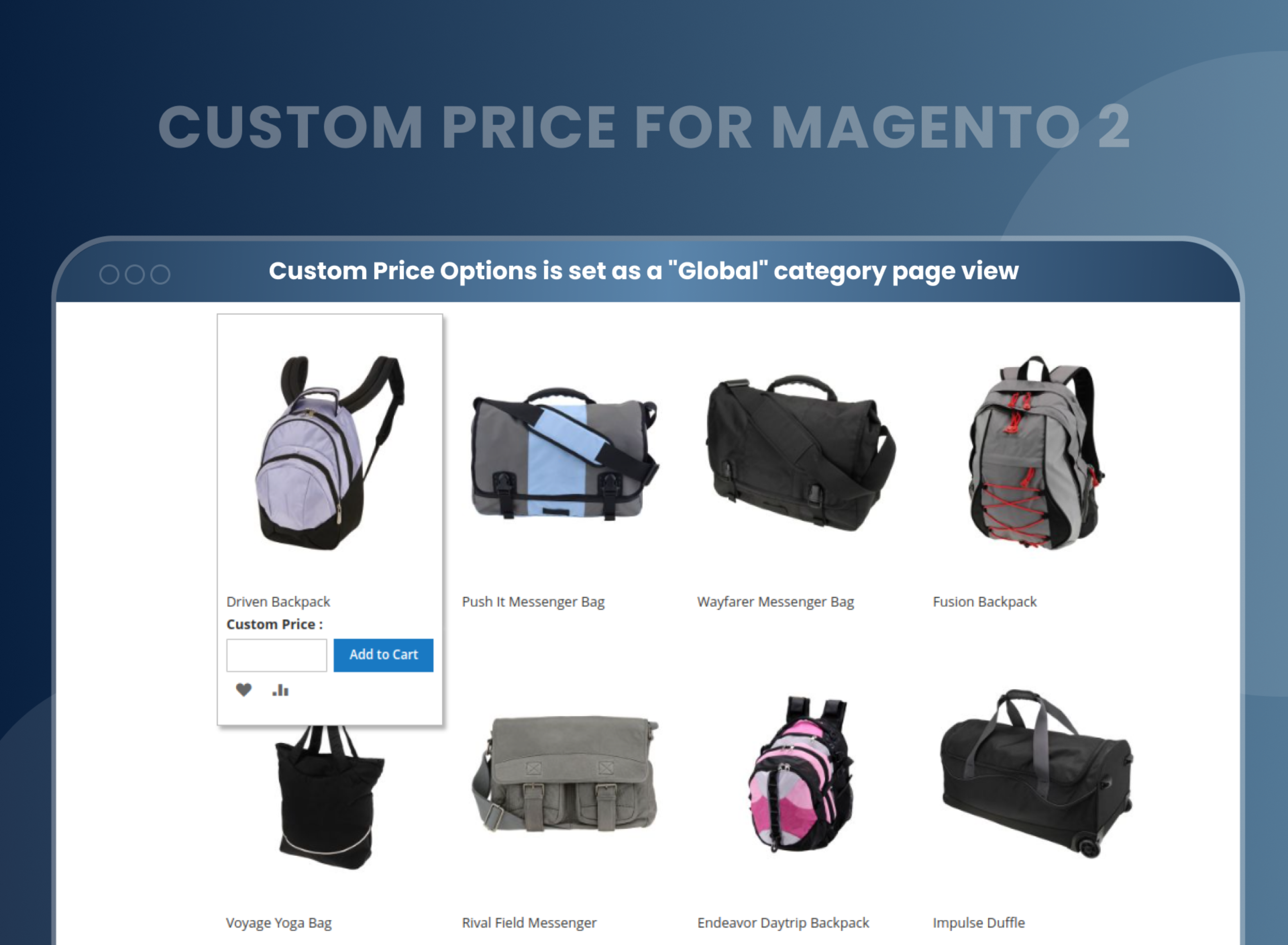
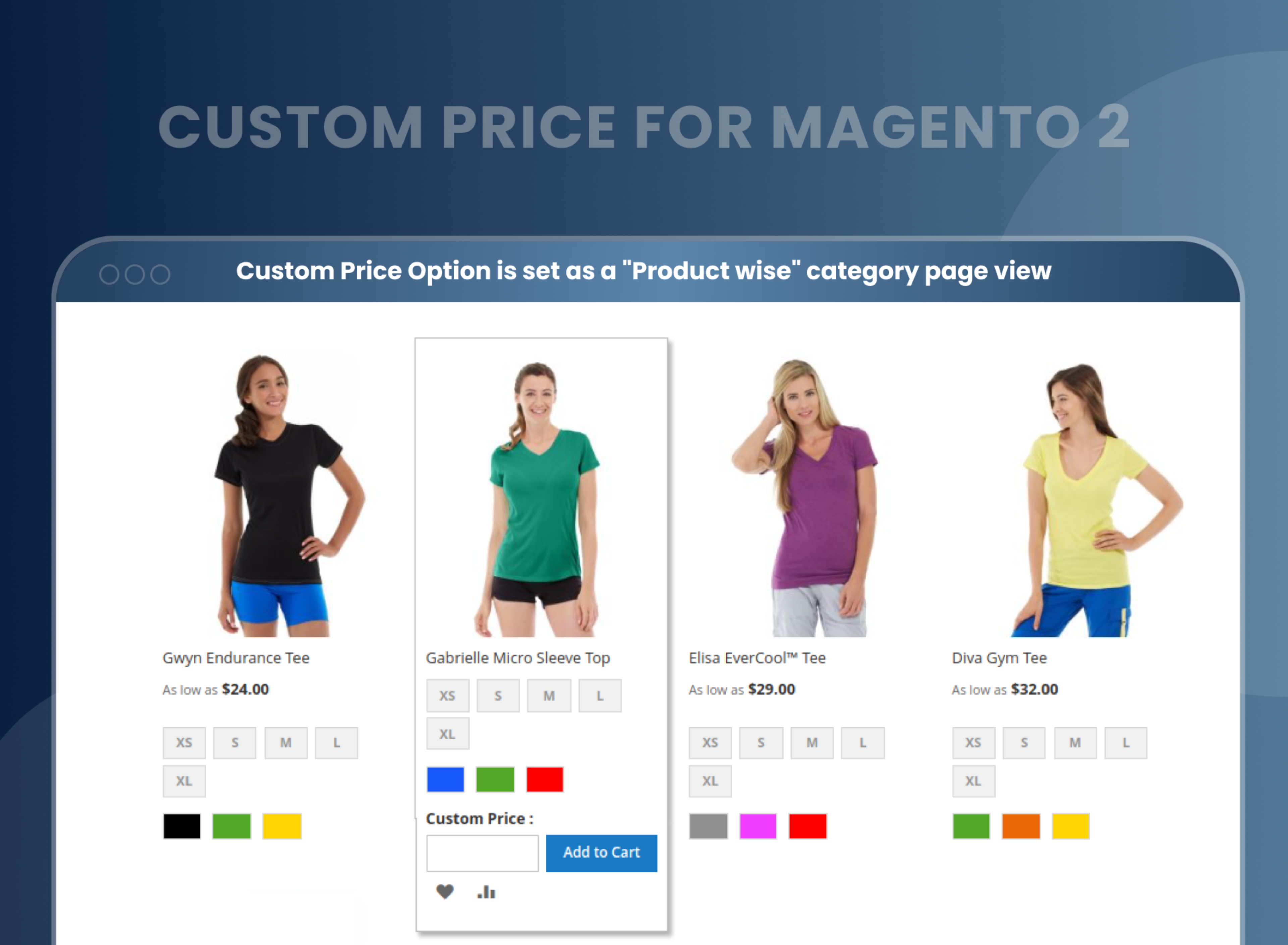
The Custom Price extension for Magento 2 allows the store admin to convert products into custom price products to accept customers' prices for these products. Admin can set a custom price that will display on the product view page, compare product page, wish list page, advance search page, category page, product update page, and search page.
Global Custom Price Option
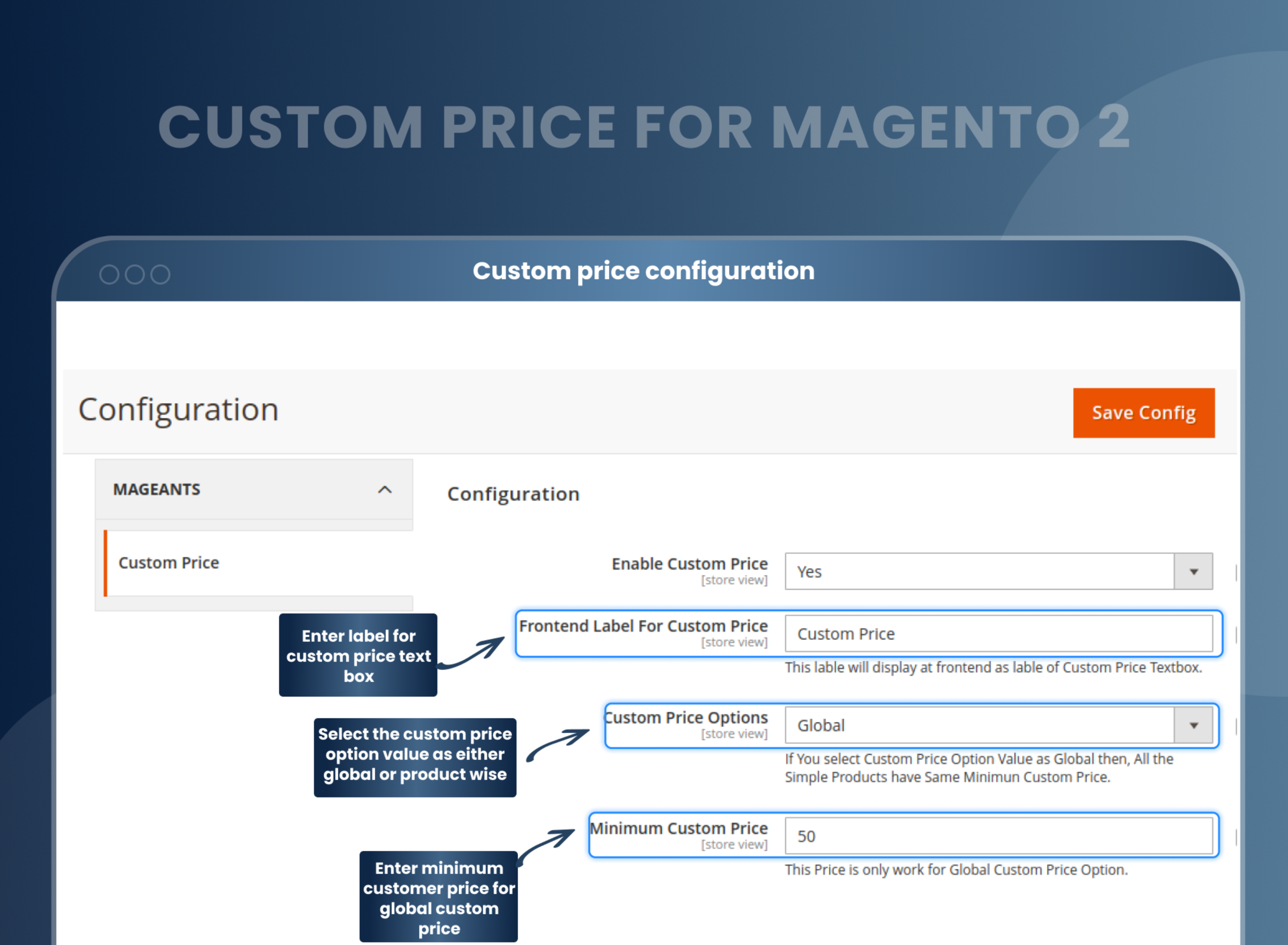
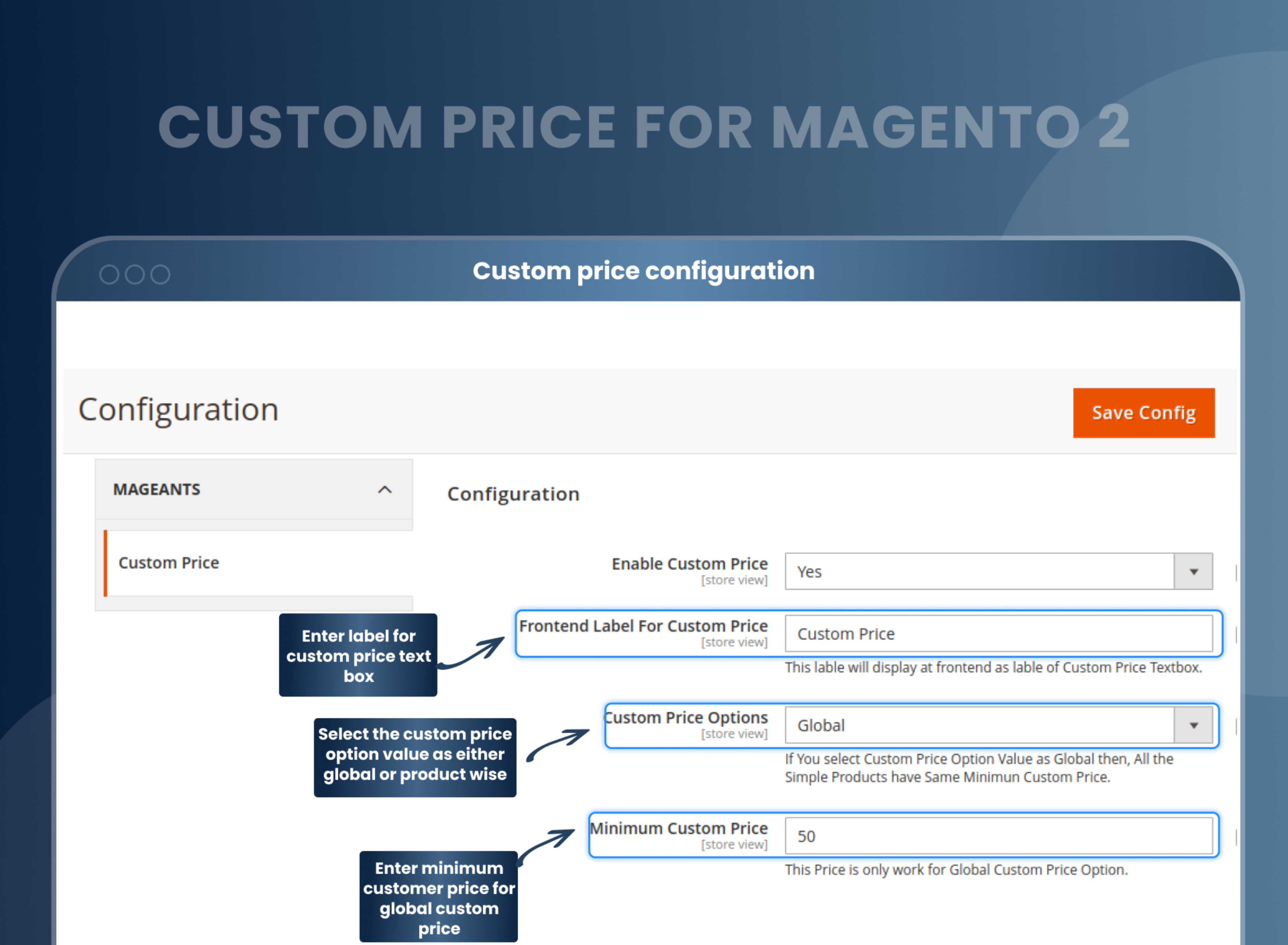
When you select the custom price option value as "Global,” then for all the simple, configurable, and downloadable products, Custom Price is enabled, and the minimum custom price is set by what you add in the Minimum Custom Price field.
Per Product: Custom Price Option
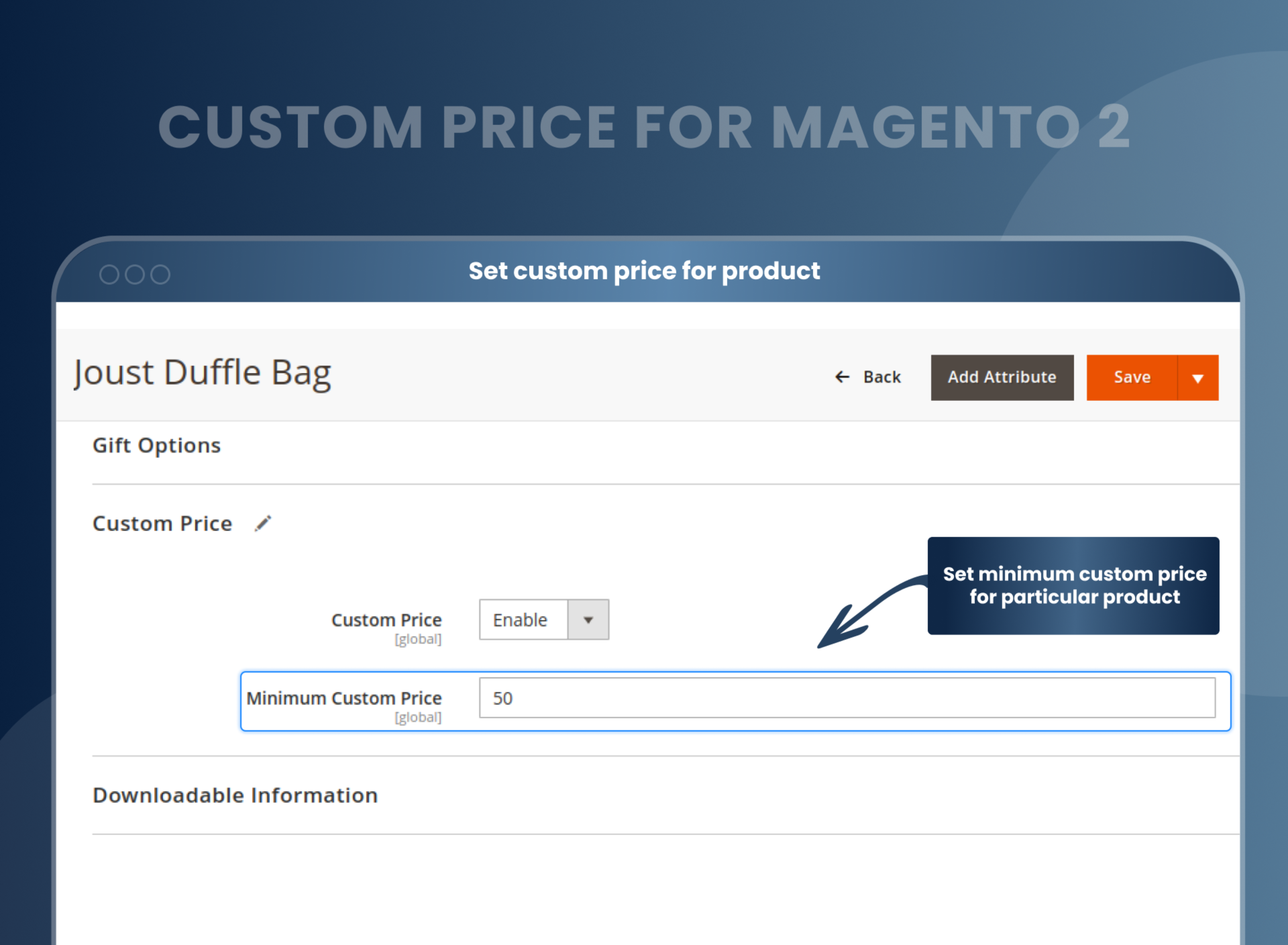
When you select the custom price option value as “Product Wise,” then you have to set a custom price for simple, configurable, downloadable, and grouped products from the product edit page that you want to enable as a custom price product and import custom prices using a CSV file.
Set the minimum price
The Magento 2 Custom Price allows the admin to set a different minimum custom price for simple, configurable, downloadable, and grouped products or can set a global minimum custom price for simple, configurable, and downloadable products.
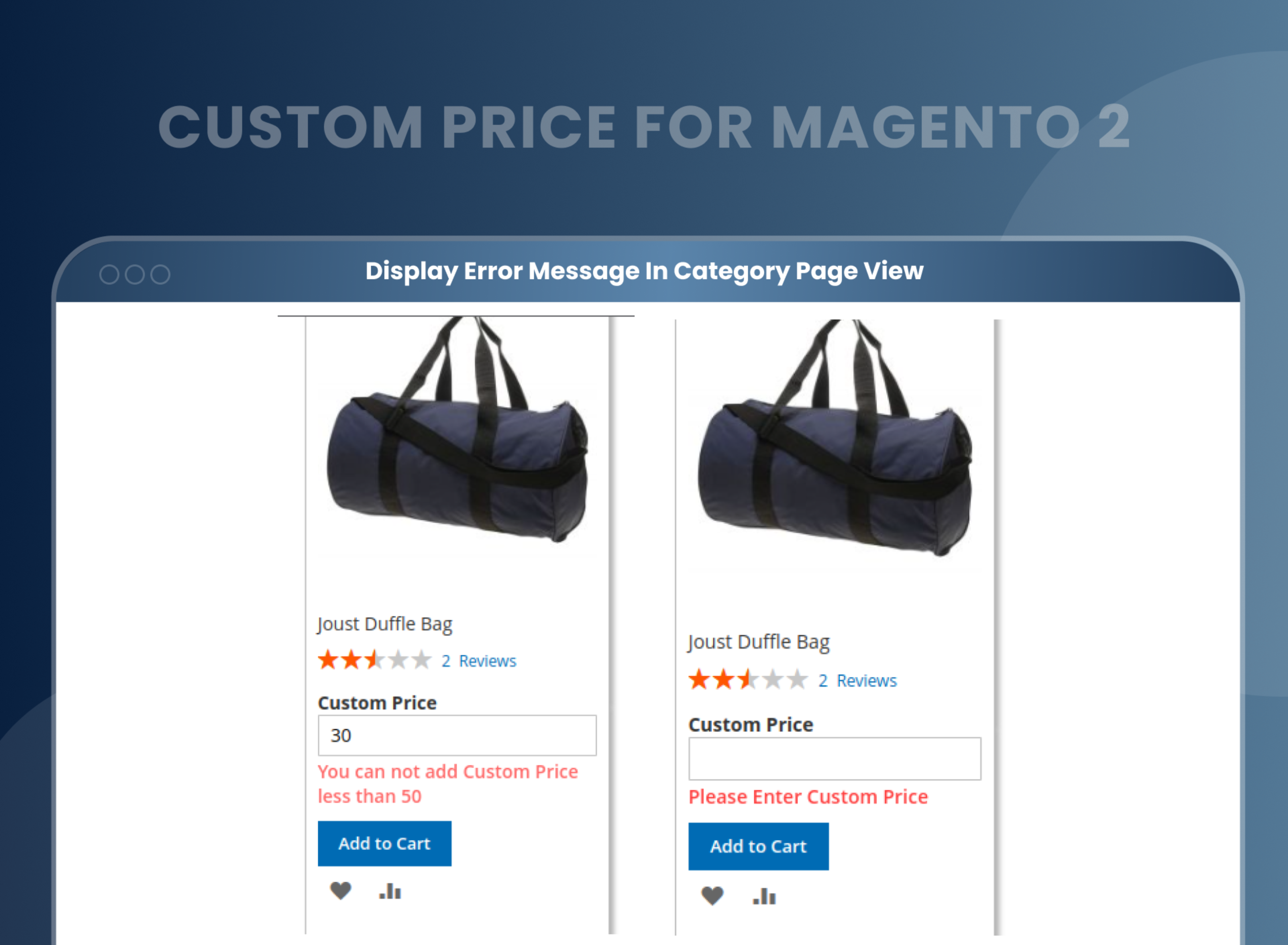
Error Message
This Custom Price Magento 2 Extension allows the admin to set a custom error message to be displayed when the customer enters a custom price less than the minimum custom price.
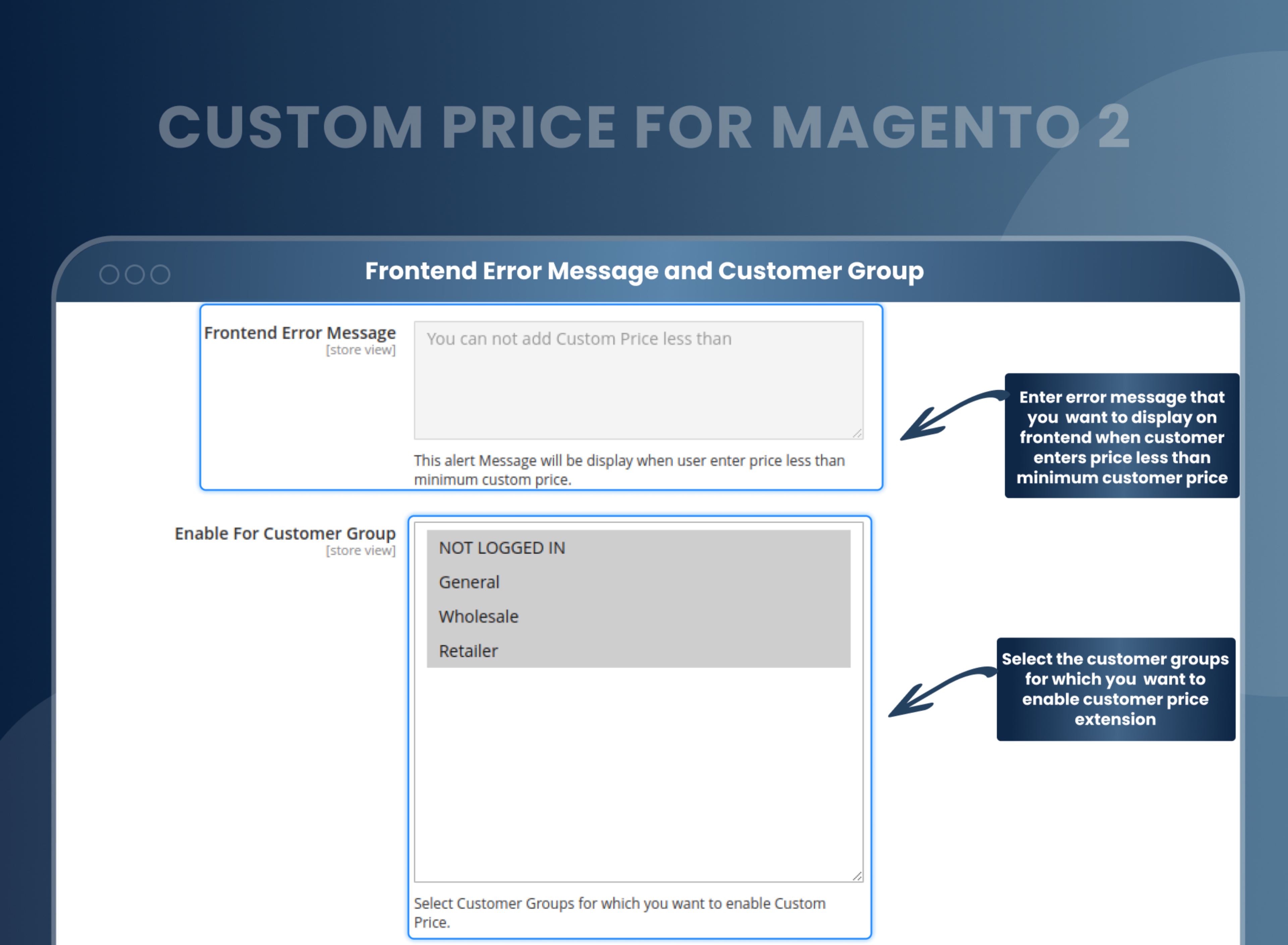
Visibility Options
This custom price for Magento 2 enables the admin to select customer groups from the backend for which the customer group admin wants to enable the extension.
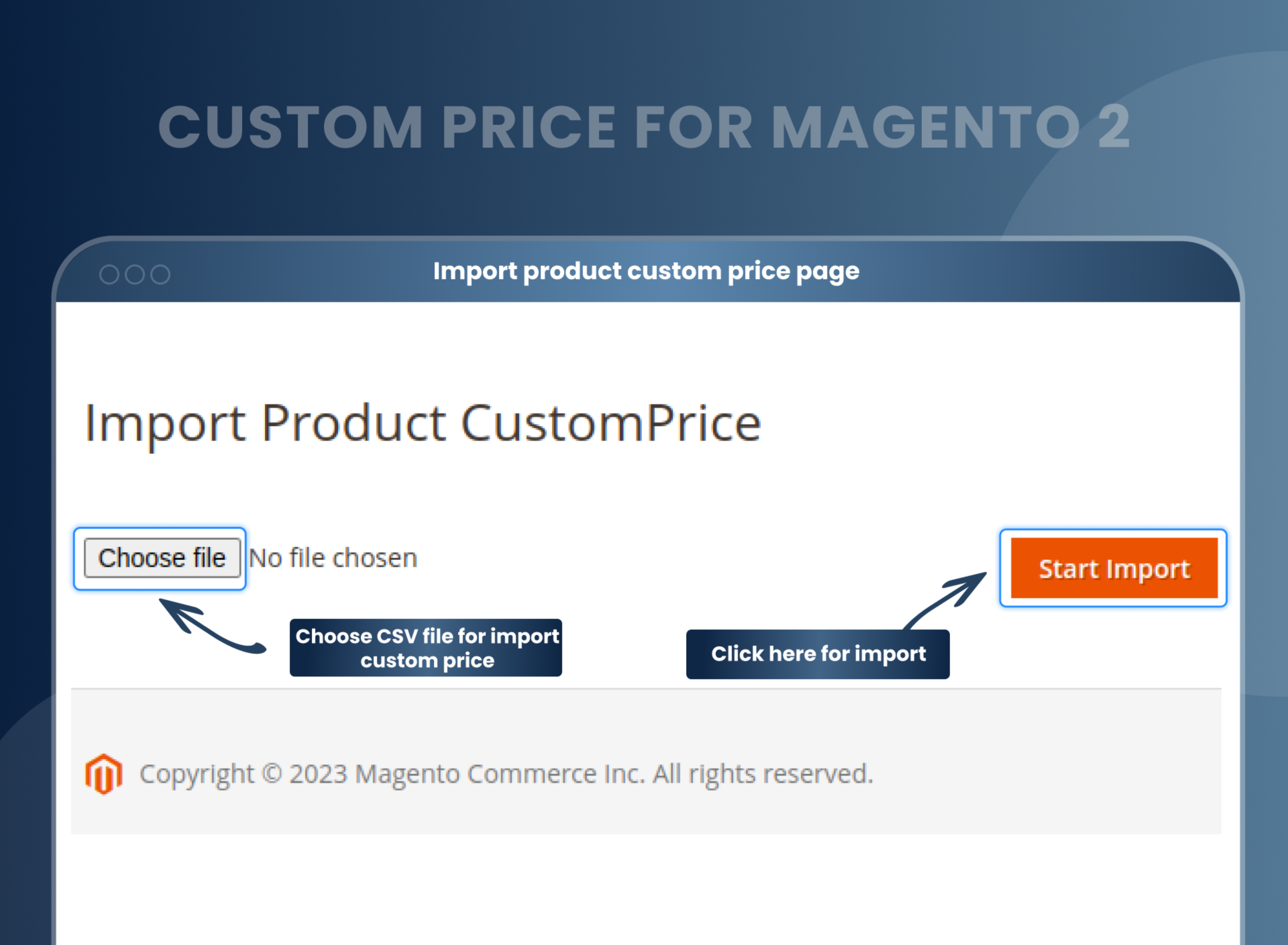
Import a CSV file
The Magento 2 Custom Price module allows the admin to import csv based pricing from the .csv file.
How Does Magento 2 Custom Price Extension Work?
Why Does Your Store Need A Custom Price Extension For Magento 2?
Benefits of Custom Price Magento 2 Extension
- With Magento 2 Custom Price extension functionality, you can easily set up custom prices on the front end, where customers can manually enter the custom price of the product.
- As a merchant, you just need to install and enable the extension.
- Later, set the custom price option as “Global” or “Product Wise” as per your needs.
- After that, enter the minimum custom price.
- Set error messages for customers. So when they enter a price less than the minimum set custom price, this message will be displayed.
- Merchants segment their markets and focus on specific customer groups. Select the customer group for which you want to enable this extension.
- Price extension can work on both per-product and global products.
- After all these settings, the default product price will be hidden for customers on the front end. Customers can add the custom price of the product.
- If you want to maximize profits from your Magento 2 store, implementing custom price extensions is a must.
- The Custom Price Extension is a powerful marketing tool that allows businesses to increase the price of their products to maximize profits. They are also used to expand the reach of a company's products and services by getting customers to buy them at a higher price.
- As eCommerce continues to grow, more and more merchants are looking for ways to increase profits. One way to do this is by setting custom prices for specific products or all the products in your store using Custom Price Magento 2.
- This extension not only helps in setting custom prices but also allows you to set the price for each customer group as needed. Give a personalized user experience, build loyalty, and enhance customer satisfaction.
- More flexibility with product pricing options
- Personalized pricing option
- Improve customer loyalty.
- Increased sales
- A more comprehensive and effective pricing strategy
FAQs
What is Custom Price Extension for Magento 2?
The Custom Price extension for Magento 2 is one of the most effective ways to let your customers purchase the products and pay the price that they want. It allows you to add a custom price for the products you want. Custom price labels can be set globally on all products or product-wise (along with minimum custom price for both).
Reviews
Customization
Changelog
- Mageants Team compatible extension with magento versions 2.4.7 & 2.4.8.
- MageAnts team developed a new extension Custom Price working with all Magento version.
Why Choose MageAnts
-

30 Days Money Back Guarantee
We offer 30 Days money back guarantee if customer meets our refund policy. For more info you can read our terms and condition
-

Tested Before Every Release
Every version is tested on the latest Magento 2.4 release before it goes live, and bugs reported during your support period are fixed by our team.
-

Free 90 Days Support
MageAnts ensures quick and quality technical support. Take advantage of our 90 days free support for a smooth and efficient experience.
-

Frequent Extension Updates
Intensive update roadmaps ensure highly compatible, bug-free, great performance, and innovative extensions.
