



PDF Invoice For Magento 2
Ask AI About This Extension





Key Features
-
▶ Send beautiful invoices without technical expertiseHTML/CSS editor with live preview. No developer, no core files touched.
-
▶ Custom PDF design for every document typeSeparate design tabs for order, invoice, shipment and credit memo in one template.
-
▶ Edit header, footer and body independentlyFull layout control over every part of your PDF from the admin panel.
-
▶ Insert custom variables into any PDF40+ dynamic fields: order data, customer info, VAT, business ID, T&C, store contact and more.
-
▶ Generate PDFs for orders, invoices, shipments and credit memosAll four Magento sales document types covered in one extension.
-
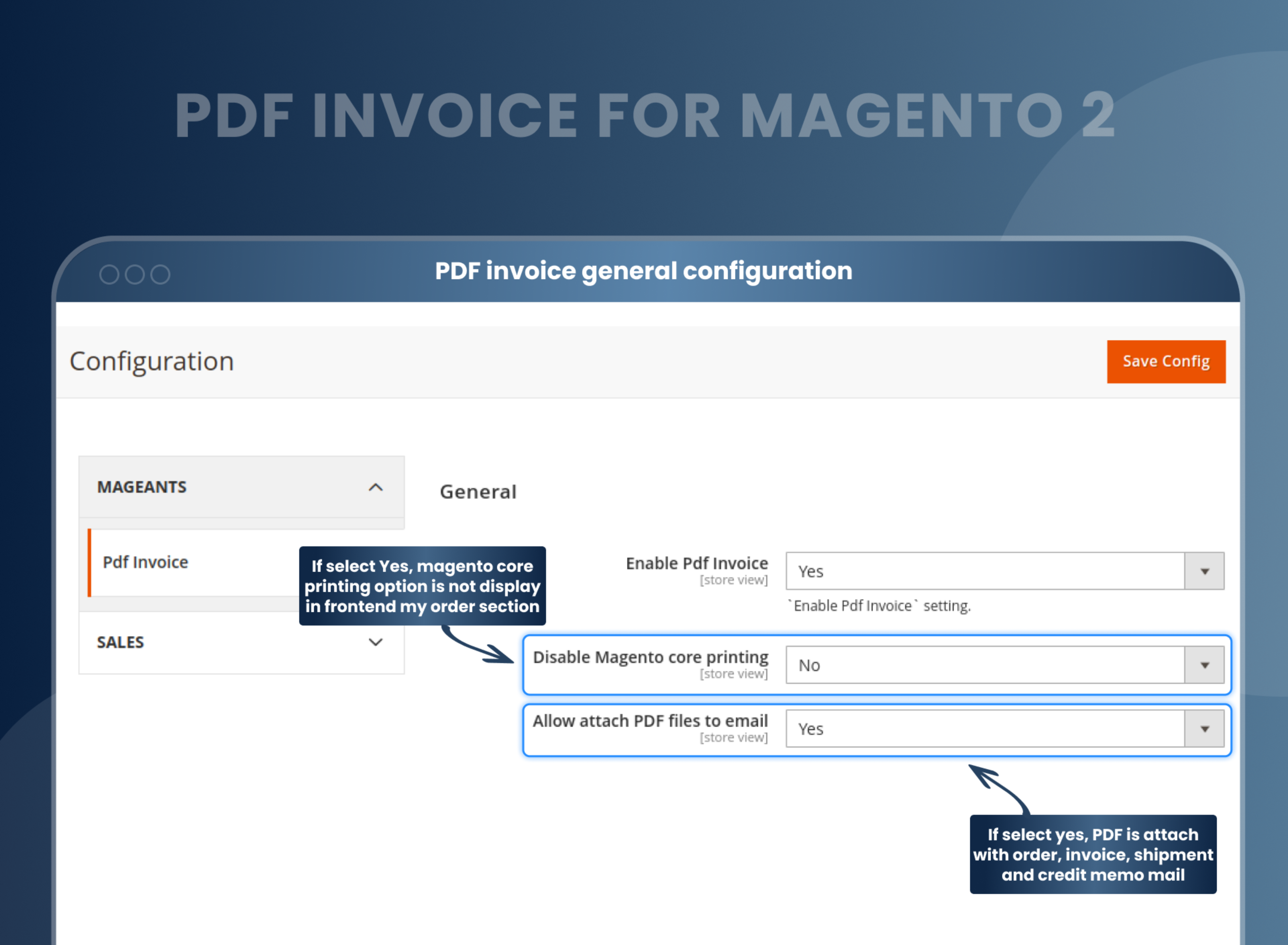
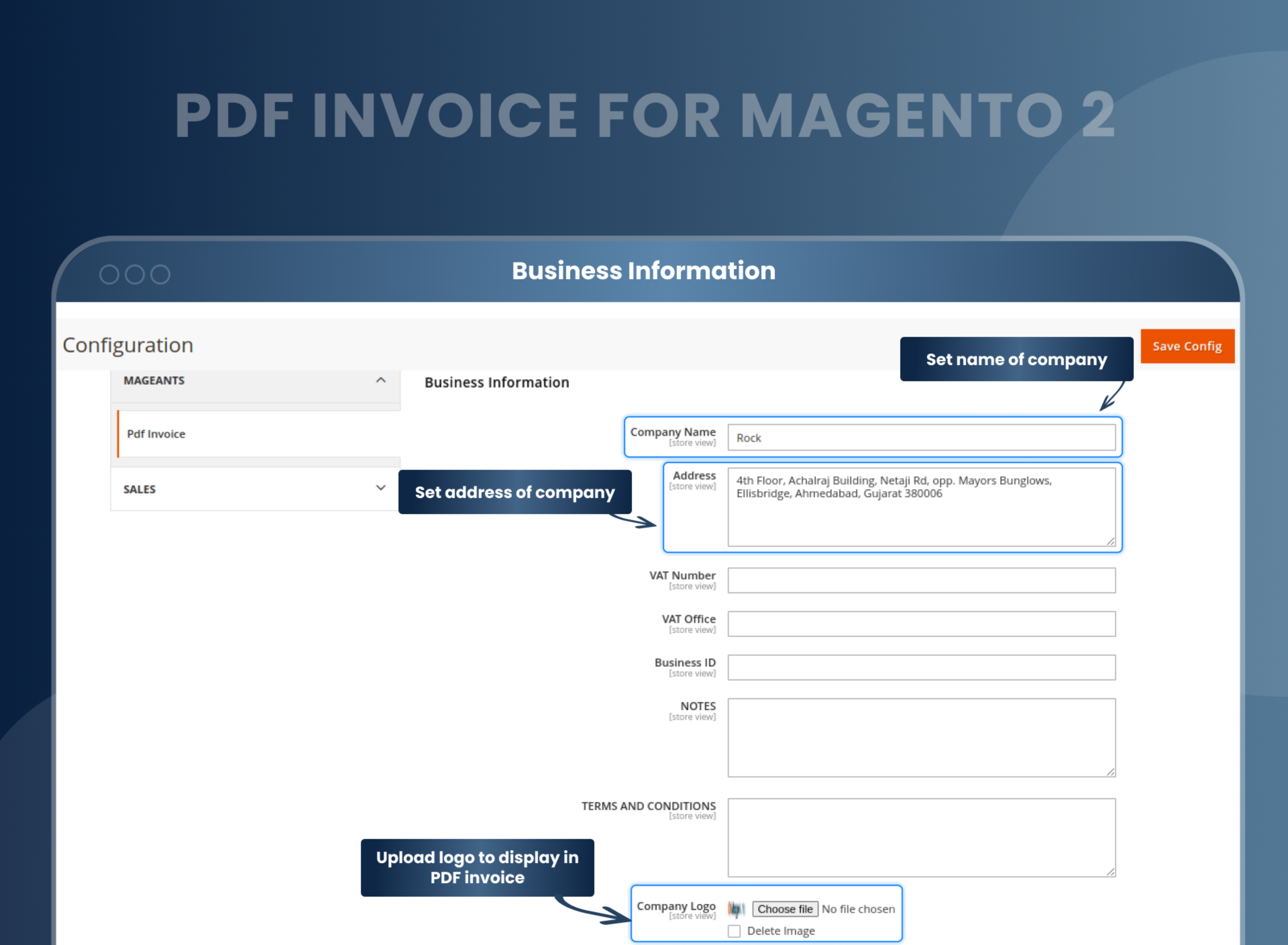
▶ Display business information and contact details in PDFEasily configure your logo, address, VAT number, notes, email, phone, and fax directly from the admin configuration panel.
-
▶ Customers download order PDFs from My AccountSelf-service PDF downloads reduce support requests for your team.
-
▶ Auto-attach PDF to order, invoice, shipment and credit memo emailsOne setting. Every transactional email carries the correct PDF automatically.
-
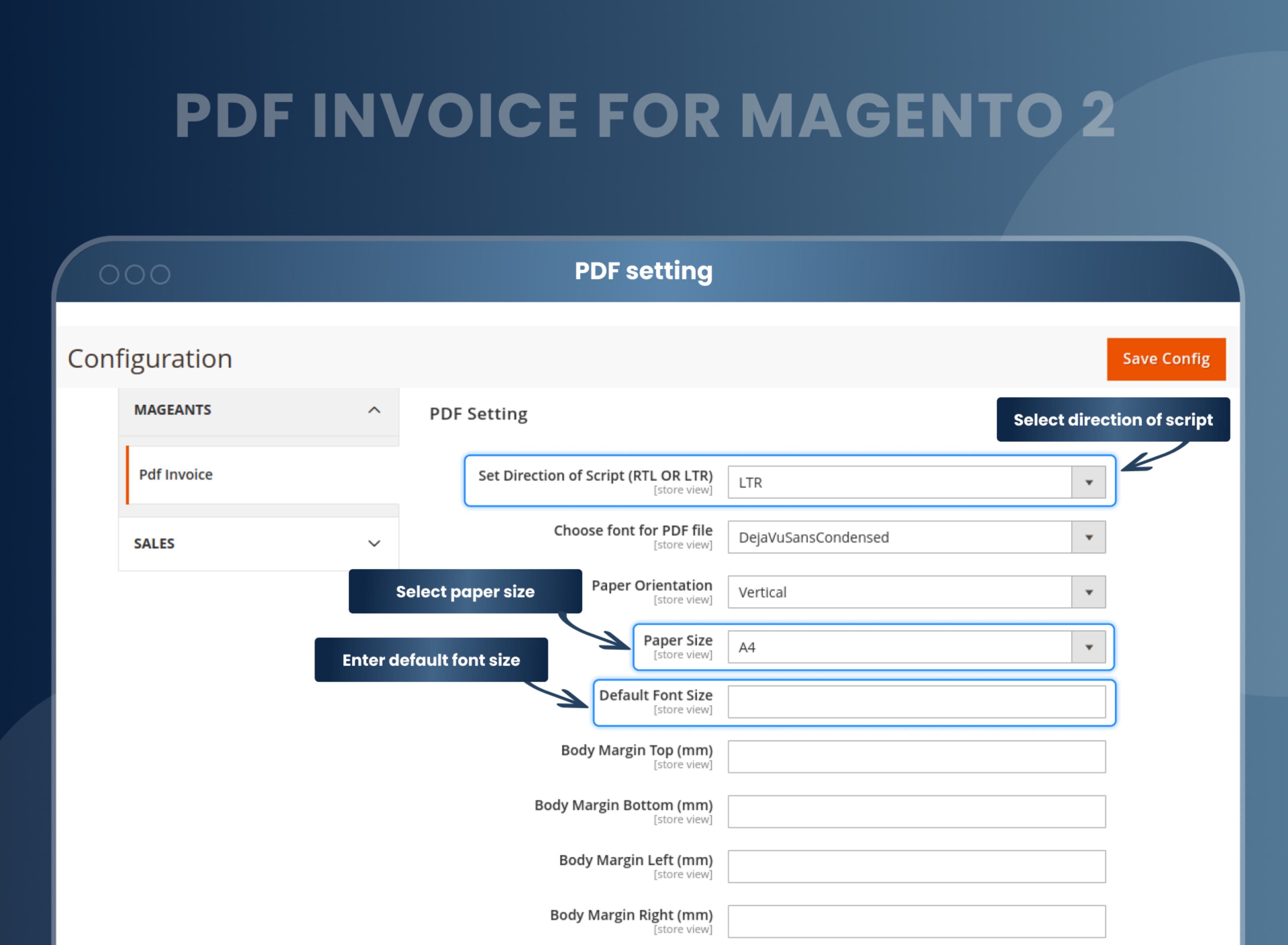
▶ Multi-language, RTL and LTR script supportArabic, Hebrew and Urdu supported. Switch direction with one config setting.





Description
Create professional invoices with customizable templates.
Every Magento store sends transactional PDFs every day, including invoices, order confirmations, shipment notes, and credit memos. By default, these documents are identical: plain, unbranded, and impossible to modify without touching the core code. MageAnts PDF Invoice replaces this limitation with a flexible HTML-based template system that gives you full design control. This allows you to customize your documents with no developer required, no core files modified, and no coding expertise needed.
What is a Magento 2 invoice
template?
A Magento 2 invoice template is the layout that decides how your invoice PDF prints — where the logo sits, which order fields appear, and how totals are grouped...
Per-store templates on a multistore
setup
On a Magento multistore, each store view usually needs a different invoice — its own company name, its own VAT number, often its own language...
PDF invoices on a Hyvä store
Invoice PDFs are generated server-side, so moving to Hyvä does not change how they print. What Hyvä replaces is the customer-account frontend...
RTL and Arabic invoice output
Arabic and Hebrew invoices need right-to-left text, and Magento's default PDF renderer does not handle it — characters print reversed or as empty boxes...
Enable or disable the PDF template
Not every store needs the same PDF template active at all times. You can easily switch any template on or off directly from the admin configuration without any deletions or code changes. Create and save multiple templates for orders, invoices, shipments, and credit memos, then activate the right one when you need it. This is incredibly useful for seasonal designs, regional variations, or testing a new layout before going live.
Store owners can easily create new or edit the existing PDF template of the following important documents:
- Orders
- Invoice
- Shipment
- Credit Memo
Redesign your store invoice
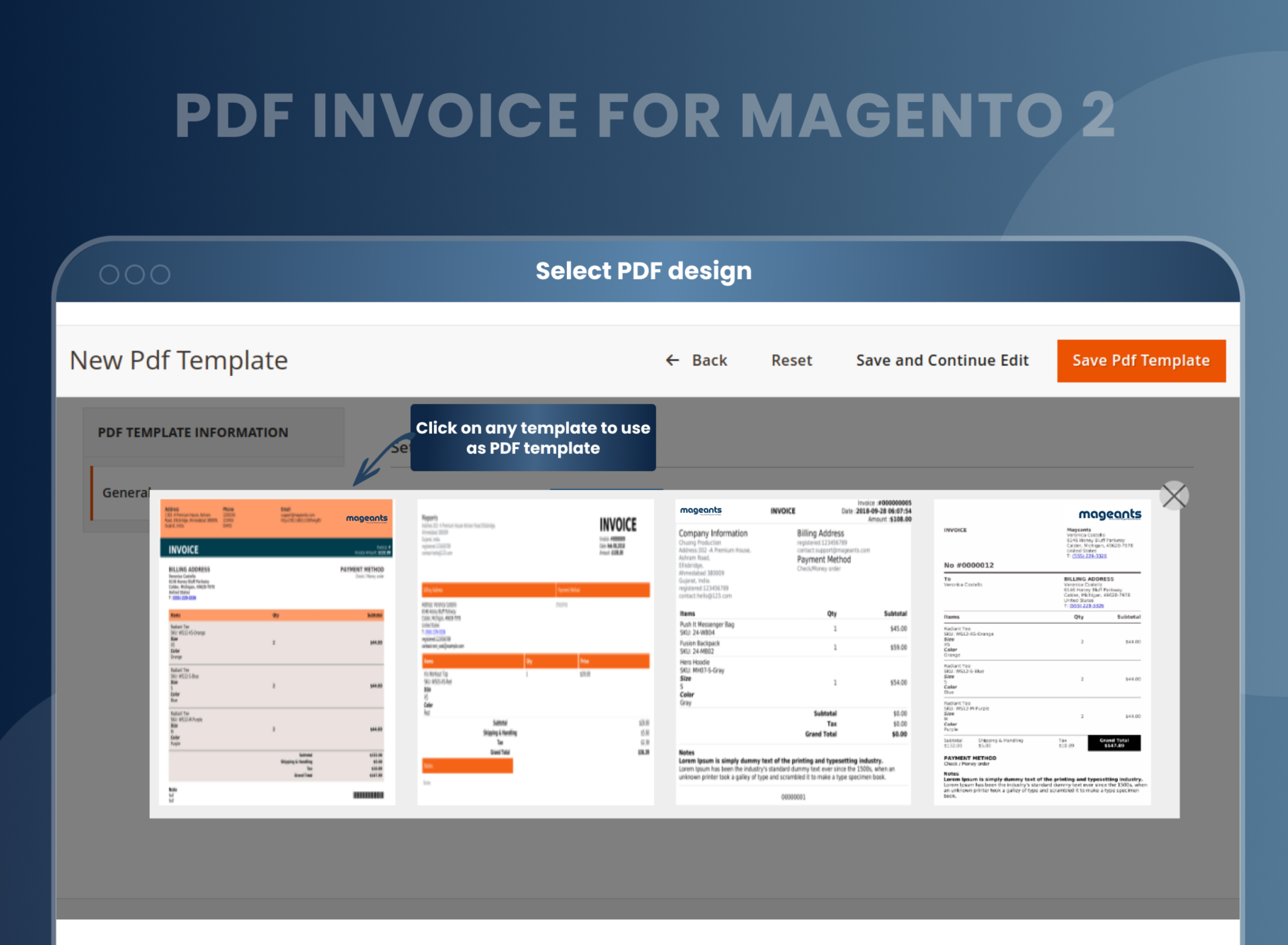
Default Magento generates the same fixed invoice layout for every store. Your logo isn't on it, your brand colors aren't in it, and there is no way to change it without a developer. The MageAnts PDF Invoice extension lets you design the template yourself using HTML. You have full control over logo placement, brand colors, table structure, font choices, and the overall layout. Customers receiving your documents will see a professional invoice that reflects your brand instead of a generic system printout that looks identical across thousands of other Magento stores.
There is no need for technical expertise
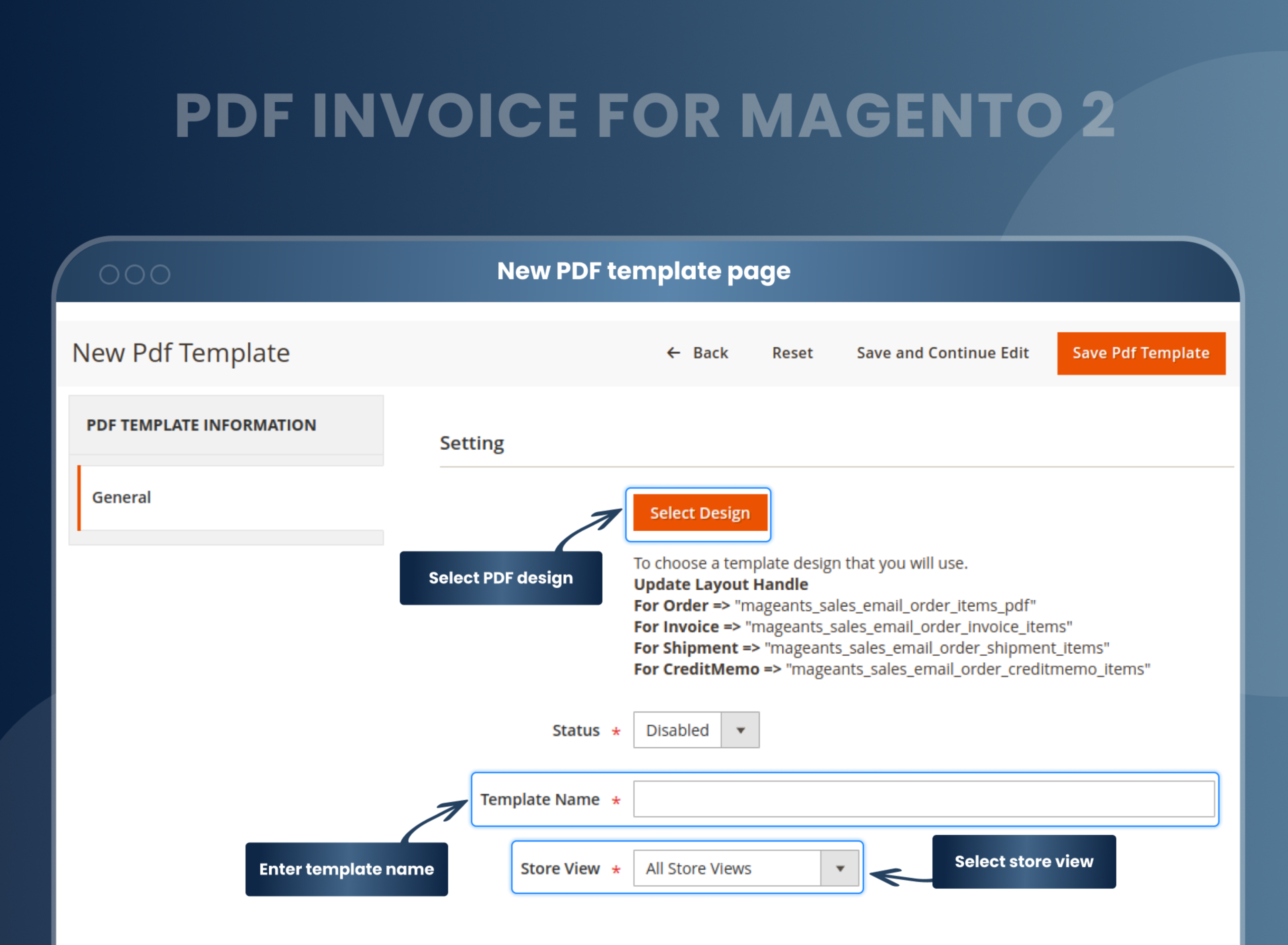
Customising a PDF template used to mean hiring a developer, waiting for a quote and hoping the result matched your brief. With MageAnts PDF Invoice, basic HTML and CSS knowledge is all you need. Write your template directly in the built-in editor, insert dynamic variables with one click using the Insert Variables button, and preview the exact PDF output before saving. No additional tools, no developer dependency, no back-and-forth.
Separate PDF templates for different stores
Multi-store Magento installations often face a specific problem: relying on a single global PDF template that fails to properly represent any individual brand. The MageAnts PDF Invoice extension solves this by allowing you to set up a dedicated template for each store view. You can easily configure a different logo, language, layout, company address, and contact details for every store. This ensures that each brand's customers receive documents tailored perfectly to that specific storefront, rather than a generic printout from a shared backend system.
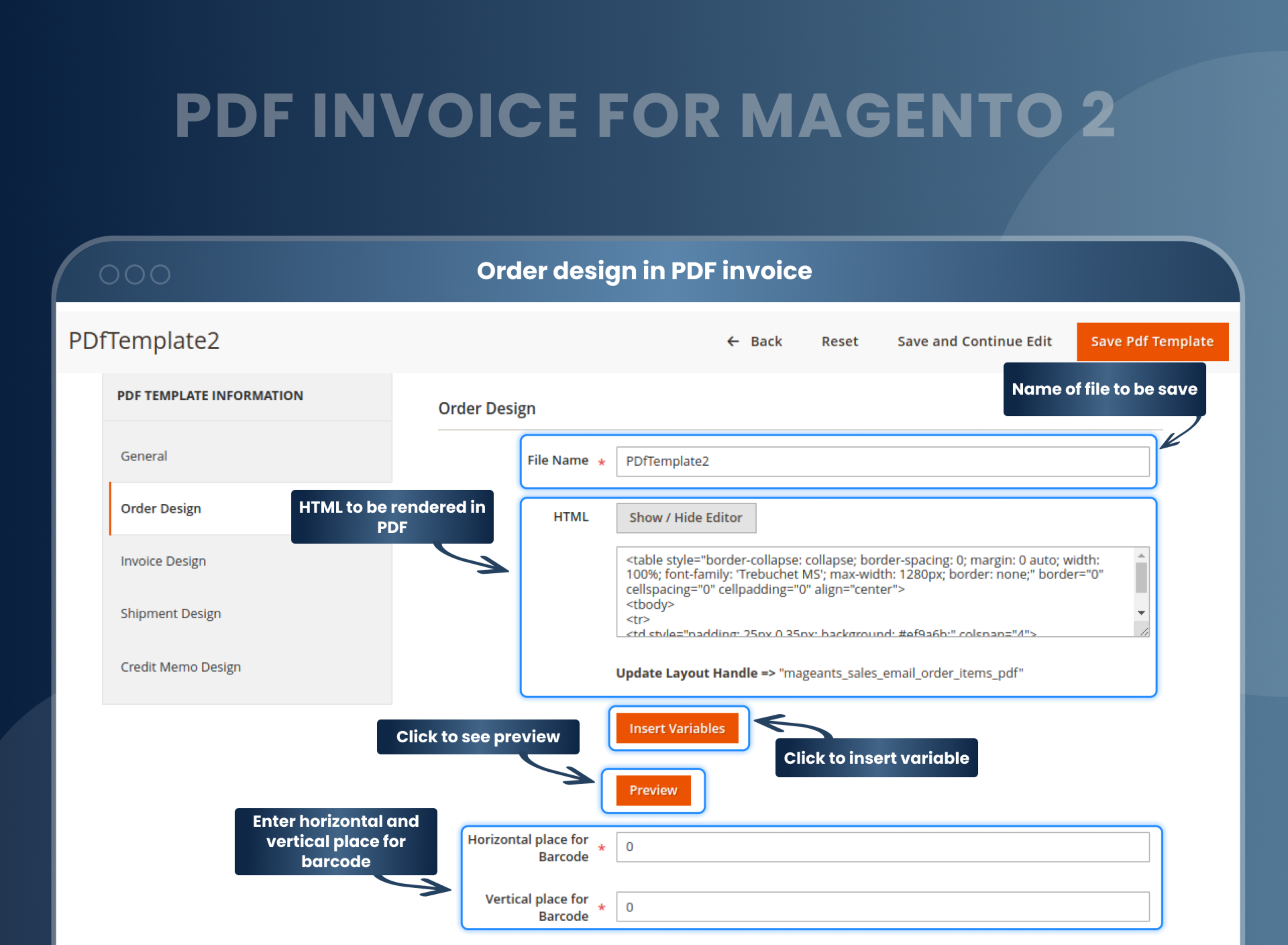
Header, Footer, and Body Design Editor
The template editor gives you independent control over three distinct parts of your PDF document.
- The header is perfectly suited for your logo, store name, and contact details.
- The footer can effortlessly carry your terms and conditions, page numbers, or important legal notes.
- The body is designed to neatly contain the order table, line items, totals, and the customer's address.
Each section includes its own dedicated HTML editing area for precise customization. Additionally, the Insert Variables button reveals a comprehensive list of dynamic fields—including order, invoice, shipment, and credit memo variables, along with store contact fields and custom configuration variables—that you can seamlessly drop into any part of your layout.
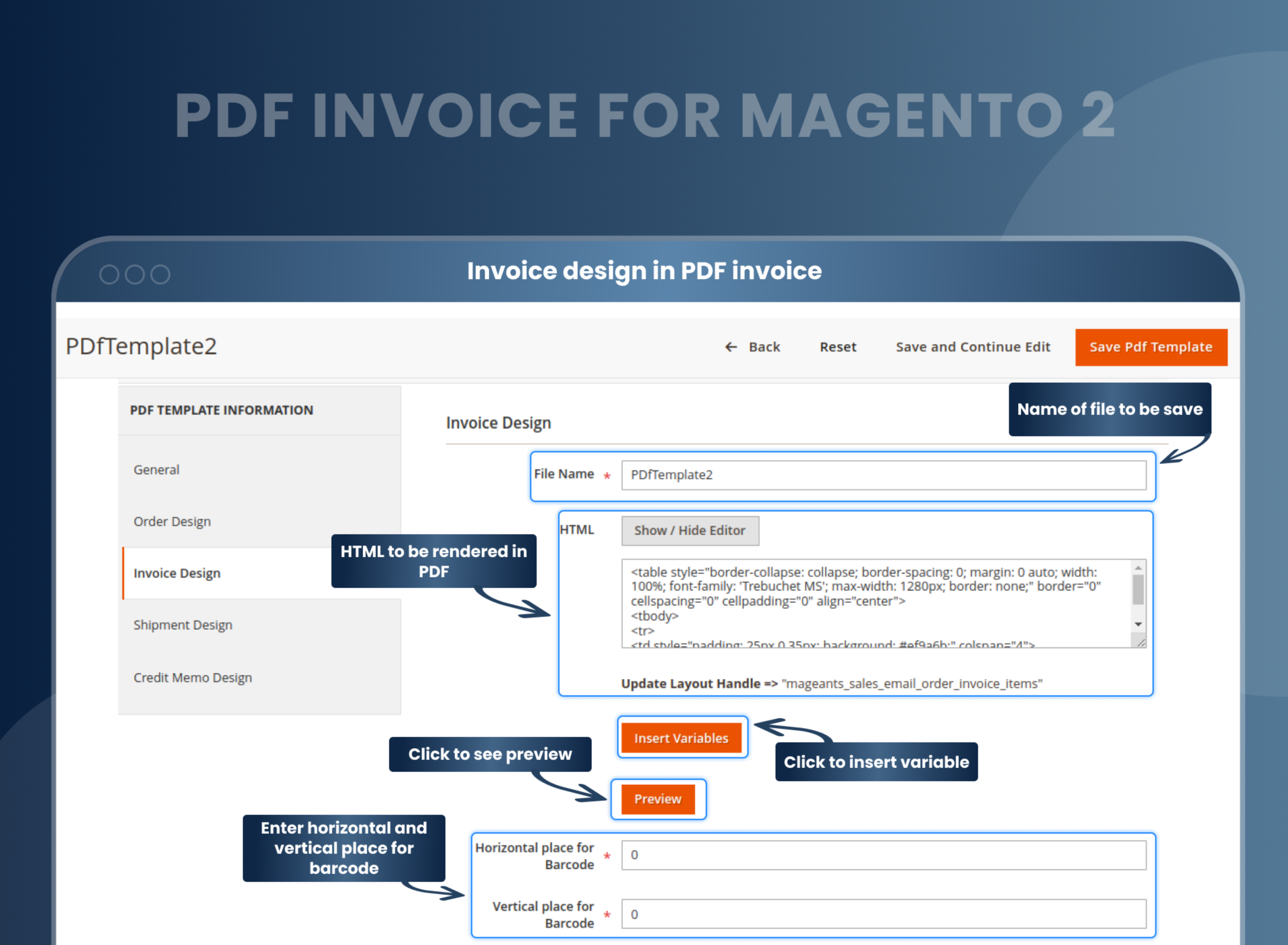
Custom CSS for each template
HTML structures your layout, but CSS is what makes it look professional. The MageAnts PDF Invoice extension lets you write custom CSS scoped to each individual template, ensuring that changes to one design never affect another. You have full control over table borders, column widths, font sizes, background colors, cell padding, and any other visual property exactly as you would in a standard web stylesheet. Because every template is completely independent, you can easily apply distinctly different visual styles across your invoice, order, and shipment PDFs to suit your specific workflow.
Set the PDF invoice structure
Every business has its own specific PDF output requirements. With the MageAnts PDF Invoice extension, you can easily configure the paper size (including A4 and other standard formats), choose your preferred page orientation (portrait or landscape), and precisely adjust your body margins, defining the top, bottom, left, and right spacing in millimeters, all on a per-template basis.
Whether you are producing standard A4 invoices for physical filing, expansive landscape layouts to accommodate complex order tables, or tight-margin PDFs designed specifically for digital delivery, the page structure effortlessly adapts to perfectly match your exact specifications.
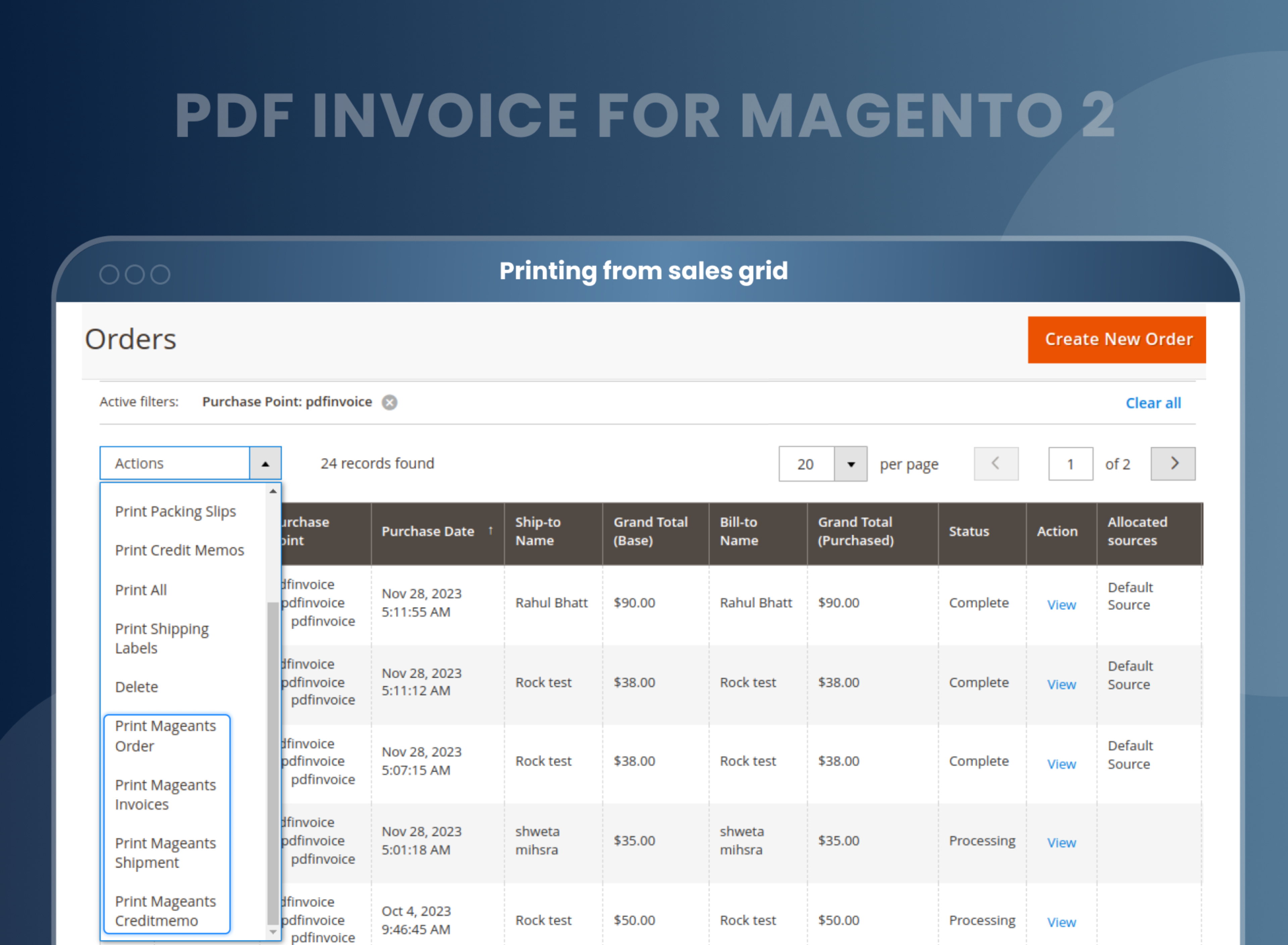
Print a PDF of all documents
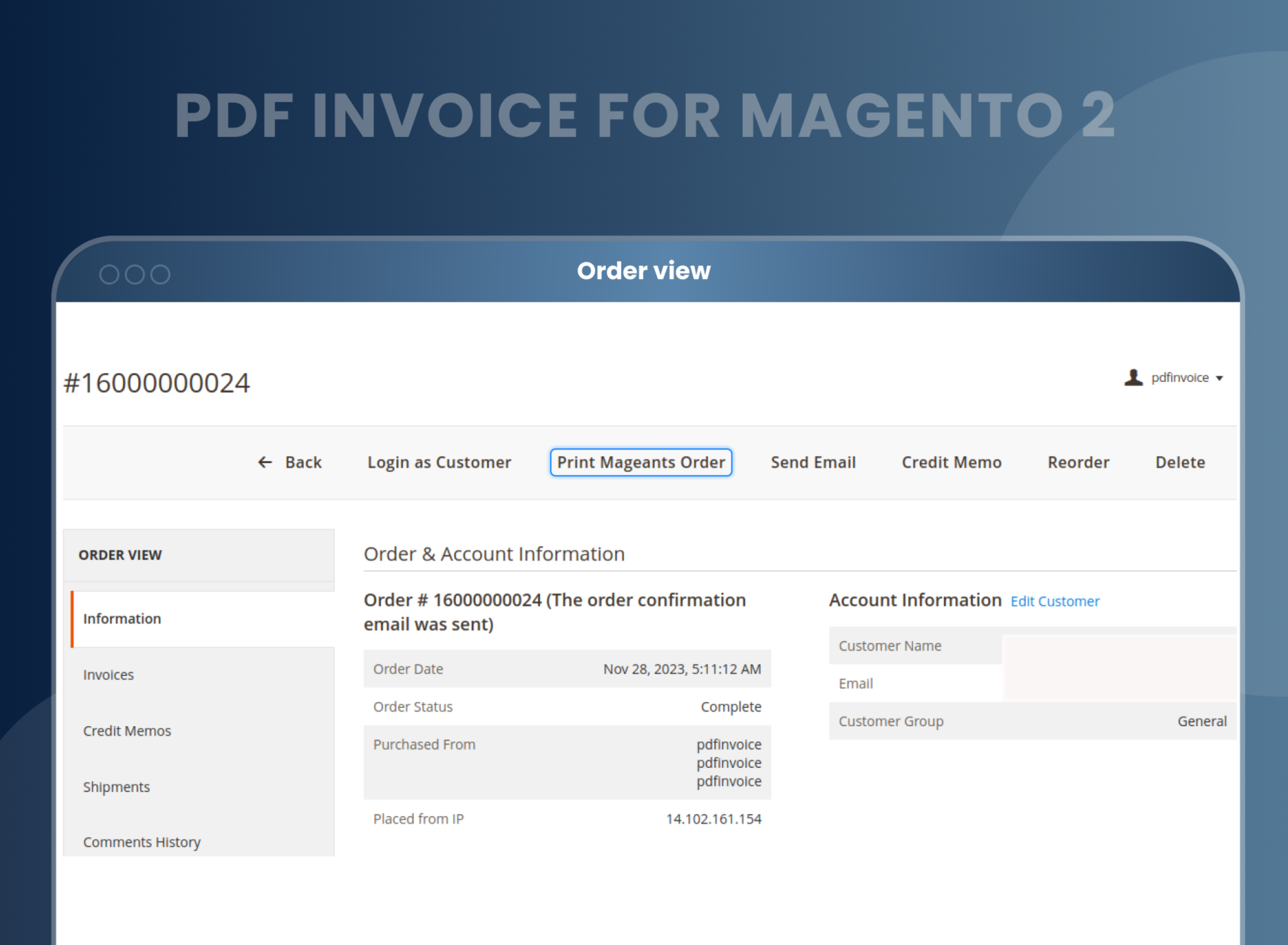
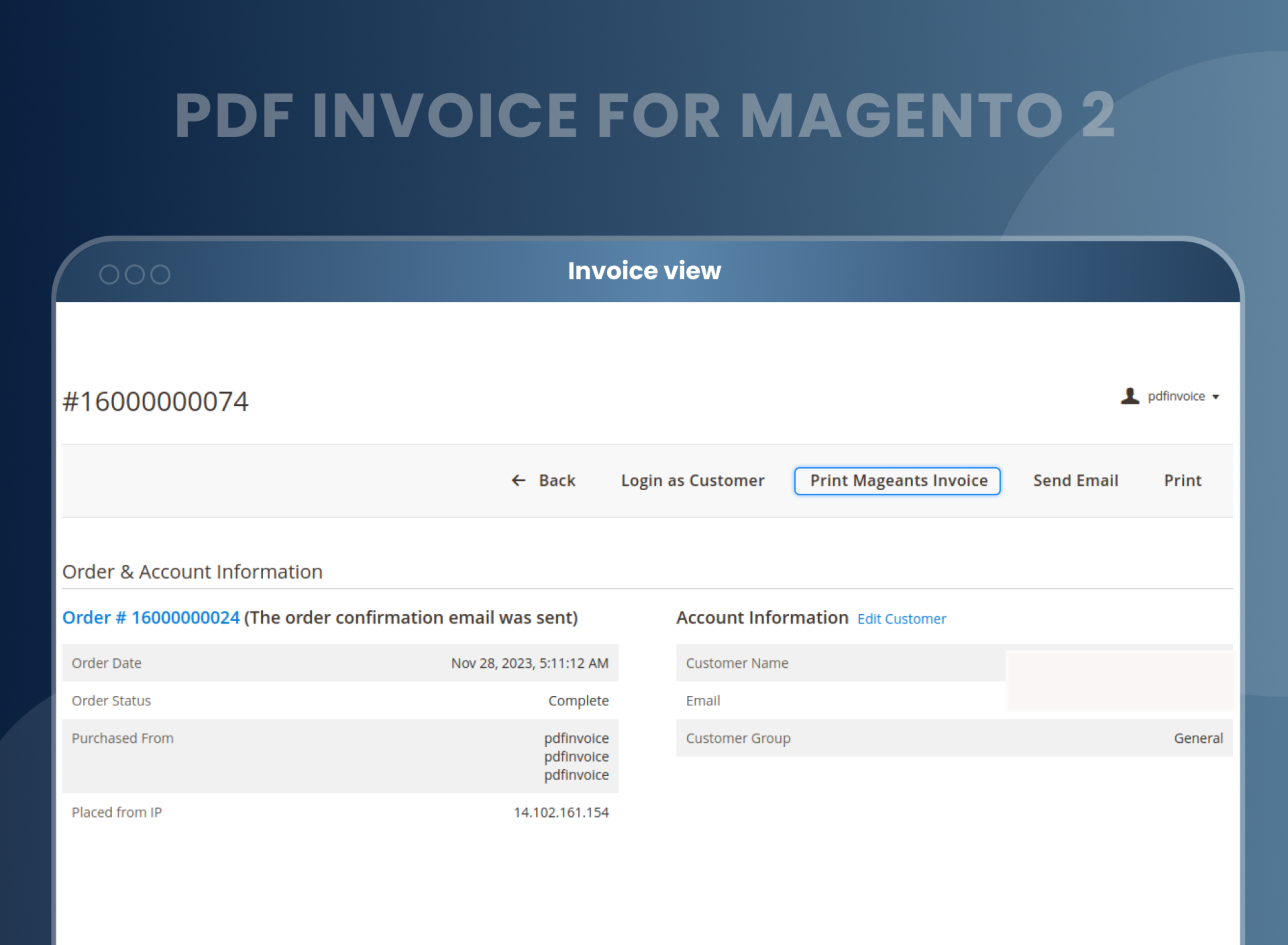
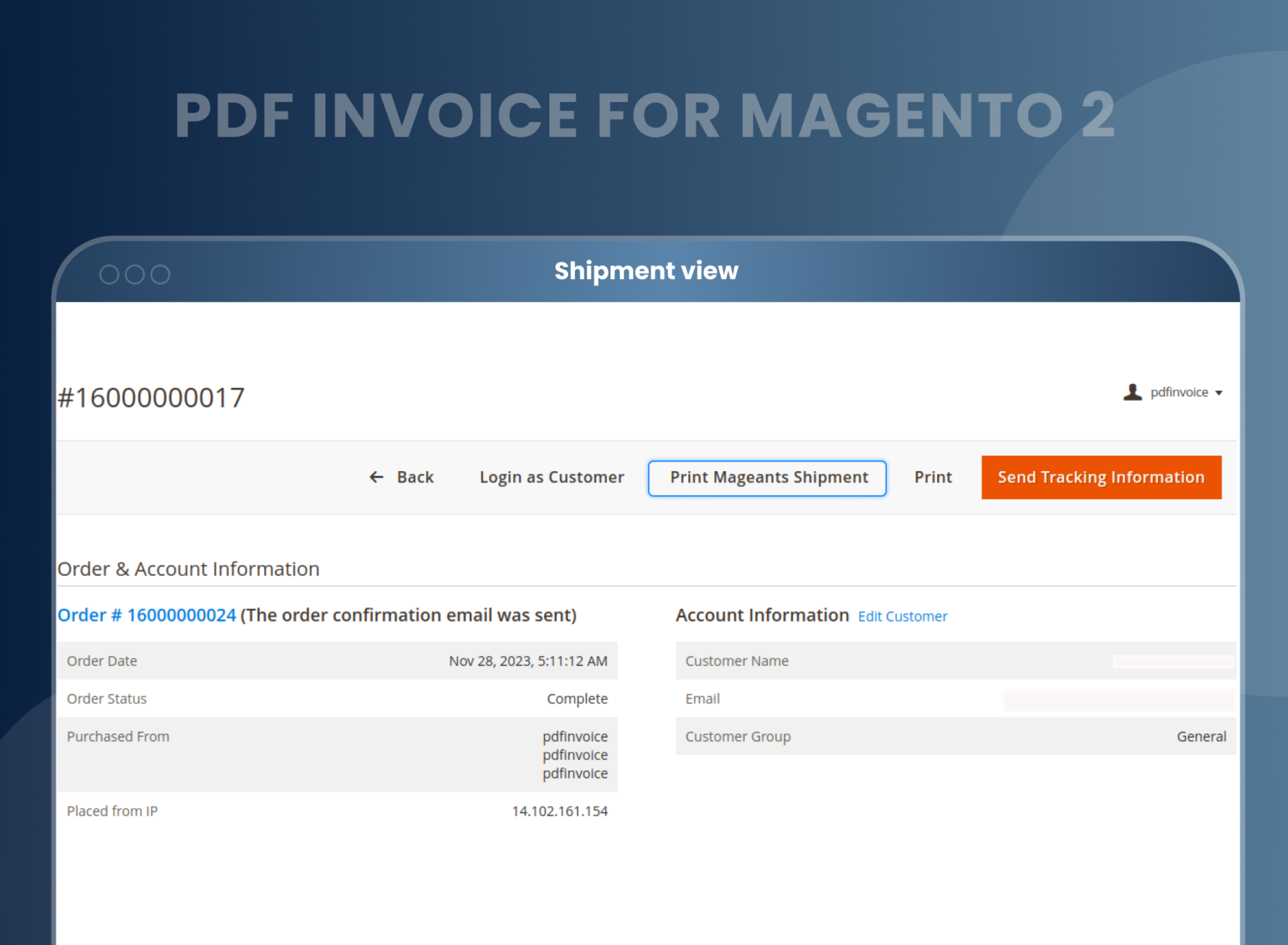
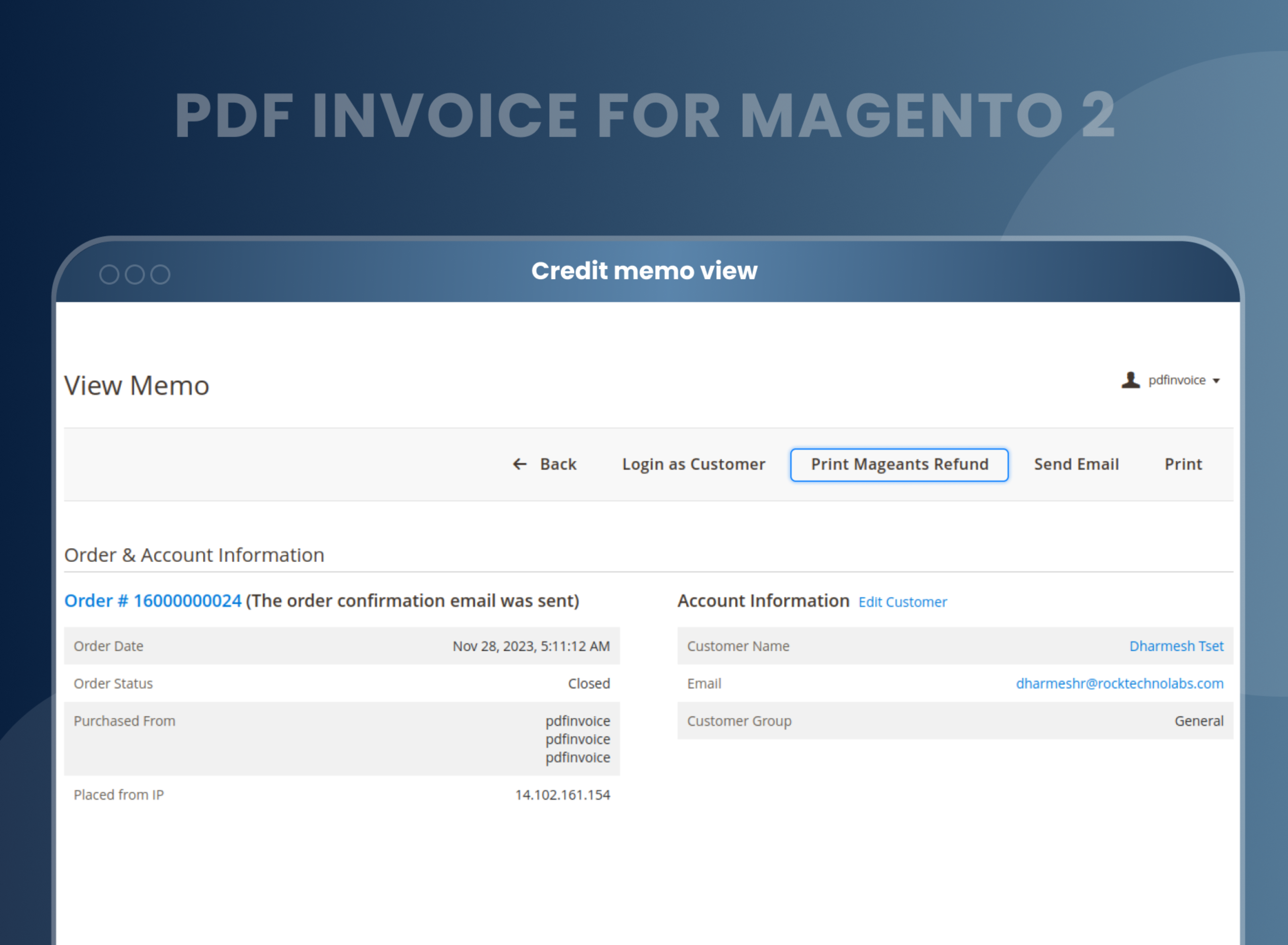
Admin teams need PDF records for more than just invoices. Orders, shipments, and credit memos all require proper documentation as well. From the Magento admin grid, you can easily select any number of records, open the Actions dropdown, and choose the corresponding Print MageAnts option. All selected documents will immediately generate as PDFs in a single step. This efficient bulk print functionality is independently available across the Orders grid, Invoices grid, Shipments grid, and Credit Memos grid.
Display your details
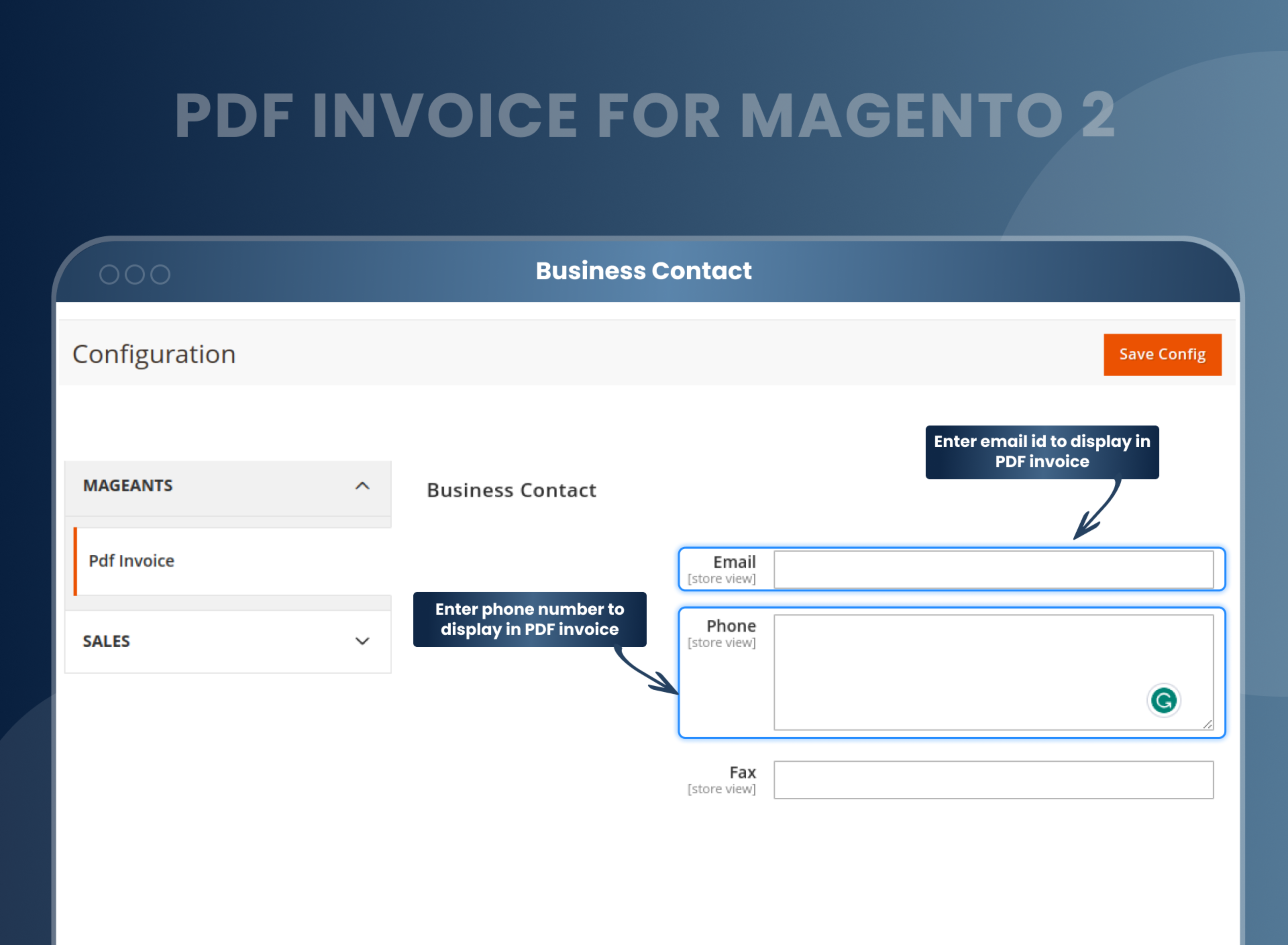
A PDF invoice is more than just a simple transaction record. It is a fully branded document that lands right in your customer's inbox and often stays in their permanent filing system. The MageAnts PDF Invoice extension lets you easily configure your company name, registered address, logo, VAT number, business ID, terms and conditions, additional notes, email, phone, and fax number directly from the admin configuration panel. Every PDF your store generates will automatically carry these essential details, ensuring they are consistently formatted across all four document types and all your store views.
How It Works
Install & Enable
Install via Composer, run setup:upgrade. Enable from Stores → Config → MageAnts → PDF Invoice.
Design Your Template
Go to Sales → PDF Invoice → PDF Template → Add New. Use the HTML editor and Insert Variables to build your layout.
Assign to Store View
Set a different template per store view. Configure defaults for invoices, orders, shipments and credit memos separately.
Auto-Send & Print
PDFs automatically attach to all transactional emails. Customers can easily download their documents directly from their My Account dashboard, ensuring no manual admin action is needed for each individual order.
4.9
Average rating from 19 verified customer reviews, published in full on this page.
10
Releases shipped since launch. Every version is listed in the changelog below.
2.1 – 2.4
Magento versions supported, including PHP 7.x and 8.x, multistore, and RTL output.
Figures from MageAnts product data.
How to Change the Invoice PDF Template in Magento 2
Magento stores its invoice layout in a PHP class inside the core. To change where the logo sits or which order fields print, a developer has to override that class and redeploy. Any patch or upgrade can overwrite the change.
With PDF Invoice installed, the layout moves into an HTML template you edit from the admin:
- Go to Stores → Configuration → MageAnts → PDF Invoice and enable the extension.
- Open Sales → PDF Templates and pick the template you want to edit, or duplicate one of the pre-built layouts.
- Edit the layout in the WYSIWYG editor. Drag blocks to reposition them, or switch to HTML view for direct control.
- Insert order data with variables — customer name, order number, VAT number, shipping method, line-item totals.
- Assign the template to a store view and save.
- Open any order and click Print to check the output before going live.
Nothing in app/code or the core is modified, so a Magento upgrade will not undo your template.
Native Magento 2 vs MageAnts PDF Invoice Extension
| Feature | Native Magento 2 | MageAnts PDF Invoice Extension |
|---|---|---|
| Custom invoice PDF template | ✗ Fixed, non-editable layout | ✓ Full HTML/CSS design editor with preview |
| Attach PDF to order/invoice email | ✗ Text email only | ✓ PDF auto-attaches to all transactional emails |
| Different template per store view | ✗ One global layout only | ✓ Dedicated branded template per store view |
| RTL / Arabic language support in PDF | ✗ No RTL PDF support | ✓ Full RTL & LTR — one admin config setting |
| EAN-13 barcode on PDF | ✗ Not available | ✓ Configurable size, position (H/V) and text display |
| Company logo, VAT, T&C, notes in PDF | ✗ Not available | ✓ Full business info configurable from admin |
| Dynamic variables in template | ✗ Fixed data fields only | ✓ 40+ order, invoice, shipment, store variables |
| Customer PDF download from My Account | ✗ Not available | ✓ All 4 document types downloadable from account |
| Custom font selection | ✗ System default only | ✓ Choose and set custom font per template |
| Covers orders, shipments and credit memos | ✗ Invoice only | ✓ All 4 Magento sales document types |
Extension Compatibility
Magento 2.1
✓ Supported
Magento 2.2
✓ Supported
Magento 2.3
✓ Supported
Magento 2.4
✓ Supported
Hyva Theme
✓ Add-on ($99)
PHP 7.x
✓ Supported
PHP 8.x
✓ Supported
Multi-Store
✓ Supported
RTL / Arabic
✓ Supported
Cloud & On-Prem
✓ Both
Current Version
v2.1.0
Last Updated
August 2025
Magento Compatible
2.1 – 2.4
Customer Reviews
19 Reviews · 4.9 ★
Hyva Theme
Add-on Available ($99)
Free Support
6 Months Included
FAQs
PDF Invoice is a perfect extension for the store owners who want to customize or redesign order print, invoice print, shipment print & credit memo print. It allows you to customize invoice PDF design with custom variables, order variables, shipment variables, credit memo variables, invoice variables as well as configuration variables.
Yes, our PDF invoice extension supports the Arabic language.
Yes, you can create your PDF template and use it for sending to your customers.
Yes, all our extensions are to work with the multi-store.
Yes, This will give you complete control over how your invoice looks.
Yes, you can generate order, invoice, shipment and credit memo PDF.
Yes, customers can download order PDF from the frontend.
You can create PDF invoice from backend Catalog --> PDF invoice, You can create PDF as per your requirement.
Change invoice format or template as you want. You can make an editable PDF invoice by using MageAnts PDF invoice Magento 2.
To make and print order templates, you can use our Magento 2 Print Order PDF Extension module.
Out of the box, Magento 2 generates a fixed black-and-white PDF invoice with a layout you cannot change. There is no built-in option to add your company logo, change the font, apply brand colors, include a barcode, attach the PDF to order emails, or support RTL languages. All of these essential features require a third-party extension like the MageAnts PDF Invoice.
The MageAnts PDF Invoice extension replaces the native Magento PDF renderer with an MPDF powered HTML and CSS template system. You gain access to a full design editor, over 40 dynamic variables, automatic email PDF attachments, EAN-13 barcode support, RTL script compatibility, multi-font selection, per-store templates, and a configurable paper structure, all without modifying a single core Magento file.
Yes, with a dedicated Hyva compatibility add-on available for an additional $99. The add-on ensures the frontend PDF download buttons and the invoice links inside the customer My Account area render correctly within Hyva's Alpine.js and Tailwind CSS stack. Contact MageAnts support to add Hyva compatibility to your existing purchase.
Yes. The extension utilizes the MPDF library, which features native right-to-left text rendering support. Simply set the Direction of Script to RTL in the PDF Invoice configuration, and all text in your generated PDFs, including order details, customer names, and addresses, will correctly render right-to-left. Switching back to LTR for other store views is just a single configuration change per store.
Yes. When creating or editing a PDF template, simply set the Store View scope to the specific store you want it to apply to. The extension will automatically select the correct template when generating PDFs for orders placed through that storefront, meaning no manual selection is needed per order. This functionality works independently for all four document types, including invoices, orders, shipments, and credit memos.
Reviews
Customization
Changelog
- Compatibility:- Verified and confirmed compatibility with Magento 2.4.8 and PHP 8.4.
- Fixes:- Fixed deprecated errors while installing module.
- Fixes:- Fixed issue where message is not appear when no templates are created and we try to print Pdf.
- Compatibility:- Mageants team make extension compitable with Magento version 2.4.7.
- Fixes:- fixed logo issue in pdf generation process.
- Fixes:- Create new and efective pop-up design in create template page in backend.
- Updated Extension Functionality Change Data Order-wise, Invoice-wise, CreditMemo-wise, and Shipment-wise.
- Solve Design Issues.
- MageAnts team make extension compatible with latest magento 2.4.6 version.
- Mageants team make extension compatible with magento coding standard and compatible with hyva theme.
- When multiple products were added in order, then all product display in single PDF page. But MageAnts team set limited products displaying on the single page.
- E-Mail Functionality didn't work when attached the pdf in the Email.
- Product didn't display in pdf of Invoice, Shipping and Credit Memo in Magento 2.4 version.
- Made store wise configuration for all the versions.
- MageAnts add 'Customer notes' in invoice variable now admin also add customer notes(invoice comment) in PDF invoice. - https://nimb.ws/v4Djhe
- PDF invoice extension not compatible with Magento2.3.3 version, solved bugs and make compatible with Magento2.3.3 version.
- Multiple order print not work at one time from backend order grid. Now solve the issue and admin can print multiple order print at a time.
- When user place order then receive order print in email but In email the barcode is not display, so solve issue and working fine in all Magento version.
- The Fax Number and Terms And Condition is not display proper in order print in Magento 2.3version.
- When admin add new variable in invoice print then invoice is not display proper in Magento 2.3version.
- User was redirecting the blank page on invoice printing of pending order from order grid.
- In 4th template company details and customer details was same, so change in both details.
- In 3rd template in company information some data was default added, so change company information in template, all issue solved and working fine in all Magento version.
- MageAnts update PDF Invoice extension in Magento 2.3 version. Now PDF invoice extension working with Magento2.1,Magento2.2 and Magento2.3.
- Added PDF printing for Order, Invoice, Shipment and Credit memo, Previously admin was able to print only invoice.
- Added printing links in order grid, invoice grid, shipment grid and credit memo grid. There were no link in any grid in previous version.
- Four built in templates for PDF.
- Admin can check preview.
- Admin can change design individually for order, invoice, shipment, credit memo in same template.
- Dynamic variable button added like configuration variables, custom variables, order variables, shipment variables, invoice variables, credit memo variables.
- Now admin can also send PDF attachment with order, invoice, shipment and credit memo email.
- Updated module with compatible with multi-language, RTL - LTR compatible, disable core printing, font selection from configuration.
- Admin can add barcode with configuration and horizontal and vertical position.
- Admin can add business information and contact details in configuration to display in PDF.
- Added printing links in frontend side to print order, shipment, invoice and credit memo. Previously we didn't use frontend side.
Why Choose MageAnts
-

30 Days Money Back Guarantee
We offer 30 Days money back guarantee if customer meets our refund policy. For more info you can read our terms and condition
-

Tested Before Every Release
Every version is tested on the latest Magento 2.4 release before it goes live, and bugs reported during your support period are fixed by our team.
-

Free 90 Days Support
MageAnts ensures quick and quality technical support. Take advantage of our 90 days free support for a smooth and efficient experience.
-

Frequent Extension Updates
Intensive update roadmaps ensure highly compatible, bug-free, great performance, and innovative extensions.
