


Free Gift For Magento 2







Key Features of Free Gift:
- Compatible module to work with Hyvä theme
- Rest API and GraphQL compatibility
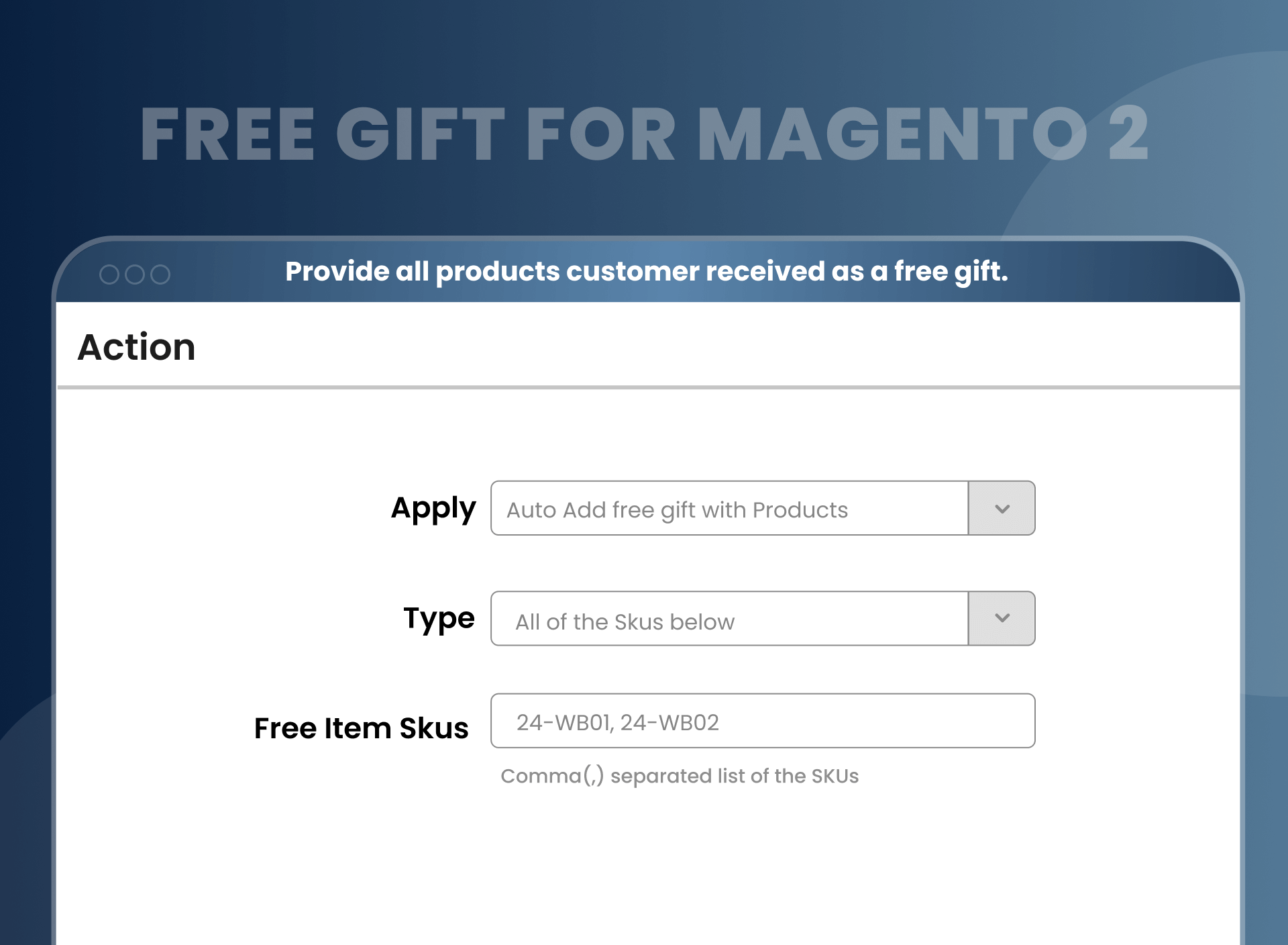
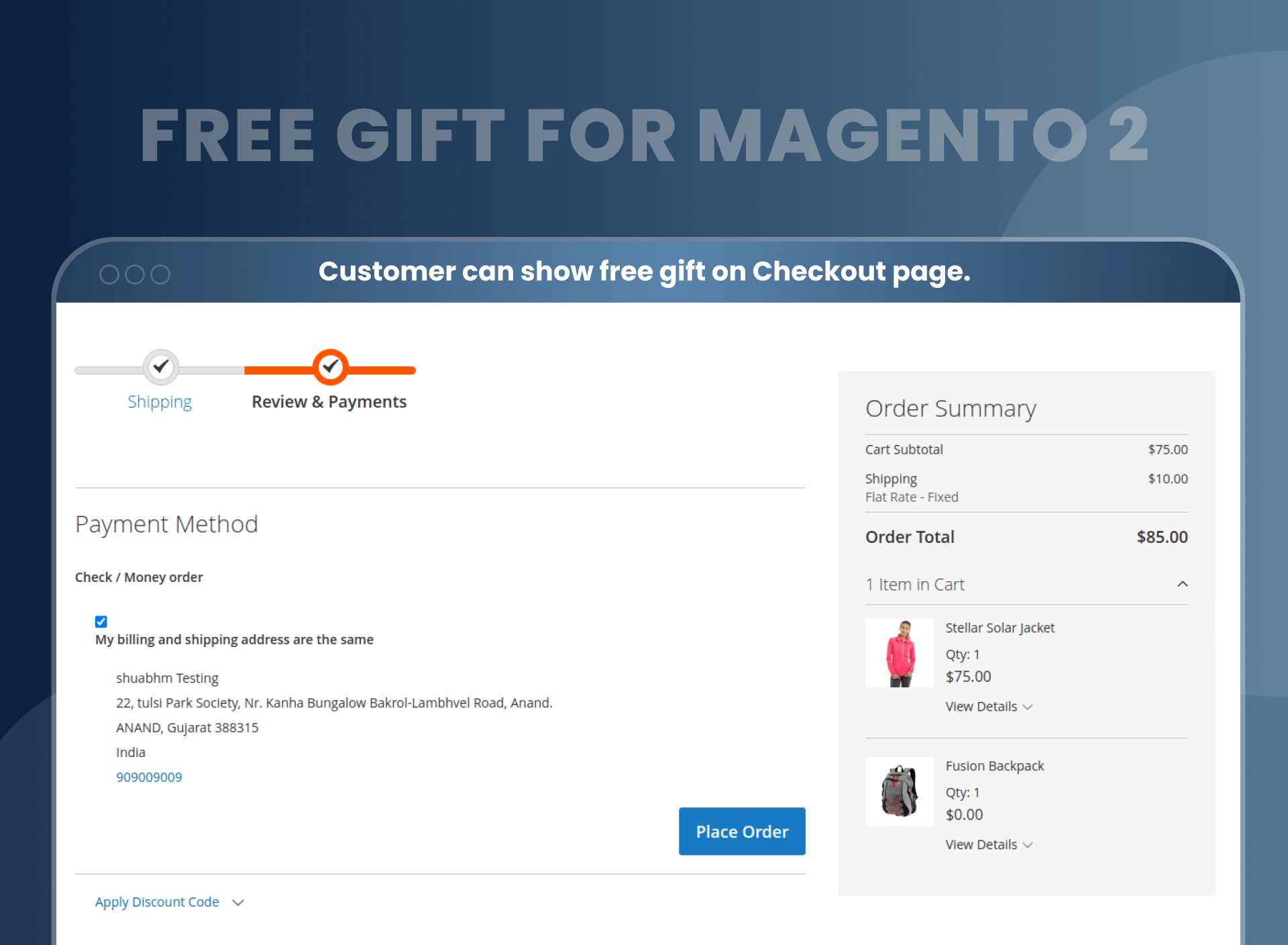
- Free gifts will automatically be added to the customer’s cart.
- Let customers decide to choose from multiple gift options.
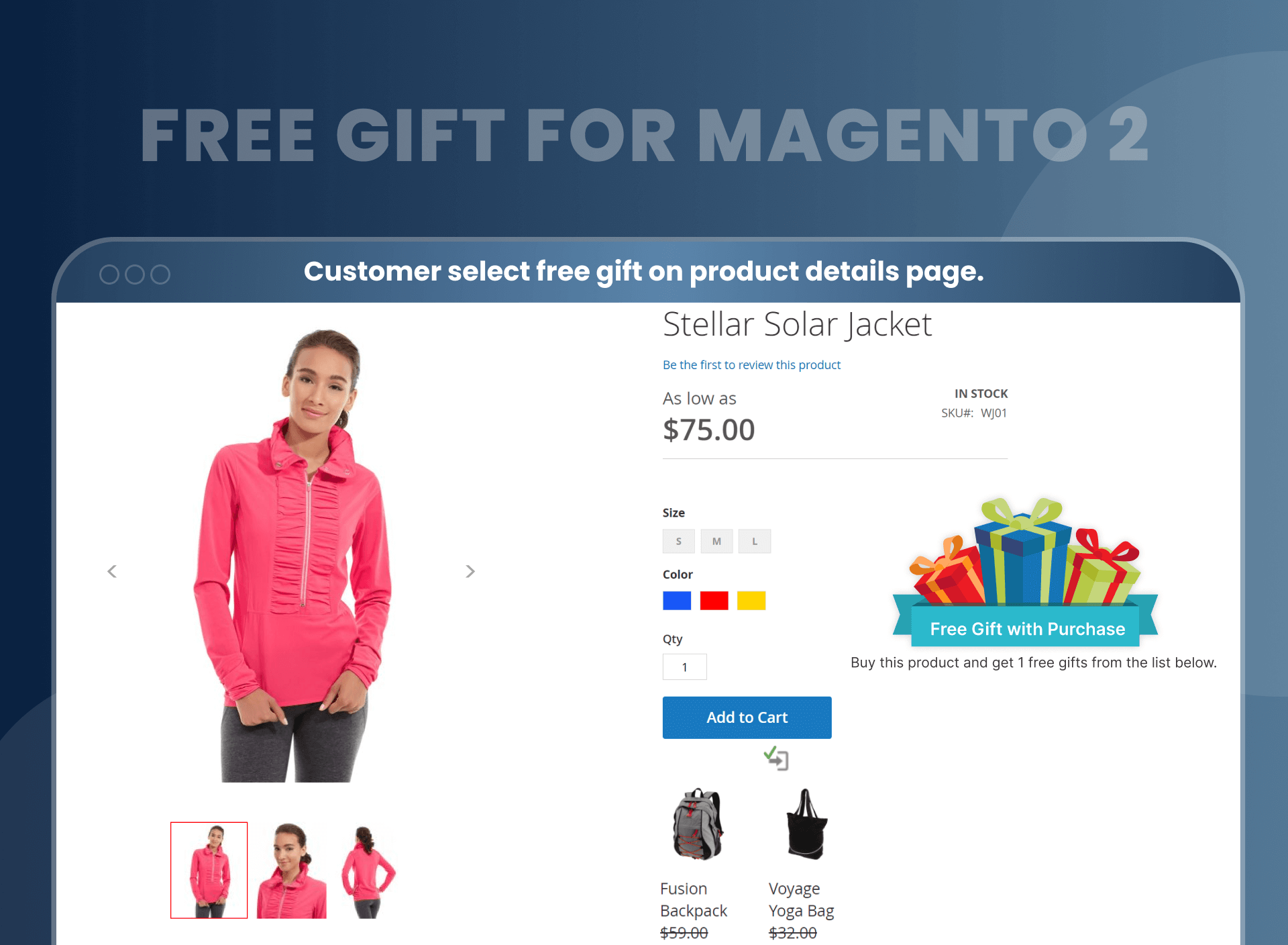
- Option to display a free gift banner on the product view page.
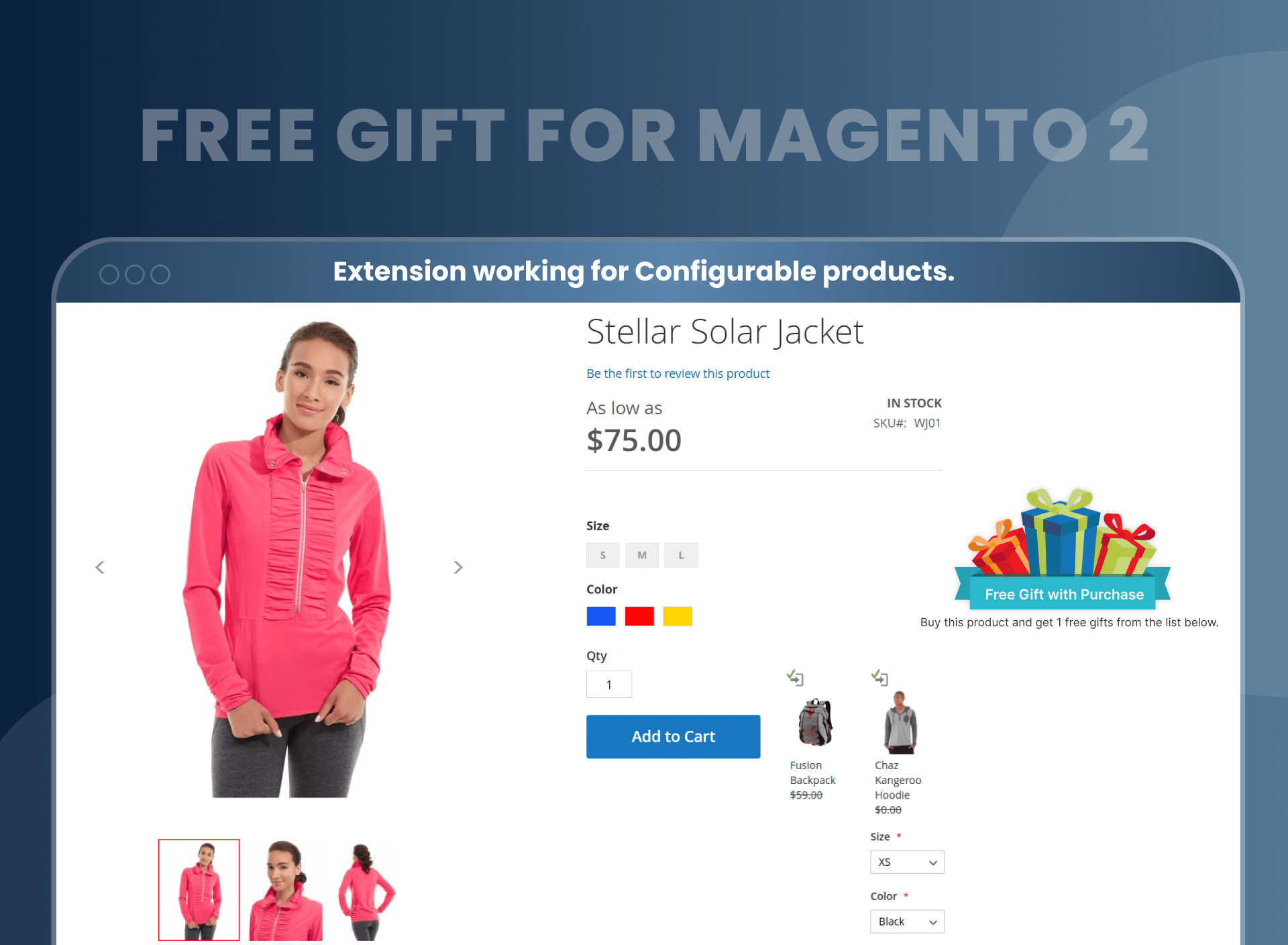
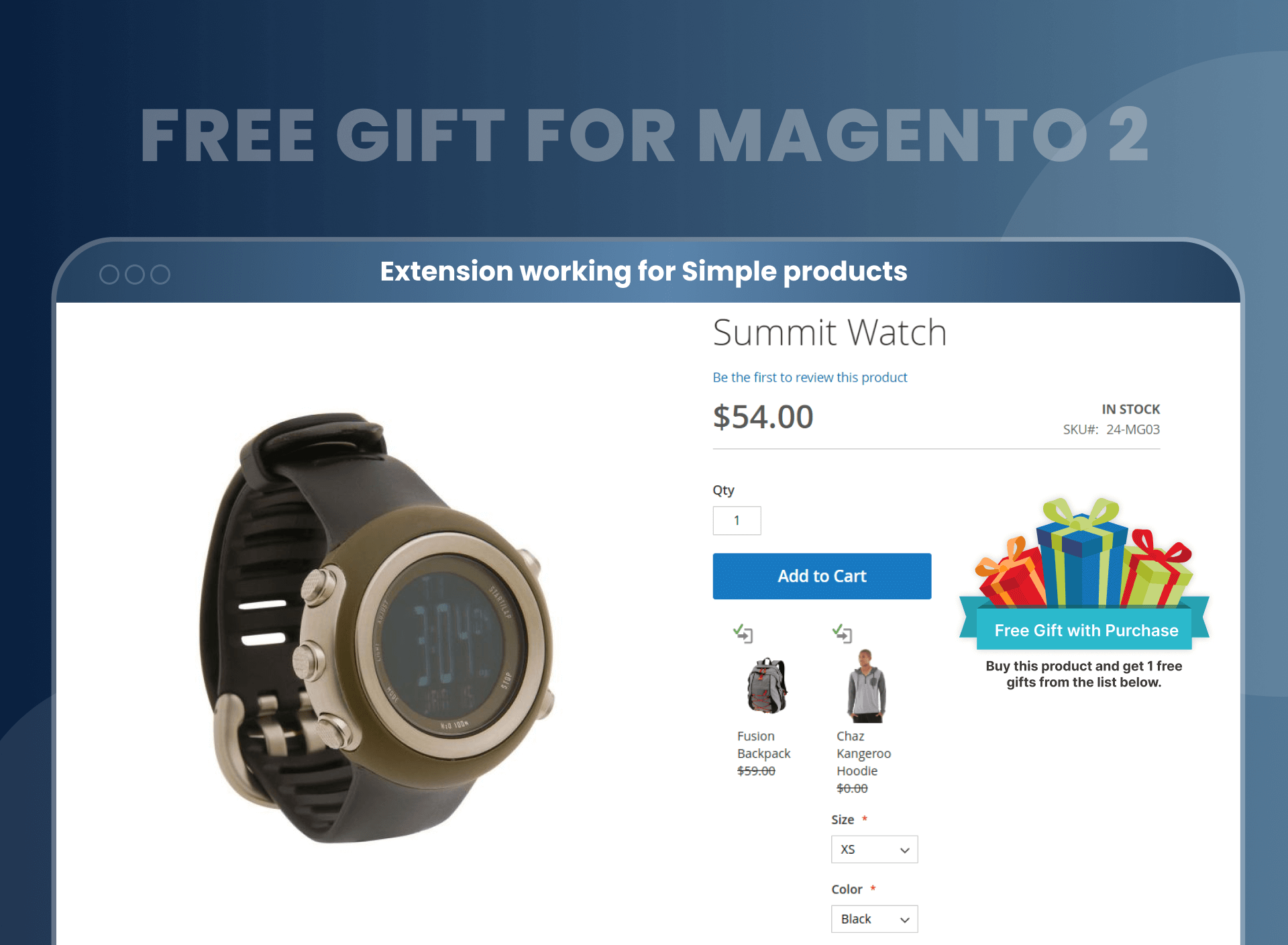
- Display free gift product details on the main product’s view page.
- Set some rules or conditions to offer free gifts to customers.
- Use an extension with cross-browser compatibility.





Problem:
In today's eCommerce market, free gifts are acting as a powerful marketing tool. According to a survey conducted by Harris Interactive, 90% of consumers say a free gift with a purchase increases brand loyalty. According to retail touchpoints, 65% of customers who receive a free gift are likely to share their shopping experiences with others online.
Unfortunately, the default Magento functionality is not powerful enough to implement flexible gifting options or offer a free gift under multiple conditions. The only reliable solution is to purchase the Magento 2 Free Gift Extension.
Solutions:
MageAnts came up with a solution and designed this perfect tool for merchants to offer customers a free gift with purchase. This Magento 2 Free Gift module is a helpful tool to stimulate customer purchases by offering free gifts, thereby increasing average order value by attracting more customers.
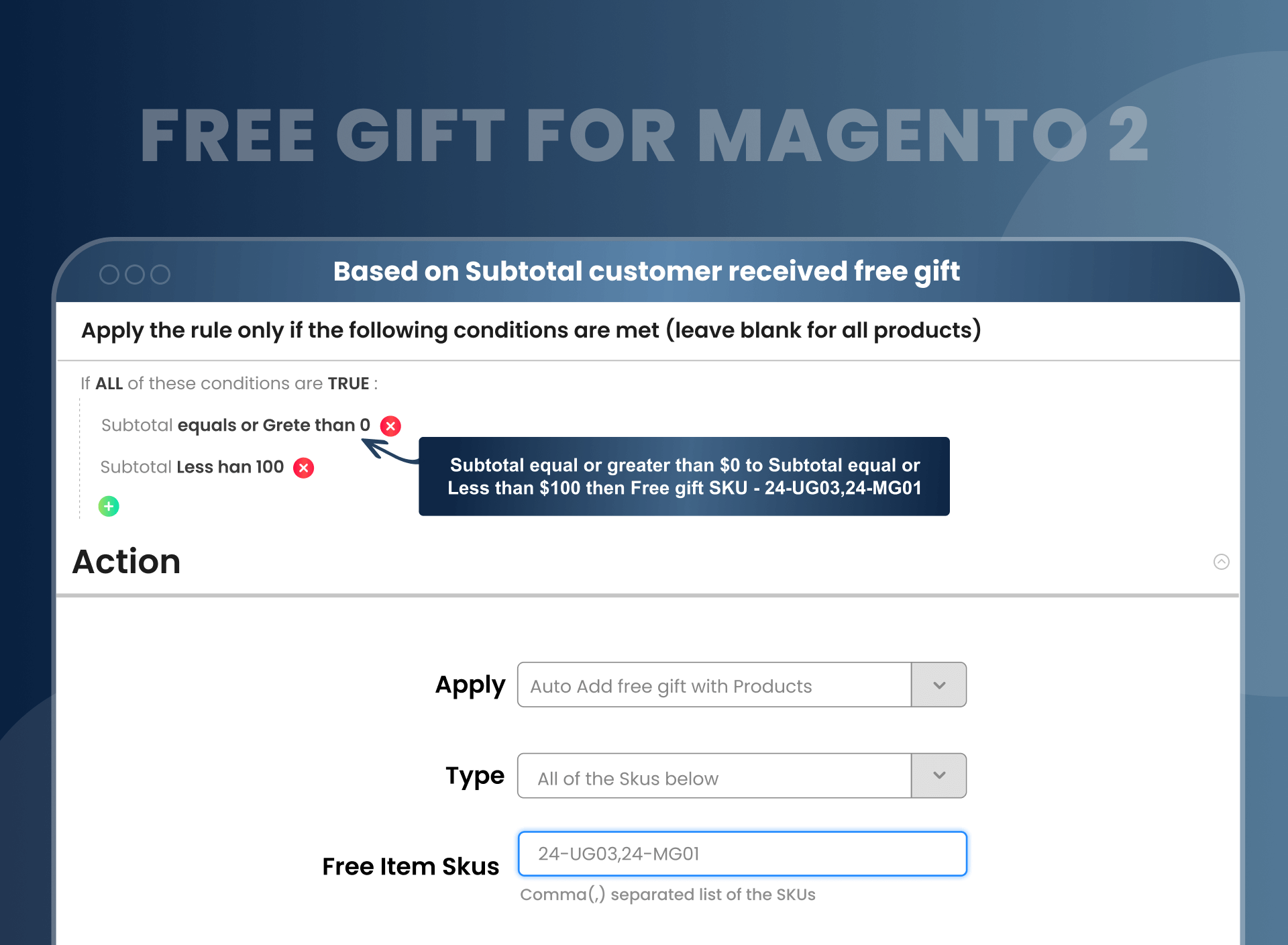
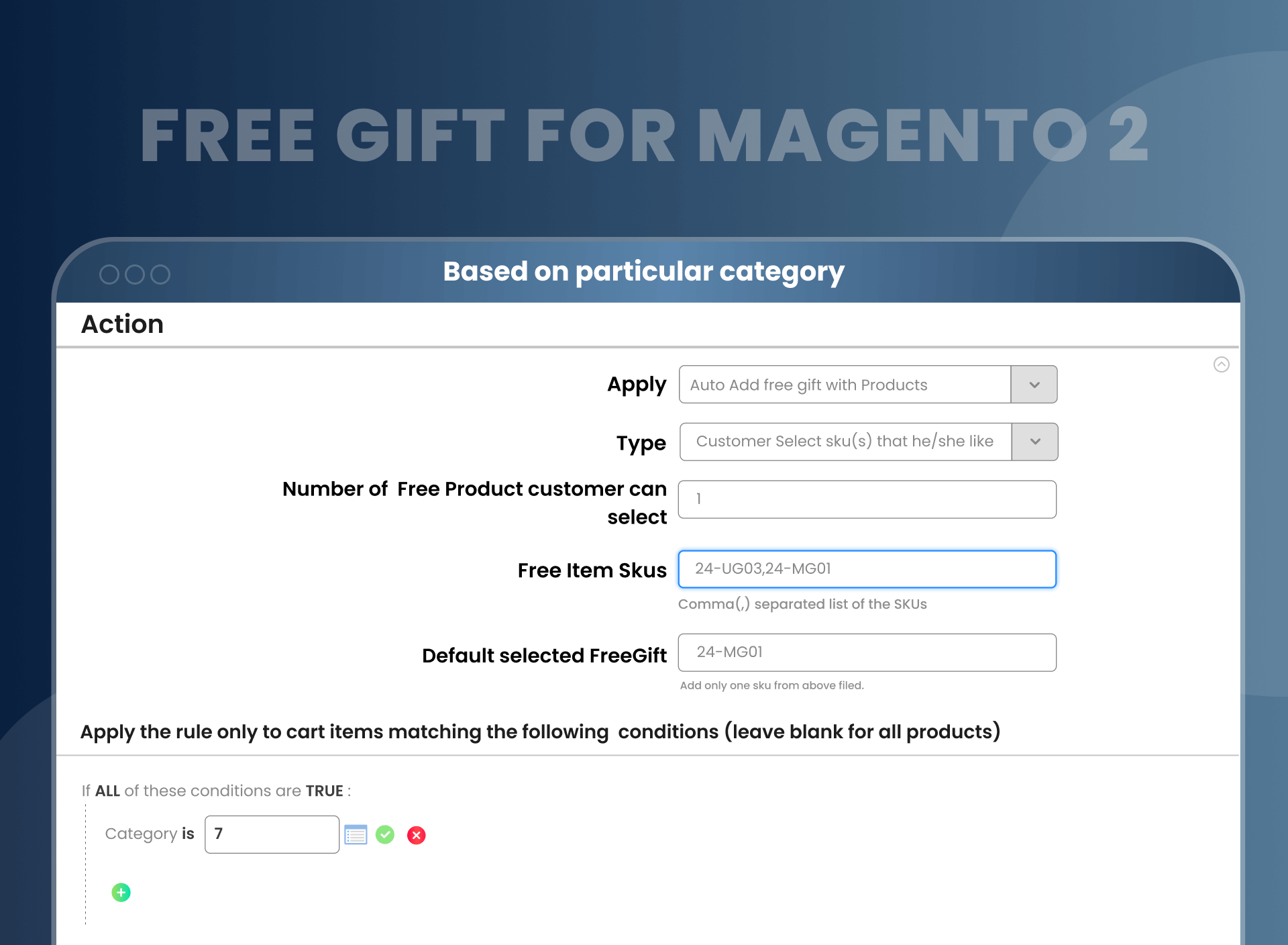
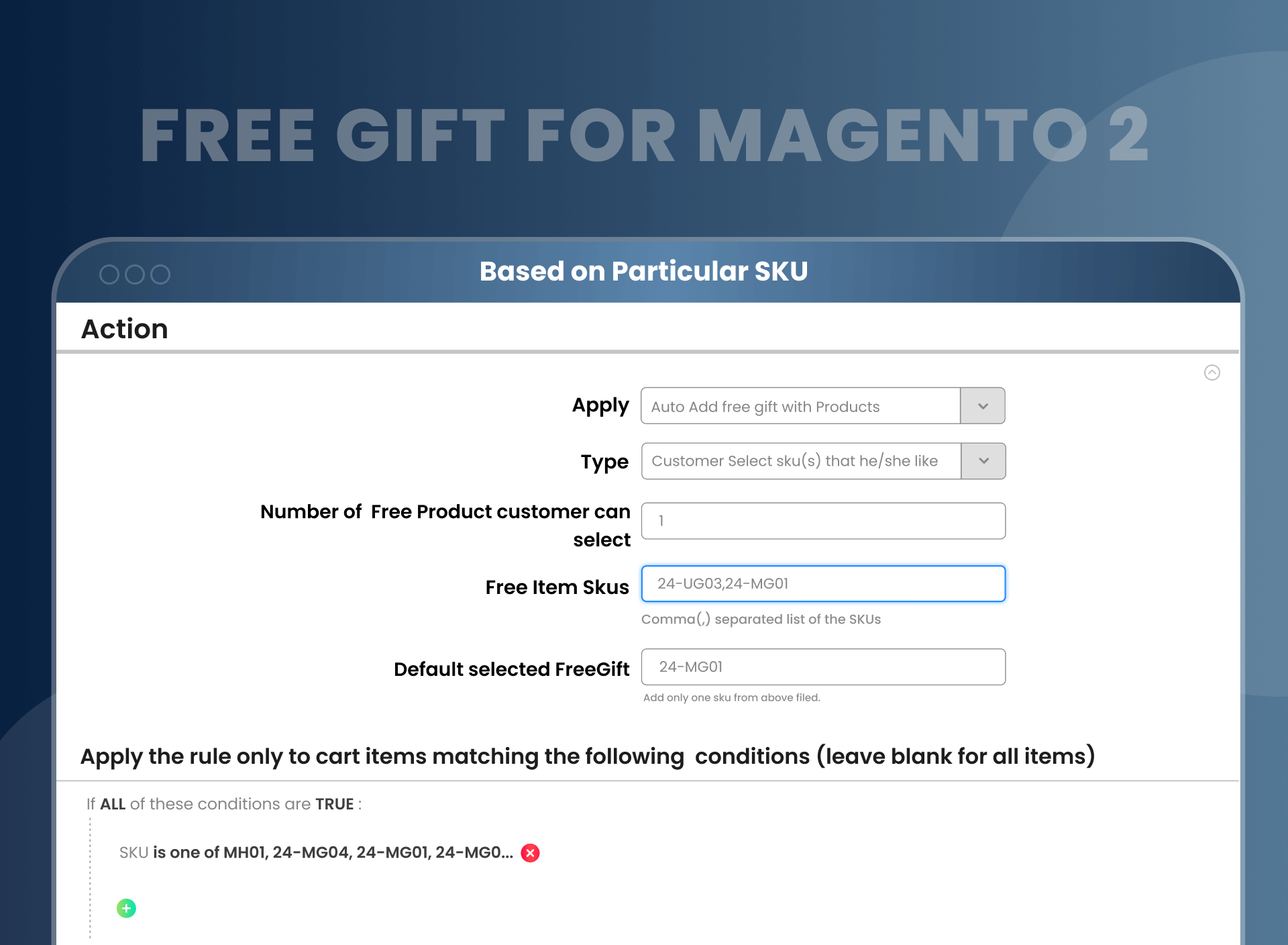
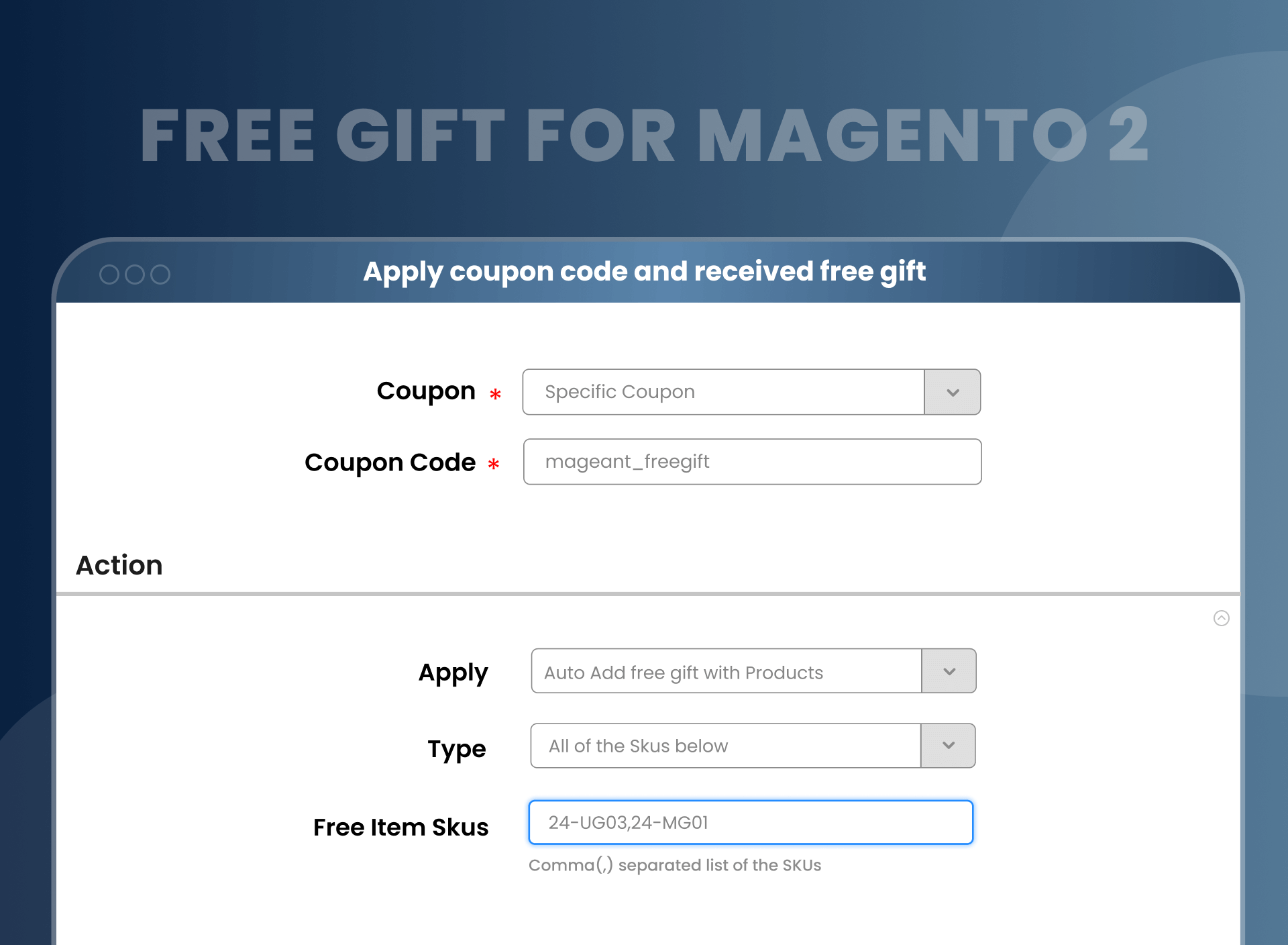
This extension allows Magento merchants to handle the free gifts section from a single Magento admin panel. Magento free gift with purchase only works on Specific amounts of Subtotal, Particular Category, Particular SKU, and Apply coupon code to receive free gift.
Description
FAQ
Magento 2 Free Gifts by MageAnts allow the seller to offer customers gifts with shopping. With the help of this, the store owner can choose the action for adding gifts automatically or in a manual way. You can show attractive banners or images to notify your customers about special offers, discounts, and then they can select a gift among available promo code according to their choices. You can set conditions, and if the condition is met, the gifts will automatically get added to the customer's cart according to the current rules applied.
Yes, MageAnts Free Gift extension works with configurable products. It helps to bring a diversity of promotion to customers, and it gives a reason to return to your store.
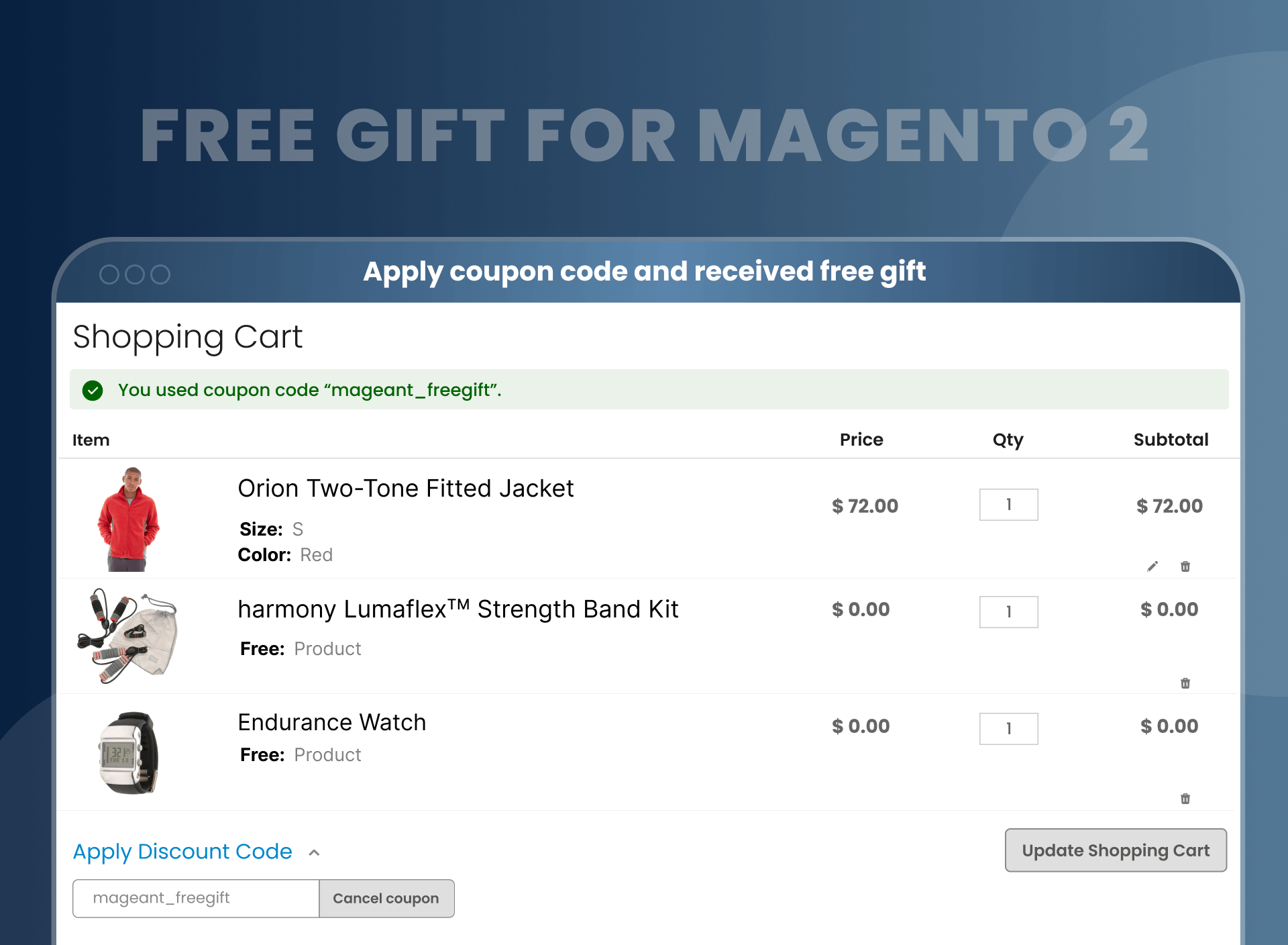
Yes, it is possible. Whenever the customer applies a specific coupon code, then they are eligible for to a receive free gift.
Yes, MageAnts provides three-month free assistance to the entire user after purchasing an extension.
Yes, MageAnts Free Gift option works on the conditional based system.
Yes, we offer installation service. You can opt for an installation service while ordering an extension.
Yes, all the extension works with the multi-store, and your customer will love it.
Yes, with the help of free gift, you can allow customers to choose from multiple gift options. It is the best way to encourage customers to buy more from you.
Why not? We can help you with your requirements as it is already fulfilled in our extension.
Have a look at the below steps:
- Create a cart price rules and select subtotal conditions from regulations.
- Add your condition. Subtotal is more than $200.
After implementing the above steps, whenever your subtotal is more than $200, the customer receives free products. We have created rules; please refer to rules with id – 20.
Install MageAnts Magento 2 add free gift to cart. Using that module, you can create cart price rules from the backend for free gifts. You can find a free gift in the product details page, you can select it and free gift products will be added to the cart.
Reviews
Customer 26 Reviews
Customization
Change Log
Current Version Number : 2.0.9
Date : 24/04/2023
Bug Fixes Overview.
- MageAnts team make extension compatible with latest magento 2.4.6 version.
- When you enter a coupon code and press the ENTER key multiple times, a number of free gifts are added to your cart.
- When a free gift is added to the cart using a coupon code, you add the free gift quantity and place the order. Because of this, the user can add multiple free gifts.
- When update main product quntity in shopping cart it's fire this validation "You can not update Free Gift Qty Please update only main product Qty.
- When a main product and a free gift product are added to the shopping cart, open the mini cart and remove the main product, but the free gift product remains in the mine cart. All this free gift product can be fully placed in the order.
- Set a cart price rule for one particular category. Now add another category product to the cart, and then add a product that is set as a cart price rule. Now apply the coupon code, and then remove the main product, which is the full fulfilment condition of the cart price rule. So because of this, all the added products are removed from the shopping cart page.
- Set a cart price rule for one particular category. Now add another category product to the cart, and then add a product that is set as a cart price rule. Now apply the coupon code, Now remove the another product which is not related with cart price rule. So because of this, all free gift product is getting removed frome the shopping cart page. (set Conditions :- Category is 3,4)
- Apply a free gift coupon code to a product. Now remove this coupon code from the main cart page, so the configurable free gift product is not removed.
Current Version Number : 2.0.8
Date : 29/03/2022
Bug fixed and Compatible with Hyva Theme.
- Make extension compatible with magento coding standard and Hyva theme.
- When i add one free product(configurable) with default product in cart but that Selected free product not shown in cart.
- Adding 1 product in cart and going to cart page the correct free products are added. But change product amount from cart by going back to the product and change it to 2 then go to cart again all free products are added.
- Add product to the cart than Remove the free product and Change quantity of paid product to 2 Then it becomes free.
- When product Qty update on cart page then add free product and subtotal rule is set then free product is not remove.
- On cart page product can modify the qty with edit button
- When main product qty modify with edit button then free product update and remove on cart page.
Current Version Number : 2.0.7
Date : 19/05/2021
Bug Fixes Overview.
- Make extension compatible with Api and GraphQL in magento version 2.3 and above.
Current Version Number : 2.0.6
Date : 20/08/2020
Bug Fixes Overview.
- When a free gift product is out of stock at that time give a message on the same page.
- When multiple free gift display at product view page and admin allows a customer to select 2 free gifts but when customer select 1 free gift and click on add to cart at that time product add to cart with 1 Free Gift only.
- once free gift add to cart after that Free Gift not display in product view page.
Current Version Number : 2.0.5
Date : 26/06/2020
Bug Fixes Overview.
- When the admin set the coupon code in the backend then sometimes the checkout cart page not loading and show blank. Now MageAnts fixed the issue and working fine in all Magento Version.
Current Version Number : 2.0.4
Date : 11/03/2019
Bug Fixes Overview.
- MageAnts update Free Gift extension in latest Magento2.3 version, Now extension working with all Magento version.
Current Version Number : 2.0.4
Date : 16/01/2019
Bug Fixes Overview.
- Update module version name in composer.json file same as module.xml file.
Current Version Number : 2.0.4
Date : 25/10/2018
Bug Fixes Overview.
- When user apply Free gift coupon code then free gift added successfully but when remove coupon code then also free gift product display.
- Also multiple time coupon code apply then multiple time free gift display now all issue solve and working fine.
Current Version Number : 2.0.3
Date : 10/10/2018
Bug Fixes Overview.
- Free Gift Coupon code not working in checkout page.
Current Version Number : 2.0.2
Date : 03/10/2017
Bug Fixes Overview.
- Internal code Optimization.
- Add Product label from backend to show this as free gift.
- Now you can add configurable product as a free gift.
- In update item from the cart then you also update free gift as well.
- Compatible with default cart rules. Such as Brand, colors, Size etc.
- Set two option for the free gift like 1) all free gifts add to cart at one time without selection 2) you can select free gifts in product view page as per your choice.
Current Version Number : 2.0.1
Date : 22/09/2017
Bug Fixes Overview.
- Timezone updated which means that customer can select time zone to receive mail on selected timezone.
- Admin can set time to send email to work with timezone.
- Customer notification on expiration of gift card added which means that admin can set customer notification yes to send expiration notification on email.
- Email template enhanced. Admin can add template with text foreground and background color.
- Customer can upload own template during purchase to send own template.
- Bug fixing and enhancements Admin Configuration.
How To Add Free Gift To Cart In Magento 2?
Benefits Of Free Gift Magento 2
How Does Magento 2 Add Free Gift To Cart Work?
Why Does Your Store Need MageAnts Magento 2 Free Gift ?
- Install extension and enable from configuration.
- You can set configuration as per your requirement.
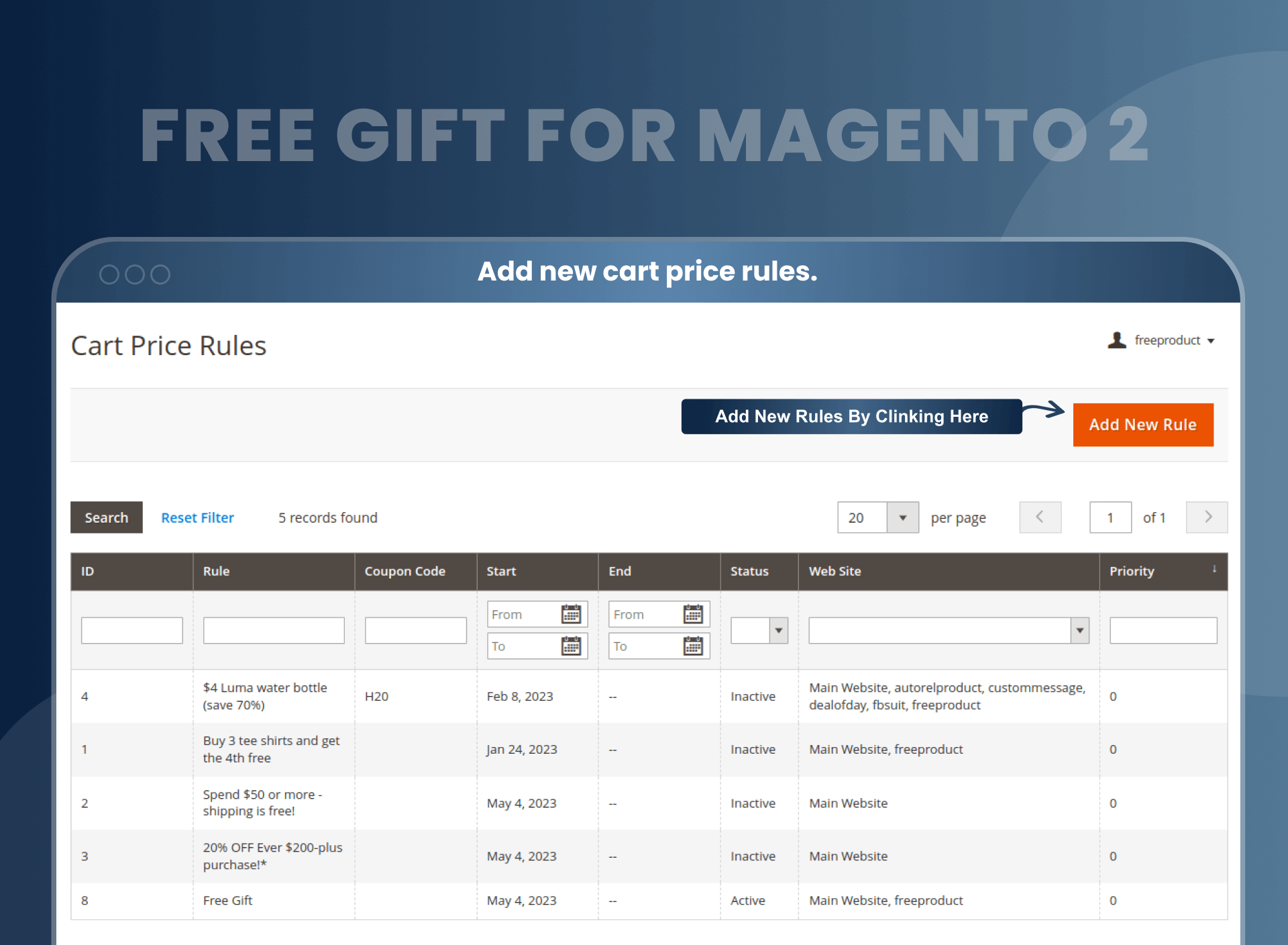
- Then create cart price rules from Marketing > Cart price rules > Add new rules.(You can create rules based on Subtotal, Sku, Category, Etc).
- You can find free products on the product details page.
- Select your free gift when adding the product to cart
- When you add a product to cart, then you can see a free gift and your main product successfully added into cart.
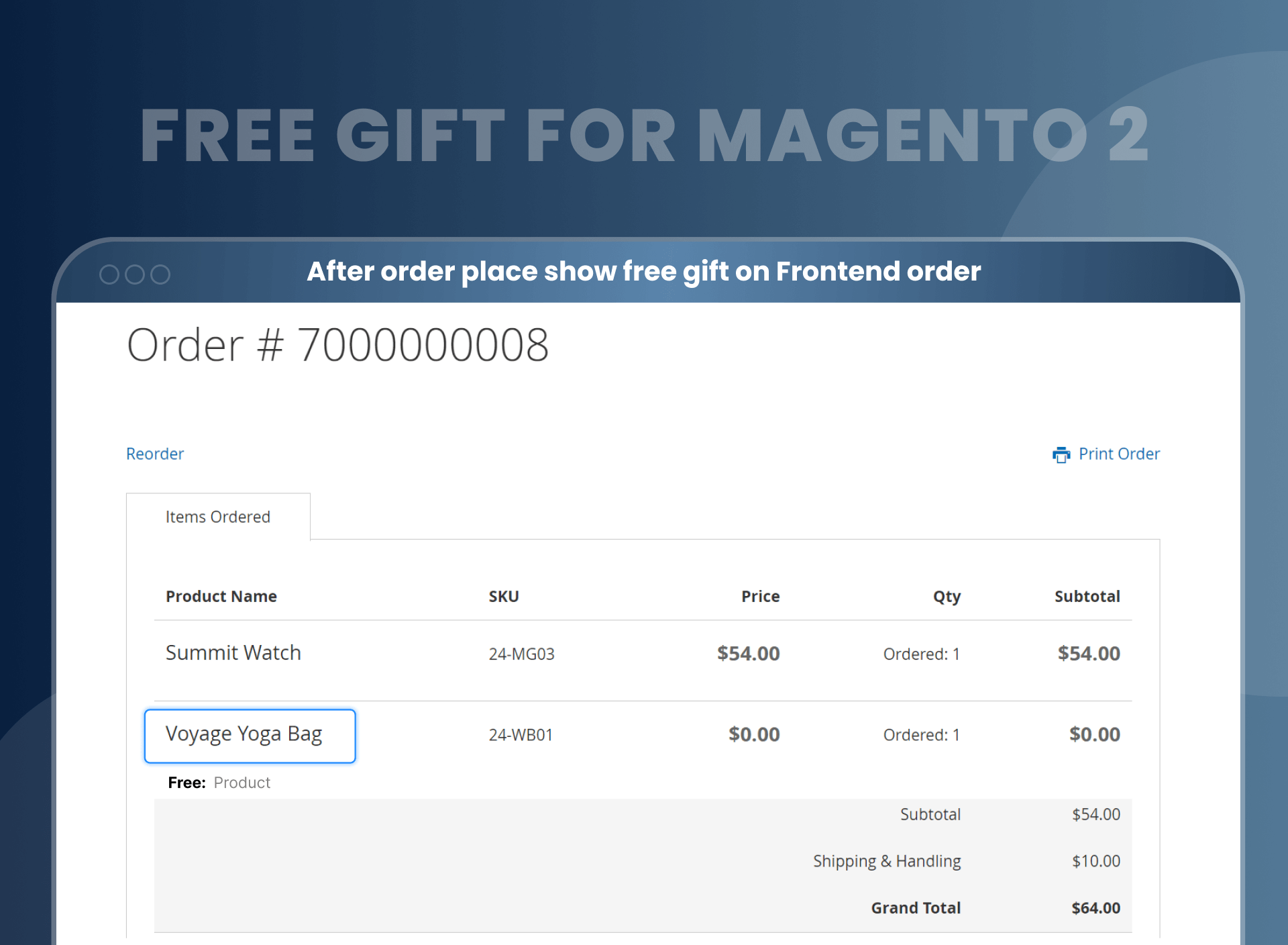
- Then you can easily place an order free gift.
- Magento 2 add free gift to the cart, which plays an important role in boosting your store sales in different ways, including:
- Motivate customers to come back in the future and purchase from your online store.
- Encourage potential customers to come back and purchase products from your online store.
- Increase sales and build customer loyalty.
- Fulfill your marketing goals by just offering a free gift.
- It's a cost-effective method of maximizing sales without any extra effort.
- Removes price as a barrier to the buyer’s decision-making process. Customers feel that they are getting more value out of their purchases, which in turn increases the likelihood of conversion.
- Attract customers and is likely to inspire them to share positive testimonials. Such complimentary feedback is priceless.
- It helps to offload excess or unwanted stock.
- Free gifts could inspire repeat purchases.
- The MageAnts team has developed an amazing extension for Magento 2 users called the MageAnts Free Gift extension.
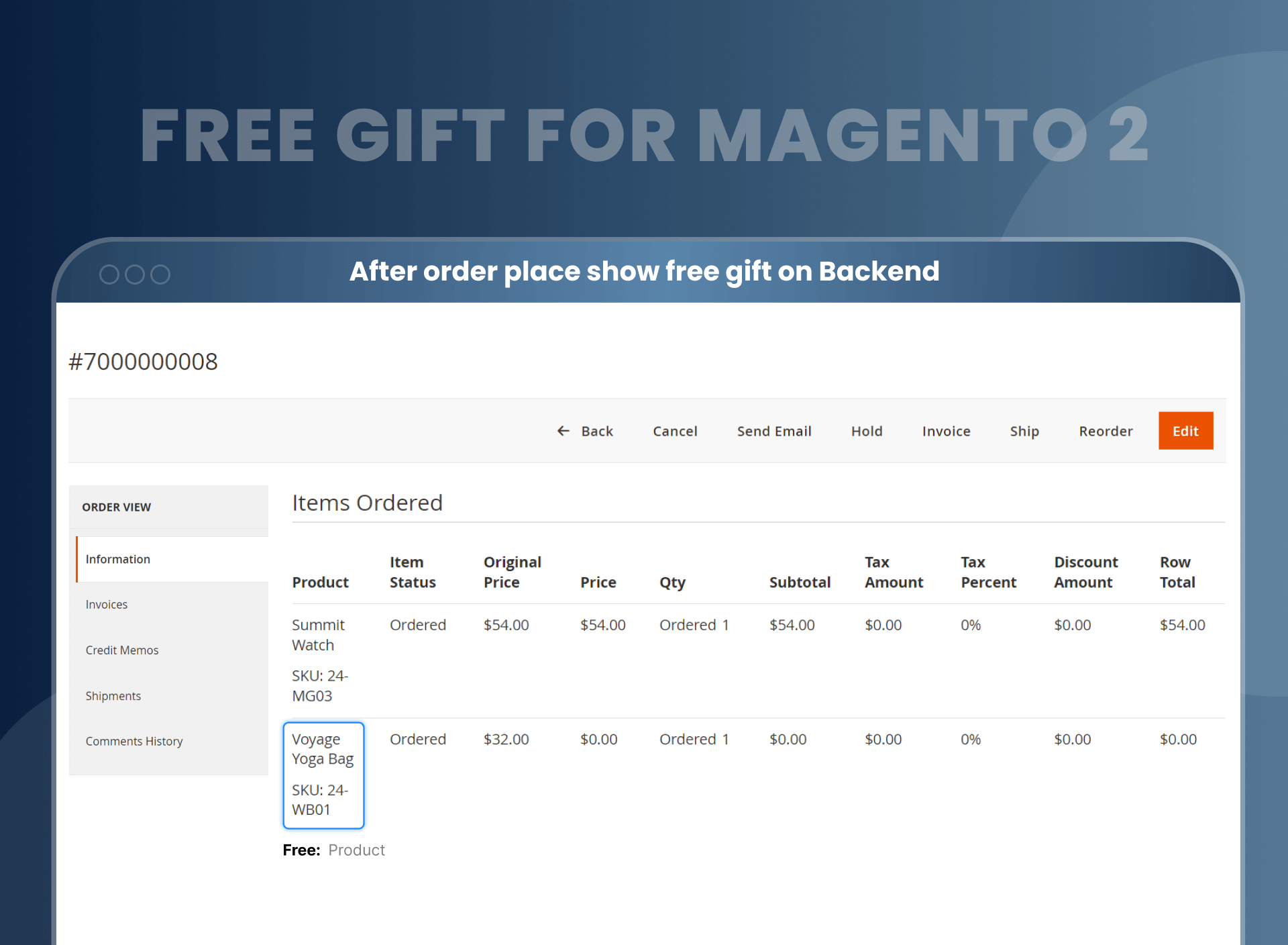
- This extension allows the proprietor of the business to handle the free gifts section by just managing 1 admin panel.
- The proprietor just needs to allow the gift item with the main item, the maximum number of free gifts a customer can take up in his/her cart with the main item, and other necessary information.
- Business is a task that needs to run with techniques. To boost up your sales and to stay in the competing market, a smart entrepreneur needs to use different sales-boosting techniques. There are several methods to boost up your sales like promotional offers, discounts, etc. One such classic technique is ‘free gifts’.
- Brick and mortar sellers can persuade their customers by telling them about the free gifts with certain products and give them to them as required. But how can you be an Online store owner can do it too now. It is humanly impossible for you to add gift products to the carts of each and every customer. You need an automated system that can directly add the free items to the cart when a customer adds the main product to the cart. The MageAnts Magento 2 Free Product is the tool which can help you do this effortlessly.
- Instead of giving the gifts that your close ones may like or may not, give them Gift Cards so that they can redeem them on their own and purchase what they want. Plus, the benefit is that you can upload a picture and customize it as required.
- In addition to this, there is an extension named Store Credits which is not related to gifts, but these are the virtual credits customers get from their refunds and are allowed to spend on future purchases. They can apply for these store credits on the shipping amount, on tax, etc.
- Sample Product for Magento 2, the perfect extension for the customers, has better accessibility to products and helps them ensure that they are not splurging on unnecessary products. Admin can offer them sample products so that they can try and have faith in the products. Admin can restrict the products to sizes and amounts.
Why Choose MageAnts
-

9+ Years of Industry Experience
9+ years of extensive experience in delivering Magento solutions & services. Over the years, we have watched technologies change and bounds, and our team has always focused on staying ahead in this competition.
-

100% Bug Free
Our team follow rules and takes care of perfect setup to ensure a bug-free and error-free code for the development process of theme, extension, or website development.
-
Extension created By Certified Developers
Team of certified developers for developing MageAnts Magento extensions. Skilled, qualified, and committed professionals to work on every extension.
-

Quick Technical Support
MageAnts ensures quick and quality technical support. Take advantage of our 90 days free support for a smooth and efficient experience.
-

Frequent Extension Updates
Intensive update roadmaps ensure highly compatible, bug-free, great performance, and innovative extensions.
Our services
-

Hyva Theme development
Are you facing Speed issues? Integrate Hyva Theme
-

Hire Magento 2 Developer
Hire Developer as per your custom requirement
-

Magento 2 Upgrade Services
Upgrade your Store with Magento 2 Latest Version
-

Support & Maintenance Services
Maintain your Store with MageAnts Support Services